Acrobat X: screenshots

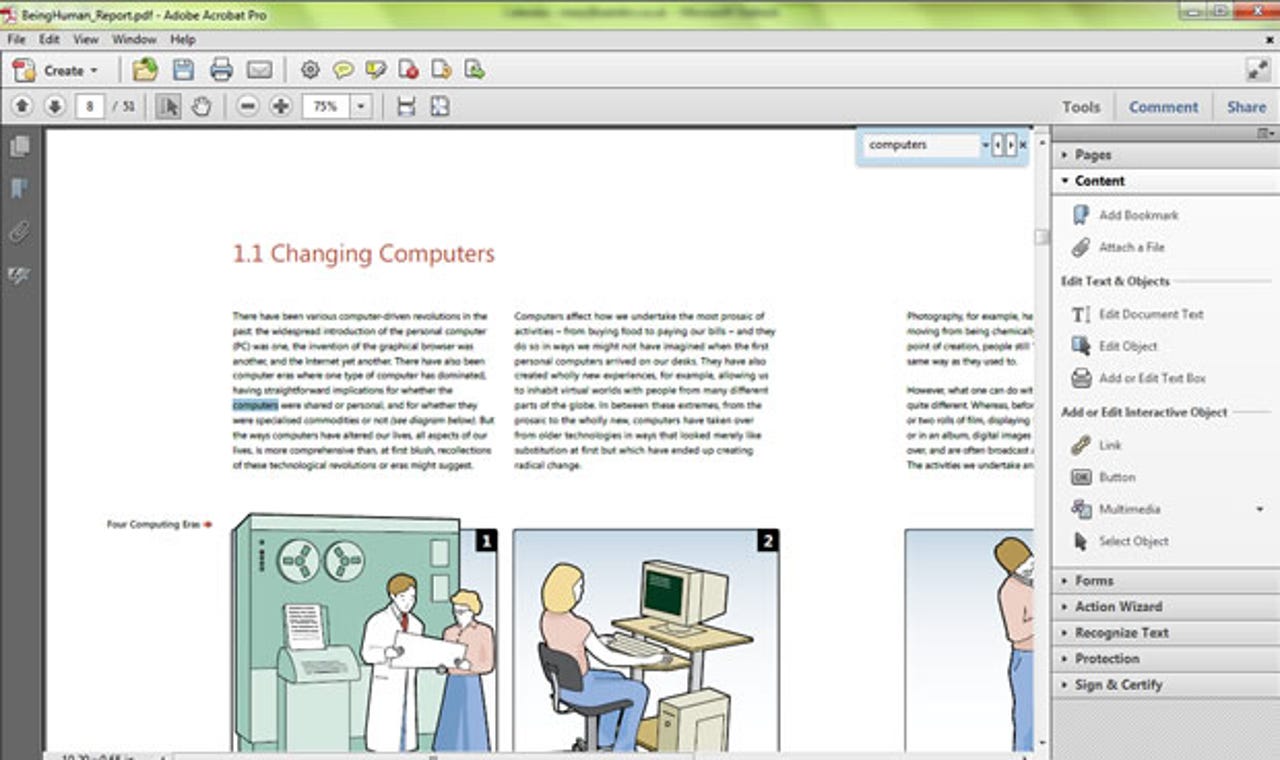
A cleaner interface
Two toolbars and the new taskpane interface provide a logical arrangement of the tools you need, without filling up too much of the Acrobat window. But as with the Microsoft Office ribbon, you're going to have to learn the tools' new locations.
Customise toolbars
Instead of opening ever more toolbars, which was clumsy but quick, you can now customise what goes on the toolbars. You do this either from the menu or from a friendly dialogue box containing the most common tools (that sends you back to the menus for the full set of tools).
Clearer protection
Tools have moved in Acrobat X Pro, but that's a good thing: everything you can use to protect a document with important information — from encryption to redaction — in is now in the same place and easier to find.
The Comment pane
Adding comments is still slightly long-winded — you can't just click to type in a correction or missing word. Instead, you have to select the tool to insert text first, even if you've just typed something, which means you're mousing back and forth between the document and the taskpane. Sseeing the list of comments in the same place as the tools is more convenient though.
Creating guided Actions
Acrobat X Pro includes some common guided Actions, but you can make your own by choosing tools and actions from this dialogue. You can't record what you do in a document to make an action, but it's very visual. For example, you can choose dialogue options (click the Options button for a step to open the relevant dialogue) and whether to apply the step automatically or wait for confirmation.
Fewer, clearer Portfolio options
The options for creating Portfolios of multiple files are much less confusing. There are fewer layouts than before, with one grid you can edit rather than umpteen different grid layouts; the new layout styles, such as Wave, are stylish.
Simpler Portfolio design
You no longer need separate development tools just to create a new Portfolio style: you can now customise the standard styles, or just pick the background image and colours you want to use. And instead of the Acrobat 9 Professional colour picker, which looked like something a designer would use in Photoshop, you get the choice of preset colour palettes or picking standard web colours.
Export to Word
Export to Word and you now get a document that looks just like your PDF — only editable. You get the fonts if the PDF came from a document, and even if it came from a scan you get a reasonable version of the document via OCR. Export to Excel also gives you faithful formatting, and you can simply copy text out of an unlocked PDF, with or without formatting, more easily.
Word domination by PDF
Adobe says it worked with Microsoft on Acrobat integration, and it's possible the company went a little overboard: having PDF appear so many times in the Backstage menu is a little overwhelming and could be confusing — especially as you still have the built-in PDF creation tools.
Acrobat X tools in Word
The Acrobat X ribbon tab in Office 2010 has far fewer options, and they're the ones you need. You can turn your document into a straightforward PDF (with the option to transfer footnotes, endnotes and comments), or make a PDF that's designed to share. The option to send out a document for comment that people can't edit — so you don't have to manage multiple incompatible revisions — could be very useful.
SharePoint check-in
If you work with SharePoint, extra SharePoint tools appear on the Acrobat X menu. You can check documents back in and save them seamlessly to the SharePoint site, or close them and cancel the checkout cleanly. If you need to fill in metadata you can do that from Acrobat — and administrators can force this as part of the check-in process inside Acrobat (users may not like this, but the business gets the information it needs or you can't save the PDF).
Reader X
The free Adobe Reader X will let you add sticky notes and highlighting to PDFs — not the full set of Acrobat's commenting tools, but still useful. The Create taskpane doesn't mean Reader can make PDFs itself: it's a link to the updated online Adobe service that lets you create a limited number of PDFs for free.