Five Windows tools to keep your digital life in sync

Like many of my readers, I have a desktop PC and a notebook. I do most of my day-to-day work (like composing this post) on the desktop PC in my office. I use the notebook in the living room for casual web surfing, reading feeds, and sometimes writing, when I just want a change of environment or a more comfortable seat.
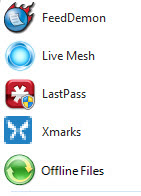
So how do I remain productive? Over the course of the last few years, I’ve built up an assortment of tools and techniques that help me keep track of files, bookmarks, passwords, RSS feeds, and other assorted data (mostly work-related) as I switch between PCs. In this post, I’ll share my favorite software, services, and shortcuts for keeping stuff in sync.
[Don't miss the screenshot gallery I've prepared to give a closer look at how each of these programs works.]
Before I dive in, though, I want to offer a disclaimer: This is my personal strategy, developed over time because it works for me. I’m certainly not saying that this particular set of tools and techniques is right for everyone. On the contrary, I imagine that many of you have different tools and techniques that you use and prefer. I’m looking forward to reading the Takback section of this post and learning about some alternatives that I might not hear about otherwise.
On that same note, let me say right up front that I’m a Windows guy (just like, you know, about 90 percent of the world), so I don’t really have to worry about cross-platform issues that much. Even so, the majority of the tools I review here are available on platforms other than Windows, a fact I note in the system requirements section for each entry.
This isn’t a complete list, either. One of the key pieces of my data storage strategy is Windows Home Server, for example. But that complex product deserves a more in-depth look, which I’ll provide later. Likewise, I’m steering clear of the e-mail/contacts/calendar options (for the record, I use a hosted Microsoft Exchange account, but that option isn’t for everyone).
With those disclaimers out of the way, I present this list of my top 5 Windows tools for keeping your digital life in sync:
Offline Files The single most useful Windows feature you’ve never heard of, it allows you to work with files on a network share even when you’re disconnected.
Windows Live Mesh Another Microsoft file-sharing technology, this one is ideal for keeping folders in sync on two or more PCs, with online backup as a bonus.
LastPass Create random, unique, impossible-to-guess passwords for websites and store them in a secure online vault that automatically keeps other PCs in sync.
FeedDemon 3.0 If you get your news from RSS feeds, you need this brand-new update to one of my all-time favorite Windows programs.
Xmarks How do you keep bookmarks organized between multiple browsers on multiple PCs? This cross-platform add-in (formerly Foxmarks) is just the ticket.
Next -->
Offline Files
InfoPrice: Included with business/professional Windows editions
System requirements: Windows Vista Business\Ultimate\Enterprise, Windows 7 Professional\Ultimate\Enterprise
Offline Files is the single most useful Windows feature you’ve never heard of. It first appeared in Windows 2000 XP, but it was greatly improved in Windows Vista and has been refined even more for Windows 7.
The idea is simple. From a PC running a business version of Windows (sorry, not available in Home Basic or Home Premium), you connect to a network computer. You find a network share or shared folder on another computer, right-click, and click Always Available Offline.
That creates a sync partnership, and Windows immediately begins creating a local cache of the files in the remote folder. As long as you’re connected to the network, you work with the remote files directly, and Windows updates the local cache with your changes. When you disconnect from the network, you can still open the shared folder using a mapped drive or a UNC name (\\server\share), but you’re working with the cached files. You can create new files and folders, edit and save existing files, or delete objects. When you reconnect to the network, your changes are synced up using the settings you define.
The remote location doesn’t have to be running Windows either. I’ve successfully configured shares on a PC running Ubuntu Linux for offline access, and I have no doubt that connecting to a Mac file share would work as well, since it also uses Samba.
Of course, when you work with files in two different locations, you run the risk of making changes to the same file in each location. That contingency is handled very well by the sync engine, which detects conflicts and allows you to resolve them by choosing one of the conflicting files or keeping both (giving a new name to the older file in the process).
The best part about this feature is that it eliminates the frantic scramble to sync files from desktop to notebook before a business trip. In my office, I keep all working files in a shared folder on an HP MediaSmart Home Server. I have the notebook set for offline access to the work files and to my Photos share, so I know I’ll always have up-to-date copies of those files in at least two places.
Next -->
Windows Live Mesh (beta)
Info/DownloadPrice: Free
System requirements: Windows Vista or XP SP2+, OS X 10.5+
Windows Live Mesh is still a beta service, but these days that’s not a red flag. (Google Mail, after all, just celebrated its fifth birthday and is still in beta.) I’ve been using the file and folder sync features of Live Mesh for the past year, and after a few hiccups early on it has been impressively fast and reliable.
The service gets its name from its organizing principle: You create a “mesh” of hardware—primarily Windows PCs today, although there’s now limited Mac support and the promise that mobile devices will be supported soon as well—and synchronize folders between those devices and a web-based Live Desktop that you can access from anywhere. Each change you make to the contents of that folder is synchronized with other locations via a small program that runs in the background.
You can invite other Live Mesh users to share access to a folder, assigning them permissions ranging from read-only access to full control. As a result, you can use a Live Mesh folder as part of an impromptu collaborative network. It also has some very cool Remote Desktop features, which allow you to connect to another machine in your mesh and work directly with it as if you were using Windows Remote Desktop, VNC, or another terminal program.
I use Live Mesh for a very limited set of uses, where its features map neatly to my needs. Windows Live Writer, the excellent blog post editor that I’m using to compose this post, insists on storing drafts and completed posts in a fixed location in the Documents folder of your user profile. There’s no easy way to change this location, so I don’t bother trying. Instead, I open that folder in Windows Explorer on my desktop PC, right-click, and choose Add Folder to Live Mesh. On my notebook PC, where I’m also signed in to Live Mesh, I right-click the blue Live Mesh folder on the desktop that corresponds to that location and point it to the matching location in the Documents folder on that PC.
And that’s that: Any changes I make in one location are immediately reflected in the other location as well. As a result, I can save a half-finished draft post on one PC, and pick up right where I left off when I log on to the notebook. I use the same feature to save settings for macro programs, for an FTP client, and just about any other set of files that have to stay in a specific location and would otherwise be impossible to sync.
Eventually, according to Microsoft’s Ray Ozzie, Live Mesh will be a full-fledged platform that hooks directly into applications and enables them for cloud computing. I’m curious to see what they come up with in coming years, but for now, this simple feature meets a crucial need for me.
Next -->
LastPass
Info/DownloadPrice: Free (premium edition $12/year)
System requirements: Windows 2000/XP/Vista (IE 5.5+, Firefox 2+), OS X 10.4+ (Firefox only), Linux i386 and x86_64 (Firefox only)
Last year, when I put together a list of my 10 favorite Windows programs of all time, one of the superstars on that list was RoboForm. Since then, I’ve found a replacement that does everything RoboForm can do and more—and it’s completely free.
LastPass will make you more secure online, period. It combines a well-designed web service with browser add-ons (for IE on Windows and Firefox on Windows, OS X, and Linux). The first time you visit a web page that requires you to log on with a user name and password, LastPass records the credentials so that you can fill them in automatically later. When you register for a new account at a web page, you can use a secure password generator to create, enter, and save a random, impossible-to-guess password exclusively for that site.
If you’re sitting down at someone else’s computer, you can retrieve usernames and saved passwords from the lastpass.com website. But the system really shines when you install the browser plug-in, which takes a few seconds and allows you to work with your password vault on a new PC immediately. You can also create and store personal data for use in auto-filling forms, another RoboForm feature that LastPass frankly does better.
The creators of LastPass, which just came out of beta a few weeks ago, promise that the basic service will be free in perpetuity, with only some unobtrusive ads to generate revenue. For an extra $12 a year, you can use the Premium version, which adds support for Blackberry devices (iPhone support is up next) and two-factor authentication via Yubikey. But the free version does everything most people will need, and I recommend it enthusiastically.
Next -->
FeedDemon
Info/Download (beta)Price: Free
System requirements: Windows 98 or later (Vista or later recommended)
FeedDemon is another free program that was on my list of 10 favorite Windows programs of all time last year. Since then, developer Nick Bradbury has been on a mission to make this program faster and easier to use. I’ve been running pre-release versions for several months now, and last week Beta 1 of FeedDemon 3.0 debuted. Last year I called it “the best damn RSS reader in the Windows world.” With this update, FeedDemon has become … well, awesome.
A big part of my daily work routine involves staying on top of what’s happening in the world of technology (and in the larger world as well). I currently have more than 300 feeds organized into 25 or so folders. I read a handful of those folders every day; the others I skim through every few days.
At the heart of FeedDemon’s goodness is that it synchronizes RSS feeds with free accounts managed by NewsGator. When I mark a folder read on my desktop PC, the copy of FeedDemon on my notebook picks up that setting when it syncs, so I don’t end up wading through the same posts twice.
I’ve spent plenty of time with FeedDemon’s archrival, Google Reader. Here’s why I prefer FeedDemon:
- I don’t have to be online to read news. Google Reader requires Google Gears for offline reading and keeps data stores in separate locations depending on which browser you use.
- FeedDemon has a much richer set of search tools than Google Reader.
- Flagging, sharing, and tagging items for later reference are easy. In the view below, FeedDemon is showing me a condensed view of every item I've flagged for follow-up in the last few weeks.
- The program offers multiple newspaper styles, which can be applied to different folders. Google Reader uses a generic browser style.
And did I mention it’s wicked fast? On a new PC, I can typically install FeedDemon, connect to the NewsGator service, and sync fully in just a few minutes.
The only change for the worse in this edition is a small advertising box in the lower left corner of the main program window. That’s the price of free software these days. Fortunately, it’s a single ad in a location that doesn’t interfere with the program’s operation. Still, I’d gladly pay $10 or so to make it go away.
Next –>
Xmarks (formerly FoxMarks)
Info/DownloadPrice: Free
System requirements: Windows XP/Vista (Firefox/Flock/IE7+8), OS X (Firefox/Safari), Linux (Firefox only)
If you don’t recognize the Xmarks name, that’s understandable. This product has a long history under its previous name, Foxmarks. The new version is literally less than a month old, and its new name is a way to emphasize that this bookmark/favorite synchronizer works well with more than just Firefox. It’s now available for IE7 and IE8 as well as Safari on OS X. The developers promise support for Google Chrome in the near future.
Xmarks solves a nagging problem for anyone who uses multiple browsers on multiple PCs: How do you keep bookmarks in sync? This free utility, which combines a web-based service with browser add-ons, is the answer.
Setting up the sync process is easy. Start by registering for an online account, then download the add-on for each browser you use. Run through the setup wizard and decide how you want to sync. I chose to merge the separate collections of Firefox bookmarks and IE favorites and then enabled automatic synchronization so that any change is automatically replicated on the server side.
The web component keeps a backup of your bookmarks at http://my.xmarks.com, where you can perform searches and arrange bookmarks into profiles (fun stuff for home, work stuff for the office, mobile stuff for your phone).
The new Xmarks utility has a few other interesting features that weren't part of Foxmarks. One is to synchronize saved passwords along with bookmarks, a task that it doesn’t do nearly as well as LastPass. I’ve left this option disabled. The other new features are built around smarter searching, trying to improve on Google search results and to offer suggestions of other sites that are similar to the page you’re looking at. I have no doubt that these features will improve over time, but for right now I’m happy to leave them disabled and use Xmarks strictly as a way to keep bookmarks and favorites in sync.