ie8 fix
madison

Fixing Windows Vista, Part 4: Get smart about services

By | May 19, 2008, 4:59am PDT

In the three previous installments of this series, I discussed ways to improve the performance of Windows Vista by changing some settings (especially those installed by an OEM PC maker). If you need to catch up, go read Part 1 (the pros and cons of a clean install), Part 2 (UAC tips and tweaks), and Part 3 (troubleshooting tools and techniques).

Today’s installment in this series is a little different. Mostly, it’s about not wasting your time following bad advice. Dozens of websites purport to offer tips on how to speed up Vista. In most cases, I’ve found the advice to be fairly obvious, but I’ve also seen plenty of popular tips that are just plain bogus.

The single most common bogus tip I read is the one that advises Vista users to disable “unnecessary” services. This tip starts with the reasonable argument that Windows Vista just has too damn many services running, and each service you shut down will free up memory and CPU cycles and put the zip, zing, and zoom back in your desktop. One popular website even lists several levels of recommended service configurations. (It doesn’t have one entitled “OK, punk, do you feel lucky?”)


  Image Gallery: I’ve created a gallery that shows how to measure the impact of services on system performance and decide which services are worth disabling.   Taming and Tweaking Windows Vista Services   Taming and Tweaking Windows Vista Services  
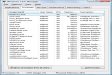
The one thing I have found every time I run across this tip is the complete absence of any evidence to establish what it’s supposed to do for you. Instead, this tip is usually delivered as a vague recommendation that reads something like this snippet, taken from a very large, popular publication that shall remain nameless to spare them embarrassment:

But be careful! Click the Services tab, and uncheck only the services you’re certain you don’t need. To be safe, [open Msconfig and] uncheck one, reboot, and see if everything still works fine before moving on to another. Do your homework via online help or a web search before experimenting!

That is breathtakingly bad advice. It is as if the automotive columnist in your local newspaper told you to open the hood of your car and start disconnecting wires and hoses one at a time to see which ones made your car run faster or quieter or smoother. It might be hours or days or even weeks before you run a program that requires the service you disabled, at which point you might have no clue that the disabled service is the cause of the nonfunctional program.

Here’s the reality: On an otherwise healthy PC running Windows Vista, disabling most built-in Windows services is extremely unlikely to have any noticeable effect on memory usage, startup or shutdown time, or system performance. On the contrary, you are more likely to create problems by disabling services. Not to mention the amount of time you will surely waste and the productivity you will lose with all that starting and stopping and rebooting and web searching.

I’ve identified four specific situations in which tweaking services might make a difference in the performance of an individual Vista system. In he following pages and in the screenshot gallery that accompanies this installment, I’ll provide some background on how services work and then discuss these situations in detail. I’ll also show you how to decide which (if any) of these services you want to modify. (Hint: For most people, the correct answer is “none.”)

Page 2: What do you have to gain (or lose) by messing with services?

Page 3: The only Vista services that matter, performance-wise

Continue reading: What you need to know about services –>

Topics

Ed Bott is an award-winning technology writer with more than two decades' experience writing for mainstream media outlets and online publications.

Disclosure

Ed Bott

Ed Bott is a freelance technical journalist and book author. All work that Ed does is on a contractual basis.

Since 1994, Ed has written more than 25 books about Microsoft Windows and Office. Along with various co-authors, Ed is completely responsible for the content of the books he writes. As a key part of his contractual relationship with publishers, he gives them permission to print and distribute the content he writes and to pay him a royalty based on the actual sales of those books. Ed's books written prior to fall 2011 have been distributed by Que Publishing (a division of Pearson Education) and by Microsoft Press. As of November 2011, Ed is a partner in the independent publishing company Fair Trade Digital Exchange, which exclusively publishes his books.

On occasion, Ed accepts consulting assignments. In recent years, he has worked as an expert witness in cases where his experience and knowledge of Microsoft and Microsoft Windows have been useful. In each such case, his compensation is on an hourly basis, and he is hired as a witness, not an advocate.

Ed does not own stock or have any other financial interest in Microsoft or any other software company. He owns 500 shares of stock in EMC Corporation, which was purchased before the company's acquisition of VMware. In addition, he owns 350 shares of stock in Intel Corporation, purchased more than two years ago. All stocks are held in retirement accounts for long-term growth.

Ed does not accept gifts from companies he covers. All hardware products he writes about are purchased with his own funds or are review units covered under formal loan agreements and are returned after the review is complete.

Biography

Ed Bott

Ed Bott is an award-winning technology writer with more than two decades' experience writing for mainstream media outlets and online publications. He's served as editor of the U.S. edition of PC Computing and managing editor of PC World; both publications had monthly paid circulation in excess of 1 million during his tenure. He is the author of more than 25 books on Microsoft Windows and Office, including the recently released Windows 7 Inside Out.

153
Comments

Join the conversation!

Just In

RE: Fixing Windows Vista, Part 4: Get smart about services
beijing2008 14th Sep
lovely taking, thanks fake rolex
0 Votes
+ -
Contributr
Have you benchmarked the performance differences ...
Adrian Kingsley-Hughes 19th May 2008
... that you see when you disable Superfetch, Windows Defender and Windows Search? Last time I benchmarked a system with and without Windows Defender I saw no difference (outside of statistical 'noise').

I'm not saying that you can't tune Vista to consume less RAM or to thrash the drives less, but on systems with 1GB+ of RAM it's hard to see all that fine tuning having any real effect when it comes down to benchmarking or FPS in your favorite game.

Just wondering if you have any data either way?
0 Votes
+ -
Contributr
Yes, I have
Ed Bott 19th May 2008
And as I mentioned on the first page I see no effect on performance on an otherwise healthy system. In fact, disabling Superfetch typically causes apps to open a tiny bit slower, but not enough to make a big difference.

The only reason to disable Superfetch, IMO, is if you have a noisy hard drive and the chattering bothers you when it does its info gathering and disk writing.

Likewise, under normal circumstances the Windows Search service has no measurable effect on performance because of the way it operates. For some people in specific circumstances, it can have unwanted effects (see Tim Anderson's posts on his experiences). I'll address this topic next week.

As for Windows Defender, I do notice a difference in performance when it is doing its full-file-system scans, which is why I disable those.
0 Votes
+ -
Instead disabling it, it's better to change the setting from daily to weekly.
lovely taking, thanks fake rolex
0 Votes
+ -
Had problems with HP printer drivers
gmclean 19th May 2008
I have an all-in-one HP network printer I use at home that requires all sorts of drivers to be loaded to print, scan, fax, or OCR. I have several PCs/Notebooks at home that I loaded the drivers on that I had no problems with but after I bought a new main PC and I loaded their software I found I was having problems where my memory was being eaten up over time.

After doing a fair amount of research I found the issue was with a service created by the printer software. The service was needed for scaning with the printer but how often did I need to do that? The pain was that it wouldn't just let me disable the service. It would give me a message something to the effect I wasn't allowed to do that. It took quite a bit of additional research before I found out what I needed to do to disable it.

Once I was able to disable it helped tremendously with the machine's performance. The odd thing was if I needed to scan something HP would automatically start the service up.

This points to another problem with third party software. Why make something a service that doesn't need to be a service. Yeah, it will save a few seconds on start up but other than that many times it serves no real purpose. I think some software providers cause a lot of problems by creating something as a service that doesn't need to be a service. It's no wonder you need all that memory for modern operating systems. Everyone wants their software to live in RAM rather than on disk.
0 Votes
+ -
Amen brother!
BillDem 19th May 2008
I totally agree about there being too many third-party services that don't really need to be services.

I've had similar problems with HP all-in-one drivers. My system boot times drop significantly after installing their drivers and system shut down often pops up an error message saying HPxxxx is not responding. Why does HP always need to have half a dozen glitchy services running for their all-in-ones? Why are they so poorly written? I wonder if part of the trouble comes from it being a network printer.
0 Votes
+ -
ALSO HAD PROBLEMS WITH hp PRINTER DRIVER
andrebranchaud@... 20th May 2008
I also had problems with HP's Windows Vista drivers for their HP PSC 1510 All-in-one printer. My solution: uninstalled their drivers. Windows Vista has its own drivers for that machine, so everything work mostly OK now.
0 Votes
+ -
To many unneded services
Kualinar 20th May 2008
Over the years, on several forums, I've seen many peoples asking:
"How do I run programm X or accessory Y as a service?"
The usual answer was that you don't need to run it as a service or that there would be no adventages of doing so, or even that it will cause some problems or loss in performance. Then the original poster to reply that he "needed" to run it as a service, usualy assuming that he would get some mythical performance gain. Then, often, after they found a way to do it, they will come back complaining about some strange problem with the application now running as a service... Often with problems that they where told will appen if that application was ran as a service.

Bottom line is that some, to many, users WANT accessories and aplets to be run as services.
0 Votes
+ -
HP printer drivers
g_keramidas@... 20th May 2008
in my experience, do not ever use the installer to install hp drivers. whenever possible, i find the driver folder and install from there. hp software sucks.
0 Votes
+ -
HP software
lloyd_j@... 6th Jun 2008
Amen to that; Also have PSC1510 (Great printer/scanner) that all of a sudden lost its identity under Printer - scanners in Control Panel. No amount of uninstalling and reinstalling of HP drivers would get the scanner recognized. Finally had to do a fresh intall of XP. HP support of course would not help except for a hefty fee.
0 Votes
+ -
In regards to Ed Bott's suggestion on turning off the search service, not a bad idea. I remember when Microsoft used to call this useless service "find fast". If Ed Bott is right and search is Vista's killer feature; then it is easy to see why Vista is struggling.

Vista is just to bloated. To bad there isn't a bloatware service I can turn off! Now THAT really would be a Vista killer feature!
0 Votes
+ -
Contributr
Not the same
Ed Bott 19th May 2008
"Find fast" was a very old implementation. The new Windows Search service is superb.
0 Votes
+ -
Come on Ed...
fredfarkwater@... 21st May 2008
Find fast was a crappy service that would absolutly just hose your windows performance. I would always go in to Admin Tools and disable. Man, people would go, " I can't how much faster my system is running", and this is due to the indexing being turned off. If this and probably is the tool that "Search" is built on then disabling it will pick up performance IMHO. It's the same with Gaggle's indexing/searching tool, slows the @#)*(@*#ck out of your system cause it's indexing all the time. I like very much your articles on Vista performance tips/tricks. So true is the statement that so many out there just give unproven advise. Most it's due to them wanting to sell you a worthless product now that they've screwed up your system.
FF
Vista is slow on pirated copies due OEM bios emulation crack and compromized ISO
0 Votes
+ -
I would not run Vista even if it were free.

Vista bloatware = Yuck!

I am holding out for something better. If Windows 7 proves to be just as big a disappointment I will be forced to leave the Microsoft platform. Still, I can hope.

Many businesses are doing the same, check out the link for Corporate America's Rejection of Vista:

http://www.msnbc.msn.com/id/24596745/from/ET/
0 Votes
+ -
well...
evilkillerwhale@... 20th May 2008
What are you using that is so much less bloated? And that does as much, as quickly, and can interface as well as Vista in so many situations? I'd love to know, because I've yet to find anything. Vista is leaps and bounds cooler than XP, it's sleaker than mac, and the search feature is so much better than finder's search (on Vista: tap the windows key and begin typing, and there's your documents, your programs, your email, etc, almost instantly. Even on old hardware)

Corporate rejection doesn't matter what so ever to me. Companies need things that play nice together and that are safe while being mind numbingly easy to use. If Vista fails in one of those, or if it is perceived to not be a money making change, then it won't be implemented, so your suggestion that because companies aren't getting Vista means we shouldn't is stupid.
0 Votes
+ -
Please state factual statements...
ccd1977@... 21st May 2008
The link given about corp america rejecting Vista is an excellent one. I have XP, Vista and a MAC. I like them all but Mac is way more fun and looks better, Vista is a memory hog and cannot even operate correctly with real vendors and XP is about as good as Microsoft can get and it even has a fisher price look for you.

The only reason most people like Vista your statement, "It's sleeker". Also, you seem to have never used a Mac except for in the store since your review is strictly from a Windows perpective still.
0 Votes
+ -
Boy did you drink the Microsoft KoolAid! I have a friend that was running one of those copies...and believed that crap...so he bought a retail ultimate copy, formated and reloaded...and found he still had the EXACT SAME PROBLEMS.

PS if you don't get the KoolAid reference, google KoolAid and cults.
0 Votes
+ -
Here we go again...
cgdams 19th May 2008
...with the ever returning claim "Vista is slow", and again (as nearly always) without any facts to back that up.

As a software developer, i have to use both systems on my machines. I'm using real performance hogs (i.e. Visual Studio, VMWare Workstation etc), and often lots of instances of those at the same time.

Under these circumstances, performance feels noticably better under Vista - the system simply reacts smoother when i switch between the diffenent applications.

That said, there is one thing that can lead people to the impression of Vista being slow, from my experience, and that's Vista's out of the box experience. When you set up a new Vista System and copy all your personal files onto the new machine, Vista sometimes is slow for the first few hours, especially if your system and data reside on the same disk. The reason is simple: At the same time, Windows Search needs to index all your files, Superfetch has to gather all the information it needs to work well, and new programs are installed to disk, giving Windows Defender lots of things to check. Adding to that, Windows Search works in a very low priority mode while you actually work with your machine, so it can take long until all files are indexed, which keeps your disk clicking.

There is a simple solution to that problem: When you're done installing your programs and have copied your personal files onto the system, don't turn it off but leave it running for two or three hours. When you don't use your PC, Windows Search switches to high speed indexing mode and finishes it's work fast. Once you're done indexing, activity returns to a normal level, and you can live happily ever after.

and btw: Windows Search is the feature i always mention first when asked what i like about Vista...
0 Votes
+ -
Slower but only on some things
BillDem 19th May 2008
The only places I've noticed a significant slow down between Vista and XP are high end games and media encoding. Everything else runs about the same.
0 Votes
+ -
Since i'm not a gamer and the few games i do play are old enough to run fine under XP and Vista, i can't say anything about games, but i wonder why media encoding should be slower. In my personal experience, there's no real difference. What software do you use that runs slower under Vista?
0 Votes
+ -
When I have my Indexing window open, it pauses immediately and completely when I begin to use the machine. So it doesn't appear to slow anything down at all.
0 Votes
+ -
It doesn't stop
cgdams 20th May 2008
When i goto to the indexing options in the control panel and Windows Search got something to index, it tells me "Indexing speed is reduced by user activity" or something like that (i'm using german Windows), and you can tell by the indexed elements count that it really does.

Leave your mouse/keyboard untouched for two minutes, and the text switches to "Files are being indexed" or something like that, and again the element count shows the (much higher) speed.

Once you got all your files indexed (or if you have few personal files), it doesn't really matter, because the workload of indexing the files that change in daily work is fast and easily managed even at the lower speed. But while you're indexing for the first timem, having many files to index (for instance, my indexing options show 207,660 elements at the moment), that can be another story. Not so much because it really slows down the machine too much, but because it takes a lot of time to get finished, and that leaves the disk spinning and clicking all the time, giving the impression of heavy workload.

I heard and read a lot complaints from people about that who were using Vista for the first time.
0 Votes
+ -
Indexing entire drive, are you?
dprozzo 20th May 2008
It appeared that when I began to use the machine that the upward count in the files indexed stopped entirely.

Are you indexing your ENTIRE drive? The Help information that accompanies Indexing doesn't recommend that.

On my machine, the default was to index only Start Menu, Users, and One Note. To that I added E: - which on my system is a small partition that contains only photos. Total files indexed = 5,567.
Why is there this tendency for people to assume their own experience is the only one that matters?
0 Votes
+ -
????
dprozzo 21st May 2008
I don't make those assumptions. And he responded appropriately and with civility.
0 Votes
+ -
No, not the entire drive,
cgdams 20th May 2008
but the machine i was writing that on is my main development machine, with 6 disks and some 2.8 TB of disk space. And since i'm in my job for quite some years now, files have really accumulated. My Documents folder alone has around 60,000 files.

Sometimes i think i should really clean up, but then again, disk space is cheap and Vista's search makes it easy to find things even in a pile that big, so i'm not bothering yet...
0 Votes
+ -
Keeping Everything...
bob.kerns2 10th Jun 2008
My experience is similar to yours -- Vista was a welcome speedup over XP. Especially on the ancient laptop I initially installed it on!

I'm always puzzled why people seem to turn a blind eye to XP's faults, including performance. I still have to use XP some of the time, but prefer doing everything on my Vista laptop.

These days, the cost of disk space is less than the value of the time it takes to clean up old files! Ultimately, we'll keep everything -- see Gordon Bell's MyLifeBits project (http://www.mylifebits.com). Which is the ultimate extension of Vannevar Bush's 1945 memex vision.

But there are real performance costs to keeping huge numbers of files. In particular, it makes backups and virus scans take longer.

Since I live on a laptop, I'm always limited for primary disk space (I do have other drives available). I always keep upgrading to whatever fast drives I can get my hands on, but it's never enough, and I definitely feel the cost of having to clean up.

Back in the days when 80 MB hard drives were considered huge and were the size of a small household appliance (but a lot more expensive), we used to spend hours and hours trying to eke out a bit more space.

But now, I'm guessing you're never going to bother cleaning up.

(But clean up your temp directory! That can be a real performance hit! For XP or Vista).
0 Votes
+ -
I disagreed
magallanes 20th May 2008
I use the same software (plus database) and vista is a no go.
0 Votes
+ -
Please, if you post like that,
cgdams 20th May 2008
take your time to tell us why you decided against Vista. As short as your post is, i can't assume a valid point in it.
0 Votes
+ -
vista is slow
mikeys501@... 21st May 2008
i guess i one of the few who find little fault with the vista os. i installed on a new hard drive when the one i had running with xp failed on my hp machine. so now running vista on a new drive only glich i have had is every say 50 starts i get a splash screen asking how do i want to boot. other than thatit is fast or faster than xp was on this hp a1340n machine with a hp printer and neyworking for home. i used some tweaks but no tweaking software was used, all this by a one handed guy. i'am hapy vista for me flys.
0 Votes
+ -
Not on my system - it's rather zippy...
ItsTheBottomLine 20th May 2008
sorry your system is bad, my experience has been wonderful.
0 Votes
+ -
You haven't the slightest clue
Speednet 21st May 2008
This is a response to the post by "chessmen". The post was:

In regards to Ed Bott's suggestion on turning off the search service, not a bad idea. I remember when Microsoft used to call this useless service "find fast". If Ed Bott is right and search is Vista's killer feature; then it is easy to see why Vista is struggling.

Vista is just to bloated. To bad there isn't a bloatware service I can turn off! Now THAT really would be a Vista killer feature!


"Find Fast" has nothing to do with the new Vista search abilities. In fact, the old version of "Find Fast" is still available to install under Vista, but it is disabled by default.

The new Search is fantastic. It is incredibly fast, highly configurable, and despite doing a lot of background work, does not interfere with your foreground task(s) (unless you have a PC that is too underpowered to run Vista).

I'm tired of you Microsoft haters adding no value to any discussion, and merely posting in order to start another flame war. On my forum, that is referred to as a "Troll".
Thanks for your series Ed. With your encouragement I deep-sixed my XP laptop and went out and purchased a new one which runs vista off of a flash drive plus has a hard disk for "all the other stuff". The system is noticeably faster and is a more enjoyable environment. I no longer have Mac envy and I can run my favorite PC programs. The unit does indeed boot up within a minute and shut down in 30 seconds. Even better, the sleep function is more stable so I have end up having to reboot less. I am very satisfied. Joe
Windows Defender is set to scan at startup everyday. Instead disabling it, it's better to change the setting from daily to weekly.
0 Votes
+ -
Contributr
Good idea if you think you need it
Ed Bott 19th May 2008
I've never had WD identify a single thing on any system of mine via scanning. But if people think it's useful weekly scanning is better (from a performance point of view) than daily.
0 Votes
+ -
you didn't configure the advanced options
qmlscycrajg 19th May 2008
because you didn't configure the advanced options in order to get the notifications from unknown software
0 Votes
+ -
Contributr
Not sure which option you mean...
Ed Bott 19th May 2008
I know the WD options pretty well and can't find anything like that.

Anyway, my point is that I haven't installed anything that would be detected as spyware in years, so there's nothing to detect.
0 Votes
+ -
Does anyone really need it, does it work?
Ross Snowden 19th May 2008
I'm more interested if WD is really working at all. It's never detected anything since I started using my Vista machine. Then again, I generally don't install anything dubious and I don't do too much experimenting with many software installs. I'm interested to know if there is an alternative that might work better or what type of spy-ware software other users are using on Vista. I have mine set up to do a weekly quick scan.
0 Votes
+ -
Contributr
I turn off daily scanning and use it to monitor changes to startup settings. It's very good at this. You have to enable the Advanced SpyNet configuration for it to notify you, however.
0 Votes
+ -
Exactly why I keep it on...
goyta 20th May 2008
...also on XP (where Windows Defender doesn't come by default, but can be installed separately). It always tells me when some newly installed program puts something into "HKLM (or HKCU)\Software\...\Run" and prevents me the hassle of using Regedit or some other utility to remove it.

Most of such software agents loaded at boot-time don't prevent the program from running and don't reduce functionality, only theoretically speed it up (but in practice don't, at least noticeably). Most of them are also associated to programs I don't use very often. Just a few examples: Sun Java Update Scheduler, iTunes Helper, Adobe Reader Tray Agent (acrotray.exe), Nvidia Media Center, and so on.

I believe Windows Defender's other security features are much better covered by other software such as, for example, Ad-Aware (whose free version is good enough for regular scans) or Kaspersky Internet Security (which is paid, but a good security suite is an expense no one can afford not to make).

I don't know if such garbage start-up programs really affect performance, but I don't like to know that they're there wasting my memory and CPU. That psychological factor is also important, IMHO. After all, the ultimate goal is to have a comfortable experience.

A suggestion, Ed: what about a future related article (maybe out of this series for scope reasons) about this third-party useless stuff and how (and if) it affects system performance?
0 Votes
+ -
Contributr
Good idea, thanks
Ed Bott 20th May 2008
Will do.
0 Votes
+ -
have secondary anti-spyware
Jim Johnson 21st May 2008
As I have a secondary anti-spyware product, I have turned off WD's drive scan long ago as Ed suggests. I am tempted to turn off WD altogether. So far the only thing I have seen it do is block the auto-startup of programs I want; most often this is simply because it was released as freeware and the programmer won't spend the additional bucks obtaining an expensive security certificate.

What's your opinion Ed?
0 Votes
+ -
What about battery life?
voyager529 19th May 2008
One of the things that i do on my XP laptop and desktop is have my hard drives (laptop has 2, tower has 3) shut off when they're not in use. For example, if I'm watching a video via LAN, within 5 minutes both of my hard drives shut down and my battery lasts longer. While I might not have a night-and-day difference with performance, wouldn't the indexing and superfetch services keep my hard drives spinning, preventing them from performing a spindown?

Joey
0 Votes
+ -
Contributr
No
Ed Bott 19th May 2008
Both services are designed to be aware of power conditions. Indexing doesn't run at all if you're on battery. Likewise, Superfetch is set to back off when battery is in use.
0 Votes
+ -
Disabling Themes...
jasonp@... 19th May 2008
If someone is looking to squeeze every ounce of performance out of their Vista machine, they won't be wanting to run Aero. I'd recommend shutting off Aero long before recommending shutting off Defender for the typical home user. Not sure where your priorities are today, Ed. A pretty UI rates higher than security?
0 Votes
+ -
Contributr
Have you measured?
Ed Bott 19th May 2008
Unless you have a horribly weak GPU, turning off Aero does absolutely nothing for you. I've benchmarked it many times. You might get a little extra battery life from a notebook, but not much.

And I advocate leaving Defender enabled, just disabling the daily scans. Its real-time protection should be more than adequate to detect an incoming threat. If something got past the real-time protection, those scans aren't going to be very helpful.
0 Votes
+ -
Translation: "Unless you have one of the tens of millions of mediocre GPUs out there in the real world"
0 Votes
+ -
Contributr
No, that's not what it means
Ed Bott 20th May 2008
I'm talking about truly weak GPUs, such as AGP video cards from five years ago. I've even used a Radeon 9600 with excellent results.

Any GPU sold on a system designed after January 1, 2007 will give excellent performance with Windows Vista if it's using up-to-date drivers.
Ed,

I'm a little unclear as to what exactly is causing Vista to perform slower than Windows 2008 if it isn't services.

Could you explain how running Vistax64 and Windows2008x64 on the same hardware seems to always result in at least a 20% speed increase. I've tested this now on 2 laptops and a desktop with almost identical results. Windows 2008 is also much "snappier" than Vista. I can't explain it, but after you use both OS's, you'll see what I'm referring to. Windows 2008 just seems peppier...and that's running Aero, WMP, the Search, Office 2007, burining DVD's, etc. In other words, I run the exact same tasks I did in Vista...only faster and more responsive.

If it's not the services, then what exactly about Windows 2008 (since they share the same code base) makes it perform better...and why can't Microsoft seem to put this same "nitro boost" into Vista? How can I turn Vista into Windows 2008...that's really what I want to know...without spending hundreds of dollars on a server os?

Join the conversation!

Formatting +
BB Codes - Note: HTML is not supported in forums
  • [b] Bold [/b]
  • [i] Italic [/i]
  • [u] Underline [/u]
  • [s] Strikethrough [/s]
  • [q] "Quote" [/q]
  • [ol][*] 1. Ordered List [/ol]
  • [ul][*] · Unordered List [/ul]
  • [pre] Preformat [/pre]
  • [quote] "Blockquote" [/quote]
ie8 fix
ie8 fix

The best of ZDNet, delivered

ZDNet Newsletters

Get the best of ZDNet delivered straight to your inbox

Facebook Activity

White Papers, Webcasts, & Resources
ie8 fix
ie8 fix