Who makes the best Windows security software? Surprise ...

Social engineering has become the preferred tool of online criminals. It’s at the core of every phishing scam, and lately it’s the preferred way of delivering malware.
Every social engineering attack can be reduced to a simple move: “Here,” says a web site or an e-mail message as it offers up a deceptive or malicious link. “Click this.” And it works. Even people with above-average IQs can fall for a Trojan.
How do you break that chain of social engineering? By making the software smarter and turning the bad guys’ own actions against them.
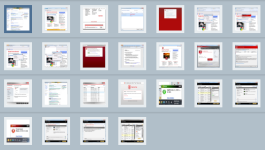
I’ve prepared a screenshot gallery that shows how modern browsers and security software can go beyond the limited and ineffective approach of traditional antivirus scans.
See "How browsers and security software can keep you safer online".
Over the past few months I’ve been looking at how the three most popular browsers for Windows respond to this sort of deliberate deception. I’ve also been looking at popular security suites to see which ones demonstrate creative thinking. And even I can't quite believe which one is my new favorite.
Traditional antivirus software just isn't cutting it anymore. if your security software relies primarily on antivirus signatures, you are always going to be vulnerable to new malware variants, sometimes for hours, sometimes for days.
So what's the alternative? Two techniques are promising. One involves disrupting the patterns of behavior that malware distributors use. The second involves looking carefully at the reputation of downloaded files to distinguish between good downloads and bad ones.
Microsoft has already built application reputation checks into Internet Explorer, starting with version 8 and improving the feature significantly in IE9. (I wrote about this technology previously, in IE9 versus Chrome: which one blocks malware better?) When you download a file that could contain malicious or deceptive code, Microsoft's web-based SmartScreen Filter looks at the details of the file (including its unique hash and digital signature) to decide whether it's trustworthy.
Files that are not digitally signed get the toughest scrutiny of all, as one group of Microsoft developers discovered the hard way. Known malware is completely blocked. Ironically, Microsoft fought its own little civil war earlier this week: the ads that were displayed next to Bing search results led to sites that were blocked by the SmartScreen Filter in Internet Explorer.
(The accompanying screenshot gallery offers a much more detailed look at the different ways that IE, Firefox, and Chrome handle potentially dangerous downloads.)
This app-reputation stuff is a good idea, but why limit those checks just to recent versions of Internet Explorer? That’s why I also looked at two popular high-end commercial security suites: Trend Micro Titanium Maximum Security and Symantec’s Norton Internet Security 2011.
A few months ago, I spoke with John Harrison, a group product manager for Symantec, whose consumer security software has been sold under the Norton brand name for more than 20 years. Harrison told me that his company was trying something different: a "defense in depth" approach to blocking malware that goes well beyond simple scanning:
We have network intrusion protection and browser protection technology to protect against drive-by downloads. We can detect things that an antivirus scan might have missed, noting obfuscated attacks and bots that are calling home for updates.
We're leveraging hundreds of millions of users who opt in to a system where they can give a thumbs up/down in Norton Community Watch. For downloads, we look at digital signatures. We evaluate the domain and the reputation of that domain. If a "name brand codec" is coming from a website with a poor reputation and has only been seen on two users' desktops, then we can easily classify it as malware.
I was skeptical. I stopped using Norton products years ago, mostly in frustration over poor performance. But in the interest of fairness I gave them another shot. Three months later, I'm still using Norton Internet Security. And I'm recommending it to others. Here's why.
After my recent negative experience with the latest version of McAfee’s security suite, I was expecting to grit my teeth and put up with a load of annoyances. To my great surprise, I found both programs acceptably light and unobtrusive, as well as effective. I was especially pleased with how well Norton Internet Security did at the tough job of sorting out good and bad websites and downloads.
For testing, I looked in real time at several widespread recent malware attacks. One targeted Windows users through poisoned search results, mostly on Google. Another wave delivered Trojans disguised as legit e-mail messages from hotel chains that claimed to owe the recipient a refund for a recent oversharge. I also looked at a recent flurry of deceptive ads that appeared alongside search results from Microsoft’s Bing.
In every case, traditional antivirus scans were essentially useless. So how did alternative approaches fare? Turn to page 2 for a summary.
Page 2: Smarter security software -->
<-- Previous page
[This page contains a summary of my experience. For a much more detailed explanation, see the accompanying screenshot gallery, How browsers and security software can keep you safer online.]
I was initially put off by the overly dramatic name, but (deep breath) Trend Micro Titanium Maximum Protection (exhale) turned out to be a smooth performer. Its claim to fame is that it does more than just scanning. Maybe a little too much more, to be honest. I didn't really want or need the "system tuner" or online backup features. And I could have done without the constant harping over mostly benign browser cookies (a failing that Norton shares).
But the dialog box below was welcome, especially the option to "Block potentially dangerous websites," with a slider to set how aggressively this feature should work. For that wayward cousin who can't seem to steer clear of malware, the High setting (and a standard user account) might be appropriate.
In my testing, these extra checks were effective at blocking a high percentage of common web attacks. When a link tried to take me to a site that had been positively identified as a source of malware, I wound up at this page instead of the potentially dangerous one.
These features were interesting because they were accurate (no false positives) and invariably ahead of Trend Micro's signature-based scans.
Norton, as it turned out, was even more effective at the same job. I began testing Norton's products last May, and Norton Internet Security got my immediate attention because it was the only security product that reliably blocked the redirect scripts that were being triggered by those poisoned search results. Normally, clicking one of those links displayed a familiar wave of social engineering to convince me that my machine had been overrun with viruses. Norton just refused to execute those scripts, leaving this entry in the system logs:
I also found Norton's reputation-based scans to be exceptionally accurate. Norton Internet Security checks every executable file and program installer you download against its reputation database and gives immediate feedback in the notification area at the right side of the taskbar.
The two examples below both appeared on the same day, when I downloaded two programs that both appeared to be from legitimate sites. Google Chrome gave me identical warning dialog boxes for each file. Norton, however, had no trouble clearly distinguishing the legitimate copy of Photoshop Lightroom and blocking the malicious Skype download. I didn't need to make a trust decision; the algorithm did that, accurately, on my behalf.
This isn't just a "black box," either. In every case, I was able to drill down into the details for each file and determine why the system acted as it did. It's worth repeating that the file on the right—a counterfeit version of Skype that was actually a nasty Trojan—wasn't identified by a virus signature file. Its behavior gave it away.
The downside of both these security programs, of course, is that they're not free. With a little careful shopping I was able to pick up both programs for less than $50—a price tag that covers up to three PCs for one year. At the end of that year, I have to pay again.
Is it worth the price? An experienced Windows user might not need those extra layers of protection and could safely stick with the free, signature-based Microsoft Security Essentials. But paid software has its place: if I were supporting a client or a family member who routinely needed an hour or more of my time each year to clean up a malware infection, the more aggressive protection would be money well spent.
The bottom line? I'm keeping the Norton software installed on multiple PCs here, and I will have no hesitation recommending it for friends and clients who need that extra layer of protection from themselves. I'm also impressed enough with Trend Micro to put it on my recommended list for anyone who wants an alternative to Norton.