Why my smartphone hasn't replaced my in-car GPS receiver ... yet!

Summary: Almost every smartphone comes with a built-in GPS receiver and mapping software (either pre-loaded or available as an optional purchase). Does this mean that the days of the in-car GPS receiver are numbered?
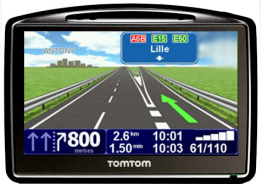
Almost every smartphone comes with a built-in GPS receiver and mapping software (either pre-loaded or available as an optional purchase). Does this mean that the days of the in-car GPS receiver are numbered?
Over on Twitter yesterday I had a bit of a conversation with my ZDNet blogging buddy and mobile gadget übergeek James Kendrick about in-car navigation on Twitter (@jkendrick). We got around to talking about htis because of Dwight Silverman’s account of his summer vacation where he talked about using his smartphone for his road trip. I was surprised to find that Kendrick had replaced his TomTom with a smartphone over two years ago and instead relies on his smartphone to get him from A to B. He'll tell you why he prefers this over on Mobile News - if you're planning a road trip this summer and don't know whether to leave your in-car GPS receiver at home and rely on your smartphone or not, .
I own a smartphone (an iPhone 4) and I have numerous mapping apps installed on it. And I regularly use these apps for navigating when on foot, but when I'm on the move in my car I turn to a dedicated in-car navigation tool. Why? I'm glad you asked! Allow me to explain ...
- Screen As big as the screen on smartphones such as the iPhone are, they're not s big as the screens you can get on a dedicated device. The 3.5-inch screen on my iPhone 4 is dwarfed by he 4.3-inch screen on my TomTom 940. Oh, and the glossy screen on a smartphone is a pain too use outdoors compared to the matte screen on most in-car GPS receivers.
- User Interface (UI) The UI of a smartphone is designed to be read and used when the device is being held in the other hand. Compare this to an in-car GPS receiver has to work at arm's length while speeding along at 70 MPH.
- Integration Most in-car GPS receivers connect to other devices, bringing together a multitude of useful features from other devices - most can easily integrate with your cellphone, car stereo, media player and so on.
- Power I don't think I've come across an in-car GPS receiver that I'd describe as 'speedy' or 'highly responsive' in terms of the UI, but when I compare even my aging in-car devices with apps running on iOS I'm amazed by how clunky the apps are despite running on far superior hardware.
- Better battery life Running navigation software on any smartphone I've had really chews up the battery. It's no big deal when you have a car cord, but there are times (depending on the vehicle) where having a car cord trail across the windshield is a real headache.
Note: I'm pretty agnostic when it comes to in-car navigation - I have several devices from both TomTom and Garmin. Each have their strengths and weaknesses.
While I'm here it's only fair that I add a few downsides of in-car GPS receivers compared to smartphones:
- Awkward updating I've never owned a GPS receiver that's simple to update. The process seems to always be far more convoluted and involved that it should be. It's also hard to preserve settings on the device when updating the software, making the update process uncertain and painful.
- No over-the-air updates While many high-end in-car devices do offer a data connection to allow you to do local searches, there's none that I'm aware of that allows map corrections to be downloaded automatically.
- No apps I know, I know, we all lived happily for decades without apps until Apple came alone and changed things. I think it's time that companies like Garmin and TomTom kept up and offered a platform for developers to create apps for the devices.
- Cost GPS receivers aren't cheap, and it's cheaper to buy a new app for a smartphone than it is to buy a new device.
Now if I could find a suction mount that allowed me to fix my iPad to the windshield, that might make me leave behind my TomTom and Garmin. OK, I'm joking, but despite my love of a dedicated in-car GPS receiver, I do keep up with the navigation apps for the iOS platform (I have several such apps installed on my iPhone), and while they're lacking in some areas right now, I do think that over time the in-car GPS receiver will be replaced by the smartphone even by a stalwart like myself.
[poll id="644"]
What do you think? Let us know!
Kick off your day with ZDNet's daily email newsletter. It's the freshest tech news and opinion, served hot. Get it.
Talkback
RE: Why my smartphone hasn't replaced my in-car GPS receiver ... yet!
I use the Magellan App on my iPhone4. I also have the Magellan CarStand for iTouch/iPhone (originally bought for the iTouch). A recent update of the App utilised the touch screen to a much higher degree and while not perfect (losing my position for a few seconds on sweeping highway entrances) it just seems to get better. Plus I have the fall back of using the iTouch again if my phone is not functional.
The iPhone is the problem!
I've had all three, a GPS reciever for a laptop (clunky), a dedicated GPS (ok, but expensive to update maps), and an Andoid phone with GPS. The screen is within an 1/8 of an inch of the dedicated GPS screen size. The car cradle for the phone charges and keeps it at a convenient location for use.
I don't see your problem with my phone.
RE: Why my smartphone hasn't replaced my in-car GPS receiver ... yet!
???
RE: Why my smartphone hasn't replaced my in-car GPS receiver ... yet!
Not true for all apps..
RE: Why my smartphone hasn't replaced my in-car GPS receiver ... yet!
I've since bought a TomTom. No problems now!
Other benefits I find to using a Smartphone as satnav
2) My address book is instantly accessible and constantly updated. This means navigation is just a few screen presses away without juggling devices.
3) Satnav screens are usually far from responsive. It's no trivial task to hammer a postcode on a resistive touch screen.
4) Seamless transition from foot to vehicle.
5) Satnav is available when traveling with others. Ever been a passenger with someone who doesn't have satnav and can't find the address?
Of course there are other drawbacks to phone as satnav that weren't mentioned.
1) It's a phone. It receives phone calls and text messages. This invariably means that your satnav is effectively useless at the most inopportune moments.
2) Cradles. You love your smartphone. You cradle it lovingly in a protective case. However this means that you either need a generic cradle that it wobbles about in or you have to remove the case every time you use it.
However, despite the drawbacks I'd prefer to save a few bucks and reap the benefits.
RE: Why my smartphone hasn't replaced my in-car GPS receiver ... yet!
Why use up data when I can plug this guy in for free?
You don't have to chew up data to run GPS..
RE: Why my smartphone hasn't replaced my in-car GPS receiver ... yet!
So how do the maps get on the phone? Yes, Wifi is free if it is easily accessible, otherwise there's a data hit.
RE: Why my smartphone hasn't replaced my in-car GPS receiver ... yet!
Those maps are updated when the app itself is updated. The maps are downloaded with the app and are only able to be downloaded via wifi due to the size of the app so there's no data hit.
RE: Why my smartphone hasn't replaced my in-car GPS receiver ... yet!
iDon't have an iPhone though. ;)
Proud owner of a brand new HTC Surround as of last week.
No Texting While Driving Laws
I'll stick with my Garmin
The Smartphone GPS is an app that is designed to work with in the limitations of the smartphone, so it has drawbacks as it stops being a GPS when the phone, text, web or camera is in use by someone else in the car.
I'd hate to miss the exit on a busy Washington D.C. road because someone called me.
But the GPS is running in the background..
RE: Why my smartphone hasn't replaced my in-car GPS receiver ... yet!
Great, so now one has to listen to the GPS, participate in a phone call, and actually attempt to drive at the same time? Use a standard GPS and shut the phone off.