7 reasons to move on from ageing, tired Windows XP

By | February 12, 2010, 9:18am PST

Summary: Some think that Windows XP is still OK to use even nine years on from initial release. I say, get with the times and upgrade regardless. 7 things

There is no doubt that Adrian Kingsley-Hughes has passion for what he does, and his latest post in regards to sticking with Windows XP certainly made me chuckle. But we have to face facts that Windows XP is now in excess of nine years old, and should have ran past its sell-by-date

Stick with what you know It’s old and tired

That dazzling blue interface was revolutionary for Microsoft and incredibly bold of the company to go so bright and cheerful, almost. But with the temptation of “floating” glass windows, transparency and clarity in the newer versions of Windows, you barely need to learn anything new.

You should just be able to start Vista or 7 for the first time and be guided through everything, and comfortable enough using your prior knowledge to get everything out of it that you had with XP.
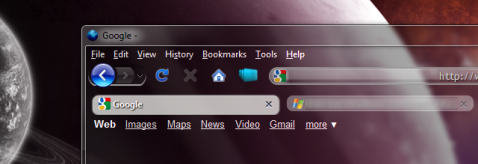
Certainty New and improved certainty

Windows 7 packs more drivers in and even Ubuntu has started supporting incredibly powerful hardware, should drivers be written by a community member or the manufacturer.

Newer graphics cards especially, along with sound cards and other multimedia devices will work with Windows XP still, but they also support Windows Vista/7; with DirectX being far more powerful than ever before, surely you’d want to take advantage of that?

Cost Go open source instead?

They said Windows XP was expensive at the time, but for what it was giving you in line with the global economy, it wasn’t bad at all. Vista of course looked bad in terms of cost and Windows 7 is cheaper than ever. But as I’ve said, Ubuntu 9.10 is incredibly fast, reliable and works in line with how you’ve learned to use computers. So why not go whole hog and go open-source to a newer, better operating system instead?

It’s still supported by Microsoft …but not for long

Yes, XP is still supported until 2014 but only because it has been, granted, rather popular. But if you are ready to get a new computer, whether it be a laptop or a fully-fledged desktop computer with all singing and dancing bells on, don’t stick with XP.

Plus, you can’t even buy Windows XP anymore off the shelf, and if you’re unlucky enough to have it bundled with your new computer, then surely something doesn’t strike right with the OEM. You and the manufacturers should be aiming for future-proofing, not sticking with relics from the old decade.

Developers still support XP Developers are going next-gen

Developers have been aiming forwards for a while now, by taking advantage of new technologies in-built into the latest operating systems. You wouldn’t have TPM management on a Windows XP machine, so why not upgrade and get the best security features available (or rather was, had it not been recently hacked)?

So developers, and therefore you who use the software that they build, should be using these new features, whether it’s the latest .NET Framework or the Compiz/DWM software that makes Windows and Ubuntu look glossy and lovely. Plus, x64 Windows XP isn’t too easy to get hold of nowadays without an MSDN or TechNet subscription, whereas Windows Vista/7 and x64 editions of Linux are relatively easy.

Upgrade components to stay secure Or more overall security

I’m not here to debate whether Vista/7 is more secure than any other operating system in the world, because let’s be honest now, if you’re behind a server than your client is only as secure as your infrastructure. Even with all the patches, the hotfixes and the service packs, future operating systems will have better suited under-the-cover technologies which can prevent malware.

UAC - love it or hate it - there’s no doubt it must have helped someone out there. And failing that argument, Linux users are a far lesser risk of attack so upgrade to something open-source and shiny.

Do you really need to upgrade? No, but you should!

Let’s face it. Would you rather be living in the past or gazing ahead at the future? I’ve always been one to play with the pre-release stuff and look ahead at what’s next. Those with student email accounts may as well jump on board and take solace in knowing you’ll get a far cheaper deal if you upgrade to Windows 7, and as I’ve said before, Ubuntu is a worthy adversary if you choose the non-Windows route.

Windows XP was good for its time, but I like to think, at least hope, that we’ve moved on since 2001.

Kick off your day with ZDNet's daily e-mail newsletter. It's the freshest tech news and opinion, served hot. Get it.

Topics

Zack Whittaker, a criminologist who studied at the University of Kent, Canterbury, is a journalist, writer and broadcaster.

Disclosure

Zack Whittaker

I worked briefly with Microsoft UK in 2006 but no longer have any connection with the company. Regardless, I remain impartial and unbiased in my views.

I don't hold any stock or shares, investments or industrial secrets in any company, but have signed confidentiality agreements with a number of UK and U.S. organisations, whose names I am not at liberty to disclose.

I was involved with Kent Union, the University of Kent's student union, undertaking voluntary, non-salaried, elected positions between early 2009 and mid-2010.

No other company, body, government department, non-governmental organisation or third sector organisation employs me or pays me a salary in any capacity whatsoever.

As a freelance journalist, whenever expenses are given and taken by a company that is not CBS Interactive, these will be disclosed in each relevant post to ensure transparency.

I currently work with a UK law enforcement unit, but this is an entirely separate position which bears no connection to other work.

(Updated: 23rd October 2011)

Biography

Zack Whittaker

Zack Whittaker, criminologist who studied at the University of Kent, UK, is a journalist, writer and broadcaster.

After studying criminology at university, though still in his early-20's, he has already had a series unconventional work and voluntary positions. He has worked with researchers studying neurological illnesses like Tourette's syndrome (which he suffers from), has given lectures on the nature of disabilities in the public community, and occasionally ends up speaking on television and radio discussing the events of the day.

He first had academic work published at the age of 22, then still an undergraduate, and has been cited by a wide range of publications: from the Huffington Post, Business Insider, AllThingsDigital, The Atlantic Wire and CBS News.

Talkback Most Recent of 254 Talkback(s)

  • ZDNet Gravatar
    DonnieBoy
    12th Feb 2010
  • Nothing wrong with Ubuntu but one ...
    ... needs to know the hidden costs of changing from Windows to Ubuntu before moving forward.

    Just about every piece of open-source software ported to Ubuntu is ALSO ported to Windows so, if you use a lot of open-source software, then switching from Windows to Ubuntu is a no-harm, no foul decision. But what if you are NOT Linux savvy?

    For many there is a considerable learning curve to move from Windows terminology to Linux terminology. At leas Windows 7 offers a smooth transition from Windows XP with a minimal learning curve.

    What if you are dependent upon an application which is dependent upon Windows? Most consumers (and students) are not all that tech saavy so having to learn to use an atlernate Linux application (if one even exists) may be a lot more difficult than learning a new OS (and more trouble than it is worth to you to save a few bucks).
    ZDNet Gravatar
    mwagner@...
    12th Feb 2010
  • Not the same thing
    Take The Gimp for instance, it runs flawlessly in Linux but crashes in Windows.

    Firefox, on the other hand has its code optimized for Windows and as a consequence runs faster there.

    However, most Open Source software runs better on Linux than on Windows so if you're willing to take advantage of it Linux is the right choice, and it's Open Source too.
    ZDNet Gravatar
    The Mentalist
    12th Feb 2010
  • This is true...
    I've tried a few FOSS packages that have Windows
    versions and most run like crap or are unusable.
    I tried Inkscape for instance and it was
    garbage.

    Firefox and Open Office have good Windows
    versions but by no means would I make the
    mistake of thinking all the software packages
    available on both Linux and Windows run well on
    Windows. Remember a lot of these folk develop
    this stuff on Linux and THEN port to Windows.
    ZDNet Gravatar
    storm14k
    12th Feb 2010
  • ZDNet Gravatar
    DonnieBoy
    12th Feb 2010
  • I agree Donnie Boy
    With Windoze you have to do it all manually - Linux is the only OS that does it automaticlly!
    ZDNet Gravatar
    Ron Bergundy
    12th Feb 2010
  • Finally you say something of value.
    Yes, Linux spares you a lot of pointing and clicking, not to mention those pesky WGA verification issues.

    On single click and voilá your Linux system updates without hitch.
    ZDNet Gravatar
    The Mentalist
    12th Feb 2010
  • ZDNet Gravatar
    ItsTheBottomLine
    12th Feb 2010
  • I haven't manually updated Windows in years.
    Nor have I, and yes I do use Windows (on a VM where it belongs), but 3rd party applications, each have their own updater, so at times there are multiple update me windows that popup.

    Adobe, Firefox and Safari, OpenOffice.org, Gimp (and contrary to what has been said the Windows version works just fine), FileZilla, Notepad++, VLC

    It's quite annoying. It was a major reasons why one of my clients moved to desktop Linux (Ubuntu. That and the lack of need for AV and the associated pain and worry
    ZDNet Gravatar
    tracy anne
    12th Feb 2010
  • Chuckle - Get Real
    and ina real IT environment for major corporations, auto-update IS NOT something you ever want to do.

    Unless you want to test those boardroom designed contingency plans......
    ZDNet Gravatar
    rhonin
    13th Feb 2010
  • @zenwalker
    I use Fedora, and I just uncheck the update manager box in the GNOME sessions dialog. It's not hard to do. If I encounter a bug that makes me want the new release of something, I do yum update whatever. I do not trust updates. Back in the day updates for fedora 9 killed my install, so I never do auto updates. I's worth putting up with. There is so much I can do in Linux I cannot do in any other OS. (and yes, most of it is done at the terminal.) God bless the penguin...
    ZDNet Gravatar
    bendib
    15th Feb 2010
  • It's automatic with Windows as well
    Every part of the OS ITSELF is automatically patched every month.... so there goes your argument down the tubes at the speed of light.

    As to programs themselves that are NOT part of the OS.... yeah, you have to keep them up-to-date.... but you have to do that on Linux as well.
    ZDNet Gravatar
    Lerianis10
    12th Feb 2010
  • ZDNet Gravatar
    ItsTheBottomLine
    12th Feb 2010
  • not entirely correct.
    If any application or program is added by the software management system, such as YUM, RPM, Synoptic, or apt-get, out of the distro's repositories, it is updated by the distro. Only Microsoft products are upgraded by Microsoft Update. I know. I use both Windows XP and Linux Mint 8.

    Paul
    ZDNet Gravatar
    pfyearwood
    12th Feb 2010
  • re:pfyearwood, they both said Windows I'm
    assuming and aggree with him and bottomline above that Windows does not need manual updates. I have my applications set to automatically update, but I was looking at it the same way as Windows, not the installed applications
    ZDNet Gravatar
    USTechHead
    12th Feb 2010

Talkback - Tell Us What You Think

Formatting +
BB Codes - Note: HTML is not supported in forums
  • [b] Bold [/b]
  • [i] Italic [/i]
  • [u] Underline [/u]
  • [s] Strikethrough [/s]
  • [q] "Quote" [/q]
  • [ol][*] 1. Ordered List [/ol]
  • [ul][*] · Unordered List [/ul]
  • [pre] Preformat [/pre]
  • [quote] "Blockquote" [/quote]

The best of ZDNet, delivered

ZDNet Newsletters

Get the best of ZDNet delivered straight to your inbox

Facebook Activity

White Papers, Webcasts, & Resources