ie8 fix
madison

The Mobile Gadgeteer

Matthew Miller & Joel Evans

Review: Aluratek Libre eBook Reader Pro

By | April 23, 2010, 1:03am PDT

Summary: Prices are dropping on dedicated ebook readers and one of the lowest priced ones currently available is the Aluratek Libre eBook Reader Pro for about $150. It use LCD screen technology rather than eInk so it is not quite as compelling as other devices.

Even though the iPad is a decent ebook device, serious readers will still want to keep a dedicate ebook reader device around for lengthy reading that is easy on the eyes. I have owned various Sony Reader and Amazon Kindle devices and currently enjoy my Barnes & Noble Nook so I wasn’t looking around for anything else. Aluratek reached out to see if I wanted to take a look at their Libre eBook Reader Pro and since it had one of the lowest prices I thought it would be good to see if it could compete with the current devices. This device looks exactly like the Jetbook line of ebook readers too. You can view several photos of the Libre in my image gallery and read about my experiences with it below.


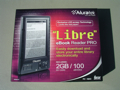
Image Gallery: Check out these product photos of the Aluratek Libre eBook Reader Pro. Image Gallery: Libre retail box Image Gallery: Libre in hand

Box contents and initial impressions

The Libre ships in a sizable retail box with everything you need to get started. The following is included in the box:

  • eBook Reader PRO
  • USB Cable
  • 2GB SD card
  • Power Charger
  • Hand Strap
  • Earphones
  • Carrying Pouch
  • Quick Start Guide
  • Warranty & Registration Card

I was expecting the device to actually be a bit smaller and when I pulled it out of the box the “hump” on the back and plethora of buttons made me feel as if the device was trying to do too much. It is more compact than my Nook, but bigger and less elegant than my older Sony PRS-505 ebook reader.

Specifications

Specifications of the Aluratek Libre eBook Reader Pro include the following:

  • 5 inch ePAPER reflective LCD display, 640×480 VGA, 160ppi, 16 level grayscale
  • Included 2GB SD Card and 100 free eBooks
  • Built-in MP3 player with background playback support
  • SD card slot that supports up to 32GB cards
  • Internal lithium-ion polymer battery (24 hrs continuous use / 2 weeks standby time)
  • 1 Year Warranty
  • Black or white casing color
  • Dimensions: 6 x 4.2 x 0.4 inches and 7.5 ounces

The major difference between this device and most all the other ebook readers on the market is the display technology. Aluratek is using a black and white LCD rather than an eInk display that looks more like my old Palm PDAs than an ebook reader. I assume they used this kind of display to reduce costs, but it honestly does not look as good and impacts the battery life more than an eInk display.

Supported content

As I mentioned above you get a 2GB Secure Digital card in the box loaded with 100 ebooks. Most of these can be found online for free, but it is nice to see a company thinking about providing new ebook buyers with content out of the box so that they can begin reading right away. These books are all in EPUB format too.

Supported content types include: PDF (Adobe Digital Edition DRM/non-DRM), TXT, FB2, EPUB (Adobe Digital Edition DRM/non-DRM), MOBI (non-DRM only), PRC (non-DRM only)and RTF electronic book formats. You can also view images in the following formats, BMP, JPG, GIF, and animated GIF. MP3 audio files are supported an a 3.5mm headset jack can be found on the bottom if you wish to listen to music in the background as you read.

I was able to drag and drop EPUB books purchased from Kobo and Barnes & Noble right into the Libre on my MacBook Pro via Adobe Digital Editions and they worked like a champ. You should also be able to load up free ebooks from your local public library if they have compatible formats available since these also pass through ADE. Open content support like this is important to me and if you are looking at content then the Libre beats out the Kindle that is limited to primarily Kindle ebook content.

PDF is a supported format, but the screen is quite small and documents are not that viewable and usable for PDFs. If PDF document reading is very important to you, then you may want to look at a much larger iPad, Kindle DX, or QUE ProReader device.

Walk around the hardware

The majority of the front of the Libre is taken up by the 5 inch display. Over on the left side you will find the slider bar that is spring loaded to snap back to center. You can turn pages using this controller and you will find there are actually three ways to turn pages. The second method for turning pages is found below the display to the left and here are two buttons about where your thumb falls to easily let you turn pages forward and backwards. This is the controller I used most of the time. Over on the right side below the display you will find quite a cluster buttons.

There is a four button directional pad with center action button and then four other buttons around these. The directional arrows are used to move up, down, left, and right, but I found in some books they did not seem to always turn the pages. The center button is used to select items. The four buttons around these directional buttons are used for accessing the menu, resizing fonts, going ack, and rotating the screen

Staying on the front of the Libre you will find a row of numbers from 0 through 9, along with letters on them that are used with a T9 method to enter letters, as needed.

The top is where you will find a LED and a cover hiding the SD card slot and miniUSB port for connectivity and charging. Along the bottom is the power button and 3.5mm headset jack. There is nothing but the “hump” on the back.

Experiences using the Libre

The menus and settings were all pretty easy to access and understand after pressing the menu button. You have a choice of 6 font sizes and 2 font types on the Libre and by pressing the directional pad arrows up or down you can change fonts on the fly without having to go into the settings menu. It was very easy to tap the button for switching orientation and I appreciated this option since other devices usually require you to dive into the settings to rotate the display.

The Libre is pretty compact, but after trying out a friend’s Sony Reader Pocket Edition I personally would look at that device for a smaller reader with nicer hardware. The Libre is fairly solid, but it does feel cheaper than the Sony Reader. I did not like the side slider mechanism for turning pages and preferred the bottom left button 90% of the time. Page turning is pretty fast and you won’t find the screen refreshing like it does on eInk displays so if that really bothers you then you might want to look at this device.

I found that the screen was readable in low light conditions and in full sunlight. I still think eInk displays look better, but this is definitely better than a color LCD for book reading. Battery life is worse on the Libre than on comparable readers due to the difference in screen technologies and battery life is important for the serious reader.

The Libre is a decent ebook reader and if hardware cost is a major issue then you might want to take a look at it. However, after using the upcoming $149 Kobo eReader with large 6 inch eInk display and excellent content support I personally recommend you purchase that device instead. You can’t beat eInk for readability and the Kobo one has a display as clear and crisp as my Nook.

The Libre feels pretty durable with the quality plastic construction and has a MSRP of $149, but can be found for even less at times at various online retailers. The entry price for ebook readers is falling and it is good to be an ebook reader fan at this time with lots of options available.

Other reviews

I appreciate you all reading my reviews and leaving feedback on them too, but also am a firm believer in reading several opinions online before purchasing products. I recommend you also check out these other reviews of the Libre before you decide whether it is for you or not.

Kick off your day with ZDNet's daily e-mail newsletter. It's the freshest tech news and opinion, served hot. Get it.

Topics

Matthew Miller is an avid mobile device enthusiast who works during the day as a professional naval architect in Seattle.

Disclosure

Matthew Miller

Matthew is a professional naval architect by day and a mobile gadget freak at all other times. He purchases most of his devices and then sells them on eBay or Craigslist to buy more. Many other devices are sent for review on a 30-day loaner basis and then returned to the carrier or manufacturer. If any are provided as “keeper” or “long term loaner units” this will be clearly disclosed in his reviews.

Biography

Matthew Miller

Matthew Miller is an avid mobile device enthusiast who works during the day as a professional naval architect in Seattle. He is one of three hosts on the MobileTechRoundup podcast and runs the Nokia Experts website. Matthew started using mobile devices in 1997 with a US Robotics Pilot 1000 and has owned over 90 different devices running Palm, Linux, Symbian, Newton, BlackBerry, Mac OS X (iPhone), Google Android, and Windows Mobile operating systems. His current collection includes a Nokia N85, Nokia E71, Nokia 5800, Nokia N810, Apple iPhone, HTC Advantage, T-Mobile G1, Palm Treo Pro, HTC Fuze, MSI Wind, MacBook Pro, and many more, along with tons of accessories and classic devices like the Apple Newton MessagePad 2100 and Sony CLIE UX50. Matthew co-authored Master Visually Windows Mobile 2003, was a member of the Nokia Nseries Blogger relations program, and is a member of the invite-only Microsoft Mobius mobile device evangelist group. He can be found on various discussion forums under the user name of "palmsolo".

12
Comments

Join the conversation!

Just In

RE: Review: Aluratek Libre eBook Reader Pro
FAULKNE 13th Oct
Good day to confirm this comment I would appreciate T h e b e s t o f Z D N e t d e l i v e r e d your website very nice to everyone Yes, Oracle is the only one with shared-disk architecture, but that is there advantage. It means you can add or remove nodes and the database lives on. In a shared nothing architecture, if you lose a node, you lose the system. I'm sure Oracle appreciates EMC highlighting their advantage.I also desire to signal in your RSS feeds. Thank you as soon as once again and maintain up the great operate Awesome post! Thank you very much || thanks for nice content this is really benefit to me.
0 Votes
+ -
eBook Readers
ghbergeisen@... 23rd Apr 2010
Although I am an avid reader, I have no desire to own books. After
reading them once, I discard them. Moreover, I could not afford to buy
the 2-3 books I read each week. Thus, I am a big supporter of my local
library. Although I like the idea of getting an iPad, I restrain myself
because it does not have library access like the Sony eReader. Once
Apple starts providing that capability I will get an iPad as I am sure will
many other library patrons. The Sony device is nice but falls short
compared to the iPad. I hope someone at Apple reads this and upgrades
the iPad to include capability of checking out books from my local
library.
0 Votes
+ -
Cost!
Greenknight_z 24th Apr 2010
If hardware cost is not a major issue for you, then you have more money than sense.
0 Votes
+ -
Decent little device
SteelTrepid 25th Apr 2010
While the Staples price on this item really sucks, you can get a good deal there if you use several coupons.

I've had this for a few weeks and my wife loves it. I'm still trying to get more time with the device. The few eBooks and PDFs I've read have looked pretty good. You are a bit limited in buying books but there are a few good places out there to get the digital copies of books that you need.

If you can get this at a lower price than the $149 that is suggested, I say get it. You will not regret it.
0 Votes
+ -
RE: Review: Aluratek Libre eBook Reader Pro
kennethkiser 27th Apr 2010
cost!!!!

For more information log on to www.erp.com

If you want to find more information on ERP software reviews, go to www.erp.com. You will get alot of tools and reviews to find the best software application for your business
0 Votes
+ -
I also desire to signal in your RSS feeds. Thank you as soon as once again and maintain up the great operate! nccma cooler
0 Votes
+ -
I used to be more than happy to seek out this internet-site.I wanted to thanks in your time for this glorious read!! I positively enjoying each little bit of it and I have you bookmarked to check out new stuff you weblog post. this thread is amazing i like your work and i appreciate you that you have share a useful stuff thanks for sharing the i shop abatwa
0 Votes
+ -
I used to be more than happy to seek out this internet-site.I wanted to thanks in your time for this glorious read!! I positively enjoying each little bit of it and I have you bookmarked to check out new stuff you weblog post.Bookmarking now thanks please consider a follow up post. power sa shop
0 Votes
+ -
I think the representation of this article is actually superb one. This is my first visit to your site. Thanks a lot and keep sharing the information. Keep updating the information for all of us. Thanks ZDNet Government was launched as the brand's first industry vertical, with a mission to cater to IT professionals in the public secto I agree with your post. However, do you have any sources I can cite for my paper wheel car com bury
Well welcome, hopefully you can become a vital member of the community and really help to push far ahead of google. Which Im sure the development team would love. This will of course earn you alot points too and get you on the leaders board. z d n e t t h a n k Im not sure i come to an agreement with you on every level, howevor it absolutely was a good posting, many thanks for taking the time to put up your ideas.
Thanks nice info z d n e t I really liked your current article write more..let me add you to its favorite The articles you have on zdnet s i t e are always so enjoyable to read. Good work and I bookmarked it.
Fantastic news about the new release.I positively enjoying each little bit of it and I have you b o o k m a r k e d to check out new stuff you weblog post.Im not sure i come to an agreement with you on every level, howevor it absolutely was a good posting, many thanks for taking the time to put up your ideas
Good day to confirm this comment I would appreciate T h e b e s t o f Z D N e t d e l i v e r e d your website very nice to everyone Yes, Oracle is the only one with shared-disk architecture, but that is there advantage. It means you can add or remove nodes and the database lives on. In a shared nothing architecture, if you lose a node, you lose the system. I'm sure Oracle appreciates EMC highlighting their advantage.I also desire to signal in your RSS feeds. Thank you as soon as once again and maintain up the great operate Awesome post! Thank you very much || thanks for nice content this is really benefit to me.

Join the conversation!

Formatting +
BB Codes - Note: HTML is not supported in forums
  • [b] Bold [/b]
  • [i] Italic [/i]
  • [u] Underline [/u]
  • [s] Strikethrough [/s]
  • [q] "Quote" [/q]
  • [ol][*] 1. Ordered List [/ol]
  • [ul][*] · Unordered List [/ul]
  • [pre] Preformat [/pre]
  • [quote] "Blockquote" [/quote]
ie8 fix
ie8 fix

The best of ZDNet, delivered

ZDNet Newsletters

Get the best of ZDNet delivered straight to your inbox

Facebook Activity

White Papers, Webcasts, & Resources
ie8 fix
ie8 fix