Cisco: Hot Router? Check it and See

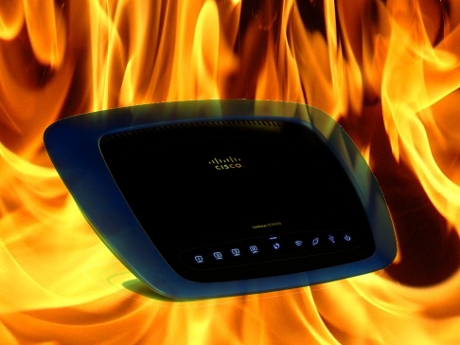
Cisco's flagship consumer SOHO wireless router, the E3000, has a tragic flaw: Overheat.
I work a lot from home for a large technology delivery organization. As such, my house is probably one of the most wired households in Northern New Jersey. I'm in the minority of customers which makes use of all of the bandwidth from my Optimum Online Ultra connection, Cablevision's 100Mbps broadband service which advertises itself as the fastest consumer broadband you can buy in the United States. And well, it is.
Why the heck do I need all this broadband? Well, I've got a lot of devices with constant Internet connections from a whole bunch of appliances and hard-wired computers, not to mention I'm now downloading a ton of stuff all the time for work and other research purposes.
We have also two smartphones, two laptops and an iPad connected via Wi-Fi, the DirecTV Whole-Home HD DVR service which requires an Internet connection and a high-speed 5Ghz wireless-N bridge if I want to make the most out of the On-Demand, two HD-capable Rokus, an HD Slingbox and two VOIP lines for both me and my wife which get used constantly. And I'm not counting all the test equipment that comes in and out of my home lab that needs to talk to the Internet as well.
I'm not bragging. This is how I make my living and how I choose to live. Unfortunately it also means that I've become absolutely dependent on my home broadband connection. And when it goes down, Jason gets angry. Very. Very. Angry.
Around 11PM last night, all of my connections dropped. So I did the usual thing, I rebooted the cable modem and the router. Still doesn't come back.
Okay, maybe my Linux workstation is acting flaky. So I rebooted my PC and cycled the Ethernet interface. No DHCP gets assigned. Not good.
I then hear the dreaded words coming from my wife hollering from upstairs. "Jay, did we lose our Internet connection?"
Page 2: [I got a fever burnin' inside of me...] »
Um, yeah. So to verify that the broadband itself wasn't down, I pulled out my backup router and connected it to the cable modem. Everything comes back up. Okay, at least I can work tomorrow if I need to, but not everything is going to work swimmingly.
See, the problem is, when you have all this bandwidth, and if you expect to use it, then you actually need a SOHO router that can handle a 100Mbps connection. There aren't many on the market that are rated for this type of WAN activity, and also have integrated 2.4Ghz as well as 5Ghz wireless.
Given those parameters, you can basically narrow your choice down to two models -- Netgear's high-end WNDR3700, which I have and use currently as an access point to cover my upstairs equipment, and also Cisco's E3000. There's a few other Gigabit wireless-N routers on the market, such as the DDR-WRT-based Buffalo Nfiniti, but these are the two major ones that I know of which have dual transceivers for 2.4Ghz and 5Ghz. [EDIT: Apparently, there's also a D-Link, the DGL-4500, which is dual-band and gigabit capable.]
I needed to buy another router having re-purposed the WNDR3700, so this time around I decided to go with the Cisco. I've had this router running for about 30 days, having to reboot it occasionally in order to reset my broadband. This is typical and to be expected.
What you don't expect, however, is for your router to overheat and to cease functioning in a temperature controlled, well-ventilated basement during the beginning of November.
There's a problem with the E3000, and it's obvious to anyone who uses it -- the bottom of the unit gets very, very hot. And when that happens, the internal Ethernet switch stops working, and your LAN and WAN connections drop.
I stayed up until about 4AM diagnosing this problem, and I'm not happy, and neither should anyone else who owns a Cisco Linksys product. If you read the various fora and support boards out there, as well as a number of long-term reviews of this router, this is a known problem with the E3000 and several of the new "Pancake" form factor Cisco Linksys routers.
What's going on with the Linksys product line now that Cisco has taken over? I don't know, but it's clear to me that with ever-demanding bandwidth needs in the home, their SOHO products need to be designed and manufactured to stay on constantly and run reliably. I'd ask Cisco's consumer people just what the hell exactly is going on, but it appears they abandoned their Twitter account in June of 2009. There's no @DigitalCribs account which was supposed to have replaced their old one. Sorry Cisco, that's a FAIL.
The intermediate solution for me appears to be to keep the router placed on a cool surface, and I'm even considering one of those special laptop cooling pads to try to diffuse the heat building up on the bottom of the unit. But to the rest of you considering a current Cisco SOHO networking product, take heed of my story and look elsewhere. Until I see evidence they've increased the reliability of these products, I'm going back to Netgear.
And with that, I leave you with one of my favorite songs from the 70's/80's band Foreigner, which pretty much summarizes my experience from last night. Cisco, perhaps you should consider adopting this as Linksys's corporate anthem.
Is your SOHO router "Hot Blooded?" Talk Back and Let Me Know.
[poll id="24"]