The best Facebook apps for business and career enhancement
Even though most people, including myself, use Facebook to connect with friends, family and colleagues, Facebook can also help you become more productive. Yes it's true, Facebook does not necessarily have to be considered a time sinker. With the thousands of Facebook Apps out there, many of which are useless, there are a few shiny gems that can help you turn Facebook into a super-charged personal assistant.
This is a guest post by Aseem Kishore, a technology enthusiast and lead blogger for Online-Tech-Tips.
Even though most people, including myself, use Facebook to connect with friends, family and colleagues, Facebook can also help you become more productive. Yes it's true, Facebook does not necessarily have to be considered a time sinker. With the thousands of Facebook Apps out there, many of which are useless, there are a few shiny gems that can help you turn Facebook into a super-charged personal assistant.
Keep reading to find out the best apps out there to help you be more productive in your business or career.
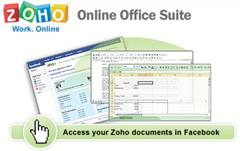
If you haven't heard of Zoho, it's an online office suite on steroids. It has everything you need from an online spreadsheet, presentation, and document program to a full database and form creator. Using the Zoho Facebook app, you can access all of your Zoho documents from within Facebook and also easily share and collaborate on files with your network of friends or colleagues.
Slates is a fabulous tool for creating rich media content quickly. Slates are a new way for creating and editing web pages and documents like blogs, resumes, news stories, press releases, books and papers. You can even start a wiki. You can organize slates by chapter or topic and can edit them using their WYSIWYG editor. Slates even records previous versions of your documents and allows your friends to edit and collaborate on slates.
Are you one of those people who has a hundred sticky notes stuck to your computer at the office? Maybe you should think about using a list management application. My List is a great Facebook app for creating any kind of list you can think of: to-do lists, best movies you've seen, things you want to buy, a grocery list, party invite lists, and whatever else! Then you can share your list with everyone you know and allow them to add or edit items.
If you create lots of presentations, then you can use SlideShare to share your presentations and slideshows with friends and colleagues. SlideShare supports many formats including PowerPoint (ppt, pps), Open Office (odp), and PDF. If you use Keynote on Mac, you can save the presentation in PDF format and upload. The presentations can be tagged, commented, rated, embedded into blogs, and downloaded. You can also search SlideShare and find hundreds of presentations from noted speakers and other professionals.
To Do List is another very simple, yet useful Facebook application for managing tasks and lists. You can add a new todo by just typing into the input box and complete a to-do by checking off the box next to it. The program has other features for power users such as the ability to color code your to-dos or add friends to the to-do. You can have private and public lists, which will show up in your profile. You can also re-order the items in your to-do list by dragging and dropping.
TooDooz Project Management
Toodooz is an online project management Facebook app that helps you coordinate, prioritize, and manage projects. You can create projects, invite friends to join, create milestones, track project progress, assign tasks, upload files and link them to tasks, post discussions within projects, set permissions, view overall project summary on a dashboard, and more.
Probably my favorite file-sharing Facebook app. Ayos iShare is 100% free and gives you a nice 2GB of storage space. You can use it to store and share your files (documents, MP3s, pictures, etc) without worrying about download limits or quotas. You can also do a horde of other stuff with Ayos iShare like using it on your Facebook pages, listening to MP3s directly from your browser, generating public links to your files, reviewing stats like number of downloads, using SSL for secured files, and viewing and collaborating on files using Facebook Groups. Overall, an excellent application for business professionals.
Files is file storage and file sharing app that gives you 1GB of free space to store any kind of file you want including text, audio, video etc. It requires that you create a Box.net account, which is free. Files is great for business people because you can use it to access your files from anywhere and share important work files, as well as photos and music with friends.
DivShare is similar to Files and may actually be better in terms of file sharing. You can share documents, photos, music, and video by sending them to each friend individually, posting them to your profile, or by adding them to your news feed. You have unlimited storage space and can upload files up to 200MB in size. A new feature just released allows you to attache images, videos, MP3s, or documents directly to any friends wall. DivShare is a great app for sharing files online quickly.
My Documents is a simple application that lets you post any type of document to share with friends. You can upload documents, photos, videos, audio, anything you want. When the app was first released, you could only save 5 documents each up to 200KB in size. The author wrote he would be increasing this limit based on the popularity of the app, so hopefully it's higher now.
30 Boxes already is one of the best online calendar apps on the web and now they have created an excellent Facebook app that lets you stay organized and share all or part of your calendar with friends. The 30 Boxes Facebook app also includes SMS reminders, a built-in to-do list, and integrates with blogs, Flickr, and more. A great way to share events and schedules with colleagues and friends on Facebook.
I had to test out 4 Google Calendar apps before I found one that actually works! My Google Calendar is a very simple application that allows you to embed your Google Calendar into your Facebook profile and Application/Business page. All you have to do is paste in your Google Calendar link code and you're set. You can not only see, but also manage your Google Calendar from Facebook. You can have private and public calendars.
my!TeamPlanner provides a set of tools to organize, coordinate, and collaborate on any activity and one place for all of your team information. You can share documents, create to-do lists, highlight important dates, create announcements, schedule meetings, and discuss topics of interest on the team board. You can use it to communicate easily with colleagues about anything.
My Office lets you quickly and easily collaborate with your colleagues, friends, or clients. You can use My Office to view recent activities for one or multiple projects in a dashboard, schedule meetings, organize events, discuss ideas and collect feedback, share files, create to-do lists and track who's responsible, as well as create, edit and collaborate on documents.
Babuki IM lets you chat to your Facebook, MSN, AIM, Yahoo!, Gtalk, ICQ, Livejournal and MySpace friends from within Facebook. The program also has a desktop and web version that you can use. You can use the app to chat with Facebook friends and colleagues in real-time. You can also add it to Facebook pages, so it can be used to chat with clients, customers, and colleagues.
Meeting Room enables live, face-to-face meetings using your webcam where you can share photos, files, drawings, and more on a whiteboard with friends. You can share rooms with friends for fun, business, team projects, or online learning. It doesn't require any software to be installed in order to run.
LinkedIn Contacts is a must for career professionals. You can use it to view and share your LinkedIn contacts. You can add this to your profile or to a Facebook page. If a LinkedIn contact is already on Facebook, you can instantly visit their profile or add them as a friend. Useful for managing and connecting with LinkedIn contacts.
TravelersTable is a free online tool to meet people offline, whether you are at work, traveling, or at home. Here are some examples of how you can use TravelersTable: looking for a job or considering a job offer, getting more sales or trying to bring in more business, promoting your business service, or finding new clients and customers in your area.
You can use Microsoft Dynamics Connect to discover, connect and collaborate with other business professionals. You can use it to introduce yourself to clients, service providers, and partners. You can also find other professionals based on location, industry, and business role. Interact with other professionals in the same field via blogs, forums, and networking tools.
Jobster Career Network enables you to join the Talent Networks of your favorite companies, and get personalized job alerts based on your career interests. Plus, get career advice from your Facebook network, post your resume online, search for jobs from across the web, and more.
Have lots of friends on Facebook? Need a job? Well, you can use Indeed to find jobs where your friends work. You can also search millions of jobs from thousands of job sites and company career pages.
The Yahoo! HotJobs Facebook application adds a little bit more interactivity into the job search process. You can vote for your friends as most likely to quit or most workaholic. You can also tag your friends so everyone knows what they are like in and out of the office. You can see jobs at companies where your friends work, search for jobs, and refer jobs to friends.
Smart Links is an excellent Facebook application for productivity. It enables you to organize your friends, groups, applications, and external links into folders. It places a link into your left-hand navigation bar, nothing on your profile or feed. A must have if your Facebook profile has lots of applications or you are involved in many groups. Also great for researchers who want to share external links with friends.
Do you have a corporate Blackberry or Windows Mobile Smartphone? Well, then you can use the FindMe Facebook app to let your colleagues know where you are and find out where they are personally, automatically and securely. It does not require GPS or additional hardware. You can also add additional location information, such as a zip code so that FindMe can show your friends a map or directions to where you are.
SplashCast allows you to create your own personal multimedia channel with podcasts, videos, documents, photos, and music. You can use this for educational purposes by stitching together YouTube videos, PowerPoint presentations and PDF documents into a single video show. You can also use it to create presentations from .ppt files on your computer and share them with others.
Class Notes is a Facebook app that takes advantage of the cool features of scanR. scanR turns your phone into a scanner, copier, or fax. It allows you to take a picture of documents using your cell phone camera and sends it you as a PDF. Using the Class Notes Facebook app, you can take pictures of any document and have it uploaded to Facebook ready to share instantly. A great tool for the traveling business professional who has a camera phone.
Of course there are many other Facebook Apps out there that can make your more productive, so feel free to tell us your favorite Facebook applications in the comments!