Dell covers all the Windows 8 bases with new XPS models

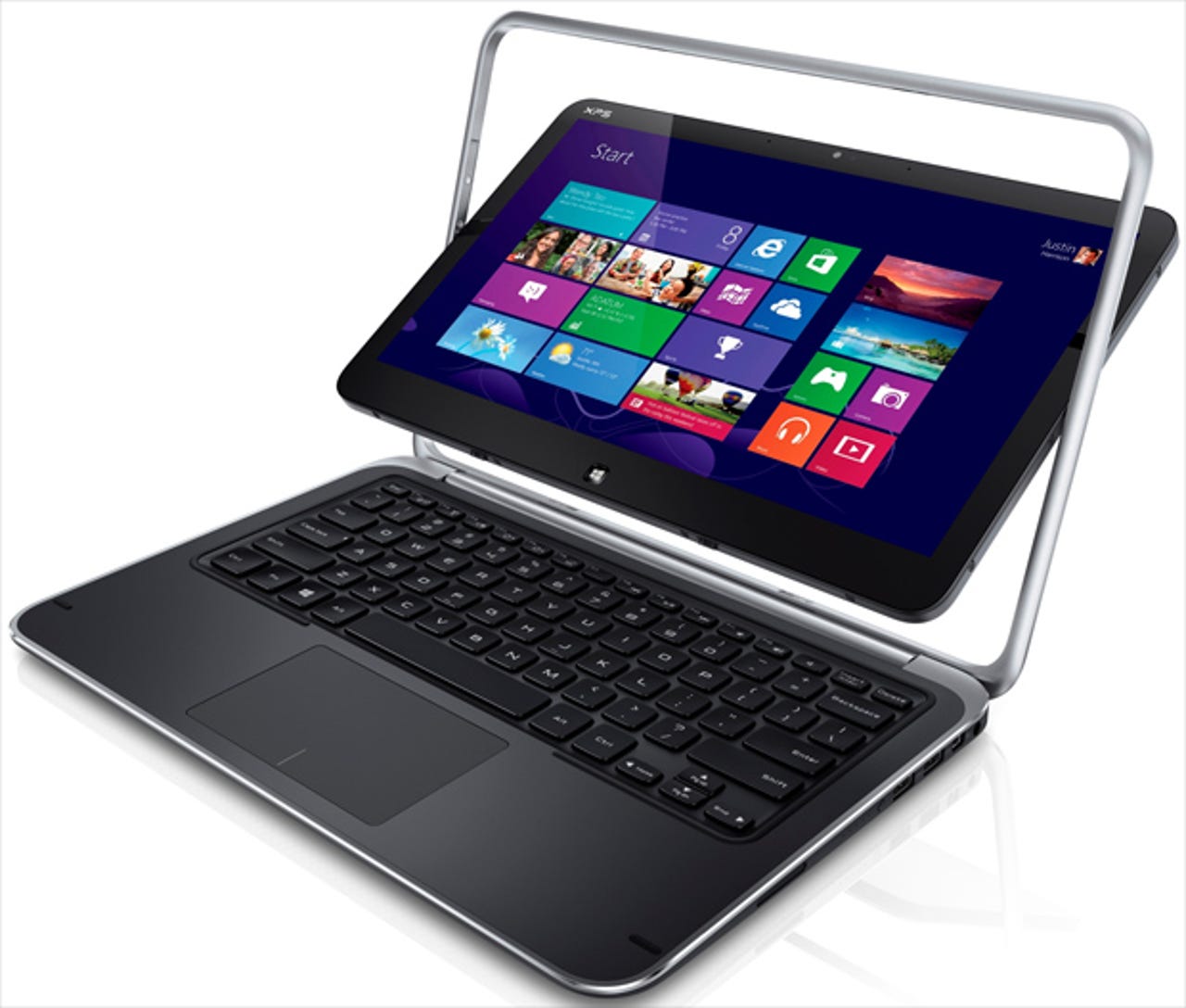
In a press event at IFA 2012 in Berlin today, Dell unveiled three new models in its XPS series. In the process, the company took several veiled swipes at Apple and borrowed a trick or two from Microsoft’s playbook.
The new devices, all with 10-point touchscreen capability, cover the three categories that will be a staple for new Windows 8 hardware this fall: an ARM-powered Windows RT convertible, an Intel i5-based refresh for the flip-screen Dell Duo, and a 27-inch all-in-one powerhouse with a quad-HD screen.
Sam Burd, Global VP of Dell’s Personal Computing Product Group, echoed Microsoft’s messaging with this introduction: "We have thoughtfully stepped back and reimagined every aspect of what makes a PC."
“Reimagined” might be too strong of a word. Anyone who’s seen the XPS 13 Ultrabook and its 14- and 15-inch successors will recognize the materials and many of the design elements.
In another nod to Microsoft’s approach, the company declined to discuss pricing and kept its display models under glass, making it impossible for pesky journalists to get any hands-on time with the devices
The XPS One 27 is big and gorgeous, with very clean lines and a display that looked crisp and sharp even when zooming deep into high-resolution photos. Dell positions the device as one that’s “designed for professionals but also works for families.” Burd added, “We think touch is a great addition to this screen,” noting that the only other equivalent display—Apple’s highly praised Retina display—allows users to look but not touch.
The adjustable stand looked solid from a distance and tilted smoothly back and down into a laydown mode good for lightbox-style work. It’s a demo we’ll see over and over as new, similar models appear this fall, but it’s an open question whether professionals and families will find the real-world use cases for this configuration.
The other two models are both designed for mobile use.
The XPS Duo 12 has a 12.5-inch screen, with a machined aluminum bezel and carbon fiber on the back of the display and the bottom of the device. It uses the same trick as the older Inspiron Duo, with a hinge in the center of the screen that allows the screen to flip and lay flat over the keyboard. The result turns an Ultrabook into the functional equivalent of a tablet, although it has the thickness and weight of the notebook.
Dell didn’t offer up full specs for the display, but described it as “Full HD, with 97% more pixels than Standard HD” (presumably 1920x1080) with edge-to-edge glass, CPUs up to Core i7, and a backlit keyboard.
The last entry is the XPS 10, running Windows RT in a package that looks startlingly like a netbook, with a compact keyboard. Unlike Microsoft at its Surface launch, Dell was willing to talk about usage, boasting that the unit would offer “up to 20 hours of battery life” and run for an entire weekend thanks to its thrifty power management.
And in a "one more thing" moment, Dell showed off the device’s killer feature—the screen snaps away from its hinge to convert into a tablet form factor.
All three models will be available for sale when Windows 8 launches, but you’ll have to wait to find out how much to pay.
More from IFA:
- Hands-on: Sony plays it safe with new Android phones and tablets
- Samsung adds major functionality to S Pen in Galaxy Note II
- Samsung introduces first Windows Phone 8 device
- Sony bets both ways with Android tablets, phones and Windows 8 slates