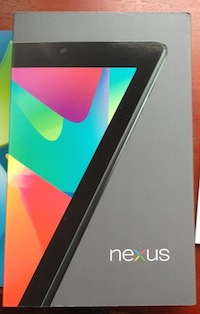
Nexus 7 hands-on: Form and function meet flash and panache

Summary: The 7-inch tablet from Asus and Google is not the perfect tablet, but it is a good fit for many uses for such a tablet. These first impressions of the Nexus 7 show it to be well worth the price.

The Nexus 7 has only been in my hands for a few days, yet it has already changed my habits of using a tablet. That is the mark of a device that is a good fit for what I do. The 7-inch tablet is very comfortable to carry and use, and that is the big draw of the tablet from Google.
Having the Nexus 7 for such a short time precludes being able to make big determinations about its usefulness, but my experience with 7-inch tablets speeds up that process. I have owned and used the original Galaxy Tab since it debuted a couple of years ago, and I already new a small tablet would be useful.
Also Read:
- Must-have apps for the Nexus 7
- Google Nexus 7: a device that finally raises awareness of the 7-inch form factor
- Why I ordered a Nexus 7
- Nexus 7 With Jelly Bean, a large smartphone without the phone
- Nexus 7 raises awareness of 7" tablet form factor
Google and Asus have packed the Nexus 7 with solid hardware for such a low price which makes it an ideal starter tablet for those not sure if the tablet is a good fit for their needs. It is a solid performer due to that hardware, and the latest version of Android, aka Jelly Bean makes it an outstanding bargain for the purchase price.
The Nvidia Tegra 3 qual-core processor keeps the tablet humming snappily, and the graphics performance is as good as any tablet available. Throw in the smooth UI enabled by the Project Butter team of Android and you have the best user experience to date on any Android tablet. It's not perfect, but it is quite pleasant to use for extended periods.


The Nexus 7 is as thin and light as can be, making it very comfortable to hold in one hand for long sessions. It is just as easy to use in landscape orientation as in portrait, although Google saw fit to try to lock it into portrait by default.
A lot has been written about the inabiility to rotate the Nexus 7 home screen into landscape orientation, a strange decision by Google. I admit it is jarring to be using an app in landscape, something only possible after turning off the default screen rotation lock, only to have the home screen display sideways when you hit the soft home button.

Colleague Jason Perlow found a good solution to this lack of landscape support on the home screen by installing the Apex Launcher app. This is a launcher replacement that gets rid of the locked Jelly Bean home screen. That works well, but an easier way around this restriction is to install the Ultimate Rotation app. This enables rotation in any app and scenario, and the default configuration for this utility works well.
The 7-inch tablet is perfect for consuming media, especially reading ebooks, and the Nexus 7 the best of the lot due to its light form. I use the Kindle app for reading, but there are several alternatives in Android for those who prefer those.
The Nexus 7 ships with the Chrome browser as the default browser, and it may be the best mobile browser on any platform. It works smoothly on the Nexus 7, and the ability to have all bookmarks at hand is priceless. I also find it useful to see the last web sites visited on every device on which I use Chrome.

The smaller tablet is not as good at content creation as its larger siblings, but for those curious about external keyboards I found one that works with the Nexus 7. The Logitech Keyboard Case for the Samsung Galaxy Tab 10.1 pairs and works with the Nexus 7, even the special tablet control keys. The Nexus 7 doesn't fit in the stand, though, so it's an iffy pair at best.
The Nexus 7 may not be ideal for everyone but it is likely to appeal to the majority of folks interested in tablets. It works well and is a bargain at the $200 price point. It is a good place to start for those not sure about the tablet as a useful device. I suspect it will win over some tablet contrarians who give it a try.
Related posts:
- How to fix the Android update mess: Paid updates
- New Year’s resolution for Google: Fix the Android update situation
- Cutting through the FUD about Windows Phone updates
- Microsoft is in the driver’s seat for Windows Phone updates
- AT&T’s business model: why your mobile bill keeps going up
- The Flawed Android Update Process; Too Many Cooks
- Will the new Android consortium fix the update fiasco?
Kick off your day with ZDNet's daily email newsletter. It's the freshest tech news and opinion, served hot. Get it.
Talkback
Quickly becoming my main device
Unless I want to do some "create" stuff, I am finding this is quickly becoming my go-to device.
My Transformer and iPad 2 are feeling the "lack-a-use".
For $200 its a bargain
Quickly becoming my main device
Unless I want to do some "create" stuff, I am finding this is quickly becoming my go-to device.
My Transformer and iPad 2 are feeling the "lack-a-use".
Yeah and
I disagree.
Can almost replace the BB Playbook
Another alternative mobile keyboard option.
It has been my experience that one of the best mobile keyboards around is Apple's Bluetooth keyboard. A great 25 dollar travel case that protects the Apple keyboard and doubles as a tablet supporter is the Incase Origami Workstation keyboard case.
If readers wish to pair their new Nexus 7 tablet with the Apple keyboard and the Origami keyboard case, I believe they would enjoy the experience. BTW, I have the Apple keyboard and that keyboard case (it works well supporting my iPad tablet) and both work well together with my iPad. But to be honest, I rarely have a need for a physical keyboard when I operate my iPad.
Never heard of the Origami workstation
Or you could get the Surface which actually has a well thought out system, all controlled by 1 company instead of the frankenstein solutions you are forced to use with Apple. Some of them even involve doing 60 seconds worth of Origami each time you want to use it. The Surface solution? Flip the cover. Done.
You really should research your topics better, Toddy
The Surface tablets from Microsoft with it's built in kickstand and optional keyboard cover is a more elegant solution, to be sure, but James wrote about a less expensive Nexus 7 tablet and a possible external keyboard solution for some consumers. I offered another option that I thought could benefit consumers.
You offered no helpful suggestions for Nexus 7 tablet owners except to knock their purchase choice by suggesting or implying that they should have waited until the Surface tablets were available.
In the future, please research your rants better. Saying the Origami keyboard cover is too complicated to use is just a flat out ignorant remark.
You can't make this stuff up
Nothing screams quality like Velcro.
"is a complicated procedure"
How is this a mobile solution? Remember, we are talking mobile devices. It is the most complicated case I've ever seen in a family of offerings where most cases are simple flip cases. This thing requires assembly every time you want to use it. Yes, it is complicated. It is impractical. As impractical as suggesting a 7" tablet owner purchase an 11" Apple keyboard. Only the biggest of Apple fanbois would do that, right?
Oh.
"a possible external keyboard"
Possible? I guess. In the same way that carrying around a car battery to recharge your tablet is a "possible" solution. The Apple wireless keyboard is incredibly thick and 11" wide. All this for a 7" tablet? Are you kidding me? Remember the key word: mobile.
"You offered no helpful suggestions for Nexus 7 tablet"
And you and your Apple buddy orandy are simply trying to push people to Apple products. This is why Apple people are the #1 most hated group of people on the Internet.
While I may not have a helpful suggestion, I offer my congratulations and I don't suggest they run out and buy an 11" Apple keyboard just because it is made by Apple, even though it is utterly impractical.
PS Don't forget to carry around spare batteries for your keyboard. You just can't make this stuff up.
Your not familiar with the Origami product, Todd.
I also have a mobile Microsoft Bluetooth Mobile Keyboard 6000. It is a very fine product. It also comes with a seperate Bluetooth enabled numeric keypad. (I'm not sure if Microsoft still sells this fine product but they do still offer a model identical to it called the Microsoft Bluetooth Mobile Keyboard 5000 except that it does not include the separate numeric keypad.
However, the dimensions for this superior ergonomic keyboard by Microsoft are 13.9" by 6.54". (The product is NOT a rectangle like the Apple keyboard. It's curved.) As I said, this is a very nice ergonomic keyboard but it is larger than the Apple Bluetooth keyboard.
The Origami case is a lightweight protective cover designed for the Apple keyboard. If one wishes to use this keyboard in a mobile environment than a protective lightweight case is a desirable accessory, IMO. It also doubles as a support for a tablet.
Now, if your not too busy howling at the moon, Todd, could you please suggest a non-membrane mobile keyboard that is of smaller dimensions than the Apple keyboard and that could be paired to a Nexus 7 tablet.
That would help those Nexus 7 owners. I don't know of any other mobile bluetooth keyboard that is smaller and of the same quality as the Apple unit.
BTW, your comment, "This is why Apple people are the #1 most hated group of people on the Internet", says a lot about your character. It says nothing about mine.
And yes, mobile keyboards use batteries. Tablets use batteries. Laptops use batteries. And, I'm sure owners of those products will make sure those batteries are freshly charged before use .. or they will learn an important lesson about mobile devices.
You can't make this stuff up
So suddenly size matters? If 11" is okay, what's wrong with 14"? Right, it isn't made by Apple. 11" is the "perfect" size for a mobile keyboard. Especially one that requires a complicated set of folding instructions and "high quality" velcro straps. Apple's solution is a frankenstein, non mobile solution that is of low quality according to the reports.
"could you please suggest a non-membrane mobile keyboard"
Why must it be non-membrane? Right, because membrane keyboard are too mobile and the idea here is to make it so that only Apple's keyboard can win. Why not make it more specific. How about:
"could you please suggest a non-membrane mobile keyboard that also has OS X compatible media keys so that I can use it with my Mac when I'm not using it with my Nexus. Oh and it has to be made by Apple because if you suggest anything else, I'll pull this card:
of the same quality as the Apple unit
but I won't explain why your suggestion is of lower quality, I'll just say that it is."
PS Here is how "high quality" the Apple wireless keyboard is:
https://discussions.apple.com/thread/3905093?start=0&tstart=0
Hey, it counts. After all, according to you Apple folk like orandy and James, a single report is enough to prove that a product sucks.
Anyway, here is my suggestion:
http://www.zagg.com/accessories/zaggkeys-flex-tablet-keyboard-stand
Smaller, lighter, doesn't require you to lug around extra batteries since this is actually designed to be a mobile solution and it has the rechargeable battery built in (unlike the Apple wireless keyboard which was never designed to be mobile which is why it is huge, heavy, and requires so many external batteries). Zagg is extremely high quality. I have the Zagg Logitech keyboard case for my iPad and the only problems I have with it are the fault of the iPad because it takes so long for the iPad to wirelessly connect after waking up (won't be a problem with the Surface thank goodness).
"And yes, mobile keyboards use batteries."
Only if you are using Apple's kludge of a keyboard that was never designed to be portable. My Zagg Logitech keyboard case, and the case I linked to above, have the battery power built into the device so it is smaller, lighter, and doesn't require you to lug around extra batteries. Don't settle for Apple when you can get so much better (and I'm talking about the keyboard, Apple does make nice stuff like the iPad 2 and the iPhone 4).
Size might matter when it comes to mobility considerations.
My recommendation, as most rational readers would understand, has nothing to do with whether it was designed by Apple or not. Or that I was engaged in some type of "contest" where an Apple keyboard could "win" (to use your dubious logic) over another product. If a person wishes to use an existing bluetooth keyboard that is 14" or longer, well, OK .. that would be a cost effective solution for a need to type on a non-virtual tablet keyboard. All I am saying (and it's something that you seem to be unable to understand) is that, IMO, the Apple Bluetooth keyboard paired to a Nexus 7 could make an acceptable solution to the need stated.
BTW, how long do you think a user can use his Apple Bluetooth keyboard before he needs to change (or recharge) it's two AA batteries? Speaking only for myself and my experiences, I can go months before I replace those batteries (I have invested in rechargeable ones, BTW) and I type on my Apple Bluetooth keyboard daily. I don't think that is a unique experience for owners of that keyboard. I wouldn't worry too much about the battery issue.
Although I find it very hard to believe that you still think the Origami case is complicated to use - (and I mean that in all sincerity), you might indeed have a problem using this product.
To that end, I have supplied a YouTube link and a fair minded review of this product (both pros and cons) that I believe interested readers might find more useful than your "review" of this product. (You might find it useful too since you have an iPad 2 and might compare the pros and cons to your solution - which is a good alternative if somewhat more expensive and marginally heavier.)
http://www.imore.com/incase-origami-workstation-apple-bluetooth-keyboard-ipad-review
And, as for your supplied "high quality" Apple wireless keyboard discussion link, all I could read on that link were a few owners having trouble pairing the bluetooth keyboard to either their iMac or their iPad. Are you suggesting that the vast majority of Apple bluetooth keyboard users have difficulties pairing their keyboards as well?
As for the quality or functionality of the keyboard itself, persons can Google or Bing a search for reviews of the current Apple Bluetooth keyboard and receive a more informed assessment of this product.
Kudos to Google and Asus
COME ON TODDY....
Screens coming apart
Blank screen spots
Touch Interface not responding
Dead pixels (for your dead presidents)
Yet even more Android garbage. What do you expect when it only takes 4-months to design; especially when the iPad took over 10-years.
10 Year? are you kidding me?
No wonder it is taking them so long to catch Android!
Stop ranting about how this tablet has issues
The only difference is that your new Retina display that has a yellow tint or dead pixels better be under warranty or you just spent 500$ on a bad product.
Don't know about the 10 year deal
That said even with the new Tegra 3, there are moments of slowness....that pop in my head..."oh that is right Android device". I have see it on the phones, Tab 7, Kindle Fire etc. You will be going along fine and the laaaaaaagggggg. The pinch and zoom in/out is where I first saw it, the some page turns that glitches...then some screen swipes. Not a lot, but NOT AN IPAD.
The Nexus 7 has the lime light for the next 30-90 days. At that point another gee wiz Android tablet will role out and steel its thunder, amongst the Android faithful. The Kindle Fire 2 will crush it in every way and if there is a iPad Mini at $250 or less.....then Android tablets are DEAD.
ENJOY YOUR 4-MONTH-OLD DESIGNED POS, LOL...
Keep up the good work Google, Android on tablets has a perfect score of ZERO in the areas of quality, design, engineering and overall OS useability.
How much does the NEW ANDROID DOORSTOP COST?
200 bucks : )
Composed on my iPad 3, with the highest definition screen in mobile computing history!
You're kind of pathetic