Installing the latest Ubuntu Linux: Ubuntu 11.10

by Steven J. Vaughan-Nichols | October 12, 2011 5:54pm PDT | Image 1 of 11
Previous | Next
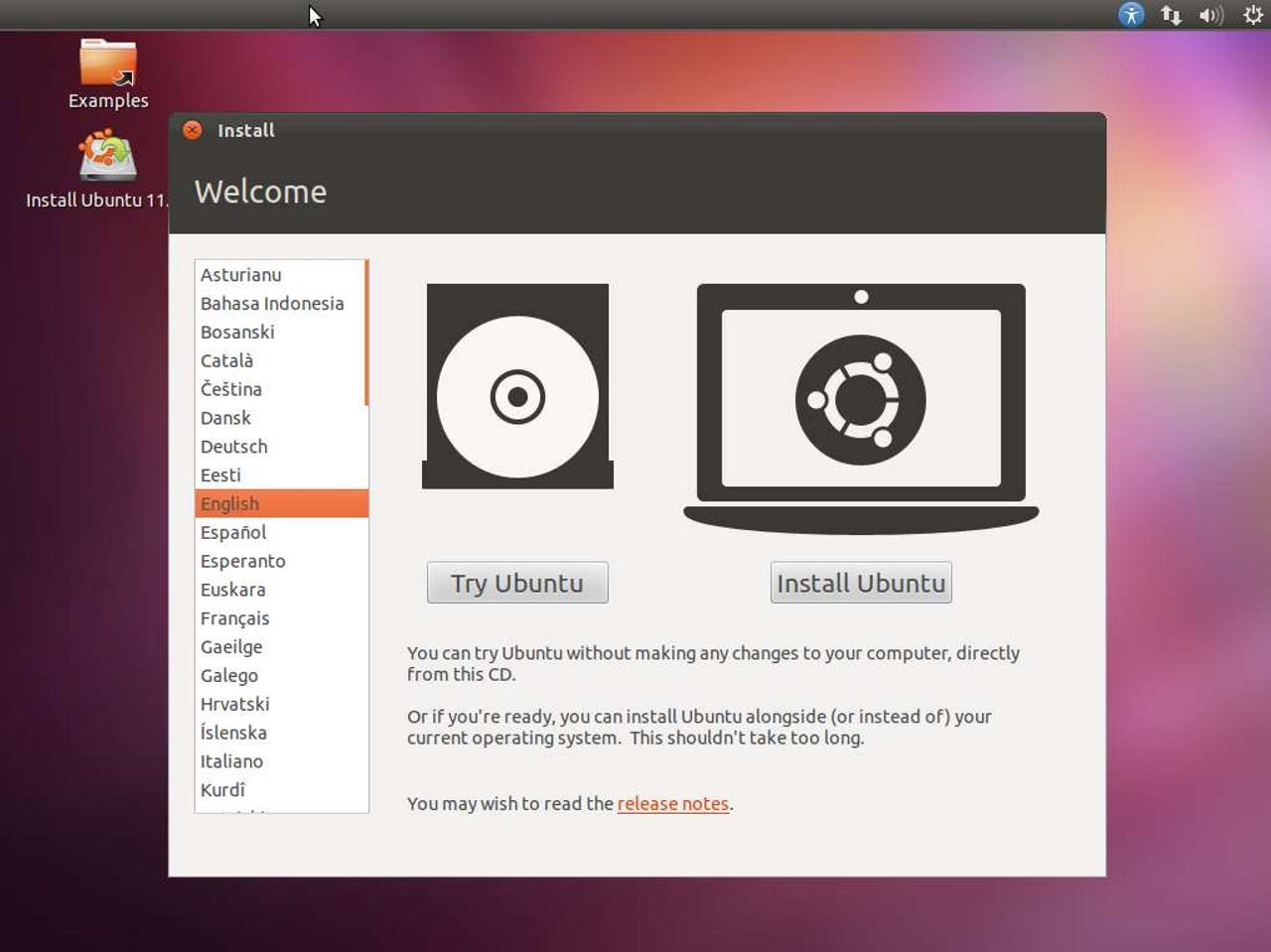
October 13 is a big day for Ubuntu fans. It’s the day that the next version of Ubuntu arrives. If you want to give it a try, download a copy of Ubuntu 11.10, Oneiric Ocelot, burn an ISO copy to a CD or USB stick, pop that into your PC, and follow along.
Before doing anything drastic, like actually installing Ubuntu on your PC, make sure it works first. Only after testing it out for a while, should you reboot your computer and chose the Install Ubuntu option.
Just In
Paul
Paul
That msg was a reminder for those installing on a laptop. More than one person forgot that their laptop was NOT plugged in and experienced a power down event during install.
I hate how Ubuntu and the Gnome Project seem to be obsessed with a Mac style desktop. Why would you copy something nobody wants to use? I understand the glitz and the attractive interface, but why go so far as making a desktop unusable beyond casual computing. I don't get it and they refuse to admit it. KDE did it and lost users to Gnome, and know Gnome is doing it and losing users to xfce, etc.
Have you tried KDE 4.5 or higher lately? Dolphin is ANYTHING BUT "unusable". It is the most powerful file manager in any DE on the planet. Ditto for the rest of KDE4.
Because a certain troll (with the initials 'LD') will tell one and all that in order to use linux; you have to compile it.
Does seem pretty weird as the install is so simple to do.
Unity is "not much"!!!
...and I don't like it!
You have your choice of interfaces. Unity is just the default. And once you get used to the idea that it's not identical to Gnome or Windows 7, it's really not that bad. You just have to look for certain things in places you're not used to looking. For instance, the "power button" symbol in the upper righthand corner actually presents a drop-down menu and System Settings is accessed from there instead of Administration.
I agree. Ubuntu 11.04 performed perfect for me, and now with the improvements in 11.10 it's going to be better. And, Ubuntu One I find very useful now, it has come along way,
how partition and what mount points to create so can save /home for next upgrade?
Or if you have ubuntu already installed, it will ask if you to "upgrade your current installation wiping all apps but keeping files" ... btw, with people with a separate home partition, this is the safest way of upgrading.
Remember "Longhorn"? When a "demo" of it was first "leaked" Longhorn didn't look or feel anything like what was actually released years later as VISTA, and VISTA was missing WinFS and the super duper video display, etc... IOW, Longhorn was full of vaporware. When Jim Alchin's coders came back from the Apple OS X release presentation they wrote an email to Alchin saying that OS X was what Longhorn was "supposed to be". He forwarded that email on to Gates and Ballmer and within a year he was history.
SJVN should wait until Microsoft actually releases the final "Win8" product before he tests it, otherwise he is just contributing to MS "buzz", which is exactly what MS wants.
How come no screenshot of you turning closing down the telnet port?
ya know, because I'm always being told on here that linux leaves telnet port open by default
Seriously tho- I like what I see, but I will probably be holding out for SUSE 12.1
shhh ... he who shall not be named will hear you ...
to do setups and changes in the file system that is not a problem in MS, this latest 11.10 fouled up the password and some files missing, and hours of research got me no where
"setups and changes in the file system"????
What file system are you trying to setup or change? It comes with EXT4 as default. Why would you want to "set it up" or "change it".
As far as passwords are concerned, when you first install Ubuntu the password you enter with the first account is also the "root" password. You enter it twice while setting up the first account. If you don't enter the same password in the second box that you entered in the first box you will be informed and you won't be able to proceed until your password entry and test both match. After installation you merely use the associated GUI to change a user's password.
As far as "missing files" you have to verify the iso download using md5sum before you burn it to a CD. Then, you verify that the LiveCD burned correctly using the test option on the LiveCD. These are tests you must always do as long as the Clayton Anti-Trust Act is not enforced and PC OEMs aren't forced to install only Win7 on the desktops.
Build one distro for the ones that want to be kept stupid but don't annoy us with splash-screens or bring out a de-teletubby-package!
Everytime a new version comes out - i have more work to undo all this rubbish (but the upgrade went fine out of that).
That was why i was the happiest man in the world when i kicked out windows - if i want a slick interface with hide and seek games i'll know where to buy it - and be milked and milked and milked all over again and again.
Cut the crap - make it lean, make it mean, make it superfast and super-energy-efficient - and above all super-relyable.
Try to pursuade the libreoffice community to make their office multi-threaded so i can run dozens of windows at the same time without being blocked when one copy/paste operation from the browser takes op tons of time. It's no joke - and it works well on non-linux systems.
And fix the kde-shutdown bug - it crashes now every time - and no debugging is possible due to no debug-package available.
Join the conversation!
The best of ZDNet, delivered
ZDNet Newsletters
Get the best of ZDNet delivered straight to your inbox