Office 2010 hits beta: what's new and exciting
A quick look over at the feature-complete Office 2010 and what's shiny and new.

1 of 17 Zack Whittaker/ZDNET
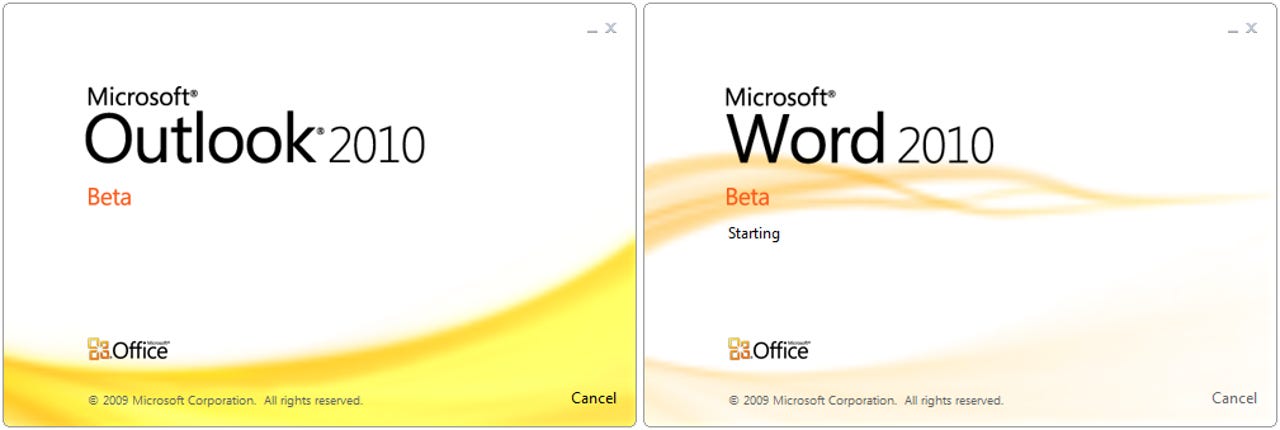
I can assure you that when these load up, there's plenty of flashiness, rather than a boring static image.
To read more on Office 2010 Beta 2, head over to the iGeneration blog.
To read more on Office 2010 Beta 2, head over to the iGeneration blog.
2 of 17 Zack Whittaker/ZDNET
Office 2010 is more than just a set of pretty icons. Howeve, put these through an anagram generator and... well, nothing really interesting comes up. Still, the icons show a better identity for the applications they serve.
To read more on Office 2010 Beta 2, head over to the iGeneration blog.
To read more on Office 2010 Beta 2, head over to the iGeneration blog.
3 of 17 Zack Whittaker/ZDNET
As with previous versions of Outlook, you can set your home page for a folder, allowing you to see the IT alerts for your network or maybe your webmail just in case Exchange decides to crash that morning.
To read more on Office 2010 Beta 2, head over to the iGeneration blog.
To read more on Office 2010 Beta 2, head over to the iGeneration blog.
4 of 17 Zack Whittaker/ZDNET
The calendar is very much the same but simplified down. In Outlook 2007, I struggled with the calendar and now it allows you to properly integrate calendars with existing ones, and manage them better than before.
To read more on Office 2010 Beta 2, head over to the iGeneration blog.
To read more on Office 2010 Beta 2, head over to the iGeneration blog.
5 of 17 Zack Whittaker/ZDNET
Besides the slight user interface tweaks, this is very much the same again. Except, from here you can apply more properties and even call people from the list of contacts. There are more options available to connect with external services, products and clients.
To read more on Office 2010 Beta 2, head over to the iGeneration blog.
To read more on Office 2010 Beta 2, head over to the iGeneration blog.
6 of 17 Zack Whittaker/ZDNET
The folder view is just as it was before with a different navigation pane. The folders are simplified down and the "2010" look is given to the buttons. Many will notice how cleaner the interface is and less cluttered. I guess in hindsight, Vista and Office 2007 could well be considered as hand-in-hand, whereas Windows 7 and Office 2010 could well be the brainchild of a far simpler, easier to manage and use experience.
To read more on Office 2010 Beta 2, head over to the iGeneration blog.
To read more on Office 2010 Beta 2, head over to the iGeneration blog.
7 of 17 Zack Whittaker/ZDNET
The one thing I loved about Windows Live Mail was the blatant simplicity of the whole thing. With Outlook, I struggled with the Ribbon being in the message composition view and clogging up my desktop real estate unnecessarily. However now, the Ribbon can be easily managed to hide, display or disappear entirely. Either way, you still have easy access to it if you need it.
To read more on Office 2010 Beta 2, head over to the iGeneration blog.
To read more on Office 2010 Beta 2, head over to the iGeneration blog.
8 of 17 Zack Whittaker/ZDNET
When upgrading from previous versions, you simply upgrade through the installation process. Even if you remove your previous versions of Office (like you should!) your settings still remain. There wasn't a single setting that I needed to touch. The entire customisation that I went through, including Ribbon items, migrated across which made me a rather happy chappy indeed.
To read more on Office 2010 Beta 2, head over to the iGeneration blog.
To read more on Office 2010 Beta 2, head over to the iGeneration blog.
9 of 17 Zack Whittaker/ZDNET
Word, thankfully, has barely changed. This is of course good news because those adopting to Word 2007 would have mostly struggled with the new interface and to have some constistency with the new version will be widely regarded by customers. Just because a new product comes out every couple of years shouldn't mean the end-user should have to re-learn how to use it.
To read more on Office 2010 Beta 2, head over to the iGeneration blog.
To read more on Office 2010 Beta 2, head over to the iGeneration blog.
10 of 17 Zack Whittaker/ZDNET
There are a few tweaks though, but nothing major. These are mostly to do with the tabs and how they appear, but for the most part these are just for eye-candy and that's it.
To read more on Office 2010 Beta 2, head over to the iGeneration blog.
To read more on Office 2010 Beta 2, head over to the iGeneration blog.
11 of 17 Zack Whittaker/ZDNET
BackStage is the new area where you click on the File button, which is back! It provides a full-screen area to do bits and bobs with your document, allowing you to completely detach away from the document content and into the document settings and outputs.
To read more on Office 2010 Beta 2, head over to the iGeneration blog.
To read more on Office 2010 Beta 2, head over to the iGeneration blog.
12 of 17 Zack Whittaker/ZDNET
With Office Web Apps integration, SkyDrive has been added to the sharing area of the BackStage view. This means free users of Office Web Apps can save their documents to their SkyDrive and edit them later on.
To read more on Office 2010 Beta 2, head over to the iGeneration blog.
To read more on Office 2010 Beta 2, head over to the iGeneration blog.
13 of 17 Zack Whittaker/ZDNET
Once you sign-in using your Windows Live ID, you can select where it should go. The entire experience is far easier than before and is a delight to use, actually.
To read more on Office 2010 Beta 2, head over to the iGeneration blog.
To read more on Office 2010 Beta 2, head over to the iGeneration blog.
14 of 17 Zack Whittaker/ZDNET
Out with the old and in with the new. PowerPoint seems to have come with far more changes but for the better. There are new themes and slides, but whether these are backwards compatible is something to be tested. I imagine they will be as all the documents use an XML format to save in, but it's worth checking if using an older version of PowerPoint, especially 2003 and older.
To read more on Office 2010 Beta 2, head over to the iGeneration blog.
To read more on Office 2010 Beta 2, head over to the iGeneration blog.
15 of 17 Zack Whittaker/ZDNET
As with all other Office 2010 applications, you can insert screenshots there and then. This can be useful, but can't see an actual need for it. Still, no such thing as a useless feature, is there?
To read more on Office 2010 Beta 2, head over to the iGeneration blog.
To read more on Office 2010 Beta 2, head over to the iGeneration blog.
16 of 17 Zack Whittaker/ZDNET
The transitions area has made me breathe a sigh of relief. Before, they were difficult to use and using them was similar to editing a film; getting the timings right, the transitions and the motion paths. The Ribbon actually makes this far easier.
To read more on Office 2010 Beta 2, head over to the iGeneration blog.
To read more on Office 2010 Beta 2, head over to the iGeneration blog.
17 of 17 Zack Whittaker/ZDNET
And finally, the one major user interface difference is the gradient in the Aero Glass title bar which fades slowly from the top down. You can see it here in the 2x zoom view below the original scale.
To read more on Office 2010 Beta 2, head over to the iGeneration blog.
To read more on Office 2010 Beta 2, head over to the iGeneration blog.
Related Galleries
Holiday wallpaper for your phone: Christmas, Hanukkah, New Year's, and winter scenes
![Holiday lights in Central Park background]()
Related Galleries
Holiday wallpaper for your phone: Christmas, Hanukkah, New Year's, and winter scenes
21 Photos
Winter backgrounds for your next virtual meeting
![Wooden lodge in pine forest with heavy snow reflection on Lake O'hara at Yoho national park]()
Related Galleries
Winter backgrounds for your next virtual meeting
21 Photos
Holiday backgrounds for Zoom: Christmas cheer, New Year's Eve, Hanukkah and winter scenes
![3D Rendering Christmas interior]()
Related Galleries
Holiday backgrounds for Zoom: Christmas cheer, New Year's Eve, Hanukkah and winter scenes
21 Photos
Hyundai Ioniq 5 and Kia EV6: Electric vehicle extravaganza
![img-8825]()
Related Galleries
Hyundai Ioniq 5 and Kia EV6: Electric vehicle extravaganza
26 Photos
A weekend with Google's Chrome OS Flex
![img-9792-2]()
Related Galleries
A weekend with Google's Chrome OS Flex
22 Photos
Cybersecurity flaws, customer experiences, smartphone losses, and more: ZDNet's research roundup
![shutterstock-1024665187.jpg]()
Related Galleries
Cybersecurity flaws, customer experiences, smartphone losses, and more: ZDNet's research roundup
8 Photos
Inside a fake $20 '16TB external M.2 SSD'
![Full of promises!]()