Virus warning: Someone tagged or added a photo of you on Facebook

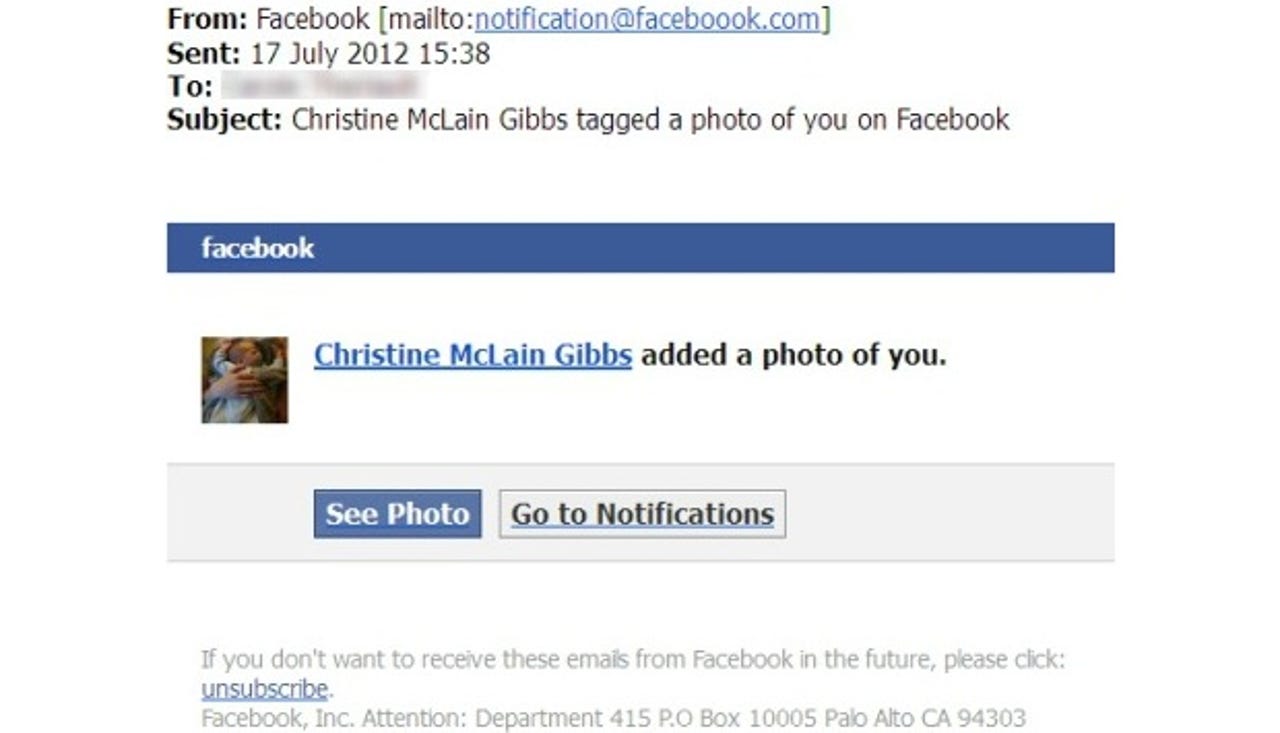
Scammers are sending out e-mails saying that someone has added a photo of you and tagged you in it on Facebook. The spam comes with a link that tries to install malware on your computer.
Sophos, which first spotted the attack, detects the malware as "Troj/JSRedir-HW." The security firm provided the following sample e-mail (screenshot above):
Subject: Christine McLain Gibbs tagged a photo of you on Facebook
From: Facebook <notification@faceboook.com>
Body:
Christine McLain Gibbs added a photo of you.
See Photo / Go to Notifications
If you don't want to receive these emails from Facebook in the future, please click unsubscribe.
Facebook, In. Attention: Deparmtent 415 P.O Box 10005 Palo Alto CA 94303
Notice the e-mail address: "notification@faceboook.com." Facebook is intentionally misspelled as "Faceboook" with three Os. If you click on the link in the e-mail, you are not taken to Facebook but to a website hosting a malicious iFrame script which takes advantage of the Blackhole exploit kit. To cover up what just happened, however, four seconds later your browser is taken via a META redirect to a Facebook profile of a presumably entirely innocent individual.
As a general word of caution, don't open attachments in e-mails or click on links in them unless you are absolutely certain that the sender is who you think you are. If you want to warn Facebook about this scam, feel free to contact Facebook Security.
See also:
- Facebook virus or account hacked? Here's how to fix it.
- Facebook teaches users how to remove adware (video)
- Facebook releases official Guide to Facebook Security
- Sex sells: Men fall for Facebook scams more than women
- Facebook admits it needs to fight scams more efficiently
- Facebook fights malware with free antivirus push