Why Windows 8 means goodbye Start orb, hello Windows key

Windows 8 is even more reliant on PC hardware than earlier versions, and proud of it, too.
Take one of the most common complaints about Windows 8, the removal of the Start button from the desktop taskbar. Microsoft says that's because it's rarely used, and most users pin the apps they always use to the taskbar or launch them from desktop icons.
But there's another reason why the glowing start orb is gone: it's just not necessary any more, thanks to modern PC hardware.
Take a look at your keyboard. If it's been manufactured in the last few years there's a Windows key on the left bottom row. Tap it, and in Windows XP, in Vista, and in Windows 7, up pops the start menu. In fact, it'll even do it in Windows 95 and Windows ME…
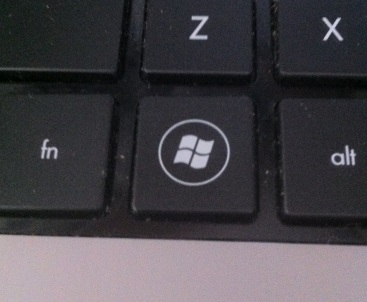
It turns out it's a lot easier to tap that key than to move the mouse into the bottom left corner and then click. You don't lose the context of your application, or your place in a document.
Windows 8 is much the same. Tap the Windows key and you get the start screen. Tap it again, and you're back into the application you just left. There's no need for a Windows button on screen when it's built into the PC.
That button is also the one physical button mandated for Windows 8 tablets, and it is right there in the centre of the Surface's bezel. The Windows key is also the launch key for a whole range of keyboard shortcuts, keystrokes that make it easier to control your PC – no matter what version of Windows you're running.
User interface isn't just about icons and buttons on screen. It's about the ways we interact with our PCs – even down to the keyboards we use. And the modern keyboard defines another big user interface change in Windows 8: the relegation of the power button to the settings charm.
Take another look at your keyboard. The odds are it's got a power button. Not for a wireless connection, or any other keyboard specific function. It's for your PC, hooking into the ACPI features of the system. It's also configurable: you can control just what it does from the PC's power settings control panel or from the keyboard's control panel – so my desktop PC's keyboard power button will shut it down. Similarly laptop power buttons are software controllers, and my laptop's puts the device to sleep (and closing its lid drops it into hibernation).
Technologies like ACPI mean that software and hardware are more deeply intertwined than they were when Microsoft developed the familiar Windows user interface. We're also using laptops far more than we were – so physical power buttons are just that much easier to get to. So why shouldn't Microsoft migrate functions that took up screen real estate to the keyboard? It makes them easier to use, and easier to find.
From UI perspective this is a change that makes sense. Yes there will be a learning curve, but the results will be beneficial: the change from clicking on a screen icon to pressing a button will break us out of bad habits, remove unnecessary wrist strain, and help us handle context changes more effectively. And it's not just Start and power that will be a keystroke away. If the Surface's TouchCover and TypeCover are anything to go by, it looks like the Windows 8 charms will also be appearing on a wide range of keyboards in the near future.
If Windows was a Facebook profile, its relationship with the PC hardware manufacturers would most definitely be "It's complicated". The two are so closely entwined it's hard to see where one begins and the other ends.
But they're also so far apart that Microsoft sees the OEMs as holding back innovation, leading to the arrival of Microsoft's own Surface tablet family.
With Surface it's clear that the future of Windows as one of ever tighter integration between software and hardware – but it's a future that's not just dependent on Microsoft's own hardware.