Adding Chrome, Gmail, and other Google services to Windows 8

Microsoft and Google might be archrivals on the business front, but they share a lot of customers. That means both companies have to grit their teeth and ensure that there’s at least some level of cooperation between the products that those shared customers use.
Google counts an enormous number of Windows users among its installed base for the Chrome browser and for services like Gmail and Google Apps. It can’t afford to ignore Windows 8.
Likewise, Microsoft would love to win those Chrome and Gmail users over to Internet Explorer, Office 365, and Outlook.com, but it has to accept the reality that many of those users have gone Google and aren’t coming back. So for Windows 8, Microsoft has to ensure that Google services work well out of the box.
It’s a classic example of co-opetition.
Over the past few days, I’ve been looking at the state of that relationship. Here’s a rundown of what Google customers can expect from Windows 8.
Gallery: Google and Windows 8, working together
Let's start with Google Chrome for Metro.
I know, I know. Technically, it's now Windows 8 mode, not Metro.
Microsoft has purged the Metro name from most of its developer documentation, but it lives on in the official guide for browser developers (including Google and Mozilla) who are developing Metro-style enabled desktop browsers. These are curious hybrids that will run both on the traditional desktop and as Windows 8 full-screen apps. Here’s a snippet or two from that documentation, last updated August 16, 2012:
In Windows 8, the browser that the user sets as the default for handling web pages and associated protocols may be designed to access both the Metro style experience as well as the traditional desktop experience. This type of browser is called a Metro style enabled desktop browser.
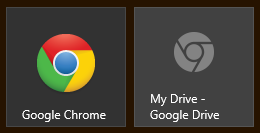
Chrome 21, the current shipping version of Google’s browser, already supports Metro mode. With this version, setting Chrome as the default browser changes its Start screen icon to the Windows 8 style. Clicking that icon takes you to the Metro-style browser; to switch to the desktop browser, you have to go to the desktop and click the Chrome icon there.
But Chrome version 23 (currently available via the Dev channel) changes this behavior significantly. Setting Chrome as the default browser changes its tile to Metro style. New options on the Chrome menu let you switch back and forth between Metro and desktop versions, reopening all current tabs in the other environment. The Start screen tile remembers your choice, so clicking it takes you to the environment you were last using.
I was able to install extensions in the Metro version of Chrome 21, but they lived in a separate profile from the desktop version. By contrast, extensions I installed in either version of Chrome 23 (Metro or desktop) showed up when switching browser modes. That’s a noteworthy differentiator between Google’s Metro browser and Microsoft’s plugin-free Internet Explorer 10 for Metro.
Changing the default browser to Chrome was more confusing than it should be. See the gallery for details of how this process works.
PAGE 2: Gmail and other Google services ->
A lot of people use Google services for their email, calendar, contacts, messaging, and more.
If you’re a Gmail diehard, you’ll be pleased to know that three of the four native Windows 8 communications apps have native support for your Google account, using Exchange ActiveSync to tie things together.
You only need connect your Google account once to integrate your email with the built-in Windows 8 Mail app. At the same time, you can connect your Google calendar and contacts to the Windows 8 Calendar and People apps.
The missing piece of the puzzle, you might have noticed, is the Windows 8 Messaging app, which doesn’t support Google’s Chat features (it’s compatible with Windows Messenger and Facebook messaging).
So why bother? I mean, most Gmail users are accustomed to opening Chrome and checking their mail, so why use a local app? In the case of the Windows 8 apps, there are two very good reasons:
After connecting your Google account to Windows 8, new messages and upcoming calendar events show up in the live tiles on the Start screen. (You can get there with a tap of the Windows key.) That allows you to both check for new mail and see your schedule without having to open an app or a web page.
In addition, you can use the built in Share charm to send content from the Metro-style Chrome browser (or any Windows 8 app) to Mail, with no copying and pasting or context switching required. There’s a keyboard shortcut to make it easier: Windows key + H.
Because the Google Account connection uses Exchange ActiveSync, any changes you make in the web-based interface are reflected immediately in the Windows 8 apps. I added a contact in Gmail using Chrome and watched as it appeared almost immediately in the People app. Similarly, an appointment I entered in the Windows 8 Calendar was reflected in the Google Calendar on the web within seconds.
As for other Google services, support is hit or miss. If you use Google Reader for RSS feeds, for example, you can take your choice of multiple Windows 8 apps that allow you to download and sync your RSS feeds. (I use Feed Reader, a $2.99 app that has been very effective.)
On the other hand, you won’t find any Google+ apps in the Windows Store yet. That shouldn’t be surprising, considering that Google has yet to open up the API for its social network. Eventually, one can expect multiple clients—maybe even one from Google itself.