Adobe and Skype top my Foistware Hall of Shame

I’m in the process of rebuilding a PC here—blowing out dust, upgrading some hardware, restoring the OS to factory-new condition, and installing fresh copies of apps I use regularly.
Along the way, I keep running into a sleazy trick that some software vendors play, and I’ve finally reached the breaking point. I am sick and tired of companies that try to make a quick buck by tricking their customers into installing software they don’t need. I’m experienced enough to bypass this stuff most of the time, but many of my friends and family members aren’t. And guess who gets the call when some add-on or toolbar has slowed their system to a crawl?
I call it foistware, and I’ve decided it’s time to name and shame the worst purveyors of foistware out there.
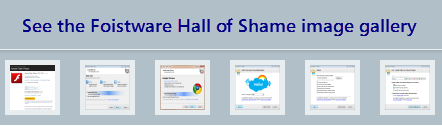
April 29: On the basis of reader suggestions, I have updated the gallery to include three new programs: CCleaner, Foxit Reader, and RealPlayer. April 30: Added DivX.
If you’re not sure what I’m talking about, here’s my definition of foistware:
Unnecessary third-party software that is offered as part of a program’s installation and that will be installed if the user accepts the default setup options.
This category typically includes toolbars and other browser add-ons, but I have seen software makers push browsers and system utilities as well. I do not object to platform components that are required by the app, such as Adobe Air or Silverlight or the .NET Framework. That’s a necessary and related part of the program. I also don’t object if a company wants to fund its free software by offering a third-party program if they leave the installation option blank and give the user an actual, unforced choice.
[No, Apple doesn't fall into this category, because they don't deliver third-party software as part of their packages. But Cupertino is still in a league of its own. For details, see Slimming down the bloated iTunes installer, What Microsoft can teach Apple about software updates, and Apple continues to deceive users.]
Here are examples of the wrong and right way to make this sort of offer:
THE WRONG WAY
When you use Internet Explorer go to Adobe’s web site to install the Flash Player, this is what you’re offered:
Now, I’m not certain why a company the size of Adobe needs to be adding to its revenue by pushing Google’s toolbar. Maybe it’s a condition of the deal in which Google builds the Flash Player directly into Chrome. Whatever the reason, that’s their business (literally).
I do object, strenuously, to the fact that this check box is selected by default. Anyone who just clicks through the dialog boxes to install the thing—in other words, just about everyone—will wind up with the Google Toolbar installed in IE. Yes, it’s easy to remove, but it also isn’t as benign as it might seem. Privacy expert Ben Edelman of Harvard documented some serious issues with Google Toolbar last year, for example.
it shouldn’t be included as part of a default install. Oh, and give Adobe bonus "Oh no they didn't" points for telling users "You may have to temporarily disable your antivirus software."
THE RIGHT WAY
IZArc is a file-compression utility that I use regularly. It’s free, it’s easy to use, and it does everything I used to do with paid products like WinZip and WinRAR. As part of the installation process, it offers to install a third-party program; the program’s author is presumably paid a commission for each successful installation. In this case, the offer is for a system utility called Advanced Registry Optimizer.
Now, I hate registry optimizers. In general, I put them in the same category as snake oil, and they typically do more harm than good in the hands of inexperienced users. But IZArc has done the right thing here. They didn’t pre-select either box on my behalf. The choice is mine, and I cannot continue the installation process until I select one of these options.
Adobe Flash Player gets the top slot in my Foistware Hall of Shame, but the free version of Skype’s Windows program is right up there on the list as well. In fact, it does two terrible things. First, it installs browser add-ons for Internet Explorer and Chrome without asking your permission. You have to click the Options button on the opening screen to remove these add-ons:
And then, after you get past that, you get another opportunity to install the Google Toolbar:
Notice, once again, how this check box is selected. The button down at the bottom simply says Continue Installing Skype. A casual observer might not realize that they’re also agreeing to install an unrelated add-on from someone other than Google.
Little software companies are even more likely to offer foistware than big ones. For many of them, it’s a matter of economic survival. Last week, I was looking for a Windows utility that would keep track of temperatures inside my PC. I found two that looked promising. Here’s what happened when I installed CPUID HWMonitor:
Notice that all three check boxes are selected by default. Ask.com has a long and ugly history when it comes to this sort of thing. In this case it doesn’t just install a toolbar but it also hijacks the user's home page and replaces his default search engine. All in a day’s sneaky work, I guess.
Coincidentally, on the same day I received a panic-stricken call from an acquaintance who was experiencing a rash of Firefox crashes. A couple hours later, she messaged me back to tell me that a techie friend had diagnosed the problem:
I called my college computer geek room mate and we removed the Ask.com toolbar (which I never installed, btw) and uninstalled Mozilla, then re-installed it. So far, everything is running swimmingly well…
The other program was called CoreTemp. This screen appeared late in the setup process, after I clicked the Install button.
This one is especially disturbing, in that the “search enhancement” is not identified by name. By following the links to the license agreement and privacy policy I determined that it’s an add-on (for Internet Explorer and Firefox and Chrome) called AutoCompletePro. Do you want to install something without knowing what it is or what it does? If you click Next, that’s exactly what will happen.
And Microsoft is a player in this game too, with its Bing toolbar showing up today when I tried to install my favorite BitTorrent program, uTorrent. It's no better than the Ask toolbar in terms of what it's trying to take over, and it's also selected by default.
I don’t mean to pick on these little guys, but it is a damn shame when they are forced to try to scratch out a living by making other people’s lives miserable.
And a little pressure can work. In my archives, I have examples of Java installing Microsoft toolbars as part of its setup routine. But when I tried to reproduce that today, there was no offer of any kind. I don't know why they're gone, but give Oracle kudos for doing it. [Update March 2013: Or not. Java is worse than ever.]
And I’m afraid I’ve only scratched the surface here. There are probably hundreds of other programs that include foistware as part of their default setup. If you’ve seen other programs that belong on this list, please tell me about them in the Talkback section below. At a minimum, tell me the name of the program and the publisher so I can investigate for myself.
April 29: On the basis of reader suggestions, I have updated the gallery to include three new programs: CCleaner, Foxit Reader, and RealPlayer.