ie8 fix
madison

Can a Windows geek learn to love Snow Leopard?

By | September 23, 2009, 9:40pm PDT

Summary: In the interests of science, I’ve been dividing my time lately between a Mac running Snow Leopard and a PC running Windows 7. My goal is to gain hands-on experience with Apple’s hardware and software to go with the years of experience I already have with Windows. My first challenge: assembling a suite of Mac software to replace my familiar Windows tools. With one exception, I was able to find everything I needed. Here’s what I chose, and why.

In the interests of science, I’ve been dividing my time lately between a Mac running Snow Leopard and a PC running Windows 7. My goal is to gain hands-on experience with Apple’s hardware and software to go with the years of experience I already have with Windows. With a deeper understanding of the strengths and weaknesses of both platforms, I can respond rationally when OS-related food fights break out in the Talkback section below. (If you’ve spent any time in the Talkbacks, you know it doesn’t take much to set off either side. And yes, I have a Linux box here, too, but this month I’m all about the Mac. Thanks for understanding.)

Just getting set up so I can do my daily work on an alien platform has been an interesting challenge. I do my job at a desk, not in a coffee shop or on the road, so I prefer a desktop PC with as much screen real estate as possible. To that end, I’ve connected the Mac to a 24-inch display running at a resolution of 1920 x 1200. I’d prefer dual monitors, but the Intel GMA950 graphics on the Mac Mini aren’t up to the challenge.

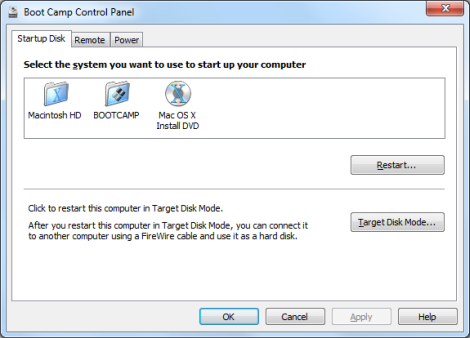
The Snow Leopard upgrade was uneventful; it took about an hour, and nothing appeared to break. After it finished, I used Boot Camp to partition the system drive and install Windows 7 Home Premium so I can compare common tasks on Windows 7 and Snow Leopard using absolutely identical hardware. (For the record, both systems perform very well—no complaints.)
And now the fun part: assembling a suite of software to help me handle daily work. With one exception, I was able to find everything I needed. Here’s the list, broken down by category.

Default web browser

I tried Safari 4.0 and absolutely hated it. It’s painfully slow, and the deal-breaker for me was its far-from-perfect integration with LastPass. Firefox 3.5 is much faster, familiar, and works with the same set of extensions I use on the PC. An easy choice.

News reader

My favorite on Windows is FeedDemon. Fortunately, it has a superb counterpart on the Mac in NetNewsWire. Both use Google Reader as their back end for syncing, so I can mark a post read in one place and have the changes synced to the other. Serendipitously, NewsGator released major updates to both programs today. Excellent!

Business productivity

I have a copy of Office 2008 for Mac, Home and Student Edition. It has the programs I need (Word, Excel, PowerPoint, Entourage), but the license (PDF) specifically prohibits “use in any commercial, non-profit or revenue-generating business activities.” I have no ethical qualms using this edition for short-term evaluation purposes but will need to replace it with a copy of Office 2008 for Mac Business Edition eventually. That will cost about $200.

Blog post editor

Oh dear, this one is going to be troublesome. Microsoft’s Windows Live Writer is so good that not much can compete with it on any platform, especially at the price (free). I’m using 30-day trial versions of two Mac alternatives, MarsEdit and Blogo, which cost $30 and $25 respectively, and can’t say I’m bowled over with either one. Any other suggestions?

E-mail/contacts/calendar

All of my e-mail, contacts, and appointments are managed via Microsoft Exchange using a hosted account at MailStreet.com; I’ve been a Mailstreet client for several years now and am generally happy. When I heard that Snow Leopard offered built-in support for Exchange, I thought, “Great!” Sadly, the support extends only to servers running Exchange 2007 with the latest service pack. My account is on a server that’s still running Exchange 2003, so Apple’s mail client isn’t an option. (Neither is IMAP, which brings its own hassles.) I could move my hosted account to another server running the more recent Exchange version, but it would cost more and be a significant hassle, so for the time being I’m using Entourage, which is included with Office for the Mac. Oddly, the specs for Home and Student edition say it lacks Exchange support, but I had no trouble hooking up to my mailbox. It’s a serviceable replacement for Outlook, and I’m hoping to adjust to the alternate interface sooner rather than later.

Twitter client

As an Adobe AIR app, TweetDeck works identically on PC and Mac, making it an easy choice. Oddly, my TweetDeck account doesn’t seem to be syncing columns across platforms, nor did it pick up several preferences.

Music and media

OS X includes iTunes 9. That’s fine for playing MP3s and AAC-formatted files, which together represent about half my media collection. Unfortunately, iTunes on the Mac absolutely refuses to do anything with tracks ripped in WMA format, which constitute the other half of my collection (many of them in WMA Lossless format). Converting all those tracks to alternate formats would take several days and isn’t an option, so for now I’m using VLC. It’s a perfectly adequate bare-bones playback program but a terrible library manager. Unfortunately, several hours of searching haven’t turned up anything better. Songbird is a well-meaning mess that barfs up error messages when it tries to play a WMA track. Amarok is unsupported and officially listed as “unstable.” Flip4Mac adds WMA support to the QuickTime Player but does nothing to make library management easy. So I’m still looking.

Remote access

This is an interesting category. I’m spoiled by the superb Remote Desktop feature in Windows, which offers excellent performance across the board. When I use the Remote Desktop client to connect to another Windows machine over my network, the experience is the same as if I were sitting in front of it. There’s an open-source Remote Desktop client for OS X called CORD, which does a good job of connecting to my Windows machines. But I haven’t found any acceptable way to make a remote connection in the opposite direction. The only option I’ve found to connect remotely to this Mac is with VNC. That’s fine in a pinch but is painful for more than a few minutes’ work.

Photos and videoI don’t especially like iPhoto, but it gets the job done. On the other hand, iMovie is excellent and sets a very high bar for the new Windows Movie Maker.


And that’s the list. Anyone else gone through the same exercise? What software choices did you make?

Oh, and fittingly, I wrote half this post on the Mac and finished it on Windows.

Kick off your day with ZDNet's daily e-mail newsletter. It's the freshest tech news and opinion, served hot. Get it.

Topics

Ed Bott is an award-winning technology writer with more than two decades' experience writing for mainstream media outlets and online publications.

Disclosure

Ed Bott

Ed Bott is a freelance technical journalist and book author. All work that Ed does is on a contractual basis.

Since 1994, Ed has written more than 25 books about Microsoft Windows and Office. Along with various co-authors, Ed is completely responsible for the content of the books he writes. As a key part of his contractual relationship with publishers, he gives them permission to print and distribute the content he writes and to pay him a royalty based on the actual sales of those books. Ed's books written prior to fall 2011 have been distributed by Que Publishing (a division of Pearson Education) and by Microsoft Press. As of November 2011, Ed is a partner in the independent publishing company Fair Trade Digital Exchange, which exclusively publishes his books.

On occasion, Ed accepts consulting assignments. In recent years, he has worked as an expert witness in cases where his experience and knowledge of Microsoft and Microsoft Windows have been useful. In each such case, his compensation is on an hourly basis, and he is hired as a witness, not an advocate.

Ed does not own stock or have any other financial interest in Microsoft or any other software company. He owns 500 shares of stock in EMC Corporation, which was purchased before the company's acquisition of VMware. In addition, he owns 350 shares of stock in Intel Corporation, purchased more than two years ago. All stocks are held in retirement accounts for long-term growth.

Ed does not accept gifts from companies he covers. All hardware products he writes about are purchased with his own funds or are review units covered under formal loan agreements and are returned after the review is complete.

Biography

Ed Bott

Ed Bott is an award-winning technology writer with more than two decades' experience writing for mainstream media outlets and online publications. He's served as editor of the U.S. edition of PC Computing and managing editor of PC World; both publications had monthly paid circulation in excess of 1 million during his tenure. He is the author of more than 25 books on Microsoft Windows and Office, including the recently released Windows 7 Inside Out.

430
Comments

Join the conversation!

Just In

RE: Can a Windows geek learn to love Snow Leopard?
beijing2008 14th Sep
Thanks a lot for your sharing. rolex replica
0 Votes
+ -
No
NonZealot 23rd Sep 2009
While I can't comment on Snow Leopard
specifically (Apple is sending me another copy
since the first copy never arrived), I did try
Leopard for a while and since Snow Leopard
offers absolutely no new features, my
experience with Leopard won't be too dissimilar
to any experience I may have with Snow Leopard.

My biggest complaints against OS X is its
horrible font rendering. Everything
looks so blurry as to be nearly
unreadable on the relatively low 1280*800
resolution of my MBP. Yes, yes, I know, it is
"more accurate" if I were to print it but I'm
not printing it, I'm reading it on a low
resolution LCD screen and Windows does a
far better job in this area.

My second biggest complaint is the window
management which is simply not up to the very
low bar set by Windows. The fact that I can
only resize windows from the lower right hand
corner is laughable in 2009. Windows 7
set the bar even higher and Apple might as well
give up, they'll never catch up here.

Other than that, there isn't anything wrong
with OS X. It was fast, though no faster than
Windows 7. It has nice eye candy, though no
nicer than Windows 7. It has good peripheral
support. Oops, no, it doesn't. It has no
support for my Samsung ML-2251 printer. Windows
7? No problem!

The truth is that all OSs have their little
issues. The more I used OS X, the more I
started asking myself: what am I getting for
these little issues? Fewer BSODs? Hmm, haven't
had those in years. Less malware? I don't get
hit with malware in Windows. Faster? No it
isn't. Easier? No it isn't.

There is nothing seriously wrong with OS X but
there isn't anything seriously right with it
either. Certainly not anything that makes me
want to give up the excellent Windows
experiences I've had for many, many years now.
0 Votes
+ -
Although I don't agree with...
Sleeper Service 24th Sep 2009
...the Window re-sizing because it's not really an issue, nor do I agree with the fonts because they're perfectly legible I do agree that my Mac running OS X Leopard doesn't do anything any better than my desktop running Vista. That coupled with the limited software catalogue (there are OS X versions available for most things but with a few exceptions they're generally not as good or as familiar) means that it'll be the Macbook that gets my copy of W7 when it arrives, not the Vista box.
0 Votes
+ -
Exactly.
ye 24th Sep 2009
... I do agree that my Mac running OS X Leopard doesn't do anything any better than my desktop running Vista.

This has been my experience. Windows, OS X, and Linux are all great operating systems. I can't say one is any more or less better than the other. And, assuming the hardware and software you want or need is available, it comes down to preferences and price.
0 Votes
+ -
an unusually calm response
TroutHound 24th Sep 2009
I applaud your calm response and when I'm calm, I can see the benefit
of using both OS'. My preference is OS X. I've used PC's for 27 years
and spent unspeakable number of hours administering those systems.
The accumulated frustration led to a level of hostility toward MS that
some people might have toward Bin Laden. It simply cannot be
overcome. When I switched to mostly using OS X a couple of years
ago, I got an already polished and very capable OS. I've spent very
little time (so far) on administration. No weekends spent fixing
corruptions. I feel like after a particularly long and ugly winter the
skies are clear and it's pleasantly warm.

I can simply use the tool I purchased to do what I got the tool for and
not battle the tool itself.

0 Votes
+ -
Ah!
shadfurman 24th Sep 2009
These first four comments were like enemies
walking hand in hand through a zen garden
discussing the advantages of each others battle
tactics and agreeing they were both pretty good.

So beautiful I shed a tear... no joke.
0 Votes
+ -
Everyone's got a story
JasonJD48 25th Sep 2009
As to why they are on the platform they are.

I grew up in tandem with the PC revolution, my first memory of a computer was an Apple II and I became very fascinated with computers even then. Then I got to see the early Macs and it was something crazy compared to the Apple II.

However, the first computer of my own was a PC, and despite the troubles with Windows 3.1 and Windows 9x, it ran what I needed.

Then there was Windows XP, and on my desktop it was troublesome (pre service pack 2) So I got a Mac for my laptop, around the same time, SP2 had come out for my living room PC and I had installed it. My experiences with a Mac were awful, once again, it wasn't compatible with all that I needed, so I had to still tie up the living room pc at certain points, even though I had my own computer, it Kernal Paniced about as often as my XP SP1 had BSODed, and I had to learn OS X on top of it, including features and settings in very odd places, so much for 'it just works'.

So when I contrasted that with XP SP2 and seeing I realized I should have hung on to the PC platform, my Mac was no better than SP1 and significantly worse than SP2 in terms of stability, and for this mediorcre experience I had sacrificed compatability and familiarity.

Almost a year later my Mac died in its sleep (went into hibernation and never came out) it went peacefully, attempts were made at recessitation to no avail. Whether this was an indication that my earlier problems were hardware related, I don't know, the Kernal Panics had no useful information (unlike STOP errors) and either way, since the hardware is also Apple (infact they are primarily a hardware business) its still a failure of their platform.

After being mad for a bit, I realized I had been liberated, I now had a good reason for forsake my investment in my Apple experiment and go back to the PC, I haven't looked back since.

I will say though, I love my Ipod.
What is all this "stuff" about "spent unspeakable number of hours administering those systems"?

I really don't get it. Really. I have never had a moments problem with Windows that was more trouble then trying to cope with doing what I love to do on a computer with an OSX operating system or a Linux system. OSX and Linux are not able to run the programs I want to run, so even if Windows crashed and BLEW OUT 4 times a year it wouldn't matter a bit compared to the impossibility of using overpriced OSX or under priced but over geeked Linux, neither of which properly run the programs I need and want to use.

Its end of discussion. Its time to put the argument right where it belongs and stop all the nonsense and lies that one side or th other feels it needs to spread to make headway in the marketplace.
0 Votes
+ -
I can pretty much agree.
storm14k 24th Sep 2009
They all can let you get your work done with one problem or another. What I'd hope though is the fact that a free OS being on par with the other two would spur them to advance faster and give them consumer real benefits.
Wow! Mind you, I'm not entirely convinced that the
mention of a Linux box isn't a precursor for a
"Bott says" assault on Linux when he finds that,
suddenly after years of having his head in the
Microsoft sand finds it takes more than two
seconds to adapt to "under the hood" geekness, but
I'll hold judgement for now.
0 Votes
+ -
But...
Cayble 27th Sep 2009
Linux appears to be the salvation, except it cant even play game, its to much to ask of the general public until it can. I know of what I speak; trust me.

There is not one single solitary thing about Windows that is so bad its worth recommending dropping it, aside from the fact it cost money and Linux doesn't.

The day that Linux convinces all software and hardware producers to produce Linux versions of the software or drivers that every person wants is the day Linux has A CHANCE.
0 Votes
+ -
PERFECT. AND THE TRUTH.
Cayble 27th Sep 2009
Tired of the screaming. Tired of the lies. Tired of the zealots who put every last ounce of their self esteem into their choice of operating system.

Windows has flaws; it's been around for years and everyone knows it has flaws. But it does marvelous and beautiful things that OSX and Linux do not. On the other hand, its sometimes the case that the unique and wonderful things Windows can do are of no value to particular users and OSX or Linux are far more intriguing and useful operating systems because of what they can do that Windows cannot, or at least does poorly.

Its time to drop the lies, the thousands of virus lies and similar nonsense. I often wonder if there are a group of non Windows users who have been brainwashed, and actually believe that most Windows OS's actually do have thousands of viruses, and similar nonsense. FYI; IT DOESN'T. END OF STORY.

Each OS has it benefits and drawbacks, and only idiots claim that any OS is the over all best, and ignores its shortcomings. No OS is over all best if it doesn't meet your needs. Cut and dried, its loses and is useless.
0 Votes
+ -
...because for someone who hates Mac OS X so much, he spends so
much of his life telling us about it.

I personally think that he secretly has a crush on Mac OS X, but doesn't
want Steve Jobs to know.

Now, back to the original story: It WILL only be a matter of time before
you don't use the Windows partition, except when you have to help a
non-tech friend through a problem they have, and you can no longer
remember the screens.
0 Votes
+ -
Nooo...
fibreoptik 25th Sep 2009
... you're not a Mac fanboy whatsoever. silly

Try not to wear your bias on your cuff like that,
it's REALLY unattractive.
0 Votes
+ -
Font and resizing.
nerd? 24th Sep 2009
Yes, Mac OS X renders the fonts differently; it uses something called
"anti-alias" which you are obviously not used to?Microsoft's Windows
XP lacked the graphical complexity like Quartz that could've supported
the technology. Vista, the new graphics engine, can now do anti-
aliasing, but most people still disable it out of habit. (And Microsoft
was already 6 years late in delivering anti-aliasing to basic font
rasterization...) All the people who took the time to accustom to the
anti-alias would have trouble, or at least discomfort, in reading
aliased [i.e. "jagged"] fonts. For example in the following image, the
anti-aliased fonts seem a lot more natural to the human eye than that
of the aliased one.
http://upload.wikimedia.org/wikipedia/en/8/81/Textsamples.PNG


As for the Windows resizing, this is only your opinion, and this is, in
GUI terms, a disaster?first, this wastes precious screen estate (A few
pixels wide of clickable edge? Please.), second, this is typically not
enforced in all applications. The Windows GUI has often been criticized
for it's inconsistency; what you end up with is programmers writing
their own version of a different GUI, which seriously depletes user
experience... And quite a lot of the GUI is counter-intuitive?why
would you go to the "Start" menu in order to shut down? List goes on.

And yes. I've had times when I really hate Mac OS X; some programs,
especially PPC ones, can really bog down; and other cross-platform
applications like Firefox are not really optimized for OS X.

@Original Story: For your lag on Safari, you can try disabling "Top
Sites"... (Safari>Preferences>General>New Tab?choose "blank page")

It made quite a difference on both my hackint0sh and macbook; you
might want to try it.
0 Votes
+ -
Why make such easily countered statements?
NonZealot Updated - 24th Sep 2009
Microsoft's Windows XP lacked the graphical
complexity like Quartz that could've supported
the technology. Vista, the new graphics engine,
can now do anti-aliasing, but most people still
disable it out of habit.


XP supported ClearType so I don't know what you
are talking about. And who disables ClearType
in Vista "out of habit"? Considering it was off
by default in XP, where did they learn the
habit of "turning it off"? If you are going to
FUD, you should at least learn the basic facts
first.

And in your linked to graphic, the ClearType
rendering looks the best. The anti-aliasing
ones looks terribly fuzzy. Look at the 'a' in
'Sample'. It looks terrible. Haven't
seen a computer show me font rendering that
looked like the unaliased one in many years.
Thanks for proving my point.

The Windows GUI has often been criticized
for it's inconsistency; what you end up with is
programmers writing their own version of a
different GUI


How ironic then that the biggest
offender is Apple with iTunes!!

why would you go to the "Start" menu in
order to shut down?


This confuses you? Seriously? Is it any more
intuitive to click on an apple in order to shut
down? You people keep bringing this up but you
don't realize it just opens you up to ridicule
because you admit that simple things like this
confuse you.

You want to know something incredibly
unintuitive in the Apple world? Why does my
Delete key backspace and I need to do Fn-Delete
to actually delete? Stupid, unintuitive Apple.
0 Votes
+ -
Hmmmm
jakenhauser23 24th Sep 2009
While XP does support ClearType, it had to be turned on manually. OS X and Vista support it automatically, no need to turn that functionality on.
0 Votes
+ -
And
j.m.galvin 24th Sep 2009
It seems he does not know how to adjust OSX font smoothing in system prefs, including turning it off for most commonly encountered font sizes.
0 Votes
+ -
Oh the delicious irony
NonZealot 24th Sep 2009
including turning it off for most commonly
encountered font sizes.


How incredibly ironic that you suggest I turn
off anti-aliasing in OS X when the
poster above chastised Vista users for turning
off anti-aliasing "by habit"!!!

Yes, I was aware you could adjust it but I've
found that ClearType always looks
better. 95% of the world agrees with me. happy
0 Votes
+ -
95% say youre clueless
theo_durcan 24th Sep 2009
here we have somebody telling us that fonts are "horrible" rendered on mac OS. As a graphic artist, working with graphic artists, I dont know ANYBODY that prefer font rendering on Win. Graphic & font display has been so better on a mac though all the years, Win is not in the same league.
I work day in day out in both platform, win XP and leopard, so I can not comment on win7 but XP is so bad that is not even funny, going back to macos is like entering modernity. First Windows is SLOW, painfully slow; and is not a matter of processor: my old G$ 450 mhz with around 600 mb of ram run circles around a 1.8 dual xeon with near 2 gb of ram. On that machine, just copying a simple object between Photoshop and Illustrator takes around 1 minute. Saving anything in Illustrator takes another minute, (saving the same file in mac os is almost instantaneous).
ALso, but not less important, every mac program Knows the folder where to save, save a copy, import an image. In windows, every time I find myself brownsing through folders, with the consequent time loss (multiply by millions).

TD
0 Votes
+ -
o_O
3monkies 24th Sep 2009
I think you are the hyper sensitive type that the author referred to?
0 Votes
+ -
@theo_durcan: You are PRECISELY the kind of person Win7 was built for!
de-void-21165590650301806002836337787023 24th Sep 2009
You are comparing (no doubt) a recent version of OSX against XP - a 9 year old OS.

Compare Snow Leopard with Win7 and I think you'll see Windows in a whole new light. Win7 has eradicated every single glitch and issue I've had with Windows. It's fast, responsive, agile and gets out of the way more often allowing me to get on with my job/life.

If you running Adobe's 64-bit products on a 64-bit edition of Win7 on a 64-bit machine with 6+GB RAM you'll enjoy a whole new level of performance and power.

Alas, since Adobe has to port apps like Photoshop from Carbon to Cocoa, you can only currently use 32-bit versions running on your 32-bit or 64-bit Mac. When working with big content, your OSX machine will start to feel somewhat sluggish by comparison.

Enjoy!
0 Votes
+ -
theo_durcan
midenginedrift 24th Sep 2009
wait, how do you "nearly" have 2 gigs of RAM?
0 Votes
+ -
@theo_durcan
kaninelupus 25th Sep 2009
The fact that you are comparing XP to Snow Leopard for starters makes you look ill-informed, but I can make some relevant comparisons. But first let's pick apart you G$ V's XP comparison shall we?

Go back a few yrs, around 12mths before the shift to the Mac-Intel chips. My wife had a shiny new iMac; I had an 18mth old ThinkPad. The iMac had a GeForce (7600 from mem) Vid Card and 2GB RAM; the ThinkPad had NO GPU and 520GB RAM. Photoshop CS2 installed an well used on BOTH machines. Can you guess which one completely outran the other? A clue.. it WASN'T the Mac! While that little Beachball span like all hell, the ThinkPad ran sweet as a peach (and this is Photoshop CS2 which was known to be resource heavy!).

Now, back to actually relevant and current comparisons. I teach IT and Digital Arts in a school using both Mac (Leopard) and PC (Vista SP2) - yes we have long progressed from XP! We also have selected a lab each to test-run both Snow Leopard and Win7 x64. Also bear in mind that the PC's are generally lower spec'ed than the Macs.

In examining the Leopard V's Vista SP2 (or even SP1), there is little difference in the performance levels btwn the two - and we are talking basic usage right up to 3D and HD Video rendering), again, with PC's lower-spec'ed than the MACs. Malware? Since we lifted the ban on MySpace and Facebook (had more issues when stubborn students looked for all the ways to get around the filtering), very little problems. And given that the lower spec'ed (Dell) PC's cost us on average more that $1000 AUD LESS than the MAC offering, the tide was already against Apple.

In testing Snow Leopard against Win7 X64, the difference blows out. Even on general tasks, Win7 outpaces SL... on complex rendering, the gap is mind-blowing! Add to that both the hardware optimisation and the collaboration btwn CPU and GPU intro'd in Win7, and Apple has much work to do to catch up... currently they just don't match up performance-wise.


NB: as to your useless comment, and I quote:
"Graphic & font display has been so better on a mac though all the years, Win is not in the same league. "
Beside the fact that Windows' users are utterly spoilt for choices when in comes to top-notch fonts; MS, since Vista, has UTTERLY out-performed OS X by way of its font rendering. Just because a few Mactards (I'm assuming that pretty much defines your fellow peers.) Also, look over at Deviantart - the BIGGEST online art community - and see just how wide the canyon is btwn Mac and Windows usage... OS X rates a drop in the ocean - and this is Apple's traditional bread-and-butter user-base!

As to your idiotic comment as to the location of images Saved, Copied and Imported, since XP (more so since Vista), it is ALWAYS the My Pictures/Pictures folder by default, unless specifically amended. Just because you are to STUPID to operate a computer, don't assume the majority of the world is. Considering Windows has nearly 90% of the market share, most of us can make our way around it just fine thankyou very much!
0 Votes
+ -
Which is what I wrote
NonZealot 24th Sep 2009
I'm not sure why you are simply rewriting what
I wrote but yes, I did specifically say it was
off by default in XP. The poster claimed,
however, that XP couldn't support it which is
obviously false. Even funnier was when he said
that people turn it off "by habit" in Vista.
How do you do turn ClearType off "by habit" in
Vista when Vista was the first to get it on by
default?

Yet another case of an Apple cultist with a
screw loose.
0 Votes
+ -
No pleasing you
jakenhauser23 24th Sep 2009
I did miss that and I apologize, besides I wasn't slamming you or Windows. I use both OSes and I like things about both. I am not a cultist as you claim, I just prefer OS X. Which in The U.S. is still my right I believe.
0 Votes
+ -
I apologise
NonZealot 24th Sep 2009
The "cultist with the screw loose" comment was not
aimed at you although I can now see how you could
easily read it that way. Rest assured, it was
aimed at kevin and his factually de-void post.
Enjoy your OS X, I would never attempt to dictate
what OS anyone should use. I will, however,
counter factually incorrect post when an OS X user
attempts to tell me that I shouldn't prefer
Windows, like kevin did.
0 Votes
+ -
@ jakenhauser23
WarhavenSC Updated - 24th Sep 2009
You'll quickly learn that anyone who disagrees with NonZealot or has an opinion that differs from his own is an Apple zealot with a screw loose. For some reason, he started labeling me with that as well.

[edit]

Oh, I'm an "Apple cultist." Same thing.
0 Votes
+ -
True but . . .
stano360 21st Oct 2009
This is really a non-issue, most rendering is done by the graphic card and driver anyway. The reason the Mac's look good is that they use really good monitors, and if Windows users valued monitors that much, would spend the money and get them. Most don't care that much though.
0 Votes
+ -
ClearType is a kind of Anti-Aliasing
HerbertH_02 24th Sep 2009
And in your linked to graphic, the ClearType
rendering looks the best. The anti-aliasing
ones looks terribly fuzzy. Look at the 'a' in
'Sample'. It looks terrible. Haven't
seen a computer show me font rendering that
looked like the unaliased one in many years.
Thanks for proving my point.


So Cleartype is the best, anti-aliasing the worst. Funny insight. Do you have any idea, where the linked examples can be found?

Here: http://en.wikipedia.org/wiki/Font_rasterization

The sample you describe as terribly fuzzy is simple greyscale anti-aliasing, it's not what Apple uses. And that's why your point is not and never will be proven.

May I quote the paragraphes dedicated to Windows and Mac OS X?

Windows since Windows 98 has included a combination of font-level hinting and antialiasing. Font smoothing is also available as an installation file, released in 1997 for Windows 95. Since Windows XP, it has also supported subpixel rendering. ...

Mac OS X's Quartz is distinguished by the use of floating-point positioning; it does not force glyphs into exact pixel locations, instead using various antialiasing techniques, including subpixel rendering, to position characters and lines more accurately. ...


Apple and MS use advanced rasterization systems, MS delivers the best look in your eyes. So what's your problem with Apple?

Bias or prejudice?
0 Votes
+ -
Thanks for destroying kelvin's point
NonZealot 24th Sep 2009
Yes, I know that ClearType is a form of anti-
aliasing, I was simply using the terms that
kelvin mentioned since I don't know what neato
name Apple has given to their font rendering
technique.

Font smoothing is also available as an
installation file, released in 1997 for Windows
95. Since Windows XP, it has also supported
subpixel rendering


Tell kevin that, he seems to believe that XP
didn't support anti-aliasing. I was telling him
he was wrong. You just supported me. Thanks.

Apple and MS use advanced rasterization
systems, MS delivers the best look in your
eyes. So what's your problem with Apple?


Actually, you provided the proof I
needed when you described how Apple's differs
from MS's. From your quote, Apple's font
rendering aims: to position characters and
lines more accurately
While this sounds
good in a bullet point, and offers you better
WYSIWYG for printing, it doesn't render as
smoothly on LCD panels
. MS attempts to
render the smoothest fonts possible on LCD
screens. While I can fully understand why
printers and typesetters would prefer OS X, I
don't print that much stuff and the stuff I do
print doesn't need to perfectly match
what I see on the screen. 99% of the world is
the same.

So no, it isn't bias or prejudice. Apple and MS
have taken different approaches to font
rendering. Apple has sacrificed on screen
readability for better WYSIWYG. MS has given us
the clearest, most readable LCD font rendering
system in any OS. Apple's approach is good for
a tiny niche of professions. MS's approach is
good for everyone else. It seems the
marketshare numbers support me. happy
0 Votes
+ -
Short reply
HerbertH_02 24th Sep 2009
Apple's font rendering doesn't render as
smoothly on LCD panels. MS attempts to render the smoothest fonts possible on LCD screens.


There's no evidence that this is an undisputed truth. Neither in wikipedia nor in reality. It's just an opinion. Your opinion.

The result ... can occasionally be difficult to read at smaller point sizes is not LCD related. I never experienced it.
0 Votes
+ -
Got more time than I thought
HerbertH_02 24th Sep 2009
Some remarks concerning "smoothest fonts".

Printed fonts look as they were meant to be. Display fonts can't match that.
Why do poeple care about typesetting? Serifs, font metrics, ligatures and all that stuff are no self purpose. They should help to increase the legibility.
And that is the reason why it is a meaningful or at least legitimate approach to position characters and lines as accurately as possible. That's Apple's approach.

Microsoft's approach to prioritize clarity is also a (potentially) useful approach.

As long as LCD displays are inferior to books and magazines, none of these approaches can deliver perfect results.

There are even people who prefer the aliased XP default, that sacrifices any kind of typesetting subtlety to the so called clarity. In my opinion XP default is undoubted perversion, a lot of other people love it.
0 Votes
+ -
I agree
NonZealot 24th Sep 2009
Microsoft's approach to prioritize clarity is also a (potentially) useful approach.
...
As long as LCD displays are inferior to books and magazines, none of these approaches can deliver perfect results.


Yup, and I don't recall making the statement that MS's approach was perfect and I happily admitted that OS X's font rendering was more accurate. For typesetters, OS X is indisputably better since accurate WYSIWYG is so important. For the other 99.9% of us, ClearType is more readable on LCD panels. That isn't opinion, that is supported by the stated goals of each font rendering system.
0 Votes
+ -
@ NZ
WarhavenSC 24th Sep 2009
Yup, and I don't recall making the statement that MS's approach was perfect...

Here, I'll help joggle your memory from the previous post:

MS has given us the clearest, most readable LCD font rendering system in any OS.
0 Votes
+ -
@War
NonZealot 24th Sep 2009
Wow, I didn't see anywhere in the quote you included where I said MS's system was perfect. It is less accurate if the destination is a printer. A perfect system would be readable and accurate. No such system exists for LCD panels that I'm aware of. Apple sacrifices readability for accuracy. MS sacrifices accuracy for readability. I therefore stand by my statement that MS has given us the clearest, most readable LCD font rendering system in any OS.
0 Votes
+ -
@NONZEALOT
mattmuir 25th Sep 2009
to your last comment.... YOUR OPINION. Now nobody else here cares
what you think. You've destroyed the editorial. CONGRATS.
0 Votes
+ -
"Readability"!?
bishofthedump 28th Sep 2009
All this talk of "readability" seems a bit of a misnomer. Is NonZealot
seriously suggesting that either approach is less-readable than the
other? I mean, sure, technically it is possible (and indeed likely) that
font rendering on OS X might look a little fuzzier than it does on
Vista/Win7, but we're talking such small margins I'm not entirely
convinced that it's any less "readable" than on Windows.

Perhaps there's something wrong with my 20/20 eyesight, but I never
find myself squinting at my MBP's screen struggling to work out what
something says - nor do I marvel at the added clarity I get looking at
my office comp (Vista)'s fonts, or when I bootcamp into Vista on the
MBP.

I dare say this whole argument is a case of splitting hairs to support
prejudice. I do wish this whole fanboy war would just die. Neither OS
is perfect, and who really cares which one you prefer (not just you, NZ
- anyone)??
0 Votes
+ -
This whole thread is useless
stano360 21st Oct 2009
This is a non-issue, Cleartype was instituted to accommodate LCD Panels, at the time most people had cheap tube monitors, pixel by pixel rendering, 256 colors etc. LCD's were coming into vogue and things looked goofy, if you had an LCD you turned on Cleartype. On a tube monitor it makes little difference.

Remember that LCD's were not the hi-res beasts they are now and if they weren't handled right things looked worse than a good tube monitor. Apple doesn't have this issue because they don't have to accommodate cheap monitors only the ones they supply.
0 Votes
+ -
Intuitive Commands
kg6ygs@... 24th Sep 2009
And Alt-F4 is an more intuitive way to quit a program than Command-Q? And my delete key deletes just fine.
0 Votes
+ -
Anti-anti-aliasing
toml_12953 24th Sep 2009
"....the anti-aliased fonts seem a lot more natural to the human eye than that
of the aliased one."

Maybe my eyes aren't human but the aliased font looks a lot clearer than the anti-aliased font. In fact, the anti-aliased font comes in third clearest out of the three!
0 Votes
+ -
Clear type is clearest
mswift@... 24th Sep 2009
For me, looking at the wiki page you linked to Clear type is far better than the other two. The aliased is the next easiest to read. The anti-aliased looks like art font recreation of 1800s printing.

Thanks for saving me a lot of money. I had to change to a DVI LCD years ago when they were expensive to stop the migraines I got from a regular CRT. Google earth flying from place to place sets me off. I need nice sharp lines and a steady screen.
0 Votes
+ -
Anti-aliasing is always done
stano360 21st Oct 2009
There are different algorithms for anti-aliasing, all video cards and OS's do it and almost all are similar, but maybe use slightly different methods. And of course, it depends on the video card, connection method, software and monitor.
0 Votes
+ -
It's obvious. you go to the Start menu because that is where you "start"
the "shut down" process! wink
0 Votes
+ -
I don't know if you are being sarcastic
NonZealot 24th Sep 2009
but you are 100% right. Shutting down a computer is a process that must be started so yes, the Start button actually is intuitive. Apple cultists, however, would lead you to believe that clicking on an icon of an apple to start the shutdown process is instantly intuitive.
0 Votes
+ -
you still have to learn where it is, now in vista
and 7 its a glowing orb. All GUI's have a learning
curve. (not all software companies behave like fascist dictatorship on the other hand, everyone
in Korea LOOOVES Kim Jung Il, practically worship
him, while half of America hates their president
no matter which party he hails too)
0 Votes
+ -
Actually, I hibernate my Mac.
mattmuir 25th Sep 2009
But a Windows user wouldn't know what hibernation is. It's that
experience you have for the first 2 weeks of a new PC, before it's registry
becomes stuffed, and the PC then freezes on restarts. My Mac, on the
other hand, hibernates each night, and happily wakes up each morning.
Often for 3 or more months before I decide to restart it (harking back to
my Windows experiences).

BTW - Before you go on about older versions of Windows, and not
Version 7, perhaps you should read this article... http://www.tech-
recipes.com/rx/4430/windows-7-enable-automatic-optimization-for-
windows-media-center/
0 Votes
+ -
Hibernate?
rhonin 25th Sep 2009
I have my pc's set to hibernate each night in the
event I don't shut them down.

Energy saver and money saver for me....

BTW: this is working great on Vista and 7. So
your comment on "freeze" is a bit uninformed...

okay - now back to the soapbox reading....
0 Votes
+ -
Sarcasm?
levinson 25th Sep 2009
I was sorta being sarcastic, sorta not, since you do start the process. The
Mac used to have Shut Down under the Special menu, which made more
sense than either under an Apple or on a Start menu.
Thanks a lot for your sharing. rolex replica

Join the conversation!

Formatting +
BB Codes - Note: HTML is not supported in forums
  • [b] Bold [/b]
  • [i] Italic [/i]
  • [u] Underline [/u]
  • [s] Strikethrough [/s]
  • [q] "Quote" [/q]
  • [ol][*] 1. Ordered List [/ol]
  • [ul][*] · Unordered List [/ul]
  • [pre] Preformat [/pre]
  • [quote] "Blockquote" [/quote]
ie8 fix
ie8 fix

The best of ZDNet, delivered

ZDNet Newsletters

Get the best of ZDNet delivered straight to your inbox

Facebook Activity

White Papers, Webcasts, & Resources
ie8 fix
ie8 fix