Finally, some answers to Windows 7 upgrade questions

[Update: In a previous post, I answered many upgrade question, including those dealing with upgrades from beta releases and "downgrades" from Vista Ultimate to Windows 7 Professional. If your question isn't answered here, be sure to read The Ultimate Windows 7 upgrade FAQ.]
Every day for the past few months, I have received at least one question from readers wanting to know how the Windows 7 upgrade process will work. And in every case, my answer was consistent. I didn't know. Paul Thurrott and I asked Microsoft repeatedly (and I mean every single damn week) for upgrade media, and the answer was always a polite no. I could have taken some educated guesses and hit the Publish button here, but that isn't what I learned in journalism school.
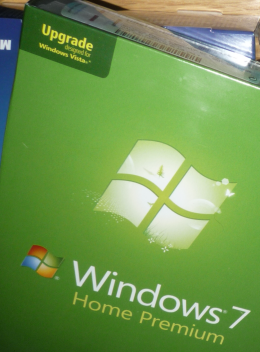
So when I got home from the Windows 7 launch event and found four copies of Windows 7 upgrades waiting in my office (thanks, Amazon.com!), I got right to work. Here, at long last, are the answers you've been looking for.
If I buy a retail upgrade version, what's in the box?
You get two DVDs, one 32-bit, one 64-bit. You get a single product key, which you can use to install either version. If you buy the Family Pack, you also get those two DVDs and a single product key, which can be used to activate three PCs in your household.
Is the upgrade DVD bootable?
Yes. In fact, as far as I can tell it is absolutely identical to the full version.
So what's the difference between the full and upgrade versions?
It's all about the product key. When you enter the product key, the setup program checks to see whether you installed the product on a clean system that didn't previously have any version of Windows installed. If the answer is yes, it blocks you from entering that key. Here's the confusing error message you'll see:
I heard that installation of my upgrade will fail if the previous edition wasn't activated. Is that true?
Not as far as I can tell, although my testing has necessarily been limited so far. I installed Windows XP SP3 without a product key and then used a custom install of Windows 7 Home Premium over it. Everything worked. I'll check a few more scenarios later.
What happens if I try to do an install without a product key, then add the product key from my upgrade package later?
It fails. Here's the error message you see:
Does the double-install trick made famous in Windows Vista still work?
As far as I can tell, yes. The short version goes like this: Boot from the upgrade media and do an installation without entering a product key. Then use the same media to "upgrade" your brand-new installation. I'm still testing this scenario but it seems to be supported. The technique is essentially unchanged from when I wrote about it shortly after the launch of Windows Vista back in February 2007.
How about 32-bit to 64-bit upgrades?
You can't run the 64-bit installer from an existing 32-bit Windows installation (or vice-versa). Here's how you have to do it instead. Start your computer using the 64-bit installation media. When prompted, choose the Custom installation option:
You'll be warned that your current installation of Windows will be moved to Windows.old. That's fine. Continue with the installation, entering your product key when prompted. Because a previous Windows installation was on your system drive (and is now located in Windows.old), you should be able to activate.
So, does this mean I can install an upgrade version on a new PC I'm building?
From a technical point of view, yes. But from a licensing point of view, absolutely not. The discounted price for an upgrade applies because you already paid for a license on the system you're upgrading. If you are building a new PC, you need a full license from a retail or OEM package.
Are there any other workarounds?
Paul Thurrott passed along an interesting technique that involves a clean install on a bare-metal drive, followed by a registry tweak and the Software Licensing Manager program (slmgr.exe). Rather than repeat the steps here, I'll refer you to his post: Clean Install Windows 7 With Upgrade Media.
Any more questions? Leave them in the Talkback section and I'll update this post as needed.