Game on: Google releases Metro-style Windows 8 browser

As promised, Google released its first stab at a Metro style enabled desktop browser for Windows 8 this week.
The new code appeared late this afternoon and is available as an automatic update on the Dev channel.
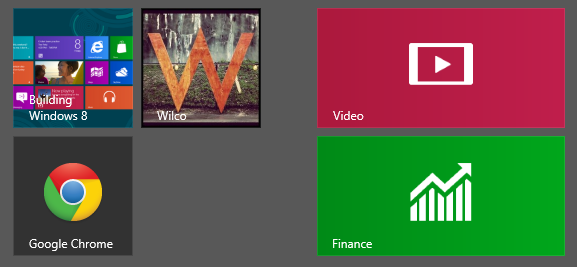
To unlock the Metro style browser, you have to be running the Windows 8 Release Preview and you need to set Chrome as the default browser. Doing so changes the Chrome icon on the Start screen, as shown here:
It’s obvious from this first attempt that Google either hasn’t studied the Metro design guidelines or has studiously ignored them.
In its Metro personality, Chrome 21.0.1171.0 doesn’t use any Metro style conventions: right-clicking or pressing Windows key+Z should reveal the App bar at the bottom of the screen, where app-specific commands reside. Google has decided instead to replicate its browser menu in the Metro container.

Right-clicking elsewhere on a web page results in more context menus. That's business as usual for desktop programs but a deviation from Metro design guidelines.
In its announcement last week, Google promised that the first Metro release would "include integration with basic Windows 8 functionality, such as charms and snap view." This build technically delivers on that promise, but the word basic is key. You can use the Settings charm, for example, but all of the Chrome-specific options simply open settings pages or dialogs in the browser.
A few Windows 8-specific options didn't work until after I had signed out and then signed back in after installing the new Chrome. The Search charm, for example, appeared to allow the Windows 8 search interface to work with the Metro-style Chrome, but on my test system clicking the Search button did nothing until after I signed in for a new session.
The new build resembles Microsoft’s Internet Explorer in one key respect: the new Chrome supports Flash playback, with Flash Player 11.3.31.109 available using the built-in Flash code that’s part of Chrome. Unlike IE 10, Flash playback in Chrome isn’t limited to sites that are on a managed whitelist. Flash content—even in ads—will apparently play back from any site.

If this were a pure Metro app, Google would have to deliver it through the Windows Store, where Microsoft could presumably veto it for its design transgressions. But "Metro Style enabled desktop browsers" are a special type of hybrid app; because the code is delivered through external channels, Microsoft has no ability to give it a thumbs down.
Windows 8 designers will probably be annoyed by this deviation from what a Metro app is supposed to be. Google has promised that it will be "smoothing out the UI on Metro and improving touch support" over the next few months. Chrome fans, however, might not care. The new Chrome has a multi-tabbed interface and looks sufficiently like its desktop counterpart that it’s likely to win a big thumbs up precisely because it’s not Metro-ized.
See also: