Want Vista SP1? Here's what to expect

When Microsoft released Windows Vista Service Pack 1 to manufacturing on February 4, they promised to make it available for the general public in mid-March. Today they delivered on that promise, making SP1 available to Windows Vista users through Windows Update and as a standalone installer package from the Microsoft Download Center.
I covered most of the features of this service pack in detail in my earlier Vista SP1 FAQ and More Vista SP1 Answers, so I won’t rehash that information here. In this post and its accompanying image gallery, I’ll show you what you can expect from the public release.
[Want to see what the SP1 experience looks like, step by step? Don't miss my exclusive Windows Vista SP1 Image Gallery.]
First things first: SP1 won’t be installed on your system automatically. (Automatic Updates won’t begin for at least another month, and even then they’ll be rolled out slowly.) In fact, you might not even know SP1 is available unless you manually check Windows Update. If you meet the qualifications, you’ll see the download listed as an Important update.
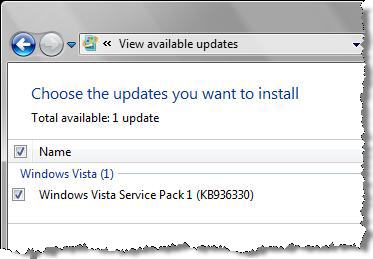
If you don’t see this update in the list of available updates, you might be blocked temporarily by one of the following issues:
- You are running a version of Windows Vista (or have a language pack installed) for a language other than the five available in this release: English, French, German, Spanish, and Japanese. (I ran into this issue last month, on a system that had the Italian language pack installed.) In that case, you’ll have to uninstall the language pack or wait till the full international release is available in a few months.
- You might not have installed the prerequisite updates. SP1 requires updates to the so-called servicing stack (the code that handles updates) and, for Ultimate edition, for Bitlocker disk encryption. If you see other available updates, install them first and then try Windows Update again.
- You might have a hardware component that is using one of a handful of drivers known to cause minor problems with SP1. The issues aren’t catastrophic, I’m told, and most experienced users can resolve the issues (changes to default settings or lost sound, for instance) quickly enough by reinstalling the problem driver. But those options aren’t acceptable for nontechnical users, so the Windows Update detection code blocks deployment of SP1 and offers fixed versions of some (but not all) of those drivers.
Other possible causes include a “known inconsistency in the file or registry structure,” a previous beta version of SP1 installed (uninstall it), and (ahem) you used vLite to modify Windows Vista. Microsoft’s Knowledge Base article 948343 helpfully includes the website address of vLite.
I read comments from some conspiracy theorists who cast doubt on Microsoft’s claim that some drivers were to blame for these issues. And Microsoft’s reluctance to name the affected drivers added fuel to the fire. But now the list is public, in that same KB article. If you would like to check your own driver installation manually, here’s the complete list of blocked drivers with version numbers (where two driver files are listed, the second is a 64-bit version):
Audio drivers
- Realtek AC'97 (Alcxwdm.sys and Alcwdm64.sys - version 6.0.1.6242 or earlier)
- SigmaTel (Sthda.sys and Sthda64.sys - version 5.10.5762.0 or earlier)
- SigmaTel (Stwrt.sys Stwrt64.sys - version 6.10.5511.0 or earlier)
- Creative Audigy (Ctaud2k.sys - version 6.0.1.1242 or earlier; P17.sys – all versions)
- Conexant HD Audio (Chdart.sys and Chdart64.sys - version 4.32.0.0 or earlier)
Biometric (Fingerprint) Sensors
- AuthenTec Fingerprint Sensor (Atswpdrv.sys – version 7.7.1.7 or earlier)
- UPEK Fingerprint Sensor (Tcusb.sys driver file – version 1.9.2.99 or earlier)
Display drivers
- Intel Display (Igdkmd32.sys and Igdkmd64.sys – versions between and including driver 7.14.10.1322 and 7.14.10.1403)
Other drivers
- Texas Instruments Smart Card Controller (GTIPCI21.sys – version 1.0.1.19 or earlier)
- Sierra Wireless AirCard 580 with the Watcher.exe application – version 3.4.0.9 or earlier
- Symantec software driver for Symantec Endpoint Protection and for Symantec Network Access Control clients (Wgx.sys and Wgx64.sys – versions 11.0.1000.1091 or earlier)
According to Microsoft, tech support lines have been beefed up to handle issues related to SP1 beginning today. In a welcome change from the normal policy, you can call for free support on SP1–related issues even if you purchased an OEM copy of Windows Vista preinstalled on a new computer. E-mail, chat, and phone support are all available. Vista SP1 has its own dedicated support page (if you’re outside the U.S., you might need to start at support.microsoft.com and find the appropriate links for your country).
A standalone installer is now available for download as well. But beware: it's a 434 MB download, compared with the 65-70 MB you'll get through the custom installation available from Windows Update. Unless you're planning to update 5 or more computers, you'll have better luck with Windows Update.
If you’ve installed SP1, let me know how it went in the Talkback section below. I’m especially interested in hearing firsthand reports from anyone who uses the support options.