ie8 fix
madison

Windows Home Server gets a big bug fix (and much more)

By | June 9, 2008, 1:00pm PDT

Summary: Microsoft today announced that it has released a public beta version of Power Pack 1 for Windows Home Server. It’s more than a service pack, with at least two significant new features and a long list of enhancements. Forget about the new stuff, though. Every Windows Home Server user wants to know: Does this update fix the data corruption bug first uncovered late last year? The short answer is yes. The longer answer is yes, and the delay was worth it. Here’s an inside look at what you can expect from Power Pack 1 and how you can get your hands on it.

That noise you just heard from outside Seattle was a collective sigh of relief, as Microsoft announced that it has released a public beta version of Power Pack 1 for Windows Home Server. It’s more than a service pack, with at least two significant new features (client support for x64-based Windows machines and the ability to back up data from the server to external media) and a long list of enhanced features. Under normal circumstances, I’d be writing first and most about those new and improved features and comparing the improvements to the initial release of Windows Home Server last year. But instead, I’ll be answering the question that every Windows Home Server user wants to know: Does this update fix the data corruption bug first announced late last year?
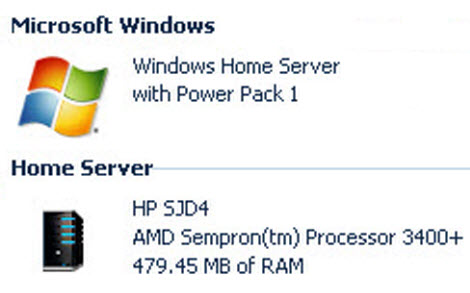
Windows Home Server gets the big fix

The short answer is yes.

The longer answer is “yes, and the delay was worth it.” Power Pack 1 was originally announced five months ago at CES, but its public debut was pushed back to await the fix for the data corruption bug. What was supposed to be a quick fix turned out to be much more complex. The underlying problem, according to official announcements and confirmed by insiders I’ve spoken with over the past few months, was buried deep in a crucial Windows Home Server component: the Drive Extender feature. On any system with two or more hard drives installed, this code handles the process of migrating data between drives and duplicating shared data to protect it from data loss caused by hardware failures; if this code failed, the files being migrated were damaged, usually beyond repair.

To make sure the bug was fixed, once and for all, Microsoft did a top-to-bottom code review of all the interactions between the Drive Extender functionality and the underlying file system. How serious was this review? A veteran Microsoft developer, one of the four original architects of NTFS, was lured back to work full-time with the team reviewing and fixing the code.

This release is faster and more polished than Windows Home Server v1, and it appears to be as bulletproof as the Windows Server 2003 code on which WHS is based. Over the past few weeks I’ve tested release candidates of this beta code on a pair of test systems. During that time I’ve backed up 10 separate computers daily - more than 200 hundred individual backup sets - and I’ve performed more than a dozen full and partial restores without a single failure. Basic operations like transferring files and opening backup sets from the server are noticeably faster than they were in the original release of Windows Home Server. I’ve added and removed hard drives and transferred many terabytes of data between a wide assortment of Windows XP and Vista clients and other members of the Windows Server family. In all those file operations, I haven’t seen a single data hiccup.

Microsoft is confident based on its internal testing and feedback from the first wave of beta testers that the data corruption bug is squashed for good. In the blog post announcing the availability of the PP1 beta, General Manager Charlie Kindel said: “We are running this public beta with the aspiration that we will get thousands of beta testers to help us prove that we not only have fixed ‘the bug,’ but have significantly improved all parts of Windows Home Server…”

Although this is billed as a beta release, I have no hesitation in recommending it for any Windows Home Server installation, provided that you first read and heed the release notes.  (Seriously, read the notes first. They’re well written and useful and contain a warning or two that might apply to you.) To download an update package for your existing Windows Home Server system, go to Microsoft Connect and sign up for the beta. If you want to start from scratch on a clean system, sign up for the beta and download the full evaluation version (good for 120 days), available in ISO format.

The look, feel, and basic operation of Windows Home Server haven’t changed noticeably in this update, but just about every feature has received some polishing. Here’s a quick summary of the Power Pack 1 feature list:

  • Connector software for systems running x64 versions of Windows Vista. With this client software installed, x64 users have access to every feature available in the x86 version, including backup and management via the Windows Home Server console. (And to anticipate one question: The new x64 connector will not work with older builds of Windows Home Server.)
  • Server backup capabilities. Using this build you can plug in an external hard drive and designate it as a Server Backup drive (see below), which you can then use to back up the contents of shared data folders on the server. (Microsoft previously announced that this feature would allow backups of the backup database as well, but that capability was cut from the feature list and will not be available in the final Power Pack 1 release.

Windows Home Server data backup in Power Pack 1

  • New restore media. The boot CD used to restore a backed-up image to a client hard drive now includes two images, one of which is designed to work better on machines (typically Windows XP clients) that have 512MB or less of installed RAM.
  • Backup and restore enhancements. The updated client software allows you to disable backups when a machine (especially a notebook) is sleeping or hibernating. Both backup and restore capabilities have been tweaked to make them better able to withstand network connection problems.
  • Remote access enhancements. The process of retrieving files over a remote connection is considerably more usable, with drag-and-drop support in IE6 and IE7, plus the ability to package a group of files into an archive (in Zip format) before beginning a download.

As it turns out, the data corruption bug affected a very small number of users (HP executives tell me they received virtually no support calls on the issue, and my informal survey of beta testers confirmed that this bug was hard to hit and even more difficult to reproduce). Given the extensive amount of testing this release has received over the past few months, I expect the public beta to be a short one. Microsoft says they won’t speculate on final release dates until they have a thumbs-up from thousands of external testers, but based on what I’ve seen I expect the final release to appear sometime next month. Between now and then, I’ll take a closer look at the state of the Windows Home Server platform and its competition.

Kick off your day with ZDNet's daily e-mail newsletter. It's the freshest tech news and opinion, served hot. Get it.

Topics

Ed Bott is an award-winning technology writer with more than two decades' experience writing for mainstream media outlets and online publications.

Disclosure

Ed Bott

Ed Bott is a freelance technical journalist and book author. All work that Ed does is on a contractual basis.

Since 1994, Ed has written more than 25 books about Microsoft Windows and Office. Along with various co-authors, Ed is completely responsible for the content of the books he writes. As a key part of his contractual relationship with publishers, he gives them permission to print and distribute the content he writes and to pay him a royalty based on the actual sales of those books. Ed's books written prior to fall 2011 have been distributed by Que Publishing (a division of Pearson Education) and by Microsoft Press. As of November 2011, Ed is a partner in the independent publishing company Fair Trade Digital Exchange, which exclusively publishes his books.

On occasion, Ed accepts consulting assignments. In recent years, he has worked as an expert witness in cases where his experience and knowledge of Microsoft and Microsoft Windows have been useful. In each such case, his compensation is on an hourly basis, and he is hired as a witness, not an advocate.

Ed does not own stock or have any other financial interest in Microsoft or any other software company. He owns 500 shares of stock in EMC Corporation, which was purchased before the company's acquisition of VMware. In addition, he owns 350 shares of stock in Intel Corporation, purchased more than two years ago. All stocks are held in retirement accounts for long-term growth.

Ed does not accept gifts from companies he covers. All hardware products he writes about are purchased with his own funds or are review units covered under formal loan agreements and are returned after the review is complete.

Biography

Ed Bott

Ed Bott is an award-winning technology writer with more than two decades' experience writing for mainstream media outlets and online publications. He's served as editor of the U.S. edition of PC Computing and managing editor of PC World; both publications had monthly paid circulation in excess of 1 million during his tenure. He is the author of more than 25 books on Microsoft Windows and Office, including the recently released Windows 7 Inside Out.

Related Discussions on TechRepublic

Did you know you can take part in these discussions with your ZDNet membership?
22
Comments

Join the conversation!

Just In

RE: Windows Home Server gets a big bug fix (and much more)
harry_w_lewis@... 27th Jun 2008
I installed my HP Windows Home Server last December. In January I got a disk failing error. When I ran the fix it said everything was then OK but I may lose data.

I then added a second drive for file duplication (Jan '08). I got drive failures on the new drive 3 times starting in May. Each time the built-in fix program "fixed" the drive. Somewhere in the breaking and fixing I lost any directories and their files that weren't duplicated.

The WHS constantly thrashes the disk and I figure somewhere in that thrashing it is getting messed up. I bought extra memory (it is due today) to hopefully solve the thrashing problem. I'm not excited about the long process of tearing the machine apart to install it but I'm tired of hearing the thrashing.

I also can't seem to get my second machine (laptop) to have an account on the server. the server backs it up and remembers if I didn't but I need a login each time I try to use it the first time after a laptop boot up. I'm afraid of just reinstalling the software in the laptop for fear of losing the previous backups for it. When I get a message that there is no username registered for that server, I click on the help and get told how important it is to have a username. I would rather be able to click on that notice and have it say to the server "make a user name for this machine - the one I'm on now."

In one respect, I love the WHS. I need backup and have lost important data before. My old backup schemes were very labor intensive and this is relatively painless. I also like that I can move files floor to floor without sneaker-netting them. On the other hand, I don't want to hear that I have to back up my backup or can't use the data directly from it without risk of corruption.

I know a bit about computer systems but I don't want to be an MIS person. That is why I bought a packaged "solution". I guess I'll find out if it was all a nice dream when the next computer goes down and I try to use all the backups. What will be lost when the replacement machine is Vista instead of XP?

Summary -
1. It is helpful. I own and use it.
2. It is easier than other ways I saw to back up.
3. Everything isn't worked out on it yet.
4. I'm a cranky person who doesn't want to be intimately involved with all this. I just to use it.
0 Votes
+ -
gr8 news
5ri 9th Jun 2008
Thanks for the update!

The next thing i would expect them to update is from WMC 2.0 to WMC 4.0 that would solve all my issues with streaming content to Xbox 360 and will position WHS not only as a backup server but also as a Complete Media Server.
0 Votes
+ -
If Microsoft is to encourage x64 adoption they need to ensure ll of their software works on x64 versions of Vista. There is no excuse for the initial client failing to run on x64 Vista.
0 Votes
+ -
No 64bit Support?
Ross Snowden 10th Jun 2008
That kind of surprises me. I would have thought that the initial release would have supported x64, which is what I use. It *is* a bit frustrating not to have x64 supported out of the box. What was Microsoft thinking? At least it should be an issue now.
0 Votes
+ -
64-bit or death! happy

Seriously, if MS wants 64-bit, then it's got to be everywhere.
0 Votes
+ -
X64 is supported.
bodine465@... 11th Jun 2008
The new connector software does work with X64. Not just Vista X64, but XP X64 too!!! I think what he was trying to say is that the new connector software will not work on a non-PP1 updated WHS system. They are separate downloads. Installed it on my XP X64 system and can FINALLY backup the X64 computer, along with the others in my home. GREAT UPDATE!!!
0 Votes
+ -
XP 64
cwlucas55@... 12th Jun 2008
How did you get the connector to install on an XP 64 box? I have been trying for two days and the setup finds my server, installs the software, and then an error message pops up saying the process couldn't be completed.
so is this ready yet? or should I wait?
0 Votes
+ -
Contributr
Read again... It's still a beta, but I recommend it as long as you read the release notes.
Yawn. Is anyone interested in this? Has anyone apart from Ed bought one? Actually I bet Ed got his courtesy of MS.
0 Votes
+ -
I bought the OEM version...
z33511@... 10th Jun 2008
...but I'll monitor the beta forum for a while before I add this. Unintended consequences, you know...
0 Votes
+ -
Bought it and love it
jrbales@... 10th Jun 2008
I built my own home server and purchased WHS OEM version from Newegg.com. It's been running constantly since January '08 without a problem. I am one who happens to be interested in WHS articles! There happens to be a nice community out here that use WHS, shares information about the OS, and produces WHS software. Give it a try before giving it a 'yawn'.
0 Votes
+ -
hell yes!!
Alro 13th Jun 2008
I have been waiting for this bug to be fixed. I will absolutely buy one. The bug was the only thing holding me back. I have two computers and run a small business from home. This would totally remove any backup concerns and allow me to access data remotely. whats not to love?!?!? yeah, sure, I can build my own server for cheaper - whatever. I dont want another loud-a$$ space heater in my house. this thing will be MUCH quieter, MUCH smaller, MUCH cooler temp than anything else. I generally have disdain for Microsoft but I love Publisher and I love windows home server. I will buy the HP product as soon as this release comes with it.
0 Votes
+ -
State of the company???
techboy_z 10th Jun 2008
When this has to happen:

"A veteran Microsoft developer, one of the four original architects of NTFS, was lured back to work full-time with the team reviewing and fixing the code."

What does that say??? The people still there must be feeling really great about that. And...um...those of us looking on from the outside oughta kinda wonder what that tells us, too - i.e. is the quality of developer at M$ on the decline?
0 Votes
+ -
Contributr
Kernel knowledge
Ed Bott Updated - 11th Jun 2008
For some of their code, they called in one of their best programmers with intimate knowledge of the kernel's workings, to make sure the code was of the highest possible quality. I fail to see how getting expert advice is a bad thing.

Updated to add: Other companies do this as well. Google hired Vint Cerf, one of the original architects of the Internet, to work with its developers. Is that a failing on Google's part, or a smart move?
0 Votes
+ -
great point!!
Alro 13th Jun 2008
I agree
0 Votes
+ -
Still needs a bug fix. I have 3 machines on my WHS which are backed up daily. Yesterday I tried to add a fourth, a laptop. Installation progressed, and then I was informed that the laptop couldn't be backed up because the drive was FAT. Jokes aside, the drive is NTFS. Then I was informed that WHS couldn't get access to the computer. Sorry, but I can see it from anywhere on my network and vice versa. No manual backup, no automatic backup, doesn't see the machine, thinks NTFS is FAT - this is robust? Hearing from others who joined me in local beta, they are having trouble as well. Hmmm. Maxtor Safety Drill is looking better and better.
0 Votes
+ -
Contributr
Have you reported that?
Ed Bott 11th Jun 2008
I've been monitoring the private beta groups closely and haven't seen any reports of that issue. I'm sure the development team would love to get a report from you so they can try to reproduce it and, if it is a bug, fix it.

You have access to beta forums and tools to report bugs. If you don't report it, how do you expect it to be fixed in the final version?

The dev team has been very responsive to bug reports, in my experience.
0 Votes
+ -
Didn't happen in Beta
gsteele531@... 11th Jun 2008
In Beta, I had just set up the three machines and everthing worked. When the Beta expired, I installed the production release (2 days ago - I have been away from home for 3 months), and all went well with the original three machines, save for a glitch removing an old member of the storage pool during a needed expansion, which I resolved with a PO restart. It was not until the fourth machine came into the picture that the issue arose. I'm working through what might be the source of the problem now, but when I mentioned it to another Beta tester, he said he had been having problems as well - I will find out more Saturday at our club meeting. I mention it here because I find it anomalous that the client connector software would come up with so off-the-wall a malfunction as to mischaracterize a file management system (FAT?), and to solicit from others whether they, too, have seen this. When I try to configure backup, the client appears not to respond at all, which may be an artifact of the FMS misidentification. More when I know more.
0 Votes
+ -
Contributr
Public newsgroups
Ed Bott 11th Jun 2008
Have you searched the public WHS newsgroups or reported it there? Might be a known issue or might be a weird hardware-related issue.

Good luck sorting it out.
0 Votes
+ -
Anything's possible
gsteele531@... 11th Jun 2008
Could be a weird hardware issue, although the laptop is not one of the "Joe's Lobsters, Snow Plowing, and Laptops" brands, but rather a Dell Inspiron 1000 running SP2 Home, which I use through an Extigy as a music server (thus the interest in WHS as a back end). I have not searched newsgroups or otherwise, since I want to review the configuration history of the machine and move to SP3 and retest first. I will also be adding a Vista machine and some other configurations to see if it's isolated or common to all machines not originally in the Beta suite (I did an upgrade in place rather than a fresh install of WHS to keep the existing backups in place while I meddled). Scandisk seems happy, and CONVERT confirms the NTFS reporting, so, onward.
0 Votes
+ -
Contributr
Slightly confused
Ed Bott 11th Jun 2008
You took the time to come here, post a caustic comment saying how much WHS sucks and how you're going to go use some Maxtor software, and now you've been back for two replies. And yet you don't even want to look at the newsgroups to see if other people have reported this problem?

Weird.

If you had bothered to look, you might have found this:

http://forums.microsoft.com/WindowsHomeServer/ShowPost.aspx?PostID=3284338&SiteID=50

and this:

http://forums.microsoft.com/windowshomeserver/showpost.aspx?postid=1733848&siteid=50&sb=0&d=1&at=7&ft=11&tf=0&pageid=1

Apparently a problem similar to yours is caused by some disk writing software that screws up the UpperFilters setting in the registry (I've seen this issue under other circumstances, where it causes CD/DVD drives to disappear from Explorer). There's a registry tweak that fixes it, according to these posts.

Sounds like a similar problem, worth looking into.
0 Votes
+ -
I installed my HP Windows Home Server last December. In January I got a disk failing error. When I ran the fix it said everything was then OK but I may lose data.

I then added a second drive for file duplication (Jan '08). I got drive failures on the new drive 3 times starting in May. Each time the built-in fix program "fixed" the drive. Somewhere in the breaking and fixing I lost any directories and their files that weren't duplicated.

The WHS constantly thrashes the disk and I figure somewhere in that thrashing it is getting messed up. I bought extra memory (it is due today) to hopefully solve the thrashing problem. I'm not excited about the long process of tearing the machine apart to install it but I'm tired of hearing the thrashing.

I also can't seem to get my second machine (laptop) to have an account on the server. the server backs it up and remembers if I didn't but I need a login each time I try to use it the first time after a laptop boot up. I'm afraid of just reinstalling the software in the laptop for fear of losing the previous backups for it. When I get a message that there is no username registered for that server, I click on the help and get told how important it is to have a username. I would rather be able to click on that notice and have it say to the server "make a user name for this machine - the one I'm on now."

In one respect, I love the WHS. I need backup and have lost important data before. My old backup schemes were very labor intensive and this is relatively painless. I also like that I can move files floor to floor without sneaker-netting them. On the other hand, I don't want to hear that I have to back up my backup or can't use the data directly from it without risk of corruption.

I know a bit about computer systems but I don't want to be an MIS person. That is why I bought a packaged "solution". I guess I'll find out if it was all a nice dream when the next computer goes down and I try to use all the backups. What will be lost when the replacement machine is Vista instead of XP?

Summary -
1. It is helpful. I own and use it.
2. It is easier than other ways I saw to back up.
3. Everything isn't worked out on it yet.
4. I'm a cranky person who doesn't want to be intimately involved with all this. I just to use it.

Join the conversation!

Formatting +
BB Codes - Note: HTML is not supported in forums
  • [b] Bold [/b]
  • [i] Italic [/i]
  • [u] Underline [/u]
  • [s] Strikethrough [/s]
  • [q] "Quote" [/q]
  • [ol][*] 1. Ordered List [/ol]
  • [ul][*] · Unordered List [/ul]
  • [pre] Preformat [/pre]
  • [quote] "Blockquote" [/quote]
ie8 fix
ie8 fix

The best of ZDNet, delivered

ZDNet Newsletters

Get the best of ZDNet delivered straight to your inbox

Facebook Activity

White Papers, Webcasts, & Resources
ie8 fix
ie8 fix