Windows Vista's three killer features

In the 21st Century, the very idea of reviewing an operating system is, well, quaint. Are you really going to let someone at the New York Times or the Wall Street Journal or even ZDNet tell you whether you should buy a new operating system? The notion that any person can give a one-size-fits-all recommendation for such a complex product is amusing, to say the least.
I've added my contributions to that massive body of knowledge with extensive looks at Windows Vista as it hit various milestones, including preliminary opinions and an image gallery of the code that was released to manufacturing back in early November. Today, I've posted a new gallery highlighting three killer features that have been lost in the noise and deserve a little extra attention.
So, what's changed in the 12 weeks since then? Microsoft and third-party hardware companies have been releasing updated drivers by the thousands. Whether you upgrade an old PC or purchase a new one with Windows Vista preloaded, don't be surprised to see Windows Update pull down new drivers immediately to replace the ones on the Vista DVD.
Despite some world-class efforts to gin up controversy over Vista, there's nothing scandalous to report. No devastating security breaches, no data-destroying bugs. A few pieces are still missing, including Windows Mobile Device Center, the software that replaces ActiveSync to connect Smartphones and PDAs to Windows Vista. As of this morning, it's still in beta, with no announced date for the final release. Likewise, the hardware to connect digital CableCARD devices to Vista Media Center has been announced and demonstrated but still isn't available for sale.
You've probably already got a pretty good idea of whether you're interested in Windows Vista or whether you want to steer clear. In lieu of a review, I'll share some of my experiences and answer a few questions that I've been asked repeatedly in recent months.
If you're buying a new PC, do you want Windows Vista?
Of course you do. When you purchase a new PC, the price for Windows Vista is essentially the same as the equivalent XP edition, but you get a more robust, attractive, usable, and secure operating system with some very compelling extras. About the only reason to deliberately avoid Vista is if you use a critical software program or a hardware device that isn't supported.
So where are the killer features?
If you go through the mainstream media and read reviews of Windows Vista, the absence of a "killer feature" is the criticism you'll find the most often. Fair enough. Most of the features in Vista are improvements, not completely new. I'm not sure exactly what would qualify as a killer feature for a computer operating system in 2007, but if I had to pick three features to highlight these would be at the top of the list:
- Windows Photo Gallery. Ho-hum, right? Just another lightweight program to import photos from a digital camera? What most reviewers miss is Photo Gallery's support for the Extensible Metadata Platform (XMP), developed by Adobe and used in a variety of professional-strength photo-editing applications. When you tag a JPEG or TIFF photo with keywords in Windows Vista, those tags are stored directly in the file as metadata, which you can use to search, sort, and filter images in Photo Gallery. That's a great leap forward from Apple's iPhoto and Google's Picasa, both of which store metadata in sidecar files rather than in the image itself.
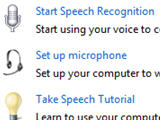
- Windows Speech Recognition. You probably haven't heard much about speech recognition in Windows Vista. If you did, it was probably thanks to a demo that went awry last summer and was widely reported. That's a shame, because the built-in speech-to -text conversion software in the final release works exceptionally well for controlling the Windows interface and dictating text.
- Windows Desktop Search. Yes, you have lots of third-party desktop search options for Windows XP. I've tried them all and never found one that was reliable enough for daily use. What makes Vista's search so useful is the fact that it's integrated directly into the operating system, so you can search in the Start menu, in Control Panel, in Explorer windows, and in common dialog boxes. I miss this capability most when I sit down at a Windows XP machine and try to find a specific Control Panel option. It also just works. I haven't had to rebuild indexes or mess with search settings on any Vista PCs in my office.
What all these features have in common is that they're legitimately part of the operating system. Metadata and search are tied directly into the file system, which is a core feature of an operating system, and speech is just another form of input replacing or augmenting the keyboard and mouse.
How much hardware do you need?
The myth is that Vista requires a hefty, expensive new PC to work properly. The reality is any edition of Windows Vista will work very well indeed on relatively inexpensive hardware. In the week leading up to the official consumer launch of Vista, I've seen name-brand notebook PCs with dual-core Intel CPUs, 1GB of RAM, and Aero-capable graphics hardware selling for $599 or less with Vista Home Premium edition.
And what about older hardware? Here's a snapshot of my upgrade experience from three different PCs of varying vintages:
- Dell Latitude D505, vintage 2004. This basic business laptop was purchased for roughly $700 in the spring of 2004. Its only upgrade was a $100 stick of RAM to bring it up to a total of 1.5GB. It ran Windows XP Home Edition for two-and-a-half years until November 2006, when I updated it to Windows Vista Home Basic. Its integrated video hardware wasn't capable of running Vista's Aero graphics, but this machine's primary user still found the Vista Basic interface "handsome" and a big improvement over the XP look and feel. Its 1.5 GHz Pentium M had no problem running Office 2003, Firefox 2.0, and a handful of small apps. The Reliability Monitor graph shown here testifies to its smooth operation.
- Dell Dimension 8300 – March 2004. This system built around a 3.2 GHz Pentium 4, was a cut below the top of the line when first purchased for under $1000. I've upgraded it with a larger hard drive, an extra 1GB of RAM (taking it up to 2GB), and a $50 Aero-capable video card. This machine, which will celebrate its third birthday in a month, is running Windows Vista Home Premium and has an impressive set of numbers in the Windows Experience Index.
- Homebrew system, built 2002. My most interesting upgrade story is a machine that I built from scratch in 2002 and have upgraded nonstopsince then. The motherboard is the original Abit BL-7 (based around an Intel 845 chipset and all the rage in 2001, but not particularly pricey when I bought it a year later). This machine has run every release of Windows XP Media Center Edition and is currently running Vista Home Premium. Over the years, I replaced the original 1GHz Pentium 4 with a 2.8 GHz Pentium 4 ($70), maxed out the three memory slots with a total of 1.5GB RAM ($150), and replaced the AGP video card with a $60 Radeon 9600. Its Windows Experience Index numbers aren't pretty, but it's been a workhorse just the same, doing full-time Media Center duty with two TV tuners and dishing up video and a massive digital music collection to a pair of Xbox 360s in other rooms.
Should you wait for Service Pack 1? That's the conventional wisdom, and for businesses of even modest size and complexity it's probably good advice. But if you're looking for a PC for use at home or in a small business – especially if digital media is high on your priority list – there's little advantage to waiting.
Based on my experience with Windows Vista, I think it's a very solid release, arguably the best version of Windows ever. But is it right for you? And if so, is right now the best time to make the switch? There's no one-size-fit-all answer to those questions.