Quick iPhone app review: Cronk

I look at the Apple iPhone store and am blown away by the number, variety, and quality of applications that are now present after just a few short months in existence. Developers are definitely embracing the Apple iPhone and Apple has a winner on their hands with the App Store. As a result, I plan to start posting these quick review and thoughts on applications that I purchase or discover as I browse through the Apple App Store.
I used to work with Joel Evans on Geek.com and when I saw that he was involved in development of an iPhone game I bought it as soon as it was released a couple weeks ago. Cronk is a moving matching game that seem to be quite popular today. I enjoy playing Astraware's Zuma on my Windows Mobile devices and Bonsai Blast on my T-Mobile G1 and now I enjoy playing Cronk on my iPhone. Check out some screenshots of the game in my image gallery.
| Image Gallery: Cronk is an enjoyable game for the Apple iPhone as shown in my image gallery. | 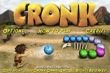 | |||||
After installing Cronk on your iPhone or iPod Touch you then tap the caveman head and launch the game. The game automatically starts in landscape mode (only in one orientation) and gives you the ability to view the options, read the instructions, view the credits, or start the game. There are only two options available, music and sound effects volume controls. The game is fairly simple and thus the instructions appear on a single page. You simply tap the touchscreen in the direction you want Cronk to throw the colored boulders in order to match three boulders and have them destroyed. You need to destroy all the boulders before they roll into and destroy your village.
When you select Start you are presented with two options for gameplay modes, Classic and Timed. The Classic mode starts out pretty slow as you move along completing different levels. This mode is great for younger players and my daughters enjoyed playing the game in this mode. I preferred playing the Timed mode because you get to choose from easy, medium, and hard levels of gameplay so the game is more challenging than the Classic mode. I would like to see these available levels for the Classic mode in a future update.
If you want to listen to your own music then go ahead and start up the iPod player and then switch to Cronk and you can listen to your own music as you play the game. You can also just listen to the background music and sound effects included in the game.
Cronk is challenging because there isn't always a clear path to the location you may want to throw a boulder in so you have to use strategy to figure out where you should first attack. If you think you can just take the available colored boulder and throw it off to the side to see what the next color is going to be then think again. I tried this myself and discovered that you need to have each boulder thrown into the line of boulders before the boulder in your hand will change colors. This helps make the game more challenging and enjoyable.
In reading the reviews on iTunes I see most adverse comments reflecting the original price of the game while people generally enjoy the gameplay. I bought Cronk at US$7.99 (the cost of a couple coffees at Starbucks) and was satisfied with the value I received. However, it is now down down to a very reasonable US$4.99 so I don't think price is much of an issue anymore.
If you enjoy these moving matching games, then I think Cronk is a good choice for less than US$5. The game price was dropped and features added within a week or so after launch and the developers are definitely listening to customer feedback and working to support a quality game for the Apple iPhone.