Review: Do teens really want a Microsoft Kin?

Last week customers could order and receive Kin One and Two devices from the website and today you should be able to visit your local store to get some hands-on time with the two new Microsoft phones. I received the devices last week and immediately gave them to my two oldest daughters who provided some quick first thoughts. They have now been using the two Kin phones every day for the last week and have answers to several of my questions about the devices and the user experience, as well as some concluding thoughts on using them. I'll start this review with the basics for you all, but then jump right into their sections so you can see how the devices perform from a teenager's point of view. Check out my updated image gallery with photos of the devices and sample photos taken with both Kins. You will also find our second sit down interview video discussing the Kin below.
| Image Gallery: Check out some photos of the Kin One and Kin Two from Microsoft. | 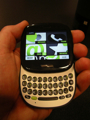 | |||||
Kin One and Two review index
While I think the specs, walk around the hardware, and software may interest some of you, I wanted to also make it easy for you to get to the parts of this review where my daughters provide their experiences and conclusions. You will see that I helped get the girls writing started by asking them several open ended questions after they used the devices for several days. Follow a hyperlink below to jump to a page that interests you or continue to read the full review below:- Specs, hardware, and software
- 16-year old experiences
- 14-year old experiences
- Closing thoughts from the family
Specifications
Both the Kin One and Kin Two are Windows Phone devices with a highly specialized operating system with some functions from the Zune and future Windows Phone 7 devices. Sharp makes the device and as much as Microsoft tries to say they do not make phones, in all reality the Kin devices are Microsoft Zune phones. They both have QWERTY keyboards, but in two different form factors. Here are the known specifications for each device.Kin One full specs on GDGT
- CDMA radio with EV-DO Rev A support
- 600 MHz processor
- 256 MB RAM
- 2.6 inch 240x320 capacitive touchscreen
- 4GB integrated flash memory
- 5 megapixel camera
- 802.11 b/g WiFi radio
- Bluetooth 2.1 + EDR radio
- Integrated A-GPS receiver
- FM radio
- 3.5mm headset jack
- Mono speaker
- Dimensions: 3.25 x 2.5 x 0.75 inches and 3.9 ounces
Kin Two full specs on GDGT
- CDMA radio with EV-DO Rev A support
- 600 MHz processor
- 256 MB RAM
- 3.4 inch 320x480 capacitive touchscreen
- 8GB integrated flash memory
- 8 megapixel camera that captures HD video
- 802.11 b/g WiFi radio
- Bluetooth 2.1 + EDR radio
- Integrated A-GPS receiver
- FM radio
- 3.5mm headset jack
- Stereo speakers
- Dimensions: 4.25 x 2.5 x 0.75 inches and 4.7 ounces
As you can see, the specifications are very similar between the two devices, with the main differences being the camera resolution and video capture quality, screen size, and mono vs stereo speakers. The Kin One is priced at $50 and the Kin Two at $100 so there isn't much of a difference in initial price while the better camera and larger display make the Kin Two a pretty clear choice IMHO.
Walk around hardware
Kin One: The Kin One code name was Turtle and when you first pick it up you can see why it was so named. The device feels like a thick skipping stone in your hand and is quite pocketable. On the front you will see the display takes up most of the device with a back button centered on the bottom and a headset speaker above the display. The white part of the device below the display protrudes from the top and bottom and after sliding the display up the full QWRTY keyboard is revealed. This is one of the largest QWERTY keyboards I have seen in devices with this form factor, including the Palm Pre Plus. The keyboard is very functional with all of the essential keys, an emoticon key, search button, phone button, and large space bar. The characters are offset to the left a bit and are large and easily viewable.Along the curved top you will find the volume buttons, 3.5mm headset jack, camera button, and power button. The volume and power buttons wrap a bit around the left and right sides with the microUSB port on the left side of the Kin One. There is a lanyard opening on the bottom of the Kin One with the back cover release button centered on the bottom.
The camera and flash light are found on the back with the words Kin, Windows Phone, Verizon, and Sharp.
Kin Two: The Kin Two has a form factor very similar to many smartphones and high end feature phones with a side slide QWERTY keyboard. The Kin Two has the same buttons as the Kin One, in different areas.
The 3.4 inch display takes up most of the front of the device with the back button below the display and headset speaker above the display. The display slides to the right to reveal the QWERTY keyboard. The keyboard has the same keys as the Kin One, but are spread out more than the Kin One.
The power button and 3.5mm headset jack are found on the top. The volume buttons and camera capture button are on the right side. The only thing on the left side is the back cover release button. A microUSB port is found on the bottom. Both the 3.5mm headset jack and microUSB port are recessed in from the edges so there may be issues with your own headsets.
The 8 megapixel camera and flash are found on the upper left side of the back along with the same words as the Kin One.
Walk around software
The Kin user experience is divided into three primary displays; the Apps page, Kin Loop, and Favorites page. The Apps page has the following included apps and utilities; messages, alarm, music & more, email, camera, phone, settings, browser, search, feed reader, contacts, and help. The Kin Loop provides updates and dynamically changes as your friends post things. The Favorites page contains the people you specifically add to the page and lets you easily interact with them.Since this particular review is focused on actual user experiences of my teen daughters and I don't want to go into all the details of the software that you can read elsewhere I recommend you visit one of these reviews below to read about the software and functionality:
Let's hear what Danika thinks about the Kin Two »
My oldest daughter just turned 16 and her mobile phone history includes a Sidekick 3, Motorola RAZR, and Sidekick LX 2009. She now has data on her new Sidekick and is one of five phones on our T-Mobile family plan. Let's hear what she thought about the Kin Two that she has been using for several days.
- What do you think about the user interface (displays, menus, navigation around the device)? It's nice, fun to use and there are different colors for the background theme. The default is green, but you can also change it to blue, pink or red.
- Did you use the Kin Spot much? What did you use it for most of the time? I found no use for it. Anything I wanted to upload, or would have used the Spot for, already had an option itself for uploading.
- What did you think of the Kin Loop? The Kin Loop was cool. I liked the design and layout of it.
- Did you put music on the Kin? What did you think of the Zune functionality? No, not my personal music but I used the Zune Pass. Dad connected the Kin to our Mac to transfer our music, but it did not appear as a drive or anything. Dad said Mac software was coming out, but it isn't available yet. The Zune Pass was very cool though there wasn't much music to browse from and it seemed that you had to search to find what you wanted. Downloading it was easier to listen to than streaming because the streaming took a while and stopped to buffer frequently.
- How was web browsing on the Kin? It was average. Not the best mobile version of the sites, MySpace for example, but it was still good enough for some basic browsing.
- What did you think of the social networking integration? What service did you use the most? What are your thoughts on the services? The social networking is cool, but it's all about the status and no other updates or functionality as compared to full clients or what you can do on the websites. I most often used the texting, as most teenagers would, and just viewed social status in the Loop.
- Did you make any phone calls? What do you think of the quality and functionality of the phone part? I made one phone call and it was decent quality. Nothing special and it wasn't bad.
- What did you think about the camera? The camera was clear and it was very easy to upload photos directly, although you cannot upload video.
- What did your friends and classmates think when you showed it to them? Did they ever hear of the Kin? They had never heard of the Kin and were confused by the name. Some thought it was cool, but most thought nothing special of it.
- What did you think about the Kin Studio? What did you use it for most of the time? I only went on it once, just to try it. I doubt teens would ever use it since I spend most of my online time on MySpace or Facebook.
- What did you like most about the Kin? The Zune Pass music and texting conversation bubbles.
- What did you like least about the Kin? The cheap feeling of the phone.
- Did you like the Kin more than your current phone? Would you switch to the Kin if you were given the choice? No, I love my Sidekick LX.
Let's hear what Maloree thinks about the Kin One »
My middle daughter is about to turn 14 and is a big fan of using my older smartphones, but also jumps back to QWERTY feature phones since she primarily uses her phone for text messaging. She is currently bouncing back and forth on an HTC Touch Diamond and Samsung Gravity. She has no data on her line and again is one of the five people on my family plan.
- What do you think about the user interface (displays, menus, navigation around the device)? The 3 main screens have easy accessible ways to get to places. It took a while to get used to the phones navigation because of its complex features. I enjoyed the big buttons because with the touch screen you can't make it too small or it would be difficult for users with different finger sizes. The theme colors are a nice feature although a few more colors would satisfy people with different opinions. The silver main button is very handy and is used as a back button.
- Did you use the Kin Spot much? What did you use it for most of the time? I used it about twice, its a nice feature for saving information for uploading at another time, but it is just as easy to send things in their own apps. I personally used it for putting pictures in to upload to MySpace or Facebook.
- What did you think of the Kin Loop? I thought the Kin Loop was pretty cool how it showed all the updates on my friends, but I didn't use it as often as the other features.
- Did you put music on the Kin? What did you think of the Zune functionality? I did manage to put music on the Kin, but I must say it was a very long process to do so. You had to sign up and go through a bunch of screens to get a Zune Pass on a Windows computer. Then you had to set up your profile and download music. All in all it was a long process.
- How was web browsing on the Kin? The web browsing was kind of slow but it was pretty much the same web browsing as any other phone I have had experience with.
- What did you think of the social networking integration? What service did you use the most? What are your thoughts on the services? The social network was one of my favorite parts! Very fun and easy to use. I used MySpace the most, Facebook in my opinion was a little more confusing. My thoughts are overall a great setup for teens and adult users of these networks. I do not have a Twitter account so I didn't experience that network.
- Did you make any phone calls? What do you think of the quality and functionality of the phone part? I made only a few phone calls. Teens don't talk on the phone much anymore, it's all about texting. The phone quality and functionality was simple and nothing to get excited about, but easy access.
- What did you think about the camera? The camera and video camera was very crisp and clear. I used the camera quite a bit and realized that it has no zoom or options to change colors or any changeable features. The video had this very cool crisp looking way of recording memories.
- What did your friends and classmates think when you showed it to them? Did they ever hear of the Kin? My friends and classmates enjoyed exploring this phone and thought the camera and music was awesome. But some were stating they would never get a phone like that because it was way to confusing. They have never heard of the Kin, but in the movie theaters when I saw Iron Man 2 they had a commercial for it which I thought was a great one. The commercial was good because it explained and showed how the phone was focused on social networks.
- What did you think about the Kin Studio? What did you use it for most of the time? The Kin Studio was very impressive! I loved the set up and how you can do practically anything on there that you may do on the device. I used it mostly for transporting pictures.
- What did you like most about the Kin? I mostly liked the camera and conversation feature in texting.
- What did you like least about the Kin? The thing I liked least about the Kin was probably the navigation around the phone.
- Did you like the Kin more than your current phone? Would you switch to the Kin if you were given the choice? I like my current phone (the HTC Touch Diamond) more than the Kin. I would not switch to the Kin if I did have a choice because I love Windows Mobile menus and features.
Conclusions and closing thoughts from me and the girls »
Daughters' closing thoughts
Danika: Overall the Kin Two was an okay phone. I think they could have done much better with it and I don't think a lot of teenagers will have it due to the large data cost. I myself would not recommend it to my friends, the Kin and Loop update page is not really worth it since it just limits you to status updates.Maloree: In conclusion, the Kin One was an overall great phone. It had some flaws, but don't all phones? The phone is really focused on friends and social networking which is great for teenagers and adults in their early 20's. The camera was good quality, but not having zoom was inconvenient. I would personally not go back to this phone, but I think some people will be very interested in it. They are advertising fast in the movies and on MySpace. I enjoyed my time with it, but I didn't find it good enough to switch from my current phone.
My closing thoughts
In talking with my daughters and observing their behavior I have a few summary points regarding their usage of the Kin devices:- They made little use of the Kin Spot, RSS feeds, web browser, or phone functionality.
- They were not concerned at all about the lack of games.
- They loved the text notifications and conversation style for texting.
- They enjoyed using the Zune Pass and would probably be big fans if they had it on their phones.
- They were not pleased with the limited MySpace, Twitter and Facebook capability.
- They did not find the Kin devices compelling enough to give up their current phones.
I had to provide assistance a couple of times to Mal and once for Danika. For both I had to setup the Zune Pass part of the experience since a Windows PC and Zune Pass account was needed just to get the Kin devices to associate with Zune. There is no way to sign in or sign up from the Kin itself. I also had to assist Maloree with logging in the first time because she did not have a Windows Live ID like Danika did for her Xbox Live account. It appeared that we could enter her Gmail address and we tried it a few times with errors popping up. I finally looked around online and found you needed a Live account so we went and set one up with her Gmail email address as the login. Microsoft needs to make the process of setting up the Zune experience better, IMHO. BTW, there is a 155-page user manual for the Kin One and Two, which indicates how complex the device really is with different functions and features that people will most likely never discover on their own. It really should be a simpler device if it wants to fully appeal to the "upload generation".
I think the price of the Kin One and Kin Two are very reasonable at $50 and $100 and have no concern with that initial price. However, IMHO Verizon pretty much killed the Kin with smartphone pricing. I imagine most of the group of people that would use a Kin are part of a family plan so the $39.99 minimum voice plan may not apply. However, paying $30 for each child on your family plan is too high for families to swallow. I would love for a carrier to offer some kind of family data plan offering and imagine T-Mobile or Sprint will be the first to come out with such an offer. With the ability to share the Zune Pass with up to three devices and family plan minutes that can be shared, the Kin One and Two may be an option for many families if they are willing to pay the $30 data fee for each one.
I spent very little time myself with the Kin devices so I only have some basic impressions of using them. However, I agree with my middle daughter that the user interface can be a bit confusing and overwhelming at first. The menus and some other options are not always consistent across the devices and this surprised me a bit since the project has been under development for quite some time. With the social networking focus I was disappointed that richer Facebook, MySpace, and Twitter experiences were not present at launch. You can get a better experience with these services on the iPhone, Palm Pre Plus/Pixi Plus, Google Android devices, and other smartphones that are priced similarly to the Kin devices so I have yet to see any compelling reason for someone to buy a Kin.