Review: Kobo ebook reader app comes to Google Android

I am a huge ebook fan and my primary ebook client and preferred store is Kobo since they have the most mobile clients and EPUB books purchased there can be read on multiple dedicated ebook readers, like my Nook and Sony Reader. I also like the Kobo Reader and have recommended it to a few people. I actually started using the Shortcovers application on my T-Mobile G1 over a year ago and have been patiently waiting for the release of a Kobo client for Android after using the Kobo client on the iPad, iPhone, and Palm Pre Plus. I am pleased to let you know that you can now find the free Kobo Android client for your Android device. Check out several screenshots of the Kobo Reader application in my image gallery and more thoughts on the new software below.
| Image Gallery: Check out screenshots of the Kobo ebook application running on the EVO 4G. | 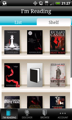 | |||||
Walk through the Kobo Android app storefronts
I have been testing the Kobo Android application on my Sprint HTC EVO 4G and the large high resolution 4.3 inch display has me burning through the books and I can't tell you how much I have enjoyed the experience. When you first launch the new Kobo application you will sign in to your account and then see all of the books in your library downloaded to your device. I did not see a way to selectively choose which books were downloaded. After the books are on your device you will see you start out on the I'm Reading tab where you can view your loaded books in either List or Shelf view. Simply tap on the book to open it and if you had already started reading it you will be taken to the furthest point read.You will see three other icons along the bottom to the right of the I'm Reading tab and these are Discover, Browse, and Account. Both Discover and Browse are different ways to access the Kobo book store. Discover breaks down the bookstore into categories such as Featured, What's New, NYT Bestsellers - Fiction & Non-Fiction, Staff Picks, and much more. If you jump to Browse you will see the bookstore divided into more traditional categories lick Entertainment, Fiction & Literature, History, Romance, and much more. There are subheadings below these as well that are accessible after you tap on a primary heading.
You can also tap the Menu button to have a Search bar appear to find the ebook you want in both Discover and Browse. Tapping and holding on a book title gives you option to buy the book, read a preview, or view book details. Purchases are made right from within the application and there is even an area to enter a promo code, if you have one.
The account tab simply shows you your account details and lets you sign out if you need to or reset your password.
Reading in Kobo
Reading is a real pleasure with Kobo on an Android device. After opening a book you tap on the right side of the display to turn the page and on the left side to go back. If you tap in the center of the display you will see a pop-up box appear with the chapter number, title, page, and percent complete in the book. A slider bar also appears along the bottom so you can slide it and navigate quickly through the ebook.After pressing the menu button you will see four areas on the bottom of the display appear for table of contents, day/night mode toggle, font size controller, and font style controller. Day/night mode toggles between black and white and white on black. There are five font sizes to choose from and I personally prefer the smaller size font. There are three font styles included; Serif, Sans Serif, and Monospace. I prefer the default Serif font.
Kobo is also designed to automatically sync your library and bookmarks automatically across all platforms so you can pick up where you left off on one device with another device. At the moment, I read at home on my iPad with Kobo and then jump on the Sprint HTC EVO 4G for reading on the train or when finding some idle time on the go.
What's missing?
This version is similar to the iPhone version and there are a few things I would like to see implemented into future releases. These include the following:- Manual bookmarks: I understand that the furthest point read is automatically bookmarked, but I feel more comfortable knowing that I can setup my own bookmarks at various locations and know I can go back to these areas even if the device shuts down. The Kobo iPad app supports manual bookmarking so it is something we may see in a future update to the Android app.
- Connect via PC to ADE: I would love to be able to load up library books and other EPUB formatted books via a USB connection to my computer.
- Background color options: I like a light yellow background and would love to customize the background and font colors.
You also cannot rotate the display into landscape mode, but I prefer to read in portrait orientation so that is not much of a concern for me.
Final thoughts
Overall I am quite pleased with the Kobo reader for Google Android devices and find it much more functional and pleasing to use than Shortcovers. The text is very comfortable to read and is very clear and crisp. With the large display of the EVO 4G, reading with Kobo has actually become my primary method of ebook consumption on the go.Kobo's goal is to deliver any book on any device and as a smartphone enthusiast I think they are the best client so far that is close to achieving that goal. You can now use Kobo on the iPhone, iPad, BlackBerry, Palm webOS, and Google Android devices, as well as the Sony Reader, Nook, Kobo eReader, and more.