Apple and Microsoft - Different approaches to developing the next-generation desktop OS

Following yesterday's unexpected release of the OS X 10.8 developer preview (code-named 'Mountain Lion') we're now in a position to see the different approaches being taken by Apple and Microsoft in how they are developing their next-generation operating systems. And one thing is clear: Apple is benefiting from having a mature mobile platform.
Let's take a look at the two approaches and see how they differ.
Microsoft's approach to Windows 8
Let's face it. Windows hasn't changed that much since the release of Windows 95 nearly 17 years ago. Back in 1995 Microsoft seriously revamped the user desktop and added a set of user interface elements that have persisted to this day, many of which have become iconic. Elements such as the Start Button (or orb), the Start Menu, and a desktop on which users can store files and folders all make up what people think of as 'Windows.'While Microsoft has tweaked and refined this design with subsequent releases, the user interface paradigm largely remains unchanged in nearly two decades, right up to the release of Windows 7.
Click here to view the Windows 8 installation walk-through gallery
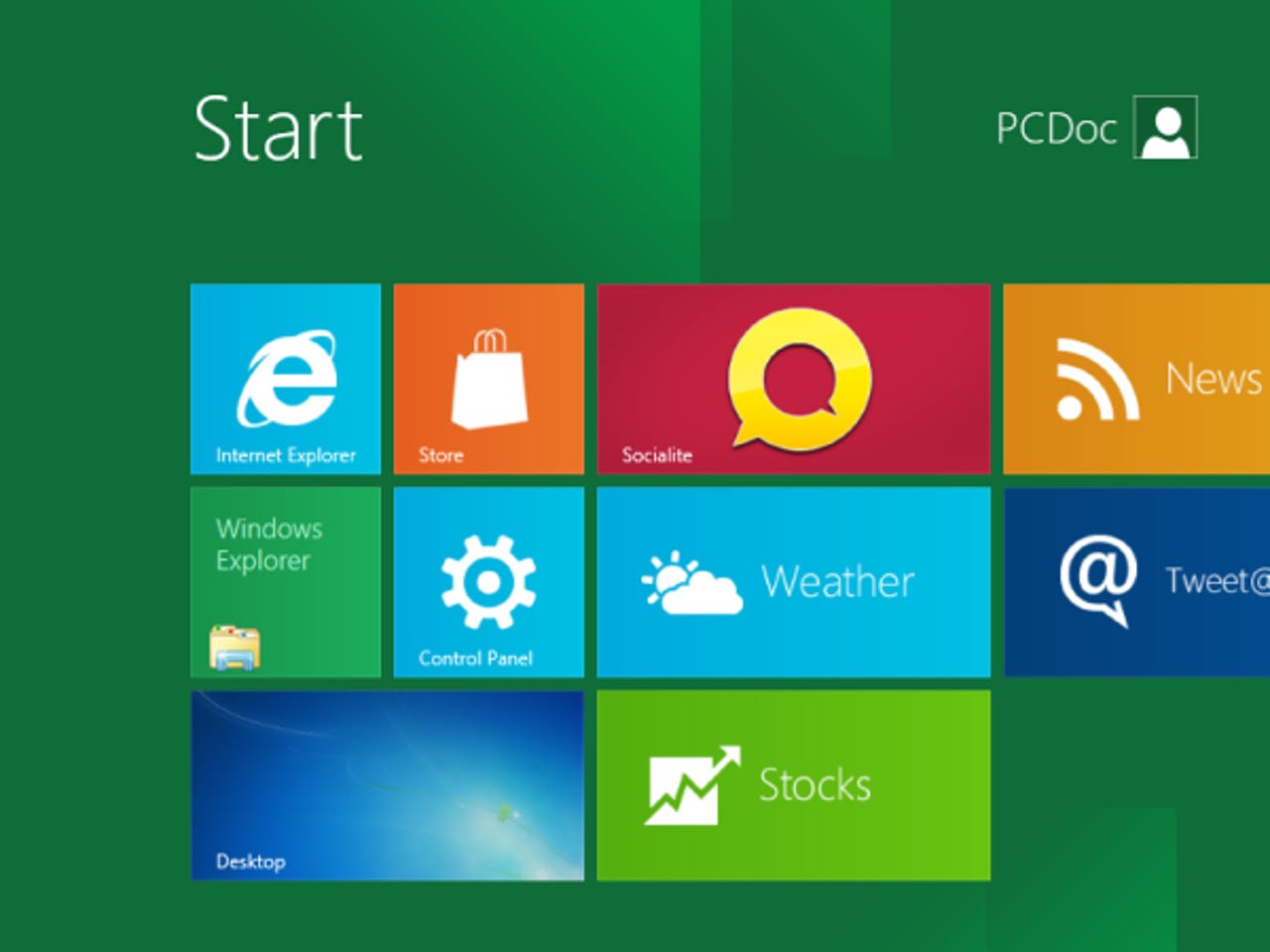
But with Windows 8 things are changing, and they're changing in a big way. Classic elements such as the Start Button are gone, and the Start Menu and desktop have been unceremoniously shoved into the background by the newer 'Metro UI' Start Screen.
The catalyst for all this change wasn't users demanding change, but instead a desire on the part of Microsoft to make the Windows operating system capable of being driven by a fingers as well as a cursor on touch-enabled devices that aren't encumbered by a keyboard and mouse. Microsoft has tried, and failed, for over a decade to put Windows onto tablets, and it's now come to the conclusion that for Windows tablets to succeed, Windows has to be what changes.
For the first time in the history of Windows, Microsoft is looking beyond the PC era and into a post-PC world where out gadgets are small, mobile and both highly personal and highly personalized, and to fit in with this future it is making sweeping changes to Windows.
While there's no doubt that the visual design of Windows 8 has been influenced by Microsoft's Windows Phone platform (this is where the Metro UI was born), what's interesting is how rather than taking the mobile OS to touch-enabled devices such as tablets, Microsoft is instead trying to squeeze the entire desktop OS onto mobile devices while still having to keep it usable on old-style hardware (the PC). It's a delicate balancing act that's going to be hard to get right.
While I quite like what I've seen so far of Windows 8, I'm still not convinced that Microsoft has managed to effectively balance the old (keyboard and mouse) with the new (touch) and I still fear that what we're going to end up with is a hybrid operating system that will be awkward to use on all devices because too many compromises have been made along the way.
There's one question that Microsoft still hasn't answered with respect to Windows 8, and I think it's a key question. What problem does the Metro UI touch-interface solve on a desktop system that isn't touch enabled? I use Windows 8 every day, and I'm still at a loss as to why I'm being forced to use a touch-enabled UI on hardware that I can't control by touch.
Apple's approach -->
Apple's approach to OS X 10.8 'Mountain Lion'
While Microsoft has been busy trying to make its desktop operating system look like a mobile platform, Apple has been taking core features from its mobile platform and embedding them into the desktop OS.The OS X 10.8 Developer Preview shows us just how busy Apple has been iOS-ifying OS X. Popular iOS features such as iMessage, Notifications Center, Reminders and Game Center have now been ported to work on (and be integrated with) OS X, but not with the idea of turning OS X into a touch-enabled mobile platform, but instead to extend the reach of the services currently on offer on iDevices.
This is an interesting approach, and it tells us a lot about the gulf between Apple's iOS and Microsoft's Windows Phone platform. iOS has come to the stage where it has a set of killer features that can now be migrated from the mobile platform and to the desktop. In fact, it could be argued that Apple has done more with iOS in the past 5 years than it has done with OS X in over a decade, and that most of the big changes in OS X over the past couple of iterations have been driven by iOS.
Apple has been using iOS as a proving ground for new ideas and technologies, and is now in a position to take those technologies to the desktop. Apple sold more iOS devices in 2011 than it has sold Mac systems in 28 years, so it made sense to use iOS as the way to introduce consumers to new features, and it also makes sense to now take these features that people know and love and bring them to the desktop. Like Windows, OS X has been stagnant for some time now. People want new features, not a regular reworking of the user interface, and iOS is a new gold vein that Apple can now mine for those new features that people want. And given that millions of people already using these features on iOS devices, there's an instant market for these features.
Another interesting difference between Apple and Microsoft is in how the two companies have approached touch on the desktop. While Microsoft wants to users to touch and interact with the whole the screen, Apple has been working on trackpad touch gestures to augment the keyboard/mouse/trackpad, rather than replace them.
Note: A question I've been asked a few times lately is do I see iOS and OS X coalescing into a single platform any time soon? The answer is no I don't, because at the moment Apple doesn't seem at all interested in unification beyond that of unifying useful features and the app model. Apple is happy to use one platform to drive the other, and it's a strategy that seems to be a winning idea (for now at any rate).
Oh, and finally, Apple has dropped the 'Mac' from the OS X brand. A lot of reasons why this was done have been postulated, but I think that the simplest reason is the most likely, and that is Apple is simplifying the brand name.
The bottom line
While Microsoft is working to make Windows 8 look like its mobile platform, Apple is already reaping the benefits of having a mature and widely-adopted mobile platform, and is now in a position to take more of these features across to the desktop. Features such as iMessage, Reminders, Notification Center and Game Center will only help to take the Apple ecosystem to the next level as all those iOS users (and there are a lot of them) look for ways to make use of the services they love on their iPhone or iPad on their desktop systems.While there's no doubt that 'Mountain Lion' is to 'Lion' what 'Snow Leopard' was to 'Leopard' (that is, an evolutionary rather than revolutionary step), the features being dropped into OS X will drive sales of both Mac and iOS hardware, as users look for convergence in the services they use.
Microsoft, on the other hand, seems to be on the back foot. While the Redmond giant undoubtedly has the dominant desktop OS, and has a reach so deep into the desktop market that OS X presents no threat whatsoever at this time, it's clear that Microsoft is suffering from an ideas drought, and it doesn't have a mobile platform to plunder. It might come Windows 9 or Windows 10, but for now it's in a position of having to nurture its mobile platform as opposed to harvesting good ideas from it.
While Microsoft is using its dominant desktop platform to try to give the mobile platform a leg up, Apple is doing the exact opposite and using the dominant mobile platform to give its desktop business a boost. It'll be interesting to see which strategy works the best over the next few years.
Image credit: Microsoft, Apple.
<< Home >>