Build your own "Ivy Bridge" desktop PC

Intel's new Ivy Bridge CPUs, built using third-generation Core architecture, are now on sale. That means it's time to look at putting together a system based around this new and exciting silicon.
"Ivy Bridge" is the codename for Intel's 22-nanometer die shrink of the earlier 32-nanometer "Sandy Bridge" architecture. It makes use of new 3D tri-gate transistors that deliver 32 percent better performance than the transistors used in Sandy Bridge processors. These new transistors have allowed Intel to get better performance from Ivy Bridge processors with half the power consumption.
Build your own "Ivy Bridge" desktop PC
| Image Gallery: Build your own "Ivy Bridge" desktop PC | 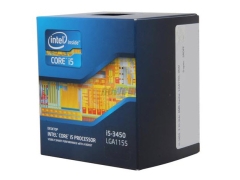 | |||||
Intel has developed these processors to compete directly with AMD's A-series APUs.
Let's take a look at the components you need for this system. My target price for the base hardware is $600.
Processor
A number of Ivy Bridge processors are already available for purchase. Here's a listing of Ivy Bridge parts that I've found over on NewEgg:- Core i5-3450 - 3.1GHz - Quad-core - HD 2500 graphics - $200
- Core i5-3450S - 2.8GHz - Quad-core - HD 2500 graphics - $200
- Core i5-3550 - 3.3GHz - Quad-core - HD 4000 graphics - $220
- Core i5-3570K - 3.4GHz - Quad-core - HD 4000 graphics - $250
- Core i7-3770S - 3.1GHz - Quad-core - HD 4000 graphics - $320
- Core i7-3770 - 3.4GHz - Quad-core - HD 4000 graphics - $320
- Core i7-3770K - 3.5GHz - Quad-core - HD 4000 graphics - $350
Can't decide between the Core i5 and Core i7 processors? Let me simplify things for you by pointing out the two key differences between the two lines. All Core i7 Ivy Bridge parts have an 8MB L3 cache and have Hyper-Threading enabled -- which means two threads can be run per core -- while Core i5 Ivy Bridge parts have 6MB of L3 cache and do not feature Hyper-Threading.
If you plan on making heavy use of applications that can leverage Hyper-Threading -- for example, multimedia software such as Adobe Premiere Pro or HandBrake -- then the extra cost of the Core i7 is worth it, otherwise I recommend picking a CPU from the cheaper Core i5 range. It's worth bearing in mind that games don't benefit from Hyper-Threading, so you're better off saving money on the CPU and putting what you save towards a better graphics card.
You'll also notice that some processor model numbers have K and S suffixes. Parts with the K suffix feature unlocked multipliers and are excellent for overclocking, while parts with the S suffix are "performance-optimized" low-power parts, all with a TDP below 65W.
If you want performance -- or the opportunity to overclock your system -- then I recommend that you go for either the Core i5-3570K or the Core i7-3770K. If you want a more power-efficient part -- which will have the advantage of needing less cooling, so it's better suited to situations where you don't want too much cooler noise -- then the Core i5-3450S or Core i7-3770S are the parts you want to look at.
While you are free to pick whichever part for your system you want, I'm going to go with the cheapest processor in the list, the Core i5-3450. This processor is clocked at 3.1GHz and can be pushed up to 3.5GHz when turbo-boosted.
Price: $200.
Motherboard
Intel's Ivy Bridge processors all feature a Socket LGA 1155, so we need to find a compatible motherboard. In theory, all LGA 1155 motherboards are compatible with Ivy Bridge CPUs, but it's likely that many of the existing motherboards will need a firmware update to support this new processor line.The motherboard I've gone for there is the Gigabyte GA-Z77MX-D3H. This board features Intel's Z77 Express chipset and comes with everything you'd expect from a modern motherboard, including UEFI firmware, HDMI and USB 3.0.
This is a good, all-round, capable motherboard.
If you're planning to update an existing Sandy Bridge system with an Ivy Bridge processor, or want to use a different motherboard to the one I've picked here, it's wise to check with the manufacturer that it supports the new processors.
Price: $140.
RAM
I believe that fitting any less than 4GB of RAM is false economy, especially since two 2GB RAM modules will only cost you around $25. For this build I've gone for two sticks 2GB of Crucial Ballistix Sport DDR3 1333 (PC3 10600). It is good, stable RAM, and it's a decent price.I've had nothing but good experiences with Crucial RAM over the years, and I personally recommend it. For more information on how much RAM you need, I previously wrote a how-to guide.
Price: $25.
Hard drive
Following the disastrous flooding in Thailand that caused hard drive production to slow down, the price of storage has gone through the roof, increasing by as much as 300 percent. Given this, it's vital to shop around for the best deals.I've gone for the Western Digital Caviar Black WD1002FAEX 1TB drive. This is a 7,200 RPM drive and features 64MB of cache; a robust, reliable drive that's fast and offers generous storage space at a decent price.
When buying hard drives, it's a good idea to choose a "bare drive" option rather than the "retail kit." These retail kits come with all sorts of extras such as packages, drive rails, screws, instructions and so on that you're unlikely to need. You can pay as much as $30 extra for the privilege of your drive coming with retail packaging as opposed to being shipped in a plain anti-static bag.
Price: $140.
Power Supply Unit
Here I've gone for the Corsair Builder Series CX430 V2. This offers 430W of power, and a wide range of connectors. On top of that, it's quiet and is 80 PLUS efficient so it won't cost too much to run.Price: $45.
Optical Drive
Don't think too much about this one. A combo DVD burner like the ASUS DRW-24B1ST will suffice, and in this day and age come at a relatively cheap price.Price: $20.
The bottom line
Let’s do a quick rundown of the price list:- CPU: Intel Core i5-3450 - $200
- Motherboard: Gigabyte GA-Z77MX-D3H - $140
- RAM: 2 x 2GB Crucial Ballistix Sport DDR3 1333 - $25
- Hard drive: Western Digital Caviar Black WD1002FAEX 1TB - $140
- Power supply unit: Corsair Builder Series CX430 V2 - $45
- Optical drive: ASUS DRW-24B1ST - $20
Total price: $570.
Related: