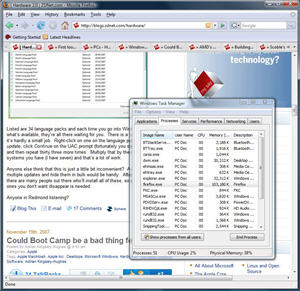
Memory test - Firefox 2.0.0.9 vs Firefox 3.0 b 1
Summary: Does Firefox 3.0 beta 1 do a better job of handling memory than earlier versions? In a test put Firefox 3.0 beta up against Firefox 2.0.0.9 in a series of tests.
Does Firefox 3.0 beta 1 do a better job of handling memory than earlier versions? In a test put Firefox 3.0 beta up against Firefox 2.0.0.9 in a series of tests.
Before I go any further, a few disclaimers and notes. First off, I've carried out this test on a single system running Windows Vista Home Premium on which Firefox had not been previously installed. The system has 2GB of RAM. Both Firefox 2.0.0.9 and Firefox 3.0 b 1 were installed fresh using a standard install. For each test I visited the same web pages and did my best to make the browsing the same on both versions.
OK, with that out of the way, on with the tests. I simulated three different browsing scenarios:
- Loading a five pages into the browser
- Loading a single page and leaving the browser for 10 minutes
- Loading 12 pages into the browser and wait 5 minutes
Here are the results:
Firefox 2.0.0.9
Loading a five pages into the browser - 35,640KB (img)- Loading a single page and leaving the browser for 10 minutes - 47,852KB (img)
- Loading 12 pages into the browser and wait 5 minutes - 103,180KB (img)
Firefox 3.0 b 1
- Loading a five pages into the browser - 38,644KB (img)
- Loading a single page and leaving the browser for 10 minutes - 63,764KB (img)
- Loading 12 pages into the browser and wait 5 minutes - 62,312KB (img)
Check out the complete screenshot gallery.
Just to give us a baseline, I repeated the 12 page test using Internet Explorer 7 and found that the browser used 89,756KB (img), more than Firefox 3.0 beta 1 but substantially less than Firefox 2.0.0.9.
This is interesting. Initially it seemed that Firefox 3.0 beta 1 was consuming more memory than 2.0.0.9, but during the twelve page test I started seeing what I've been seeing before - spiraling memory consumption when the browser is under significant load. I'm certain that if the browser had been left open longer, memory usage would have continued to rise. I didn't see much signs of Firefox 3.0 beta 1 doing this. Certainly based on this test and from using Firefox 3.0 beta 1 today, I do think that things have significantly improved.
Anyone else taken Firefox 3.0 beta 1 for a spin? Any thoughts, feelings or observations?

Kick off your day with ZDNet's daily email newsletter. It's the freshest tech news and opinion, served hot. Get it.
Talkback
500MB of RAM on a regular basis?
"...but during the twelve page test I started seeing what I?ve been seeing before - spiraling memory consumption when the browser is under significant load."
100MB is hardly "spiralling memory consumption": especially with 2GB RAM.
The problems with Firefox seem to arise with multiple tabs open (possible a lot of browsing history in each tab?) and the browser open for many hours.
Any chance of seeing the result of a test comparing various browsers under these conditions? I'd be very interested to see the "spiralling memory consumption" actually documented. Whenever I try such a test, memory seems to max out at about 100MB on 1G RAM XP.
I just don't get it...
Maybe it's because I'm using noscript and adblock to filter out all the garbage.
Turn on JavaScript to see the memory issue
BTW: you're missing half the web if you're not running JavaScript. Try being not so paranoid.
How are we missing
I know personally I prefer clean and simple. Time is precious and I want to access the content I am after without all the silly bells and whistles.
Guess I am old fashioned. But sometimes simple is better. ]:)
What a curmudgeon...
Yes it is and
And who is Clarence? ]:)
correct spelling is
Your Welcome I was wondering if anyone still knew that classic
Go Thrill Kill PS1 hard and rare to find Thanks to EA
theirs my props to ya. CNC all over the world challenge issued to me please I would enjoy gaining my cnc skills up in multi-player if EA could help me tonight I'll join a ladder again see you out there
Wha?
Sounds interesting, though.
JavaScript is much more than just "flashing blinking bauble ads."
[b]Javascruot[/b] And XML), [i]the[/i] main technology behind Web 2.0 that enables
a Web page to act like a full desktop application, updating its data from the server
without needing a full page refresh. Most AJAX pages are smart enough to
"gracefully" degrade to performing full page refreshes on browsers with insufficient
JavaScript support, or that have it disabled. Full page refreshes are alway slower,
and usually [i]much[/i] slower, and more distracting, than AJAX partial refreshes.
Popular AJAX sites include GMail, YouTube (notice how you can page through the
Text Comments and even post a Text Reply, while the video is playing, without
disrupting the video? Not if you have JavaScript disabled, you can’t!
That’s AJAX at work!), TV Guide Listings (so you can hover over a show in
the grid to see its summary pop up — without AJAX, it would have to
download the summary for every show in the grid, for all several hundred channels
you might have in a major market cable system or any satellite system, before
displaying any of them), Ask.com search engine, and many, many more.
Javascript is also needed by all ASP.NET web sites (any site with pages that end in
“.aspx” instead of “.htm” or “.html” or
&ldquo.asp”) to enable postbacks, which are mandatory for proper
operation. Most shopping carts depend on it for calculation of the subtotals,
without needing to perform a server refresh. Many Web forms use it for client-side
validation, to warn you of missing required fields, improperly formatted data, mis-
matched password and confirmation, etc. before wasting the time to submit to the
server, usually using instant error message pop-ups. With JavaScript disabled, most
such pages will automatically degrade to server-side validation, which means you
have to wait until the page gets submitted and the error messages returned back to
you during a full page refresh to even know that you made a mistake. Some
amateur web sites may rely on JavaScript-based client-side validation without
backing it up with server-side validation, which is very dangerous and would
enable incomplete and/or improper data to be submitted and accepted (if you are a
Web developer, never, [i]ever[/i] do this!).
JavaScript is also used for basic navigation in many sites. Sites with drop-down
menus or tree menus may not work without JavaScript (especially, in the former
case, with Win IE6, which lacks the alternative ability to do drop-down menus using
CSS 2.1 — Gecko [FF], Opera, Safari, Konquerer, and Win IE7 can all do that).
In short, even sites which appear to work without JavaScript often work much better
with it enabled.
That said, there are exploits to JavaScript, and it can be dangerous in the hands of
a malware writer. The more power that exists in any system, the more it can be
misused, and JavaScript adds substantial power to the Web experience.
The [i]NoScript[/i] extension is good protection, but do enable JavaScript for sites
that you trust and frequent often. And, since one of the main memory leaks in FF2
seems to be in its JavaScript implementation, using [i]NoScript[/i] does mitigate the
memory leaks problem drastically by reducing the use of the JavaScript engine. Not
because of blocking ads per se, but because the JavaScript interpreter itself is
buggy in terms of memory leaks.
After reading through your long
If I go to a web site that I need to use a form then I will enable just that web site via no script. As an example, ZDNet has at some times up to 8 or more elements that utilize javascript, and yet I find that in order to post and browse, I only need to enable 1 of them. The others are generally items I have no need for or do not want to participate in, such as google-analytics.
I also use ad-block and flash-block to "clean up" web pages so that I get only the content I want without being annoyed. ]:)
Agree totally...
"... That said, there are exploits to JavaScript, and it can be dangerous in the hands of a malware writer. The more power that exists in any system, the more it can be misused, and JavaScript adds substantial power to the Web experience."
Ahhh, phooeee!
He *arbitrarily contradicts* his own assertions in the same breath and then expects (with audacity mind you) the rest of us to buy into his convoluted logic?
Javascript may be all he's *marketing* it as - but if it wasn't hooked so gardamned tightly into the dynamics of most web browsers, i'd be rid of it faster then you could say "malware loves Java".
The bottom line is, all its well documented vulnerabilities to remote execution (and the like) are the very reason many users just disable javascript. If he managed to focus objectively, he would have realised why it is a *damnable yoke* that end users have been lumped with for way too long a time. But then when you work as in online advertising maybe you start believing in all the hype and trash ... ;^}
"You can fool some of the peolple some of the time - but not all of the people all of the time."
fair points, but
Just a note, since we are wandering a bit off the topic of memory handling at this point (since crossing the js enabled/disabled for benchmarks comments).
have a good one :)
JavaScript
Well written
Or at least, people who don't feel the need to put buxxwords on everything to make them exciting.
Correct, at least in theory, and perhaps for online shopping addicts.
My normal experience of the Web is Java-free; I turn Java on in only those few cases where that dreaded code has been made mandatory by Web site control freaks and those with a paucity of imagination to program in a better way.
It's about time that people who are in the know--and you're obviously one of them--started to campaign for a rationalisation of that shambles which goes under the general title of Web scripting--it's an unholy mess, the absolute anthesis of what ought to be a set of cohesive Web standards.
(BTW, as a person who has been on line since the early days of ARPANET, it is my experience that the more scripting--Java, et al, that a site uses--the less the relevant content. Of course there are exceptions, but I've thousands of instances of where Web sites that do not use scripting--or use it most sparingly--have the most detailed or concentrated content. Most of the Web's scripting is taken up with forcing users to read trashy ads or pressing users to act in ways Web site developers want rather than the way users would instinctively prefer to act.)
'Javaites' suffer from baubles bangles and bead deprivation & withdrawal.
A common affliction of 'Javaites' is to suffer baubles bangles and bead deprivation [aka rich content withdrawal symptoms]. Unless their screens are polluted with visual noise and plethora of useless jiggering bouncing detritus they'll nuke the Web site within milliseconds.
So mesmerised by colourful menageries of meaningless moving distractions, they fail to realise that turning off Java will often more than double Web page access speed not to menton the improvement in their comprehension of the relevant content.
One really has to feel some sympathy and compassion for these poor unfortunates.
Be paranoid
http://blog.360.yahoo.com/blog-TBPekxc1dLNy5DOloPfzVvFIVOWMB0li?p=715
I second the use of NoScript
no script
Be Paranoid: So am I