Hands-on with the $149 Kobo eReader device

Back in mid-April I had the chance to meet with the PR contact for Kobo and took a first look at the Kobo eReader. Last Friday I was sent an evaluation unit to spend more time with the device and am even more impressed with it than I was during my initial look. I won't be giving up my fantastic Barnes & Noble Nook, but I have already recommended the Kobo eReader for a new ebook convert and if you are looking for a device focused on the ebook experience then the $149 Kobo eReader is a very good choice. I posted more photos of the Kobo eReader in my new image gallery and included a walk through video below that includes a page turn comparison with the Nook.
| Image Gallery:A walk through the Kobo eReader device. | 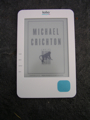 | |||||
Kobo Desktop software
I was pleasantly surprised that Kobo makes the out-of-the box first computer connection even better with both Mac and Windows desktop Kobo clients. I connected the Kobo eReader to my MacBook Pro and installed the Kobo eReader software that is found inside the device's memory. You are prompted to login with your existing account or create a new account and after I logged in I found all my purchased content automatically start downloading to my MBP. You can use the software to read your books on your PC or Mac, similar to the Sony Reader software I used in the past.The Kobo desktop software gives you the ability to manage your collection, visit the store and purchase new content, and sync to your eReader. I saw on the store menu that newspapers are coming on May 31st so I look forward to seeing what offerings they have there.
I did not like that the Sync button syncs ALL of your ebook library without letting you manage which books you want on the device at the time. This is a problem for me since without a keyboard or text entry method it was a bit daunting scrolling through all of the titles on the library page on the eReader. I also found no way to click on the eReader in the desktop software to remove books and manage content on the device.
The eReader does show up in your file explorer as a device/drive, but the only books I can see there to manage were the Adobe Digital Editions titles. Kobo loads up 100 free classic books on the Kobo, but for the life of me I could see no way to manage or remove those titles or any from my Kobo library. As I mentioned having over 100 ebooks loaded without a quick way jump to ones you want to read is a bit overwhelming for a directional pad scrolling experience.
Thoughts on using the Kobo eReader
On my Nook and on the Kindle you will see some kind of screensaver appear (art, custom photo, etc.) after the ebook reader times out to save on battery life and lock the buttons. I like how the Kobo eReader puts up the book cover of the book you were reading at the time as the screensaver. That way when you press the power button to turn on the Kobo eReader you know exactly which book you will be taken too so you can pick up right where you left off.I also enjoy the quotes that appear on the display as you wait for a book to load after making the selection in your library. That said, the Kobo eReader is not the fastest ebook device to load up books or process changes.
I mentioned this in my video above, but I find the system fonts in the menus, home screen and at the bottom of ebooks for page numbers to be way too light and small. I saw these fonts and was worried that the ebook reading experience would be bad, but was pleased to see that text of ebooks appears amazingly clear and crisp with five font sizes and two font types so there are no worries there. I do not know why the fonts are so light and small for these various system areas and would like to see them improved with a software update, if possible.
There is also a hidden indicator light up in the top right that turns blue when charging and red when the eReader is fully charged. I would think it would be red in the interim charging state to let you know to stop from unplugging it and find it a bit odd that red means fully charged.
As you can see in my video, page turns and eInk refreshing was just slightly slower than my Nook. My Nook turns pages as fast (maybe faster now with this latest 1.3 update) as any other eInk device. Honestly though, the Kobo page refreshes are still faster than physically turning pages of a book and it really did not bother me at all.
You can change fonts by pressing up or down on the navigational pad and by pressing in on the center of the navigational pad you can access the Menu.
I like the Kobo eReader and think it offers great value at $149. I do think better ebook management needs to be implemented into the desktop software though because people may get frustrated with so many titles being available and having to scroll through multiple pages just with the navigation pad. BTW, the navigation pad feels great with the rubber texture and was nice to use for page turning and menu selection.