Review: Kobo eReader Touch may best the Nook as the top ebook reader

Three weeks ago I posted my review of the new Barnes & Noble Nook and explained why I thought it was the best dedicated ebook reader. A few readers asked if I had checked out the new Kobo eReader Touch Edition and at the time it was not available in the stores, but the folks at Kobo sent one along for me to check out and after several days with the black model I have to say I think you can choose either the Nook Second Edition or the new Kobo eReader Touch Edition and experience the best in dedicated ebook reading. I will explain what differences I found below and why you might choose one over the other. Make sure to check out my image gallery showing both ebook readers and my video walkthrough below.
The Amazon Kindle still has a large majority of the ebook market and I do think they are fine devices. However, I personally find little need for space wasted on a dedicated QWERTY keyboard and am not a huge fan of buying books just from the Amazon marketplace. Both the Nook and Kobo devices let you read EPUB books purchased from various online stores and those checked out from your local public library through Adobe Digital Editions DRM management software. The new zForce touch technology also gives you an ebook reading experience similar to a paper book without compromising the clarity of the display.
| Image Gallery: A walk around the new Kobo eReader Touch Edition ebook reader device and the screens available. | 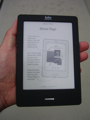 | |||||
Kobo issued the following statement:
As one of the early investors in Kobo, Borders has a minority stake in our company and serves as part of our distribution in the U.S. along with Walmart, Best Buy, Sears and other retailers. As a member of the broader book publishing and retailing community, we are watching Borders' story with interest and send our best wishes to all the people of Borders.
In June Kobo and Borders began transitioning Borders' customers' eBook accounts to Kobo to provide direct access to the most up to date eReading functionality, apps, and devices. Kobo owners will continue to use their eReader devices as usual and browse and shop for new titles in the Kobo Store with no interruption in service. Kobo continues to grow in the U.S. and around the world and we're very pleased with progress of the launch of the new Kobo eReader Touch Edition and European office with Kobo Germany.
In the box and initial impressions
The Kobo eReader Touch Edition comes in an attractive box with English, French, and Spanish details on each side. You can purchase a Kobo eReader Touch Edition for $129.99 in Black, Lilac, Blue, or Silver. Inside the box you will find the eReader, USB cable, and a Welcome Guide. There is no A/C adapter or carrying case for the eReader.When I pulled the Kobo eReader Touch Edition from the box I was at first struck by how narrow it was compared to my new Nook. One thing I don't like about the new Nook is that it is a bit too wide to be comfortable in one hand while reading and that is not the case at all with the new Kobo eReader. Like the new Nook the Kobo is completely covered in soft touch material and on the back has the same quilted pattern back that other Kobo readers have that gives it a nice feel in your hand.
Specifications
The specifications for the new Kobo eReader Touch Edition include the following:- 6 inch Pearl eInk display with 16-level grayscale
- microUSB port
- 1GB internal memory for approximately 1000 eBooks
- microSD card slot for expandable memory options
- 802.11 b/g/n WiFi
- Dimensions of 6.5 x 4.49 x 0.39 inches and 7.05 ounces
The dimensions of the new Nook are 6.5 x 5.0 x 0.47 inches and 7.48 ounces so as you can see the Kobo eReader Touch Edition is the same length, narrower by 1/2 inch, slightly thinner, and almost half an ounce lighter. Like the new Nook, the Kobo eReader has no 3.5 mm headset jack or 3G wireless radio so you can focus on the reading experience. As you can see in my video walkthrough there is a web browser on the Kobo eReader, but I doubt I will ever use it since I don't find much utility in having a web browser on an eInk device.
Hardware
The bezel around the top and both sides of the front is only about 0.4 inches wide with the excellent 6 inch Pearl eInk display taking up most of the front. There is a single silver button centered below the display that is used to get you back to the home screen.There is nothing on the right of the Kobo eReader while a microSD card slot is found on the bottom of the left side. There is a microUSB port on the bottom that you can use to charge and transfer content to the eReader. The on/off slide button is found on the top right side.
There is a very small hole found towards the bottom of the back that you can use to reset the Kobo eReader Touch Edition if you ever have an issue. The back has a great quilted pattern texture to it that adds some style and feel to the device.
Software and user experience
Kobo has been actively working to improve the new eReader Touch Edition so you should first install the free desktop software on your Apple or Windows computer by visiting kobosetup.com. There was a firmware update available for the eval unit that greatly enhances the device so to make sure you have the optimal experience connect to your computer first before getting too far with your new ebook reader.The Kobo eReader Touch Edition supports more formats than the new Nook, including EPUB, PDF, jpeg, gif, png, bmp, tiff, txt, html, rtf, mobi, cbz, and cbr. You can load content view the store or via a USB cable and a computer.
Navigating the Kobo eReader Touch Edition
Pressing the silver home button takes you back to the Home screen where you will see options up top for Library, Store, and Reading Life. Tapping the word Library shows a pop-up with options for books, news & magus, previews, and shortlist. Tap on of these to view your loaded content in list or grid views. Tapping the word Store pops up options for store front, categories, free eBooks, top picks, and search. You can then browse around and purchase books to read.You can also search through your library or the store by tapping the Search option. A keyboard will pop up that you can then tap on to enter text. The keyboard is quite responsive and easy to use on the Kobo eReader.
At the bottom of the Home screen you will find icons for settings, help, and sync. Tapping on settings (gear icon) takes you to the settings page where there are various settings for the following:
- Account: Login to your Kobo account and Facebook account. You will also see your Adobe Digital Editions authorization.
- Sleep & Power: You can control the sleep and power screen settings.
- Date & Time: Set the date and time on this display.
- Reading Life: This is where you toggle on or off the Reading Life functionality and notifications.
- Device Information: This leads to a page showing you the details of your device with an option to perform a factory reset.
- Wireless Connection: You can toggle on airplane mode and edit your wireless networks. There is also a button to launch the Kobo Web Browser, but it is still a bit of a beta feature.
- About Kobo Touch: This simply shows some licensing information.
- Extras: There is a Kobo Sketch program where you can draw on the display and save as a jpeg file.
You can check out these displays in my image gallery. The help button takes you to the help section with several sections to read if you have any questions. Tapping the sync icon syncs your eReader with your latest Kobo books, bookmarks, and account information.
Controls while reading
There are also some specific controls and options while you are reading ebooks. After opening up a book you simply tap the right or left side to turn a page. You can also swipe from right to left or left to right just like a regular book to turn pages. To access more controls tap the center of the display and once you do status icons for battery and signal appear at the top with other options at the bottom.These bottom options include a home button and icons for menu, go to, and text options. Menu options include the following:
- Table of Contents
- Update bookmark
- Highlights
- Remove from shortlist
- Mark as finished
- Dictionary
- Advanced settings: These options include selecting when to have the screen refresh. On the Nook this defaults to every 6 pages, but on the Kobo eReader Touch you can choose from 1 to 6 pages. You can also toggle the margin page numbers in Adobe EPUB books.
The go to button lets you slide your finger along a line to jump to a different page or you can jump all the way to the beginning or end.
Tapping the text options button takes you to a page where you can choose from seven different font styles, several different font sizes, line spacing, margins, and justification. There are more options here on the Kobo than there are on the Nook.
You can also tap and hold on text to select it for highlighting or choose to share it with your Facebook friends. Twitter is discussed on the website, but is not yet supported by the available firmware. I imagine it will be coming in an update though.
When the device goes to sleep the book cover appears on the display. The Nook shows a different famous author, but I actually prefer the Kobo since I can quickly see what book I last had open.
Kobo eReader Touch Edition or Nook 2nd Edition?
I honestly thought the new Nook 2nd Edition device was the best dedicated ebook reader, but the more time I spend with the Kobo the more I prefer it over the excellent Nook. The Kobo eReader Touch Edition offers these advantages over the 2nd Edition of the Nook:- Narrower design so it fits better in the hand
- More font styles to choose from
- More font sizes to choose from
- Achievements/badges are earned similar to the way Xbox games has achievements
- Easy to access web browser
The 2nd Edition B&N Nook offers these advantages over the Kobo:
- Physical buttons for turning pages
- Twitter social networking support, in addition to common Facebook support
- Barnes & Noble enhanced store support with free WiFi access
Both of these ebook readers are good choices and the real differences come down to physical page turn buttons and width of the devices. These two physical aspects and the more selectable fonts are what keep me using the Kobo eReader Touch Edition.