ie8 fix
madison

The Mobile Gadgeteer

Matthew Miller & Joel Evans

ZAGGkeys Flex Bluetooth keyboard for iOS and Android (review)

By | January 5, 2012, 4:30am PST

Summary: The ZAGGkeys Flex Bluetooth wireless keyboard is a great alternative for those who use both iOS and Android devices with the desire for a solid means of entering large amounts of text.

As mobile devices get more and more advanced, people are using them to be more productive. Text entry is primarily done through onscreen software keyboards, but there are plenty of hardware keyboard options available. I was sent a ZAGGkeys Flex keyboard to test out for a few week and as you can see in my image gallery the keyboard has great spacing and design elements for mobile devices.


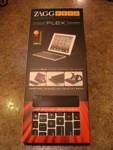
Image Gallery: Check out photos of the ZAGGkeys Flex Bluetooth Keyboard for Apple iOS and Android devices. Image Gallery: Keyboard retail package Image Gallery: ZAGGkeys Flex keyboard

In the box and first impressions

Inside the box you will find the keyboard wrapped in a case, microUSB to USB cable, and single documentation sheet. The case wraps around the keyboard and then folds out to function as a stand.

The keyboard is very light and silver in color. The keys are well spaced and have good height with tactile feedback. The keyboard is a chicklet style, much like my MacBook Pro.

Walk around the keyboard and stand

There are six rows on the keyboard with the top row being dedicated to iOS and Android functions. Not all of the keys work for both operating systems and the directions clearly indicate which works with each platform. You will find keys on this top row for functions such as:

  • Home: takes you to the home screen
  • Search: brings up the device search screen
  • Slideshow: starts playing a slideshow of your photos
  • Virtual keyboard toggle (iOS only)
  • Cut, copy, paste, undo and redo buttons
  • Media buttons: Previous track, play/pause, next track, mute, volume up and down
  • Lock: makes the screen go dark and turn back on when pressed again (iOS only)

You will also find a couple more function keys on the keyboard, including an Android Menu key in the lower left and back button for Android devices just to the right of the large space bar. There are directional arrows down in the bottom left to help you navigate around as well.

There are indicator lights for CAPS, status, and charging that flash or glow. You simply switch the keyboard on then press the connect button and setup Bluetooth on your mobile device. You should only have to pair it once and then the connections should happen automatically in subsequent uses. You can only pair with one device at a time, but it is pretty easy to switch to another device and you just need to make sure to switch the Android or iOS selector switch.

A rechargeable 510 mAh battery is in the device and it is charged up via a standard microUSB port. ZAGG states you can go several weeks with normal usage between charges and since I have only been using it for a couple of weeks I haven’t had a battery issue yet.

The keyboard cover folds out to serve as a stand for your devices. It provides a stable platform for heavy devices like the iPad and lighter smartphones too. I had it upside down at first and then reread the directions to find that the notched edge should be positioned up top so that your device actually fits into the groove on the front to help hold it in place.

Usage experiences and pricing

I enjoyed using the keyboard with my devices and was able to enter text quickly when using the keyboard. The ZAGGkeys Flex is available for $79.99. I was surprised by how light it was and how great the spacing on the keyboard was and if you are a person who has multiple devices this is a good keyboard choice to seriously consider.

Kick off your day with ZDNet's daily e-mail newsletter. It's the freshest tech news and opinion, served hot. Get it.

Topics

Matthew Miller is an avid mobile device enthusiast who works during the day as a professional naval architect in Seattle.

Disclosure

Matthew Miller

Matthew is a professional naval architect by day and a mobile gadget freak at all other times. He purchases most of his devices and then sells them on eBay or Craigslist to buy more. Many other devices are sent for review on a 30-day loaner basis and then returned to the carrier or manufacturer. If any are provided as “keeper” or “long term loaner units” this will be clearly disclosed in his reviews.

Biography

Matthew Miller

Matthew Miller is an avid mobile device enthusiast who works during the day as a professional naval architect in Seattle. He is one of three hosts on the MobileTechRoundup podcast and runs the Nokia Experts website. Matthew started using mobile devices in 1997 with a US Robotics Pilot 1000 and has owned over 90 different devices running Palm, Linux, Symbian, Newton, BlackBerry, Mac OS X (iPhone), Google Android, and Windows Mobile operating systems. His current collection includes a Nokia N85, Nokia E71, Nokia 5800, Nokia N810, Apple iPhone, HTC Advantage, T-Mobile G1, Palm Treo Pro, HTC Fuze, MSI Wind, MacBook Pro, and many more, along with tons of accessories and classic devices like the Apple Newton MessagePad 2100 and Sony CLIE UX50. Matthew co-authored Master Visually Windows Mobile 2003, was a member of the Nokia Nseries Blogger relations program, and is a member of the invite-only Microsoft Mobius mobile device evangelist group. He can be found on various discussion forums under the user name of "palmsolo".

Related Discussions on TechRepublic

Did you know you can take part in these discussions with your ZDNet membership?
1
Comments

Join the conversation!

This seems very cool however I think $80 for a keyboard is extremely high. I would not pay $80 for it. I might pay $30 and that would be on the high end.

Join the conversation!

Formatting +
BB Codes - Note: HTML is not supported in forums
  • [b] Bold [/b]
  • [i] Italic [/i]
  • [u] Underline [/u]
  • [s] Strikethrough [/s]
  • [q] "Quote" [/q]
  • [ol][*] 1. Ordered List [/ol]
  • [ul][*] · Unordered List [/ul]
  • [pre] Preformat [/pre]
  • [quote] "Blockquote" [/quote]
ie8 fix
ie8 fix

The best of ZDNet, delivered

ZDNet Newsletters

Get the best of ZDNet delivered straight to your inbox

Facebook Activity

White Papers, Webcasts, & Resources
ie8 fix
ie8 fix