Hands-on review: Samsung Galaxy Tab 10.1

Samsung went back to the drawing board with the Galaxy Tab 10.1 after the iPad 2 was announced, admitting their upcoming tablet was too thick and heavy to compete. The result is the thinnest and lightest 10.1-inch tablet on the market, one that is a joy to use. The Galaxy Tab 10.1 is available today for sale in a Wi-Fi version, and I like what I see in my test drive of the Honeycomb tablet.
Check out the photo gallery of the Samsung Gallery Tab 10.1.
| Image Gallery: Samsung Galaxy Tab 10.1 with Honeycomb 3.1. | 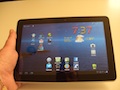 | |||||
The Galaxy Tab 10.1 gets its light weight from the all plastic construction, something that might not appeal to those liking the metal casing on the iPad. The Tab's light weight combined with the super thin body make this tablet one of the most comfortable I have tried to date. It is solidly constructed in spite of the plastic, and is up to the daily bumps and grinds tablets are regularly exposed to.
Specs as reviewed:
- OS: Android Honeycomb 3.1
- Processor: Nvidia Tegra 2, 1GHz dual-core
- Memory: 1GB RAM; 16GB storage
- Display: 10.1-inch, 1280x800; 149 pixels per inch
- Video: 1080p playback (30 fps); Codecs supported: WMV7, WMV8, WMV9, H.264, MPEG4, Xvid, DivX, H.263, VP8
- Cameras: front- 2MP; rear- 3MP, auto-focus, flash, 720p video recording
- Ports: proprietary dock port (charging), 3.5mm audio
- Connectivity: Wi-Fi 802.11 a/b/g/n dual band (2.4GHz, 5GHz), Bluetooth 3.0
- Battery: 7000mAH
- Dimensions: 256.7 x 175.3 x 8.6mm (10.1 x 6.9 x 0.39 inches)
- Weight: 565g (1.24 lbs.)
The front of the Tab 10.1 is glossy glass covering a responsive touch screen that facilitates operation. The front-facing camera is located at the top center of the screen when held in landscape orientation. Two stereo speakers flank the screen in this orientation on either side of the tablet. As Honeycomb makes use of programmed soft buttons, there are no physical buttons on the front of the device.
The back of the Tab is white glossy plastic with a metal tab at the top of the device that covers the camera with auto-flash. The plastic has a durable finish that should resist scratching and abuse. Contrary to other tablets with aluminum backs, the Tab is grippy in the hand and does not feel slippery. I admit I have dropped two tablets with aluminum backs due to the slippery feel, and have not come close to dropping the Tab at all.
The proprietary docking/charging port is on the bottom of the Tab. This connector is the same as that on the original 7-inch Galaxy Tab. It would be better if Samsung used a standard port instead of this 30-pin version. The charging cable that is included is very short and makes it hard to find a convenient spot to charge the Tab within reach of an outlet. This cable has the 30-pin connector on one end and a standard USB plug on the other that plugs into the power adapter. The Tab will not charge while plugged into most laptop USB ports.
There are no physical controls on either side of the Tab, and on the top is the power, volume buttons and 3.5mm headphone jack. These buttons are easy to use and conveniently located for access in either landscape or portrait orientations.
The display on the Tab is bright and vivid which is typical of Samsung screens. It is not Super AMOLED but it is a very nice display. The speakers are very small and while loud, are not the best for loud listening. Samsung does include some decent headphones in the box with the Tab for cranking up the tunes.
The rear camera on the Tab is not going to win any awards, but is a decent camera for taking stills and video. The video is restricted to 720p which is not the best but lets face it, a 10-inch tablet is not really a good form for snapping photos/videos.
Battery life, performance, software and conclusion »
Battery life
I have seen a couple of reviews of the Galaxy Tab 10.1 that indicated that battery life benchmarks are disappointing. One such review claimed the Tab battery life was around half that of the iPad 2. I suspect there is something in the benchmarking software used for these reviews that is not working as expected on Honeycomb 3.1, as my experience with battery life has been quite good.
I easily get 10 - 12 hours of very heavy usage of the Tab on a charge. While a single charge won't last two full days of casual usage, it easily lasts a full day and well into the next. I have no issues with the battery life on the Tab.
Performance
The dual-core Tegra 2 processor keeps the Galaxy Tab 10.1 humming along. While there is the occasional lag in operation, which is standard for Android devices, the overall performance is quite good. Even games play well due to the Nvidia chipset. The Tab is the best performing Android device I have used, and that covers a lot of them, both phones and tablets.
Software
The Galaxy Tab 10.1 ships with stock Android Honeycomb 3.1, the most current version available. Samsung has avoided shipping with lots of proprietary software, and it is a welcome change to see the stock software on a Samsung device. The company has demonstrated the version of its TouchWiz software optimized for large screens, 4.0, and it looks pretty slick. TouchWiz will come this summer in an update according to Samsung. This is not installed as shipped currently.
Honeycomb 3.1 is much more stable than the original 3.0 as shipped on tablets like the Motorola XOOM. The OS is evolving nicely and I have experienced very few problems compared to the earlier version. The standard Honeycomb apps are all preinstalled, and work very well on the Tab.
The Gmail app for Honeycomb is one of the nicest apps, and power Gmail users could justify the purchase of a Honeycomb tablet based on this app alone. It is a full implementation of the desktop version of Gmail, optimized for touch operation.
The lack of tablet apps in the Android Market is well-known, and the biggest hurdle for Honeycomb tablets currently. That said, I must admit I have found good tablet apps for all of the tasks I normally do on a tablet. I previously covered my picks for top Honeycomb apps, a good place to start for those looking at these tablets.

While I am not a big fan of the Honeycomb user interface, it gets the job done and many users really like it. It does make good use of the big 10-inch screen on the Tab. The Honeycomb UI does make it easy to use the Tab for long sessions, which is a good thing.
Conclusion
The Galaxy Tab 10.1 is available in two Wi-Fi only models, a 16GB model for $499 and a 32GB version for $599. There is no memory card for additional storage on the Tab, so buying the model with sufficient memory is an important decision. The Tab running Honeycomb 3.1 is a stable device, and very comfortable to use based on its size which is as good as anything on the market.
Those trying to decide between the iPad 2 and a Honeycomb tablet would do well to give the Tab 10.1 a hard look. I have not run across anything I wanted to do on a tablet that I cannot do with the Tab, so it is a viable alternative to the iPad 2. My advice to those on the fence is simple: if you are predisposed to get an iPad, that's what you should get. If not, the Samsung Galaxy Tab 10.1 is a great alternative at a decent price.
See related coverage: