Tech
iPad apps vs. Android tablet apps: Side-by-side comparison
Ten top tablet apps for both the iPad and Android tablets are shown running side-by-side to demonstrate the differences in design philosophy between the two platforms.

A comment frequently heard about iPad apps is how they are more polished than similar Android apps. I have made the same observation as I use both platforms regularly. A lot of that polish has to do with iPad developers using a more consistent interface design than the helter-skelter approach often used on the Android side.
I regularly use an iPad 2 and a Samsung Galaxy Tab 10.1 running Ice Cream Sandwich (custom ROM), and have a stable of regular apps I use heavily. The best way to show how the two platforms compare with app design is to display them side-by-side, and that's what you'll find in the following gallery.
iPad vs. Android tablet apps go head-to-head
| Image Gallery: Screen shots compare top apps for Android tablets with similar iPad apps | 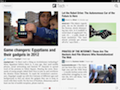 | |||||
Of interest:
- TechRepublic: Android 4.0: Eight new features that actually matter
- CNET Asia’s review of Samsung Galaxy Nexus and top five features
- CNET’s first impressions
- This is My Next on the features
- Android developers blog
- Top 10 features in Android 4.0 (Ice Cream Sandwich)
- Android 4.0 Ice Cream Sandwich is enchanting, easy, and makes you feel special
- Unwrapping Google Ice Cream Sandwich 4.0 (photos)