ThinkPad X220 review: awesome keyboard and 20 hour battery

I have a lot of laptops come through Mobile News Manor, my home office, and rarely does one hit on all cylinders like the newly announced ThinkPad X220 from Lenovo. The X220 couples a sterling ThinkPad keyboard with a buttonless trackpad that works well, and adds a slice battery option that provides up to 20 hours of operation on a single charge. I have been using the X220 for almost a week, and it is with great reluctance I will be sending it back to Lenovo at the end of the evaluation.
The ThinkPad X220 is a thin and light notebook with an attention to detail that will delight road warriors. I am finicky about keyboards but the one on the X220 is as good as they get. This keyboard fits the hands like a pair of custom-fitted soft leather gloves, and makes data entry not only easy to do but comfortable, a rarity on notebooks.
Lenovo has opted to continue using the special 12.5-inch display it originally included on the IdeaPad U220, and it works well on the X220. The screen is slightly wider than 12.1-inch displays commonly used, and handles the resolution well (1366x768) while yielding a little extra room to spread out the keyboard.
Check out ThinkPad X220 photo gallery with slice battery option
| Image Gallery: Check out ThinkPad X220 photo gallery with slice battery option. | 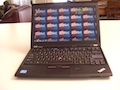 | |||||
- CPU: Intel Core i5, 2.5 GHz
- Memory: 4 GB
- Storage: 320 GB, 7,200 rpm
- Display: 12.5-inch, IPS wide-angle, 1366x768
- OS: Windows 7 Pro, 64-bit
- Slots/ ports: 3-USB, DisplayPort, ExpressCard 34mm, SD (multi-format), VGA, audio
- Battery: 6-cell, 63 Wh
- Connectivity: WiFi a/b/g/n, Bluetooth
- Webcam: yes
- Dimensions: 12 x 8.13 x approx. 1 inch (depends on battery attached), < 3 lbs.
Lenovo has provided all of the amenities one expects in a ThinkPad, and has raised the bar with two special features that set it above the pack. The trackpad on the X220 has no buttons, and it is the first laptop I have used besides the MacBook series where this works perfectly. This trackpad is unusual in that it has a ribbed surface that curves over the front lip of the notebook, which makes the buttons integrated into the front of the trackpad easy to click. I find it a very good tracking/clicking solution, and haven't connected an external mouse yet. The famous ThinkPad red trackstick is also present, with buttons.
The second feature is an optional one, although reasonably priced at $179. The slice battery (6-cell) attaches to the bottom of the X220 like a dock, and adds almost 10 hours of battery life while adding a little bulk and weight. I am seeing over 15 hours of battery life with this battery attached to the notebook (including 6-cell battery), making it a solid traveling companion. This is the first laptop I have tested that could be taken on a two-day business trip with the power adapter safely left at home.
The X220 is available with 3 different battery sizes, from 3-cell to 9-cell. The unit I am testing has the 6-cell battery which is providing 7 hours of battery life with no aggressive power management. Lenovo claims 23 hours of battery life is available with the internal 9-cell battery coupled with the slice battery. My testing indicates a solid 20 hours should be possible with that combination.
The slice battery weighs about a pound, and is at first glance appears to be very thick. This is deceiving, as it is designed to fit around the edge of the notebook so that it adds little thickness to it when attached. The design is well done, as once attached to the notebook the battery is not noticeable. The battery seems to be part of the notebook.
According to Lenovo the ThinkPad X220 is compatible with all T, L, and W series docking stations, but I suspect most buyers will go for the slice battery. The slice is easy to attach to the laptop, and has a dedicated power jack that charges both the slice and the laptop. There is also a battery fuel gauge for the slice that shows the charge level at the press of a button. I estimate this battery adds about a pound to the laptop when attached. The X220 weighs less than 3 pounds without the slice in place, making it very easy to carry with or without.
The ThinkPad X220 is available through the Lenovo web site starting at $979 without the slice battery. That option adds another $179 to the purchase price, but personally I find the benefits to be worth it. I usually find one or two things about laptops I review that fall short of expectations, but there is nothing about the X220 I do not like.