Is there a Plan B if Windows 8's Metro fails?

Over the last two weeks, the Windows 8 Consumer Preview has been dissected by the technology press at large, and the general consensus about the new Metro start screen UI has been one of befuddlement.
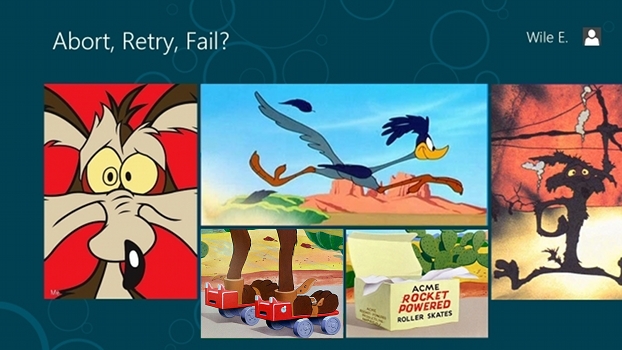
It's like Wile E. Coyote took over the UI development team at Microsoft because he's obsessed with chasing the iPad Road Runner.
I find this a bit disconcerting because this befuddlement is largely coming from people who hail from actual technology backgrounds themselves.
This is not the new media "I only play a technologist on TV" armchair technology reporting crowd we're talking about here, this is people that get down and dirty with tech and suck on the teat of software and operating systems like it is mother's milk.
Also Read:
- Here's what's wrong with Windows 8 (Adrian Kingsley-Hughes)
- A Linux desktop and tablet user and Windows 8 (Steven J. Vaughan-Nichols)
- The Metro-hater's guide to customizing Windows 8 Consumer Preview (Ed Bott)
- Sorry power users, Windows 8 is built for small displays (Ed Bott)
- One hour with the Windows 8 consumer preview on a convertible notebook (James Kendrick)
- What problem does Windows 8 solve? (James Kendrick)
Outside the CBSi Network:
- Windows 8 Metro Found Wanting (Betanews)
- Windows 8 Consumer Preview: Does this even make sense? (Paul Thurrott's Supersite)
- Is Windows 8 a mess or a new horizon? (Ars Technica)
I have an admission to make, and that is I haven't spent enough quality time with the Consumer Preview to really gauge day-to-day usability.
My exposure to Windows 8 over the last two weeks has been strongly enterprise focused, because that is the space I usually play in professionaly, and my general impression is that Server 8 will be a serious change agent, and in a very positive way.
Windows Server 8 -- assuming the network operating system will even be called that -- is going to be a really big hit. My money is for the product to go to market as "Windows Server 2013" but we can worry about collecting on that bet later.
However, that being said, I have some very serious concerns about the new Consumer version of Windows.
What seems to be a consistent theme among the many technologists who I have talked to that have been using the Windows 8 Consumer Preview is that the experience is schizophrenic. In essence, with the Metro UI Start Screen and the classic Desktop, you have two separate OS experiences clashing with each other.
The words "disjointed", "unfinished", "unintuitive" and "half-baked" seem to pop up quite a bit.
Not only that, but it seems like the entire OS was really not designed for desktop computing. If you don't have a PC that is touch UI enabled or has human interface devices that are touch-optimized, most of you are not really going to get a ton of value from running Windows 8.
I say most because while Windows 8 has some interesting and genuinely useful technology that goes beyond simply the Metro UI, such as the built-in Hyper-V which gives you best of class virtualization on your desktop, many of those features are going to be lost on the average end-user.
I'm not going to sugar coat this. The learning curve and frustration level with this new OS, even when "finished", is going to be significant.
Now, I know I bitched and complained about this when Windows 7 was in beta, but Windows 8 is no comparison. If veteran technologists can be completely befuddled about the way this OS works and can't easily figure out how to be productive with it, imagine what the average end-user is going to have to deal with. It's going to be an utter nightmare.
This afternoon I spoke to our resident Windows maven, Ed Bott about how I was going to start delving into the Consumer Preview a bit more and actually start the process of "dogfooding" the OS. I asked him about what I should do to make my life easier during the accommodation process.
Ed has a lot of ways to test Windows 8 in his home lab, but his preferred way of doing it is to use a PC with two monitors.
Why does he use two monitors? Because when you set up a secondary monitor, it gets dedicated to the traditional Windows Desktop, and the context switching problem of flipping back and forth between UIs is far less painful.
In this wacky configuration that looks like something penned on one of Wile E's drafting boards, you use the Metro screen for Metro-centric apps like full-screen Internet Explorer and another screen for the old-school Desktop with your productivity suite and legacy apps, et cetera.
In other words, a Do it Yourself ACME rocket-powered OS with two screens.
[From Ed Bott: "For the record, my multi-monitor setup is not the only way I prefer to work. I just happen to be testing it here now because I am researching on article on dual-monitor setups in Windows 8. I’ve been switching between multiple configurations (notebooks, midsize monitor, 24- and 27-inch monitors"]
Now, this is fine for power users like Ed and myself, but I just don't see your average end-user going out and buying a dedicated secondary screen just so that the Desktop is always in full view.
Complete technology lunatics like myself that absolutely have to run the latest and greatest OS will go out and buy Lenovo Thinkvision USB Displaylink screens for their laptops like I did so they don't completely lose their mind, but will the majority of the computing population do this? No, I don't think so.
Ed told me that as with Windows 7, end-users will simply adapt and learn the new Metro way of doing things, much like he himself is adapting to. Once you use the damn thing long enough, you finally just get it.
I'm not sure he actually and truly believes this, but hey, he's a Windows guy, and he has to put on a good face and I don't blame him for doing it.
I think there is a very real possibility that as a desktop OS, Metro and Windows 8 on x86 could end up being largely rejected by consumers and the enterprise. If that happens, then Microsoft has a really big problem on its hands.
The obvious solution is for people to go back to using Windows 7, and that's very likely what is going to happen, much like what happened with Vista. There will inevitably be "downgrade" coupons and such for shipping x86 systems and the ability to order Windows 8-certified hardware with Windows 7 instead.
How long Microsoft will permit this is anyone's guess, but I suspect that because Windows 7 and Windows 8 share a common technology foundation for device drivers and such, it will be considerably longer than the XP downgrade period that was established for Vista for OEMs. Perhaps as much as two years.
And in that two years, Microsoft is going to need to develop a "Plan B." I'm actually hoping that they have developed one already, because if they haven't, the far-reaching implications for the company could be devastating.
The biggest problem is that Microsoft really does need to go forward and move to a new UI and programmatic model. WinRT, the successor to Win32 that provides the foundation for developing software that runs in the Metro environment, is definitely modern, streamlined and componentized software technology that is ready for the future of Cloud and hybridized rapid application development.
Win32 is 20 years old and the UX plumbing of Windows absolutely had to be replaced. No question about it.
Unfortunately, WinRT does not currently support windowed apps. Suffice it to say, it takes the "Windows" out of Windows. It gives you a single pane of glass, optimized for smaller screens and tablets.
That doesn't cut it for the desktop, however. Desktop users need multiple windows running on their screens and the ability to multitask. "Post-PC" may very well work for the majority of consumers within a few years, but for the business user, viewing enterprise productivity exclusively through a tablet-centric, full-screen app world is neither realistic nor practical.
I am including both iPad and Android in with that statement, not just Windows 8's Metro.
So "Plan B" is almost certainly Windows 9, which will appear in the 2014 or 2015 timeframe. I expect to see an evolution of Metro for desktop use which allows for windowed applications of some form and a smoother way to transition back and forth from legacy Win32 apps without a jarring context switch.
At the same time, Windows on ARM will continue to evolve, and the legacy "Desktop" environment will give way to fully native WinRT apps, as Microsoft migrates its own legacy code base for Office to the new APIs.
Of course, the real challenge is keeping 3rd-party software developers actually interested in developing and transitioning their existing applications over to native WinRT apps for full-screen Metro in Windows 8 while Windows 9 is presumably on Wile E's drawing boards.
By the way, migrating legacy code from Win32 over to WinRT isn't a coyote picnic either. But I'll leave that in the weeds discussion for another post.
That's going to be a very long two years for Microsoft if they don't get substantial developer buy-in on the Windows Store and we see continued focus outside Redmond on maintaining and writing Win32 legacy apps.
Does Microsoft need a Plan B? Talk Back and Let Me Know.