Tech Broiler

Jason Perlow and Scott Raymond

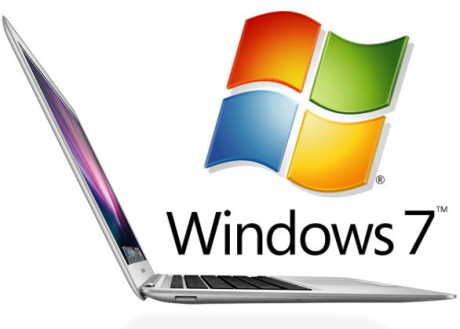
Revisiting Windows 7 on MacBooks

By | March 7, 2011, 6:00am PST

Summary: There’s still a great deal of interest in using Windows 7 as the primary operating system on Apple MacBooks. Reader issues are addressed.

Last year I published a ZDNet article about installing Windows 7 as the default operating system on a MacBook Air. It was well-received, and generated a number of questions from the readers.

There’s still a great deal of interest in using Windows 7 as the primary operating system on Apple MacBooks. I should point out that this project is really for those people who are truly enamored with Apple hardware, but not so much with the operating system. If you’re just looking for something like a regular MacBook Pro, consider the HP Envy series.

If you’re looking for a thin and light device like a MacBook Air, take a look at the Acer Aspire TimelineX series. There’s also the Sony Vaio Z series. Both of these laptops have high-end CPUs. Or you could go with a lower-power, more conservatively-priced Lenovo Thinkpad X120e with the new AMD Fusion CPU that doesn’t run so hot that it ruins a man’s ability to father children like the previous model.

If you’re still with me at this point, you’re probably the kind of person for which this article is intended. I am still quite happily using WIndows 7 on my MacBook Air 11, with no real issues. The only major obstacle I face is that I need to boot the system to OSX in order to update the system firmware. I have an external USB hard drive with OSX installed for this very purpose.

One reader asks:

i am sorry can you explain in detail how to install windows. how did you access mdr sector etc. from the very beginning. i have the widnows on my usb, but i wont detect it. also i previously had windows on my mac, but it doesn’t work properly. viruses. also my bootcamp doesn’t open, you know how to fix this. feedback appreciated

The entire hard drive partition had to be wiped and recreated using the Disk Utility function found on the OSX Install disc. On the MacBook Air, the install disc is actually a small USB stick. Once the hard drive is wiped and recreated as a Master Boot Record type with FAT formatting, you can then boot to a Windows 7 install DVD and install directly to the hard drive.

As for the other issues, that’s obviously a problem with your BootCamp Windows install and unfortunately I can’t really help you with that. Create a clean Windows BootCamp install and make sure to install anti-virus and anti-malware apps.

The same reader asks:

hey..can you explain further how you did it…my mac is also not recognizing the usb. i have a windows already installed on mac, but its got viruses. and the bootcamp doesn’t open, u know how i can fix this, i dont have my restore original cds, makes it all so worse

You can’t install Windows 7 from a USB stick to a MacBook without the use of rEFIt. I’ve found this to be an unnecessary added level of complexity if you want to run only Windows 7 on your MacBook. I also ran into a number of issues with rEFIt, and do not recommend it. You should use an install DVD. The DVD drive, however, can be a USB-connected one.

Again, I can’t help you fix your broken BootCamp install. If you don’t have the original discs, contact your manufacturer for a new set or purchase one.

[More reader questions]»

Topics

Scott Raymond has been a technologist and system administrator for over 25 years.

Disclosure

Scott Raymond

I am the IT Manager for a high end audio and network systems integrator in northern Califronia. My wife works at Adobe Systems, Inc. Whenever I write an article that might involve Adobe or its products, I add a disclaimer at the top of the article to make sure she is not involved in any way. We have a small bit of stock with AT&T and no other major investments that would cause conflict.

Biography

Scott Raymond

Scott Raymond has been a technologist and system administrator for over 25 years. Starting as a hobbyist in his teens, Scott quickly learned that he could translate his passion and knowledge into a full-time career. He currently works as the IT Manager for a high end audio and network systems integrator in northern California. He has written technology articles for various publications in the past and began contributing to ZDnet as a guest blogger on Jason Perlow's Tech Broiler. Scott and Jason met in New York in the 1990s where they co-managed the New York City Palm Pilot Users' Group.

In his spare time, Scott is a trained chef and avid bicycling enthusiast, as well as a voracious reader of historical, science and horror fiction. He is a huge fan of pop culture, with a wide range of interest in TV shows, movies and games.

85
Comments

Join the conversation!

Just In

RE: Revisiting Windows 7 on MacBooks
reginebautista 7th Nov
freepuzzlegameonline.com / full-house-design.com

Free Puzzle Games
House Design
0 Votes
+ -
RE: Revisiting Windows 7 on MacBooks
jhughesy 7th Mar 2011
"You can?t install Windows 7 from a USB stick to a MacBook."

Um, thats what I did....
0 Votes
+ -
Contributr
RE: Revisiting Windows 7 on MacBooks
Scott Raymond 7th Mar 2011
@jhughesy I'm sorry, I should have explained the difficulties with the use of rEFIt in the installation process. I did go over it in the oriiginal article. I've amended the answer in the current article. Thanks for reminding me.
0 Votes
+ -
RE: Revisiting Windows 7 on MacBooks
brian_terry@... 7th Mar 2011
@Scott Raymond
Have I missed the point somewhere. I run windows (XPPro, don't need or like 7) happily as a vitual machine. I use parallels with no problems
0 Votes
+ -
@Scott Raymond
Apple and Microsoft..is it possible to co exist?
Manhattan Chiropractor
0 Votes
+ -
@Scott Raymond
This was a really interesting and entertaining read. This is why I love this site. Thanks!
Dallas chiropractor
0 Votes
+ -
@Scott Raymond
Another great read. These articles and short informative pieces are always a delight to read and keep me coming back for more.
Las Vegas chiropractor San Jose chiropractor Sacramento chiropractor San Francisco chiropractor Minneapolis chiropractor Indianapolis chiropractor
0 Votes
+ -
RE: Revisiting Windows 7 on MacBooks
reginebautista 7th Nov
freepuzzlegameonline.com / full-house-design.com

Free Puzzle Games
House Design
0 Votes
+ -
RE: Revisiting Windows 7 on MacBooks
nightbirdsf 8th Mar 2011
@brian_terry@... The point here is to run Windows 7 natively, not as a VM.
0 Votes
+ -
RE: Revisiting Windows 7 on MacBooks
WordpressGuy 13th Sep
@nightbirdsf Parrells wouldn't be needed which would be geat for me personally. I think that's a good point.. Wordpress Training/h1
0 Votes
+ -
RE: Revisiting Windows 7 on MacBooks
preciolandia 22nd Sep
Agreed! I did install it too!
Compras en PrecioLandia
0 Votes
+ -
@jhughesy

"There???s still a great learn violin online deal of interest in using Windows 7 as the primary operating system on Apple MacBooks. Reader issues are addressed."

And this is what bugs me! Why buy a Mac then? For the look? Really? Do glaucoma eyes drops you depend that much on what others think about you, that you're willing to buy something overpriced simply bright eyes drops because of the looks in hopes that it will change how people think of you?
Poor people - poor people!
0 Votes
+ -
@jhughesy how to cook salmon | how to bake salmon | grilled salmon
I just have a few questions. When OSX Lion is released soon, it will have TRIM support for SSDs. (In fact, I believe the next update to Snow Leopard may have this feature as well.)

Will you be able to enable this feature on your Win 7 MacBook Air? Or does your machine or Win 7 WinTel laptops, in general, already support this feature?

Personally, I would have used a virtual Win 7 machine configuration on a MacBook Air under the philosophy that two of something is always better than one (in this case, two operating systems). But I completely understand your stated reasons for doing what you did.

Please continue the good writing. Its a joy to read.
0 Votes
+ -
Contributr
RE: Revisiting Windows 7 on MacBooks
Scott Raymond Updated - 7th Mar 2011
@kenosha7777 Unfortunately, Windows 7 doesn't appear to have TRIM support; instead it disables ReadyBoost and SuperFetch. I couldn't tell how well it will compare to TRIM, but you can be sure I'll be testing that out once OSX 10.7 is released.

Update: My bad, Windows 7 does support TRIM:

http://blogs.msdn.com/b/e7/archive/2009/05/05/support-and-q-a-for-solid-state-drives-and.aspx
0 Votes
+ -
@Scott Raymond -- Unfortunately, you are mistaken.

Windows 7 supports TRIM as of the RTM October 2009 available as far back as June 2009 to MSDN + Technet members.

Links appears to be auto-spam-filtered, so I'm reposting anyway...

Search Wikipedia for TRIM
Search Microsoft for TRIM + Window 7

How come you can put links? LOL!

~~~~~~~~~~
The more you learn, the more you realize you didn't know. That's the downside of continuing your education. The benefits come next.
0 Votes
+ -
RE: Revisiting Windows 7 on MacBooks
bitcrazed 7th Mar 2011
@kenosha7777 - Windows 7 already supports TRIM.
0 Votes
+ -
RE: Revisiting Windows 7 on MacBooks
tkejlboom 7th Mar 2011
@kenosha7777

Windows 7 supported TRIM officially from it's initial release. I think it also worked in the RC. If TRIM is not enabled on the MacBook Air I'd suspect it is either because the SSD firmware doesn't support TRIM, or that it was not configured properly. I believe it requires AHCI.
0 Votes
+ -
RE: Revisiting Windows 7 on MacBooks
Tommy S. 29th Mar 2011
@kenosha7777 Current macs dont support TRIM? Really? rofl
0 Votes
+ -
The alternatives
Dietrich T. Schmitz, ~ Your Linux Advocate 7th Mar 2011
VMware Fusion,
Parallels,
VirtualBox

I assume based on my experience using VMware and VirtualBox that an image 'suspend to disk' can be accomplished on the Mac.

This would make booting up any VM instance near instantaneous, yes?

And what does the user 'sacrifice' by choosing the VM route over BootCamp?: I should think very little, yes?
0 Votes
+ -
RE: Revisiting Windows 7 on MacBooks
jeremychappell 7th Mar 2011
@Dietrich T. Schmitz, Your Linux Advocate Bootcamp is really useful if you're running games (because you don't want the system's resources running another OS as well as the game itself) or if you're running a really system hungry application (though this is extremely unlikely, most MacBooks are quite well appointed systems - though I'd probably say adding more RAM would help virtualisation).
0 Votes
+ -
@jeremychappell RAM always does it for me.

Garth Brooks tickets
0 Votes
+ -
RE: Revisiting Windows 7 on MacBooks
Cylon Centurion 7th Mar 2011
@Dietrich T. Schmitz, Your Linux Advocate

A VM is an option, yes, but if you want the full experience of Windows 7, nothing is going to beat a direct install via Bootcamp.
0 Votes
+ -
RE: Revisiting Windows 7 on MacBooks
bojanwojan 7th Mar 2011
@Cylon Centurion 0005

Another option would be to run a REAL Windows machine off the network ! The performance is as good as the host PC

http://www.aikotech.com/thinserver.htm
0 Votes
+ -
@Cylon Centurion I agree this is how I did things and it turned out perfectly!
barska scopes
0 Votes
+ -
Contributr
RE: Revisiting Windows 7 on MacBooks
Scott Raymond 7th Mar 2011
@Dietrich T. Schmitz, Your Linux Advocate One big sacrifice - speed and video. Try playing World of Warcraft in a VM. You won't be happy.
0 Votes
+ -
@Scott Raymond: and since announce of Valve's game channel for Mac last year, games are less and less issue.

Even AutoCad is already released for Mac in native applications.

But yes, there could be more obscure games and applications that would benefit from native Windows run comparing to VM.
0 Votes
+ -
Apple Type 1 hypervisor?
Dietrich T. Schmitz, ~ Your Linux Advocate 7th Mar 2011
@Scott Raymond

I don't know if any of the aforementioned Virtual Machine managers support Type 1 hypervisor.

If so, that would be 'preferable' and as close to 'bare-metal' as one can get when running VMs on the Mac.

Linux offers kvm, built-in Type 1 hypervisor, for those who care. :/
0 Votes
+ -
RE: Revisiting Windows 7 on MacBooks
m3kw9 Updated - 7th Mar 2011
@denisrs Valve's game channel isn't a solution. Games for MAC and Windows always run better on a Windows. try playing CIV 5 or Starcraft 2 on MAC vs BootCamp Windows, is a big difference.
0 Votes
+ -
@Dietrich T. Schmitz, Your Linux Advocate VM has an extra layer of calls to emulate(virtualize) the OS. So things are way slower on the VM.
0 Votes
+ -
@Dietrich T. Schmitz, Your Linux Ad Agency

You can also use the "sleep" feature in Windows 7 to accomplish the same thing without any of the hassles of a VM. Works perfectly.

"And what does the user 'sacrifice' by choosing the VM route over BootCamp?: I should think very little, yes? "

A sacrifice with no benefits is still a sacrifice. While VMs are much better than early days, there is still overhead to using them.

Drawbacks of using a VM:

-Loss of video functionality. Hardware acceleration varies from poor to none in VMs. Good enough to run Aero sometimes, but not much more.

-Loss of the TRIM command for SSDs. Since the VM has a virtualized drive, the physical file system only sees the VM as a big file, and all benefits of the TRIM command are lost.

-Loss of memory. VMs are memory hogs. They take up a lot of memory, because you're essentially running a computer inside your computer.

-Loss of peripheral support. Since access to peripherals is limited to whatever the VM supports, you may lose support for some peripherals.

-Loss of performance. Virtualization today is very good, but you're still losing some performance on a VM. There's still overhead to running a VM.

-Loss of HDD space. VMs are drive hogs. They take up a lot of drive space, because you're essentially storing a computer inside your computer.

-Dealing with two OSes instead of one. WHY? Unless you're doing cross-platform development, there's no reason to expect users to constantly be switching between two OSes. All OSes offer the same basic functionality, so unless your needs are super specialized, you're better off just using one.
0 Votes
+ -
Virtual Machines and Hypervisor Overhead
jacarter3 Updated - 7th Mar 2011
@CobraA1

All of what you wrote used to be true. It's not so much anymore.

I run both Win XP Pro x32 and Win 7 Pro x64 as pure virtual machines in Snow Leopard using VMWare Fusion 3. In both of these I used 3D intensive CAD applications such as AutoCAD and SolidWorks. Both of these perform better than a Bootcamp partition running native Win XP on my older MacBook Pro.

The new MacBook Pro sports a Core 2 Duo 2.8GHz CPU, 8 GB DDR3 RAM, a 500GB 7200RPM hard drive and an nVidia graphics accelerator with 512MB of dedicated DDR3 RAM. The old one has a Core 2 Duo 2.4GHz CPU, 4 GB DDR2 RAM, a 320GB 7200RPM hard drive and an ATI graphics accelerator with 256MB of dedicated RAM.

Software that as switches for hardware graphics acceleration are enabled in Fusion 3 and work just fine. As far as I can tell, the drivers installed with VMWare Tools provide access to the GPU and acceleration API pretty much the same way that two applications can share these as well.

With the 2 VMs using only 150GB of disk space, I still have over 200GB free on the hard drive. The XP VM has a dedicated file size VM disk of 100GB while the Win 7 VM has a variable file based VM disk. Also there is a 3rd VM disk that both share.

Both VMs are there to do what OS-X can't do, supply a Windows API platform for running applications that are not available on any other platform. Also, these VMs are sand boxed and do not have direct access to the Internet when I travel or use public access hot spots (but can be enabled to do updates at home or office behind a firewall). Further, backing them up is as easy as copying 150GB off the Mac to external storage.

The best news is that I never need to "sleep" the Windows VMs. Shutting the lid puts the Mac to sleep and when it awakes, the VMs are there, ready to go. Essentially, I never shut down anything except for backups or to switch back to XP since not all of my Windows apps run in Win 7 x64. I guess I could natively run Win 7 and use XP mode virtualization for these but then why would I expect that approach to work any better or as good as a Win XP VM in Fusion?

Could I get some increment in additional performance? Certainly. Is this gain mainly in graphics performance? Yes. Do I really need to? Not that I have noticed.

The Win 7 Performance Index is limited by 3D business/gaming score but that score is still way better than the one I got when trying to upgrading 2 year old legacy hardware that MS said and everyone here agreed would be just dandy for Win 7.

Note that I don't "game" on a PC at all and the performance of my CAD programs is so much better than what I had only 5 years ago, that I am very happy to have it and the convenience of a Mac. MATLAB, Lightroom and Photoshop run very well in OS-X as well as Office 2011.

For what it's worth...

Now is everyone's opportunity to denigrate my opinion. Go ahead. It matters not at all to me.

Updated:

Mac OS-X running Fusion, Lightroom 3, FireFox, and Word 2011 and Win 7 x64 running a MathCAD 15, Power Point 2010, Excel 2010, Outlook 2010, and Control Panel (Explorer) still has over 750MB out of 8GB free. Memory associated with all Fusion threads is 4.24GB (4.20GB vmx and 36MB for Fusion app) to run a 4.0GB VM. I can't justify calling a little over 5% overhead "a memory hog."
0 Votes
+ -
"All of what you wrote used to be true. It's not so much anymore."

Sure it is. I don't see how your description changes my points.

"Both of these perform better than a Bootcamp partition running native Win XP on my older MacBook Pro."

Because you updated the hardware, not because of the VM. My points are still valid.

"With the 2 VMs using only 150GB of disk space, I still have over 200GB free on the hard drive."

Can't expect that setup on everybody's computers. Your machines are pretty high end compared to most people. 150 GB is a lot of space to many people. There's still a lot of people running older hardware, or buying lower end machines.

"The best news is that I never need to 'sleep' the Windows VMs. Shutting the lid puts the Mac to sleep and when it awakes, the VMs are there, ready to go."

Shutting the lid on my notebook does the same thing. You can indeed set up Windows to sleep when you close the lid, that's not a problem at all. When it awakes, it's ready to go.

I'd say you're likely an exceptional case, and not really the norm. I still don't see the point of running more than one OS for most people.
0 Votes
+ -
@Cobra1 WELL DONE LADDY!!!!
jacarter3 Updated - 7th Mar 2011
You did exactly as I wagered you would and denied everything that I said, despite even giving you quantitative evidence. Won the bet and bragging rights for that. Thanks for being sooo completely predictable and trite!

BTW anyone that believes that 150GB ( 4 Blu-Ray disks) is a lot is living under a rock. Does this ring a bell Cobra?

And yes my performance increased due to a hardware upgrade . Stunning observation that! You get another prize!

The real point is this (read well): I had a notable increase in performamnce despite your claim of the monstrously heavy resource load of the hypervisor.

Get it? Probably not...

LOL happy
0 Votes
+ -
@CobraA1

"...compared to most people."

Perhaps you can read the article again and realize that it regards exactly the same class of machines.

LOLOL happy
0 Votes
+ -
"I still don't see the point..."
jacarter3 7th Mar 2011
@CobraA1

"... of running more than one OS for most people. "

Also, I thought I spelled that out plainly enough. I'm guessing it's another point you missed completely. You really have to stop as my sides are starting to hurt from laughing soooo hard!

LOL happy
0 Votes
+ -
"You did exactly as I wagered you would and denied everything that I said, despite even giving you quantitative evidence."

Even quantitative evidence can be a red herring, if it has no relevance to the discussion. I find your confusion of science and logic to be quite amusing.

"BTW anyone that believes that 150GB (4 Blu-Ray disks) is a lot is living under a rock."

Many people do "live under rocks" so to speak. No, not everybody is upgrading their hardware every day, and no, not everybody wants to reserve a lot of space to virtual machines. I'm running triple 250 GB drives myself, and I've managed on occasion to get them to less than 30 GB of free space.

And hey, if you think 150 GB is so worthless, feel free to send a few my way.

"And yes my performance increased due to a hardware upgrade . Stunning observation that! You get another prize!"

And you get a red herring award. Congrats!

"despite your claim of the monstrously heavy resource load of the hypervisor.

Get it? Probably not..."

All I'm getting are red herrings. Got any other fish?

"You really have to stop as my sides are starting to hurt from laughing soooo hard!"

You must've been the clown of the mathematics class. It was all funny, I'm sure.
0 Votes
+ -
But why?
cornpie 7th Mar 2011
To my mind, the whole reason to buy a Mac, be it laptop or desktop, is because you want to use the Mac OS. If what you really want to do is run Windows 7, there are a zillion alternatives and a lot of competition on the market. You also have to consider that when installing Windows on a Mac, you don't qualify for upgrade or OEM or system builder licensing, so you are going to have to buy the full version which is pretty expensive (to do legally). If you have only an occasional need for Windows applications you can just run it in a VM (except if you are installing it for games where you will want the performance of a native install).
0 Votes
+ -
Contributr
RE: Revisiting Windows 7 on MacBooks
Scott Raymond 7th Mar 2011
@cornpie Please note that I did mention a number of alternative laptop solutions. The purpose of this project is for people that are enamored of Apple's hardware but choose to run Windows instead.
0 Votes
+ -
RE: Revisiting Windows 7 on MacBooks
bitcrazed 7th Mar 2011
@cornpie - make no mistake - Apple build some very nice hardware. It is that reason alone that many choose to buy a MBP.

I nearly did! I documented my decision process here: http://www.bitcrazed.com/post/2010/10/09/I-almost-bought-a-MacBook-Pro.aspx

HP's Envy range are also awesome laptops ... except that they don't offer non-glossy screens. And these days, they only offer a relatively low resolution 1366x768 screen on the Envy 14". The 15" MBP offers a 1680x1050 glossy or non-glossy screen.

In the end I went with a Sony Vaio Z Series. It is insanely fast (thanks largely to it's Corei5, 8GB RAM and 2 x 128GB SSD's), has dynamically switchable graphics & gorgeous 1680x1050 non-glossy screen, is stupidly light at 3.1lbs and easily lasts for 5-6 hours under heavy use (3-4 hours when watching DVD's).

I run Win7 on the host machine and run several Win7 VM's, Ubuntu 10.10 on VirtualBox when necessary.

The Z Series isn't cheap, but it's considerably cheaper than a 15" MBP with 8GB RAM and 256GB SSD and worth EVERY penny.
0 Votes
+ -
RE: Revisiting Windows 7 on MacBooks
tkejlboom 7th Mar 2011
@bitcrazed

The 13" Envy and 15" Envy are lovely. I had to eat crow when I got one of each. I'd been telling my co-workers at HP for months that HP computers sucked. Unhappily, I was vindicated when the swapped the 13" and 15" for the 14" and the 17". Dross.
0 Votes
+ -
same experience but...
magallanes 7th Mar 2011
@bitcrazed

i tried "bootcamp" in a macbook pro. What is bootcamp?. Bootcamp is the name that Apple call the dualboot process. :-/

Anyways, my first drawback was the mousepad.. but i managed to work with it (but it is not trivial, neither a pleasant experience to "emulate" the right button).
My second drawback was the driver, Apple feature the WORST driver for windows, read as outdated and with troubles.

My third drawback was the apple software, it bring another new problems with stutter audio and other slowness. Disabling it, i dismiss some features in pro of stability.
My fourth drawback was the bios, a macbook pro uses a non-standard bios, and for good or bad, you are unable to access to the bios configuration.

And now, i switched over Sony, and amazing it was a cheaper solution ($200 minus for the latest macbook pro of the market), also 4 cores, ht and many other godness.
0 Votes
+ -
More help
pblokhuis 7th Mar 2011
This was so useful I wonder if you might be able help me with related problem: I have a Ferrari Testarossa but I am unhappy with the engine performance. Could you tell me how install a Fiat engine in my Ferrari?
0 Votes
+ -
RE: Revisiting Windows 7 on MacBooks
tkejlboom 7th Mar 2011
@pblokhuis

That's funny. You know who owns Ferrari, right? You realize that Fiat OWNS Ferrari lock, stock, and barrel?
0 Votes
+ -
RE: Revisiting Windows 7 on MacBooks
ninjacut 7th Mar 2011
@pblokhuis
performance is same, better applications (and games) and for some its the other way round.. replacing Ferrari with the engine it needs to run
0 Votes
+ -
RE: Revisiting Windows 7 on MacBooks
Ijustwanttocomment 20th May 2011
@pblokhuis Regardless as to your loyalties towards Apple or every other kind of PC, Apple's physical components in the Macbook air are far more similar to a Prius than a Ferrari.

The BEST Macbook Air, for $1700 comes with a 2.1 GHz core 2 duo processor, and 4 GB of the slowest DDR3 ram available. It has a poor screen resolution and a moderate-to-poor graphics on-board chip. The best thing about it is the SSD, but it's still very small.

While you may enjoy the software Apple produces, and that's perfectly fine, the hardware is abysmal for the outrageous price they make you pay.
0 Votes
+ -
I own a Mac book, Mac book pro, iPad,iPhone and nano. You could say I "really" admire apple products, but putting Windows on a apple software is totally lame. Apple software is really great with it's product. One. An definitely find great hardware for Windows but the OS is just not as user friendly as Windows....
0 Votes
+ -
RE: Revisiting Windows 7 on MacBooks
garyleroy@... 7th Mar 2011
@gsehgal I think it depends mostly on what you're accustomed to using. People who learn on, or are accustomed to Macs will find them easier. I've been using Windows since version 3 and find it much more intuitive than trying to do something on a Mac. I don't use Apple hardware, but if someone gave me a Macbook pro which I couldn't return for credit, I'd welcome being able to install Windows 7 on it...I don't have to re-learn anything, my software will work, and I can feel at home instead of forcing myself to be in an environment I have no interest in. Unlike the moron in the post above yours with his Ferrari/Fiat comment, your post is sensible, and you have a good point, but for non-Mac, non-Apple users who find themselves with a MBP for some reason, it's good information.
0 Votes
+ -
This article makes no sense whatsoever. The only remotely logic reason to spend a shed-load of $$$ on mac hardware is to get the mac OS. This is commodity hardware - Intel x86, so why would any sane induhvidual spend 3X on the hardware and then NOT use the software?

I guess if you're some screw-ball with more money than sense - like just about anyone who would buy the fruity-themed toy-maker's gadgets - this makes perfect sense.
0 Votes
+ -
I agree.
magallanes Updated - 7th Mar 2011
@HackerJ

And if you are in doubt, just check the part used by the Macbook/pro. My experience:
a) crappy harddisk
b) generic memories.
c) all-embedded motherboard
d) generic sound card.
e) several ports crippled or never used.
f) random lcd manufacturer (from good lcd screen to bad-yellowish screen).

About the memories, sometimes you can find that Apple uses memories from a some unknown Chinese manufacturer.

Apple indeed min-maxing their machines, their spend a lot in the chassis and in the cpu (most of the time, with several features locked) but the interior of the rig is average to low, a bit better than some Acer.
0 Votes
+ -
Yucch. Why would I want to run bloat like Windows version 6.1 (aka Windows 7) on something as beautiful as a MacBook Air?

Why not just learn OSX? If you want to play Windows games, get a Windows box. Spending a lot of money on a Mac to do the mundane things that Windows does, is truly a waste of money.

You could turn it into an education, and learn another OS. OSX has a lot to it. Heck, you could even open terminal, and learn how to become a BSD operator, if you wished.

I use VMWare Fusion, only to support other versions of Windows. I have every version of Windows, that I support installed on my MacBook Pro, and they all run fine. Everything from Windows 3.1/DOS 5.0 to Windows 95, 98, 2K, XP, and version 6.1 (aka Windows 7). (I wonder what they are going to do when they actually come out with version 7)

To be enamored with a piece of hardware, is like a disease that has infected an awful lot of people these days. It's called pathological narcissism.

Join the conversation!

Formatting +
BB Codes - Note: HTML is not supported in forums
  • [b] Bold [/b]
  • [i] Italic [/i]
  • [u] Underline [/u]
  • [s] Strikethrough [/s]
  • [q] "Quote" [/q]
  • [ol][*] 1. Ordered List [/ol]
  • [ul][*] · Unordered List [/ul]
  • [pre] Preformat [/pre]
  • [quote] "Blockquote" [/quote]
ie8 fix

The best of ZDNet, delivered

ZDNet Newsletters

Get the best of ZDNet delivered straight to your inbox

Facebook Activity

White Papers, Webcasts, & Resources
ie8 fix