Tech Broiler

Jason Perlow and Scott Raymond

Surviving the recession with Free Enterprise OSes (Part 2)

By | October 14, 2008, 8:52pm PDT

Summary: In Part 1, I discussed the four Free Linux distributions that are best position to provide extended support and ample functionality to an end user through a protracted recession,  as well as having the characteristic “safeness” or “stability” factor in terms of being able to weather the economic storm — i.e., their relative ability to [...]

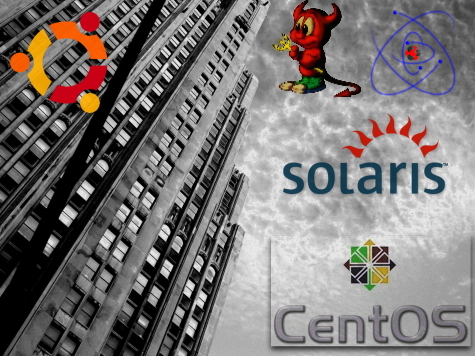
decobuilding.jpg

In Part 1, I discussed the four Free Linux distributions that are best position to provide extended support and ample functionality to an end user through a protracted recession,  as well as having the characteristic “safeness” or “stability” factor in terms of being able to weather the economic storm — i.e., their relative ability to resist the inevitable Darwinian culling of the herd that is likely to befall many of the less popular or less-supported distributions. In this second part, I’m going to list the Enterprise-class Free and Open Source Operating Systems which have similar characteristics. Unlike the previous list, not all of the OSes listed here are Linux-based — some of these are UNIX systems.

Click on the “Read the rest of this entry” link below for more.

CentOS and Scientific Linux

Web Site: http://www.centos.org

More Information: http://en.wikipedia.org/wiki/Centos

Web Site: https://www.scientificlinux.org/

More Information: http://en.wikipedia.org/wiki/Scientific_Linux

Can’t afford the support licenses for Red Hat Enterprise Linux (RHEL) but still want the industry-standard support of a Red Hat based environment? You could go with Fedora, Red Hat’s developer Linux platform, but their six month release cycle and 1-year lifespan for each release makes it a difficult choice for mission critical, enterprise Linux systems that need to stay in stable operation and have predictable maintenance cycles. Instead, you might want to consider either CentOS or Scientific Linux, both of which are near-identical clones of RHEL based on publicly available RHEL source code. They both run the same exact 3rd-party RHEL-certified software and 3rd-party packages intended for use in the RHEL environment, while running the same exact enterprise regression-tested kernel of RHEL, with none of the support costs. Unlike RHEL which requires an entitlement to Red Hat Network, patches and updates to CentOS and Scientific Linux are absolutely free — although they are released at a delayed interval from Red Hat’s own patches, usually about a week’s difference or less, depending on the severity of the bugfix or vulnerability.

What’s the difference between the two? CentOS (which is an acronym for Community Enterprise Operating System)  is assembled and compiled by a small team of independent developers and is supported by independent donations. In comparison, Scientific Linux is an officially supported project of Fermilab and CERN — the  American and European scientific institutions behind well-known high-energy physics research such as the Tevatron and the (in)famous Large Hadron Collider (LHC). Scientific Linux differs slightly from CentOS in that it includes packages that are not in the base RHEL distribution to support features such as clustering and use as a graphics/visualization workstation (The software is used to monitor the LHC’s various experiments) as well as optional minor “tweaks” to certain base packages.

Given the probability Red Hat will continue to release source code for the foreseeable future, both of these distributions should be fairly recession resistant, although having the support of a major scientific research concern may tip the balance slightly in Scientifc Linux’s favor.

The Support Skinny: CentOS aims to support their OS using an exact mirror of the  patch and support cycles for RHEL, which is four years for RHEL’s “first phase support cycle” , which includes new device driver support, security vulnerability fixes, functionality improvements and bug fixes. Scientific Linux has committed to a similar support cycle for the first 3 years following a version’s release.

Ubuntu Server Edition

Web Site: http://www.ubuntu.com/server

More Information: http://en.wikipedia.org/wiki/Ubuntu_Server_Edition

Like its desktop counterpart, Ubuntu Server is quickly making waves as a viable alternative to commercial Enterprise Linux distributions such as RHEL. Just take it from large not-for-profit organizations like Wikipedia  who recently announced that they were standardizing all 400 of their server systems on the fledgling Enterprise Server OS.

While Ubuntu Server Edition has all the expected functionality that you would expect of a rock-solid Linux server OS, It has some design elements that differentiate it from its commercial competition — it’s installed without any X server, making it a much lighter install than RHEL or SLES’s default configuration, and has no services running on open network ports by default, making it a much more secure default system.  Like OpenSUSE and the much more expensive SLES, Ubuntu Server utilizes AppArmor, which allows systems administrators to enable special security profiles which restricts the behavior of installed programs, Ubuntu Server Edition also includes a rootless role-based administration model as well as increased Kernel and Compiler hardening. Ubuntu Server Edition also distinguishes itself from other Enterprise Server distributions in that it includes a “JeOS” (Just Enough Operation System) installer that allows for better installation and creation of virtual appliances.

The Support Skinny: Ubuntu Server Edition releases that are are classified as LTS (Long Term Support)  releases include 5 years of security and stability updates. LTS versions are being released once every two years. “Normal” Server Edition releases are supported for 18 months with updates. The current LTS is 8.04.

OpenSUSE

Web Site: http://www.opensuse.org

More Information: http://en.wikipedia.org/wiki/Opensuse

Unlike its Red Hat sponsored rival, Fedora, which is targeted primarily towards bleeding edge development releases and has a limited lifespan, OpenSUSE exists as both a community development platform and a stable environment. While Novell would certainly prefer you use SLES as a server, the fact of the matter is that much of what ends up in SLES originates in OpenSUSE, and while its two year support lifecycle is shorter than either CentOS/Scientific Linux or Ubuntu Server Edition LTS, OpenSUSE’s  is certainly more than good enough to use for stable enterprise server use, particularly if you are doing advanced web application development and need the very latest packages for LAMP that the other “enterprise” distros lag behind. OpenSUSE also is one of the few Linux distributions that is already enabled out-of-the-box with VMWare’s openvmtools paravirtualization stack, so getting it up and running within the free VMWare ESX 3i and VMWare Server hypervisors are a piece of cake.

The Support Skinny: 2 years of security and stability updates for each major version. Versions are being released once every 6 months. The Current release version is 11.0. OpenSUSE can also be purchased in boxed format with installation media, a printed Start-Up manual and 90 days of paid technical support for $59.95.

Solaris 10 and OpenSolaris

Web Site: http://www.sun.com/software/solaris/

More Information: http://en.wikipedia.org/wiki/Solaris_10

While Linux is getting most of the attention in the free OS area, let’s not forget that some organizations might be better served by running a real UNIX OS. Sun’s Solaris operating system, which used to belong to the realm of super-expensive RISC servers, has been available on the x86 architecture  for approximately 10 years. However, Solaris first became an “Free” OSI-compliant Open Source OS, licensed under Sun’s CDDL in June of 2005.

Among Solaris 10’s advanced capabilities include Xen virtualization (using Sun’s Solaris-based xVM Server) and Solaris Containers, which allow multiple virtual Solaris 10 systems with completely isolated settings and applications to run in isolated “Zones” off a single kernel instance of Solaris. Unlike hypervisor-based virtualization which require separate and complete instances of an OS to be spawned including kernel and libraries, Solaris Containers use only a very small amount of systems overhead and can be used with I/O intensive applications such as databases without any performance degradation.

Solaris also distinguishes itself using the highly scalable 128-bit Zetabyte File System (ZFS) which allows for  “pools” of disk which greatly reduce the complexity of administrating and expanding large amounts of networked storage.

Solaris 10 is free for download provided users register on Sun’s web site for a free entitlement but requires access to Sun’s Solaris $350 per year subscription service to receive patches and bugfixes. However, the Solaris 10 DVD is refreshed approximately 2 times per year with cumulative fix and vulnerability roll-ups, so if you choose to go this route without purchased support, you’ll need to rebuild your box periodically. OpenSolaris, which is targeted more towards technical desktop users and software developers, uses the same rock-solid kernel as Solaris 10 and has many of the same features, and has free continual software and package update feeds.

The Support Skinny: Sun’s support cycle for Solaris 10 is slated to be for 10+ years. Major OpenSolaris milestone builds are released twice per year, with continual package updates and fixes released as they become available. Solaris 10 install media is updated approximately twice per year. Both Solaris 10 and OpenSolaris have “Essentials” and “Production” paid technical support options available in addition to Premium support options.

BSD

More Information: http://en.wikipedia.org/wiki/BSD

Solaris isn’t the only free UNIX available — BSD, which is based on the Berkeley Software Distribution part of the UNIX family tree, as opposed to the AT&T Systems V kernel tree that Solaris, AIX, HPUX and SCO Unix is derived from, may not be as “Sexy” as Solaris or Linux but the OS is no slouch either — it’s one of the most stable implementations of UNIX there is on any CPU architecture (read as, verified uptimes in YEARS without reboots) and also one of the best performing as well.  And unlike Solaris, BSD UNIXes don’t suffer from a lack of ported Open Source software packages. For the most part, BSD is at package parity with Linux as both a Server and a Desktop OS, and its device driver compatibility list exceeds Solaris’s, running on many different architectures.

BSD isn’t as much a single distribution of UNIX as much as it is a family of similar UNIX distributions. The most well known, FreeBSD, has the lion’s share of installed base and boasts the largest of support communities. OpenBSD, another popular derivative, has a number of additional security enhancements and undergoes a very thorough security auditing process, which makes it a popular choice for the paranoid-set. Yet another derivative, NetBSD, has been used extensively for embedded device development and has been praised for its wide platform independence.

No matter which BSD you choose you can be assured that you’ve got a stable platform with a comprehensive software library which will keep going, going, and going, no matter what the economy throws at you.

The Support Skinny: The BSD’s have very long support life cycles, measured in years, and bugfixes and updates are continual for major versions. Commercial support for different flavors of BSD are available from various support vendors through the respective flavor’s web sites.

Do you plan to implement any of these free Enterprise OSes at your organization as cost cutting measures? Talk Back and let me know.

Kick off your day with ZDNet's daily e-mail newsletter. It's the freshest tech news and opinion, served hot. Get it.

Jason Perlow, Sr. Technology Editor at ZDNet, is a technologist with over two decades of experience integrating large heterogeneous multi-vendor computing environments in Fortune 500 companies.

Disclosure

Jason Perlow

My Full-Time Employer is IBM. I write as a freelancer for ZDNet.

Disclaimer: The postings and opinions on this blog are my own and don't necessarily represent IBM's positions, strategies or opinions.

I own no investments or direct financial instruments in the companies I write about.

Biography

Jason Perlow

Jason Perlow, Sr. Technology Editor at ZDNet is a technologist with over two decades of experience with integrating large heterogeneous multi-vendor computing environments in Fortune 500 companies. A long-time computer enthusiast starting the age of 13 with his first Apple ][ personal computer, he began his freelance writing career starting at ZD Sm@rt Reseller in 1996 and has since authored numerous guest columns for ZDNet Enterprise and Ziff-Davis Internet. Jason was previously Senior Technology Editor for Linux Magazine, where he wrote about Open Source issues from 1999 to 2008.

In his spare time, Jason is an avid amateur chef and food writer, where his work reviewing New Jersey restaurants has appeared in The New York Times. He is also the founder of the popular food web site eGullet and blogs about restaurants and cooking at OffTheBroiler.com.

Related Discussions on TechRepublic

Did you know you can take part in these discussions with your ZDNet membership?
48
Comments

Join the conversation!

Just In

Contributr
xVM is a brand name for related Sun technologies
jperlow 6th Nov 2008
xVM Server is Sun's Xen-based hypervisor. xVM Virtualbox is Sun's host-based desktop virtualization platform.
Excellent article, well documented! This should be very helpful for decision making, particularly in companies.

One remark though: the server edition of Ubuntu is longer supported than you have written. Plus not every server edition is LTS....

An Ubuntu LTS server edition is supported with security and stability updates for 5 years. A "normal" Ubuntu server edition receives support for only 18 months. So as a company, you will want LTS for your server, and not a normal server edition..
See the release cycle (note the orange bar for the extended support of the LTS server edition):
http://www.ubuntu.com/products/ubuntu/release-cycle
0 Votes
+ -
Contributr
Thanks, I'll amend it
jperlow 15th Oct 2008
0 Votes
+ -
Debian
Tim Patterson 15th Oct 2008
You forgot to include another distribution used in the enterprise.

Debian.

It may require a little more skill to administer but commercial support is also available from companies like hp if you need it.
0 Votes
+ -
BTW...
Tim Patterson 15th Oct 2008
Very good blog Jason.

You are a credit to ZDNet.
0 Votes
+ -
If you didn't know, and the have made it easier to admin. So
I like the idea of the really stable Debian platform, with the
better ease of use.
0 Votes
+ -
Contributr
@Tim Patterson re Debian
jperlow Updated - 15th Oct 2008
Debian is in Part 1 of this article, although arguably Ubuntu Server is closely aligned with Debian Stable.

Debian is not positioned as an "Enterprise" OS and I included it in Part 1 which was more intended for End-Users, but its certainly a very good option for Enterprise Server use, particularly if you use Stable.
0 Votes
+ -
HP has had enterprise Debian Support since 2006.
Felix Derzhinsky 15th Oct 2008
Google Debian and Hewlett Packard for more information.
0 Votes
+ -
jason you should try this
Quebec-french 15th Oct 2008
pc-bsd at pcbsd.org

this is personally the best bsd distro yet
0 Votes
+ -
PC-BSD 7.0 is resource hungry
pjotr123 15th Oct 2008
I have installed PC-BSD 7.0 as one of the 10 operating systems on my multiboot laptop. I'm not so thrilled with this version, as it uses KDE 4.1.1.

The menu is rather unfathomable (looks a lot like Windows Vista, need I say more....). And what's even more important, my laptop becomes a bit sluggish: PC-BSD 7.0 is noticeably more resource hungry than Ubuntu, Fedora and openSUSE (all with Gnome).

I liked PC-BSD better in it's previous version, 1.5.1. That one used KDE 3.5 and was much more lightweight.
0 Votes
+ -
And you forgot ..
Linux_4u! 15th Oct 2008
If you REALLY want stability without the hassle of all sorts of config files screwing things up. Look at the OLDEST of all distro's - Slackware.

'Nuff said ...
0 Votes
+ -
Contributr
@ Linux4U: Re Slackware
jperlow Updated - 15th Oct 2008
Slackware was eliminated because it's not likely to survive a recession. It's had a number of issues in the past when its survival and continued development was at risk.
0 Votes
+ -
Not Viable
Tim Patterson 15th Oct 2008
Slackware is the result of tireless work by Patrick Volkering and the Slackware team. I don't see Slackware as being affected much at all by a recession. Slack is great in it's own right.

However, Slackware is not a viable in most enterprise situations due to the lack of an easy package manager which checks dependencies and there is no 64-bit option.
0 Votes
+ -
Package Management...
LazLong 15th Oct 2008
Hey Tim...
I just thought I would mention, (if you had not already seen it) that over at Distro Watch Weekly, for the past few weeks,
they have been running what they call "package management cheatsheet"
that may be of interest?

http://distrowatch.com/weekly.php?issue=20081013

the first & second installments can be found in the right hand column under Archives, issues 271 & 272

While not official, there are some package managers for Slack, as well as some that are not necessarily Distro dependent.

Also While the Slack standard method may not be as quick & convenient as something like APT, it has its own advantages, and there are simple scripts.

@JasonP Slack & Debian are used in enterprise. (just not talked about much) Not Only HP but there are other concerns small & large that use/service/support them.......
They are not the oldest surviving distros for no reason?......

BTW it's great to see useful & Positive blogs about Linux & on ZDnet... good job.....
0 Votes
+ -
Contributr
I am not trying to diminish the work of Patrick and his developers. Slackware is an excellent distro. However, if you were to take a swag at which distributions had the best chance of weathering a protracted recession or a flat out depression, Slackware is not likely to make that list.

And yes, it is not viable as an enterprise distribution for the reasons you mention.

There are a number of other distros that did not make the list in Part 1 and Part 2. This was not a "slight". I like many other distros such as Xandros/Freespire and Mandriva. However the relative size of their support communities and the amount of resources they have at their disposal compared to the systems listed on these two lists are very small.

Others were eliminated because they didn't fit in the "Desktop/End-User" or "Enterprise" category, such as Gentoo, which while likely to survive a recession, is more of an embedded and custom solution development OS.
0 Votes
+ -
Clearly..
Tim Patterson 15th Oct 2008
You had your reasons for including or not including certain distros. That's fine. Your choice.

On Slack I would disagree. The merit is there but on survivability, Patrick has weathered tough times for Slack and even his health before. There is no reason to think the Slackware team can't or won't weather hard times in future and come through just fine.
0 Votes
+ -
Contributr
Probability and actual outcomes
jperlow 15th Oct 2008
I don't believe -any- Linux distribution has had to deal with an economic slowdown of the type that is being forcasted. I know that Slackware and other small distros have weathered previous rough storms, such as personal economic problems and resource scarcity, but nobody has had to go through something of this magnitude yet. There's no baseline.

Slackware and the other distros that didn't make the list could very well come out OK. My excluding them from this list is not a death sentence -- the list was meant to be along the lines of "if you had to make the safest choices possible in an Open Source OS, which ones would you pick?"
In which,
Ladislav is planing to update "The Major Distro/Top Ten" page:
http://distrowatch.com/dwres.php?resource=major
by removing Knoppix & Mepis for LinuxMint & CentOS.

Those are good entries, yet I don't agree, (would rather see the list expanded to 15 or 20)

Anyway, like Jason's blog, it is his site/criteria/opinion/decision.....

Personally, After the kernel, GNU toolset, & GPL.
I see the main/core distros in order as:
Scratch & Source
Slackware
Debian
Red Hat

Everything else are Progeny, Derivation and/or Remastered Compilations.

All noteworthy & worthwhile for various reasons.

This is only how I tend to look at it.......

So I would disagree that Slack is not used (or a good choice) in enterprise/business and also disagree that it would not weather economic difficulties.

But who's to really know what's to come?
If it/they don't, maybe their progeny & derivations will........

Speaking of Gentoo/Gentoo based distros have you seen Sabayon or Zonbu?
0 Votes
+ -
Call me shocked! You actually know what other operating systems are aside form linux! Considering the strong bias zdnet and its bloggers have I didnt think they knew anything else existed outside of it.

If you are running a unix system already then the best choices are going to be Solaris 10, OpenSolaris, or one of the BSD's. These operating systems have proven their worth on the server side from their continuing development and support. The documentation is top notch, the community is more than helpful.

Contrast this with the linux offerings. Linux would not be a smart move. Its nothing more than a mesh of patches put together very poorly and held together by some glue. The problem is that no one knows what the other person coded so you do not have a fully integrated system and thats why there are so many issues with running it. The constant daily patches would turn most organizations off due to the down time. Always having to check for file versions, going to the website to see if its been updated, downloading the source, extracting it in an uneasy manner, writing complex commands just to get it to compile, installs wherever it wants, finding that file just to run the application only to have it segfault and when it does that it takes down the whole system in a kernel panic.

The linux community is a disaster. They actively promote violence, issue death threats, call names, and are incapable of having a decent conversation. Imagine trying to get tech support when the technician on the phone calls you a moron and tells you he wishes you were dead. Then says you are stupid for not finding the answer yourself thus negating the whole point of tech support. If you are going to run linux you will be making a LOT of support calls.

Do the right thing, go with a BSD or Solaris.
Take a pill, Loverock. Nobody loves you and everybody knows you are mentally retarded.
0 Votes
+ -
Thank you!
Loverock Davidson 15th Oct 2008
You proved my point in my post! You know the one about the linux community being very insulting. And you wonder why people don't want to use your OS, take a look around!
  • Flagged
0 Votes
+ -
You're welcome, any time
pjotr123 15th Oct 2008
Brainless segfaulting trolls like you, are always fun to make fun of. Especially when you start playing the victim.
0 Votes
+ -
*SMOOCH* (NT)
Loverock Davidson 15th Oct 2008
[][][][]
  • Flagged
0 Votes
+ -
Loverock is a well-known anti-Linux troll.
0 Votes
+ -
Since when
Loverock Davidson 15th Oct 2008
is telling the truth about linux trolling? Or are you upset because its not what you want to hear and I'm not sugar coating it for you?
  • Flagged
0 Votes
+ -
That's easy...
Linux User 147560 Updated - 15th Oct 2008
because you wouldn't know the truth if it kicked you in the nads... oh, wait... you need nads to notice, well if it kicked you in the arse. devil

You now rate the same as Bush for popularity... and as you know he has the lowest in this nations history! Good job!
0 Votes
+ -
My Bad!
Loverock Davidson 15th Oct 2008
My bad Mr. Perlow, must have been before the zdnet site change where I didn't read many blogs. My apologies. But still, a lot of linux bias around here and we rarely hear about anything other than that.
  • Flagged
0 Votes
+ -
You've been around forever.
Letophoro Updated - 15th Oct 2008
Or maybe it just seems like you have. wink

In any event, you've been a poster at ZDNet longer than Mr. Perlow has been a blogger at ZDNet.
0 Votes
+ -
Yep! (NT)
Loverock Davidson 15th Oct 2008
.:|:.:|:.
  • Flagged
0 Votes
+ -
Ubuntu Server Edition == Desktop Edition except ...
MisterMiester Updated - 15th Oct 2008
.. they use the server kernel instead of the generic one and the desktop is stripped out plus Ubuntu adds a few extra packages. You can make a desktop into a server or server into a desktop by just adding or deleting different packages.

If you have to run a gui, not advised since your leaving a security vector open for attack, you can install a desktop kernel and minimum gnome desktop on a server install. The desktop kernel will run fine, but it won't be optimized for server use. happy
0 Votes
+ -
Contributr
LVM is also turned on by default
jperlow 15th Oct 2008
0 Votes
+ -
Yeah, but ...
MisterMiester 15th Oct 2008
... you can set it up afterwards if you need it:

https://help.ubuntu.com/community/SettingUpLVM-WithoutACleanInstall
In neither part do you mention Slackware. Been around forever, longer than debian, and nor about to go anywhere. Do you really think they won't be around?
0 Votes
+ -
Perform simple arithmetic computations.

Enterprises who need the power and flexibility of unix already have it.

If you can't afford an enterprise license of windows, you certainly can't afford the hardware to run it on, which is, at the end of the day, the bigger problem. Also, most of the enterprise unix distros end up costing more in hidden costs post the license fee than windows, so your whole 'unix/linux is free!' campaign doesn't hold a lot of water.

Corporations don't buy support for '90 days,' they but it for years at a time.
0 Votes
+ -
10 years ago. But the TCO gains were often TCO losses too back in those days.

It's like somebody builds a submarine of metal, it works well and then everybody does it. Until somebody says "That's boring! Let's make a submarine out of bread"
0 Votes
+ -
It may be other factors ...
MisterMiester 16th Oct 2008
I recently read this article about a German web hosting company called 1&1 who is building a large data center in Lenexa, KS. The following statement from the article made me think:

About 40% of 1&1's U.S. customers run on Microsoft (NSDQ: MSFT). "People in the U.S. want a brand. With Exchange, you know what you're getting," explained U.S. general manager Sebastian Moser.

The rest run on a Debian-based flavor of Linux that Ziegler calls "Schlunix" (pronounced "schloooonix") -- after company cofounder Rainer Schlund. In Europe, 90% prefer Linux, Ziegler said. "There's a profound distrust of Microsoft in Germany," where the company is headquartered.


http://www.informationweek.com/news/hardware/data_centers/showArticle.jhtml?articleID=210604699

Is the Microsoft for "everything" a United States phenomenon which doesn't extend to Europe and possibly other markets? According to this article it would seem so. wink
0 Votes
+ -
indeed
TedKraan 20th Oct 2008
I have noticed the opposite too. Some Americans are just so blindly proud of the fact that it's American software. That they lose all interest in giving a doubt of having a critic view on things.

The way people started mentioning the stability meter in Vista like it was a normal thing clearly indicates this.

Either that or they lack objectivity and the ability to read news with a grain of salt/critic view and make up their own minds.
0 Votes
+ -
Absolutely AGREE
GeiselS@... 16th Oct 2008
Linux is not less expensive by any means. I'm a consultant and every place I've gone has simply moved capital costs to increased operating costs. Support is definitely the biggest cost factor.

Bottomline in most places is after 2 and a half to 3 years Linux ends up costing more than the Unix or Windows solution. Linux is NOT FREE, in fact it ends up costing more in the long run to manage, administer and support.

Besides you get what you pay for and those who think otherwise always end up getting a rude awakening.
0 Votes
+ -
Hmmm...
zkiwi 16th Oct 2008
So, why does Linux cost more than Unix (after 2 to 3 years)?

What are the differences that "cause" that?
0 Votes
+ -
Support Costs
ShermB 17th Oct 2008
In order to get Red Hat (and similarly structured business) security fixes, bug fixes, and upgrades, you have to purchase a yearly support contract at a cost of $500-900 per year depending on the stack you're installing.

Imagine purchasing a Windows Server 2003/2008 license for $700 and get free updates for the life of server. Now imagine purchaseing a Red Hat subscription, and paying $700 per year for support. That's the difference.

FYI: We cross-train and support Solaris, AIX, Linux, Windows and mainframes in our shop.
0 Votes
+ -
exactly
GeiselS@... 17th Oct 2008
Couldn't have said it better myself. Once you work in a mixed environment (Unix, Linux and Windows shop) you certainly see how costs are really just moved from capital expenses to operating expenses...

So thanks for responding to that question as you are bang on with your answer. The real killer of Linux isn't the 'free' part its the vendors 'support subscription' annual fee cost.
0 Votes
+ -
Support costs?
AndyCee 17th Oct 2008
I believe this article is pointed towards the 'free' distributions.
0 Votes
+ -
More specialized Linux distributions
softwareFlunky Updated - 16th Oct 2008
"being able to weather the economic storm ??? i.e., their relative ability to resist the inevitable Darwinian culling of the herd that is likely to befall many of the less popular or less-supported distributions".

Linux came about when Linus had more time than money and a desire to create something. I think in a recession people who see a need will design and build even more specialized Linux distributions.

Nice article; I'll definitely bookmark it.
0 Votes
+ -
Self-deluded minority just waiting for the disaster that will show the rest of humanity the error of their ways!

During such times of possible contracted [smaller] income, enterprises will sit on their existing licenses rather than spend small fortunes in time and effort to change to anything else, free or not. The cost of change is several time the cost of the existing licenses, so where is the business imperative to change?
0 Votes
+ -
Quite correct
AndyCee Updated - 17th Oct 2008
During such times of possible contracted [smaller] income, enterprises will sit on their existing licenses

True. But that may not always be viable in the enterprise's situation. It may sometimes be economically viable to take the wikimedia option.

Although I've never heard of unix proponents being a "self-deluded minority".
0 Votes
+ -
xVM is XEN?
bratticus Updated - 1st Nov 2008
Um, unless things have dramatically changed xVM is VirtualBox not XEN.

http://blogs.techrepublic.com.com/virtualization-coach/?p=128
0 Votes
+ -
RE: xVM is XEN?
bratticus 1st Nov 2008
Oops, looks like things changed dramatically.

http://opensolaris.org/os/community/xen/
0 Votes
+ -
Contributr
xVM Server is Sun's Xen-based hypervisor. xVM Virtualbox is Sun's host-based desktop virtualization platform.

Join the conversation!

Formatting +
BB Codes - Note: HTML is not supported in forums
  • [b] Bold [/b]
  • [i] Italic [/i]
  • [u] Underline [/u]
  • [s] Strikethrough [/s]
  • [q] "Quote" [/q]
  • [ol][*] 1. Ordered List [/ol]
  • [ul][*] · Unordered List [/ul]
  • [pre] Preformat [/pre]
  • [quote] "Blockquote" [/quote]
ie8 fix

The best of ZDNet, delivered

ZDNet Newsletters

Get the best of ZDNet delivered straight to your inbox

Facebook Activity

White Papers, Webcasts, & Resources
ie8 fix