Tech Broiler

Jason Perlow and Scott Raymond

The PC Industry's Forgotten Market: Grandpa

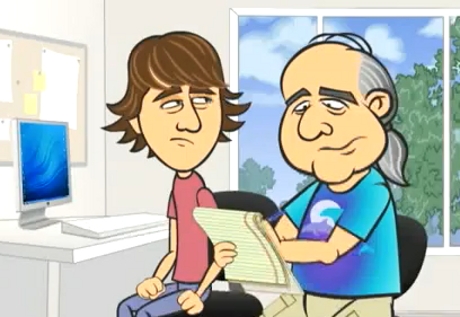
By | December 13, 2010, 3:07pm PST

Summary: It seems to me that Senior Citizens are a widely ignored market by the computer industry.

“Question Number 58: What is a File?”

In the past, my Mother-In-Law has been the subject of a number of different columns.

I used to have a number of yearly maintenance issues with her older computers that ran on Windows XP, and it was a very bumpy ride for a while with Windows Vista, but ever since I’ve migrated her to Windows 7, put her on automatic updates and Microsoft Windows Security Essentials, it’s been pretty much problem free.

These days, she might call me or my wife with a fairly simple computer question, and it’s been relatively easy to deal with. My Father-in-law, however, is another matter entirely.

I’ve discussed Bob the Destroyer before. Anything that is related to Bob and his computer activities pretty much always means bad news.

Over the weekend I got a phone call on my wife’s cell. We were in the car, heading into the city to do some holiday shopping and to go see the Angry Birds.

It was my Mother in Law. My wife was driving, so I answered it.

“Your father’s laptop, it’s making weird buzzing noises.”

“Well, unplug it and turn it off. I’ll come look at it after you get back from Florida in a few weeks.”

“I did try to turn it off, but it won’t. It’s still making weird noises”.

“So flip it over, and pull out the battery.”

“I can’t seem to figure out how to do that.”

“Screw it. Shove it in the garage so you don’t have to hear it, it will be dead within four to six hours.”

“Oh that’s a good idea. Great, so does that mean that Dad needs a new computer?”

“Yeah. It probably does, it was a cheap machine and it isn’t worth fixing.”

“Love you. Bye.”

I then came to the full realization that sometime in the near future, I would now have to prep a new laptop with Windows and teach Bob, yet again, how to use the thing. And he’d find another way to break it. Again, again and again.

At age 74, Bob isn’t getting any better when it comes to technology. We can talk about preventative measures to secure Windows systems until we are blue in the face, but the guy has a talent for messing up computers. He won’t learn good user practices no matter how much you try to teach him. And I don’t think it even matters that it’s a Windows box. If I gave him a Mac, he’d probably figure out how to mess that one up too.

The only benefit to him having a Mac is that he could drag the thing into an Apple store and torture some poor bastard in a blue t-shirt at the Genius Bar, and they can charge him some ridiculously expensive surcharge to bring it back from death each time. And I could (legitimately) claim to be a complete Mac ignoramus and play stupid each time he asks me if I can fix it instead.

This would be a viable option, except for the fact that Bob needs a laptop computer, and Macbooks aren’t exactly cheap, even refurbished. And they are total overkill for a 74 year-old ex securities trader whose computing needs are centered around Web browsing, email and playing with his digital camera.

Also Read: Why Old People Still Like Their PDAs

About four years ago, I experimented with giving Bob an Ubuntu Linux machine. It worked quite well for about a year, until that system also eventually dropped dead. Then he ended up with his current $400.00 Acer Aspire One, that originally ran on Windows Vista and then later Windows 7 Home Basic, which has now apparently chosen to commit suicide rather than continue to serve its cruel master.

This also happened to his pet Oscars, which gorged themselves until they couldn’t fit in their tank and eventually jumped out and plummeted their untimely death.

Do you see a pattern here? I do.

So the issue isn’t really what kind of a PC Bob is going to get. He’s going to get a cheap Intel laptop. I’d consider getting him a netbook or a tablet like the iPad, but the screens on most of these devices are far too small for a senior citizen.

The real problem is that any operating system of sufficient complexity is a bad choice. Period.

Frankly, I’d love to give Bob Chrome OS. I mean, it’s totally maintenance free, all the apps and the data are Cloud driven, and you can’t break the OS even if you try. Google has engineered the Cr-48 notebook so that it’s virtually impossible to screw up.

The Cr-48 would be nearly ideal if it weren’t for the fact that you have to be picked by Google in order to receive them — they can’t be bought anywhere, and also the 12″ screen might still be a tad small for Bob.

What I really want is an installable version of Chrome OS, or for someone to sell me an inexpensive ($300 or less) Chrome OS laptop with a 14″ or 15″ screen. The problem is that you can’t get a Google-sanctioned Chrome OS installer, and nobody makes laptops that run on Chrome OS yet.

Also Read: MFD Printers Are Hell, And So Is Family PC Tech Support

Sure, there’s the Chrome OS builds by “Hexxeh”, and they look pretty good, although development appears to have slowed down. There’s also Ubuntu Netbook Edition, but even with all the permissions locked down, it still has the potential to get messed up by the end-user.

Another option that looks promising is Jolicloud, but I haven’t had the chance to test it out yet. Peppermint OS is another Ubuntu derivative which has additional potential, but from what I’ve seen from it, it still appears to be too complicated for Bob.

It seems to me that Senior Citizens are a widely ignored market by the computer industry. Sure, I’ve seen a number of very tech-savvy Boomers and older folks. A good number of them even helped to create the technologies we take for granted and use today. But these aging PC Yodas are few and far-between.

Most older folks want to just (reluctantly) use their computers, and they have limited or no understanding of the dangers of malware and the myriad of other things that can cause their systems to malfunction.

There is also the other thing that we don’t want to talk about but we all have to accept. As these folks age, they make a lot more mistakes on their systems which create immense headaches for the people they enlist to fix them — which usually means friends and family members, and poor bastards like me.

So something like Chrome OS on a big-screen laptop or a thin client device connected to a large monitor would be the ideal sort of platform for the vast majority of Grandpa Bobs out there. But these products don’t exist. Yet.

What sort of computer or device should Bob the Destroyer get next? Talk Back and Let Me Know.

Kick off your day with ZDNet's daily e-mail newsletter. It's the freshest tech news and opinion, served hot. Get it.

Topics

Jason Perlow, Sr. Technology Editor at ZDNet, is a technologist with over two decades of experience integrating large heterogeneous multi-vendor computing environments in Fortune 500 companies.

Disclosure

Jason Perlow

My Full-Time Employer is IBM. I write as a freelancer for ZDNet.

Disclaimer: The postings and opinions on this blog are my own and don't necessarily represent IBM's positions, strategies or opinions.

I own no investments or direct financial instruments in the companies I write about.

Biography

Jason Perlow

Jason Perlow, Sr. Technology Editor at ZDNet is a technologist with over two decades of experience with integrating large heterogeneous multi-vendor computing environments in Fortune 500 companies. A long-time computer enthusiast starting the age of 13 with his first Apple ][ personal computer, he began his freelance writing career starting at ZD Sm@rt Reseller in 1996 and has since authored numerous guest columns for ZDNet Enterprise and Ziff-Davis Internet. Jason was previously Senior Technology Editor for Linux Magazine, where he wrote about Open Source issues from 1999 to 2008.

In his spare time, Jason is an avid amateur chef and food writer, where his work reviewing New Jersey restaurants has appeared in The New York Times. He is also the founder of the popular food web site eGullet and blogs about restaurants and cooking at OffTheBroiler.com.

70
Comments

Join the conversation!

Just In

rarsa is right!
AuntieSpam 23rd Jan
I comprehend Bob the Destroyer. Recently my 74 year old father in law moved in with us. Where I've made my career IT, he made his driving deliveries.

When his 1992 Merc breathed its last, we found a nice efficient compact. He doesn't drive it unless at mid-day, because he can't find the headlights (which operate with the ignition). It appears that something is always broken or 'not quite right' with the car.

In addition to Windows 7 being 'too different', he cannot adjust the resolution on his 28" LCD to suit him. When text is well sized for him, control buttons are hidden too low to 'click', and keystrokes are simply not going to happen.

I realized that the confusion he experiences with his new Windows7 machine is what drives him to break all manner of things. If it doesn't work, he doesn't have to face not understanding it.

Whereas not all septuagenarians face problems adjusting skill-sets, there isn't an easy answer. My choice? An image of his favorite XP config on CD and a 3x5 instruction card taped beneath his mouse pad (complete with my phone number). We 'refresh' regularly.
Give him an iPad. You set it up once on your home system and then let him install his apps himself to his heart's content. (by downloading the apps over WiFi, of course, so a desktop PC would be unnecessary.)

I know you said a 12" screen. So don't get him a Samsung Tab! Grin.
0 Votes
+ -
Contributr
RE: The PC Industry's Forgotten Market: Grandpa
jperlow Updated - 13th Dec 2010
@kenosha7777 Screen is definitely too small, and it's too delicate a device. He'd drop it. I'd have to put an Otterbox Defender case on it at the very least (now we're at $600 as opposed to $300 for a Best Buy laptop special) and I'm not sure that the UI on an iPad is actually simple enough for him. That's difficult to believe, but its true.
0 Votes
+ -
I gave an older Macbook pro to my mother...
oncall Updated - 13th Dec 2010
@jperlow

recently and she called me asking how to turn it on. I mean she's only 61 for _____ sake! I was like "Mom there are only so many buttons on that Macbook, you could have just randomly pressed them until you hit the winner". So, I am getting her a refurbished iPad for xmas. That may be a big mistake but I figure if nothing else her grand-kids will enjoy it. If she cannot figure this one out I am throwing in the towel.

I feel your pain.
0 Votes
+ -
@jperlow
You know best. Good luck finding a suitable device. By the way, my 80 year old Dad (who walks on water, IMHO), thinks my iPad IS magical but seems very reluctant to use the thing for long stretches at a time. I sort of think there is a tangible "fear factor" involved when it comes to using any electronic device more complicated than a TV remote.

Do you think it's just a "generational" trait associated with our parents. (The generation that did Not grow up with easily available electronic computers?)
0 Votes
+ -
That is a show stopper
osreinstall 13th Dec 2010
@jperlow

If you drop the thing, no machine is up to that except that industrial panasonic with hardened rubber case. Not cheap. Your father-in-law may just be one of those type of people that should not be allowed near machinery. Maybe this is why older folks are ignored because it is a lost cause. Too set in their ways and too stubborn to learn something new.
0 Votes
+ -
@jperlow Hi jason thanks for that hilarious post. I recommend for Bob a recertified Compaq Presario CQ62 219wm (i'm pretty sure thats the model number). It has a 15 inch screen and a celeron processor; and newegg.com sells it for $379. I reallly think this would be a great choice for him being that it comes with windows 7. I hope you read this thanks again for your great writing.
0 Votes
+ -
@kenosha7777 While it is still possible to create new synapses when you are beyond 70, it is not as easy as our brain tries to map new experiences to existing patterns.

Every time Jason changes the OS or interface, what seems new to us, becomes the "same old" for them. For them it looks the same but... it does not work the same!!! where is the freaking mouse? That disconnect distracts the brain from learning the new.

Patience and comprehension. They are not stupid. Let's adapt our help to their ways, not the other way around.
0 Votes
+ -
Who?
0 Votes
+ -
No matter what latest laptop or computer you give someone who isn't a whiz at it, still you're gonna have a hard time in teaching them. Like what my sister told me, "You can't teach those who are older than you."

http://myinternettvsoftware.com
0 Votes
+ -
ipad
perfect for Grandpa. He does NOT want to carry it to Starbucks, use it in bed, or on the couch anyway. He would much prefer the big screen.
0 Votes
+ -
Contributr
@DonnieBoy Correct, he uses it on his desk and -occasionally- travels with it.
0 Votes
+ -
Stupid question time . . .
JLHenry 14th Dec 2010
@jperlow

Why not get him a Wii, and a keyboard? He could upload pictures via the SD slot, and browse and do email, etc . . . And have a simple interface at the same time (Unless you think that even THAT might be too complex also . . . happy )
0 Votes
+ -
I wouldn't say ChromeOS is the answer
John Zern 14th Dec 2010
too many "internet only" limitations.
checks his email, reads news, searches with Google, that is about it. If he had to type a short note and print it, he would be very happy with Google Docs.
0 Votes
+ -
Thats right donnieboy its not like
Ron Bergundy 14th Dec 2010
gradpa would EVER run old win 32/64 applications as older people arent all too smart to do something like that.
0 Votes
+ -
yeah, I'm thinking that would be a nightmare
SonofaSailor Updated - 14th Dec 2010
0 Votes
+ -
Donnie
Cylon Centurion 15th Dec 2010
YOu missed the part where he takes pictures. ChromeOS would be built for that.
0 Votes
+ -
@DonnieBoy I can actually see a big market for a ChromeOS all-in-one as a cheaper alternative to the iMac for unsophisticated types.
0 Votes
+ -
I don't know what you clowns are talking about...
i8thecat Updated - 13th Dec 2010
1st.. tell Grandpa to get a 13.3" Macbook and make sure he gets Applecare... (That's three years of mac genius's without hair and you should be able to re-grow most of yours back in that time).

My step dad (also a grandfather) used to call me 2 to 3 times a weel for his windows PCs... That $%(*$#@% would open any and all email attachments he ever received... (even tho I told him not to)... I finally ended up write protecting his registry... And still he would call and complain that he clicked on an email and it cant install something it wants to install. And he was irritated about not being able to infect his computer. He sprayed WD-40 on a CPU fan because he said it was squeaky!!! ARGHHHHH!!!!

I finally talked him into a Mac (with a little help from my mom) and the old fool went out and bought an old clunky Bondi-blue iMac (original series, all in one with CRT) that had a bad hard drive. Once he paid a guy (he was too embarrassed to call me) to replace the hard drive he ended up spending more than the Mac Mini I told him to buy in the first place!!!! Well once that ancient iMac wouldn't cut it, he donated it and finally ended up getting a new iMac... I couldn't be happier... Granted, the calls slowed drastically when he got the old iMac, but once he had the new one, he went 6 months without a peep and after 6 months the only thing he did was rave about his iMac and OS X and iLife

@oncall.. Your mistake was giving your mom an older Powerbook... Chances are it needs or needed a PMU reset. And You gave her a machine that didn't have Applecare... Big mistake... Stupid mistake... I get Applecare on all of my personal Apple products except my shuffle (that is cheap enough to replace) and I never call Apple. The hardware protection alone is more than worth it, but if you are a person that will actually cash in on the support, then it is worth more than gold and diamonds...

Yes, they are high end machines and not cheap PCs. But you get more than what you pay with a Mac... You get a OS that is not affected by PC virii and malware attachments... So the old geezers and click away until they are blue in the face and they still can't infect the machine. You get three years of support with is more than enough to handle even the worst learning curve. And you give them independence from you. If you think for one second that they like depending on someone else (no matter how close they are), then you are sorely mistaken. An investment in happiness is a worthwhile investment, for everyone.

Windows 7 is crap. It's not even a good knockoff and it is soooooo convoluted and hideous compared to XP that it's not even funny. Even running as Admin it is FUBAR'd... Permissions all wacky and lame... Clunky, virus prone, insecure, hunk of junk... It may be fine for those of us who know how to finess and caress it into doing what we want, but it's not an OS for the masses and it's definitely not an OS for Grandpa (unless you hate him and don't have to do his support... If that's the case, by all means, tell him he needs Windows 7.. LOL).
0 Votes
+ -
Contributr
@i8thecat The Mac would be fine if it wasn't so expensive. No way my MIL is going to spend that kind of dough on him, and don't look at me to charge that to my AMEX either.
0 Votes
+ -
@jperlow So there are not much profits to make on the elderly demographic. Don't worry Apple has figured out that the real money is in 18-45.
0 Votes
+ -
@jperlow
So a Yugo every 2 years is cheaper than a BMW?
And how is that working out for you?
0 Votes
+ -
@kenift - how about a Camry instead of a BMW?
0 Votes
+ -
Jealous much, i8thecat?
Mister Spock 14th Dec 2010
your post reads like that of a jealous child, angered that he was not chosen as first choice for "the team".

You must read what you write, as you may realize how foolish what you just posted makes you appear.
0 Votes
+ -
I'm confused...
SonofaSailor 14th Dec 2010
@i8thecat

When the question of malware comes up for Macs, which it has recently, the answer alot of apple idiots gave was "well, it prompts the user whether or not to install...and no Mac user would ever be stupid enough to click 'allow'!"

Yet, your saying buy a Mac and click away, particularly with emails.

Funny how, as the week and topic changes, your response changes
0 Votes
+ -
@SonofaSailor It's not a dialog box, it's a password prompt- set up the person in a user account and they will not be able to install unless they figure out the admin password. This is the same with Win7 now too (though Win7 is still more susceptible to drive-by infections). HTH happy
0 Votes
+ -
Not forgotten, just ignored
Ronny102 14th Dec 2010
It's not really a growing market, is it?

New generations are arguably more tech-savvy than the old, so it's a self-correcting problem.

@jperlow
Short-term solution: Stop giving your grandpa crappy hardware. You never get more than you pay for. Why'd you give up on Ubuntu? Because the hardware died? (I'm not reading the linux-mag article, because I'm not going to create yet another account just to read one article.)
0 Votes
+ -
Just start gconf-editor, surf to apps - panel - global and check "locked_down"

This has stopped many a moron from damaging his Ubuntu user account. happy
0 Votes
+ -
Waves @ Tech Broiler
Jason Perlow, Scott Raymond & Violet Blue

"Well, unplug it and turn it off. I?ll come look at it after you get back from Florida in a few weeks.?

Laughs reminds me of a jerry seinfeld episode!
OMG! I have elderly users in my family , nothing can help ,they can't see, then they type like a beeeep and they can't remember squat ,no concept of what file is used with what program.An mildly change OS's an it starts all over again LOL .
psss. get hottie Violet Blue to help Grandpa that may help happy
0 Votes
+ -
linux again?
tiderulz 14th Dec 2010
sounds like Linux worked for him, his hardware just crapped out. After removing the 4th virus off their machines, i put my 92 and 94 yr old grandparents on Linux Mint, and havent had a support call in about 9 months. I have dropped by to explain something, or to load a new piece of software for bridge (old people and bridge, go figure) but no long support calls. And im no Linux drug pusher, i use Windows 7 at home, dual booted with Linux, but i knew that i wouldnt have to make house calls to remove viruses because they clicked on the wrong link for a website or pop up.
0 Votes
+ -
Bingo
dfolk2 14th Dec 2010
And grandfathers are not the only folks who could benefit from and enjoy a zero maintenance computer. The Chrome OS, IF well executed could be perfect for many people.
0 Votes
+ -
Leave him to his own devices
Rick_R Updated - 14th Dec 2010
" a 74 year-old ex securities trader whose computing needs are centered around Web browsing, email and playing with his digital camera."

Sometimes you just gotta tell someone that they need to sit their ass in a chair and LEARN how to do it themselves whether they want to or not. I'm from Long Island originally and 60 years old and when I was young a lot of Italian women (American born) would say, "I can't learn how to drive! It's too complicated!" and they would constantly impose on friends, relatives, or whoever to drive them wherever they needed to go and wait until they were done with whatever they needed to do. The younger generations don't put up with that crap. If he's not going to learn how to do it right, just let him go for 3-4 weeks without a computer. Either he'll figure out some other way to do what he needs to do or he'll learn. As long as you keep providing free tech support, he'll keep being a dumbass.

And when he screws up your mom's computer ... same answer.
seems like you were a dick, no need to get upset about it, they don't understand and trust you to help them. If you can't be nice about it then send them to a place that will be.
0 Votes
+ -
Ok, so the guy's a Joe Bflspk thundercloud, but how is his ignorance of operating systems causing computer hardware to blow up? That buzzing sound is probably a power supply, a fan, or a bad hard drive. Yes, and if the OSs are too hard to understand, isn't that the fault of the "that's not a bug, it's a feature" programmer mentality (to use the word loosely)?
0 Votes
+ -
Contributr
RE: The PC Industry's Forgotten Market: Grandpa
jperlow Updated - 14th Dec 2010
@Vesicant His ignorance doesn't cause -hardware- to blow up, but he does create a serious maintenance burden on the software, see the "Family Tech Support" article linked above. The issue is not the hardware, it's what type of computing device I have to replace his old one with (presuming that it isn't some easy fix with a new hard drive or a air can on a fan assembly) that will not be a software maintenance burden. He is also not an ideal candidate for portable hardware that can be easily damaged, hence no iPads.
0 Votes
+ -
@jperlow Yes, but that goes to my second point, the one about the software. You're making the implicit assumption that the software on an iPad would be simple to use. That just isn't so. Somebody who can't open the box and grok the satoric wonderfulness of the OS isn't an SJI; he or she is a normal person. I invite YOU to come over and see some of the Navy stuff I work with, and then calculate your slack-jawed idiot rating. Anyway, for the hardware, go check out Amrel or Argon or even the Dell 6400 XFR. Too much money? Hey, life is a tradeoff. How much is your peace and quiet worth?
0 Votes
+ -
Why a laptop?
winski 14th Dec 2010
Wouldn't Bob be better with a desktop machine? Get him a big 24 inch monitor so that he can see everything. If he doesn't really need it to be mobile, why pay the premium that a laptop costs?

I vote Mac Mini. Inexpensive, small, and the learning curve won't be there because he hasn't seemed to have learned anything yet. Applecare 3 years will let him learn from the pros.
0 Votes
+ -
Contributr
@winski Nope, he travels with it when he visits family.
0 Votes
+ -
Ubuntu 10.10
zclayton2 14th Dec 2010
install. set up his account. never look back. and why does he "need" a laptop? does he still do day trading?
0 Votes
+ -
I think I resemble that remark but:
TKodiak 14th Dec 2010
I'm 53 with an Itouch, ZuneHD, Samsung Focus WIn7 Phone and a lot of experience building PC's and programming. I write technical columns and still teach "older folks" about setting up their PCs and such. I am the household wired/wireless network administrator that has to show the youngsters how it works. I'd bet that most of the over 50 set is probably a lot more tech saavy than you're giving credit for.
TK
0 Votes
+ -
@TKodiak I think it's mindset. Not that people don't change as they age, of course they do, but only *some* people have such difficulties.
0 Votes
+ -
Not every grandpa is that inept. I'm 83 and people come to me for help on operating systems (XP, Vista, Win7); printers, scanners, all-in ones, digtal photography editing and slide show preparation with sound, etc. I have an original 30GB Zune with music videos included. However I must admit not knowledgeable about smart phones. I have a TracPhone which I use only for emergencies.
0 Votes
+ -
Contributr
@rpbert4 as I said, there are plenty of people in your generation that know what they are doing. But you're in the minority.
0 Votes
+ -
Give hin an IBM 3270 terminal.
0 Votes
+ -
RE: The PC Industry's Forgotten Market: Grandpa
dan b Updated - 14th Dec 2010
Try DeepFreeze, make a thawed partition to keep "pictures" in. DeepFreeze makes the pc into a Etch-A-Sketch, if it gets messed up, turn it over and shake (reboot), all is well again. Doesn't fix hardware issues, like dropping it, but some people can mess up an anvil..

Wait a minute! I"M a grandpa times 7.. Is this story about me??
0 Votes
+ -
give it up
sportmac 14th Dec 2010
6 years ago i got my dad a macbook mostly because i was sick of fixing the pc's. still runs like a champ.
how many have you bought bob in 6 years? what's the number again?

you get what you pay for.
0 Votes
+ -
While she may be a bit gentler than Bob, my mother, who just topped 85, has been using an iPad for a few months and loves it. She has no issues with the size, even likes it that small and light. She reads and (occasionally) writes email, reads the NY Times, and watches movies (Net Flix on demand). It is certainly pricier than a netbook, but has very little to go wrong. Fewer headaches in the future should be worth something!
0 Votes
+ -
Xmas eve
so no we don't have to worry about getting him
a laptop or anything as you can see.
0 Votes
+ -
A GRAMPA SUGGESTS
abookcliff@... 14th Dec 2010
1 LIKE
1/. BEST- 23" TOUCHSCREEN PLUS WIRELESS KBOARD AND MOUSE,WI-FI ALL IN ONE TO HOOKUP TO TV ,SMALL QUAD,WIN-ULTIMATE FOR SYSTEM RESTORE WITH VOICE ENABLED AND TRAINED,6GB 1300 RAM,2 OR 3 HDS WITH OS ON ONE-DATA ON SECOND ,BACKUPS ON THIRD,SECURITY ESSENTIALS,TV TUNER,WIRELESS HEADPHONES/MIC.-THAT SHOULD DO.
2/. NEXT BEST - 23 TOUCHSCREEN ALL IN ONE WITH KEYBOARD,6GB RAM,WINPRO.,GOOD CORE-2,3 HD's,SECURITY ESSENTIALS.
3/ I SUGGESTED AND A COUPLE SENIORS GOT 21" TOUCH WITH ATOM PROCESSOR AND KEYBOARD AND WERE QUITE CONTENT FOR WHAT THEY DO. -NOT NEAR MY IDEAL BUT THEY WERE HAPPY.
ONE NOTE RE-GREEN --MAKE SURE MBOARD SUPPORTS POWER ON DEMAND STEP-UP/DOWN AND GET A MONITOR OF LESS THAN 30 WATTS, SOME OF US OLDTIMERS ARE ON HERE 12 OR MORE HOURS A DAY--IT DOES MAKE A BIG DIFFERENCE IN THE POWER BILL- EG. MY NEW Q-9450 LOADED W/ 24" USES LESS POWER THAN MY OLD PENTIUM 2 WITH 17", APPARENTLY SO MUCH LESS THAT I LEAVE IT ON FOR THE 6-8 HOURS A DAY THAT I AM NOT USING IT.
TOP O' THE SEASON TO ALL.
CHEERS
0 Votes
+ -
rarsa is right!
AuntieSpam 23rd Jan
I comprehend Bob the Destroyer. Recently my 74 year old father in law moved in with us. Where I've made my career IT, he made his driving deliveries.

When his 1992 Merc breathed its last, we found a nice efficient compact. He doesn't drive it unless at mid-day, because he can't find the headlights (which operate with the ignition). It appears that something is always broken or 'not quite right' with the car.

In addition to Windows 7 being 'too different', he cannot adjust the resolution on his 28" LCD to suit him. When text is well sized for him, control buttons are hidden too low to 'click', and keystrokes are simply not going to happen.

I realized that the confusion he experiences with his new Windows7 machine is what drives him to break all manner of things. If it doesn't work, he doesn't have to face not understanding it.

Whereas not all septuagenarians face problems adjusting skill-sets, there isn't an easy answer. My choice? An image of his favorite XP config on CD and a 3x5 instruction card taped beneath his mouse pad (complete with my phone number). We 'refresh' regularly.

Join the conversation!

Formatting +
BB Codes - Note: HTML is not supported in forums
  • [b] Bold [/b]
  • [i] Italic [/i]
  • [u] Underline [/u]
  • [s] Strikethrough [/s]
  • [q] "Quote" [/q]
  • [ol][*] 1. Ordered List [/ol]
  • [ul][*] · Unordered List [/ul]
  • [pre] Preformat [/pre]
  • [quote] "Blockquote" [/quote]
ie8 fix

The best of ZDNet, delivered

ZDNet Newsletters

Get the best of ZDNet delivered straight to your inbox

Facebook Activity

White Papers, Webcasts, & Resources
ie8 fix