Tech Broiler

Jason Perlow and Scott Raymond

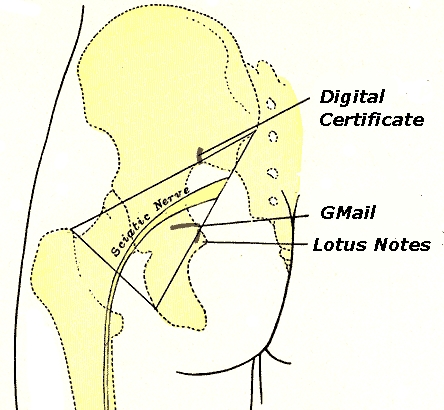
Why do email Digital Signatures have to be such a pain in the ass?

By | August 18, 2009, 10:06am PDT

Summary: Digital Signing of email doesn’t need to be a major chore using PC operating systems and webmail sites, but it is.

I spent the better part of my day trying to get Thawte personal email digital signatures to work with GMail and Lotus Notes 8.5. Why does it need to be this hard?

Yesterday I finally had a need to get a personal digital certificate and send somebody a digitally signed email message — I’m working remotely on a project for one of my customers and I needed VPN access into their network. To get the necessary permissions and access, I had to send a digitally signed email to their head of IT security. The head of IT security directed me to Thawte’s freemail certificate issuing authority web site, which generates certificates for several different web browsers and email clients that you can import and use to digitally sign your emails. I figured “ok, no problem”.

Click on the “Read the rest of this entry” link below for more.

The actual certificate registration process itself is fairly simple. You sign up into Thawte’s web site and fill out a bunch of personal information, and the site sends you an email with a link which it uses for delivery verification. After clicking on the link, you can then request a X.509 format public key certificate for “Mozilla Firefox/Thunderbird/Netscape Communicator”, “Internet Explorer/Outlook/Outlook Express”, “Lotus Notes R5″, “OperaSoftware Browser” or “C2Net SafePassage Web Proxy”.

Being that I am a Lotus Notes user, I chose Lotus Notes R5, assuming that certificate would still work in R8. So I hit the request button.

Unfortunately, if you are running Lotus Notes R8 and are using Firefox as your browser to follow external links in your emails, Thawte gives you a Sorry Dave, I Can’t Do That message. Kind Regards? Is that the South African way of saying go stuff yourself? Okay, so I figured maybe it needs to import the cert into my browser, and then Notes will handle it automagically. So I requested a Mozilla certificate, which took a few minutes for it to generate, which I was then able to download using Windows XP and automatically imported into my browser.

When I attempted to digitally sign an email message using Lotus Notes, it told me I had no certificates. Suffice to say if you do not have a Lotus Notes-compatible certificate and you don’t import it into the software directly, digital signatures with Notes do not work. DOH! Given that Thawte wasn’t going to issue me one for Notes, I had to take another route. I decided I was going to use my personal email account running on GMail instead. Surely, the mighty Google had figured out how to do this, right?

In a word, uh, no. As It turns out, GMail has no built-in automagical provisions for digital signing using an X.509 certificate. There’s no settings area where you can select “Import Digital Certificate” or “Generate Digital Certificate from Google’s cert authority” or anything like that. To use digital signatures with GMail, you actually have to download a 3rd-party Firefox extension that supports S/MIME, which will insert your Thawte/Firefox compatible certificate into an email using GMail. Got it? Okay, great.

Related: Getting a Thawte Email Certificate (heypete.com)

But I wasn’t going to mess with squirrely Firefox extensions and GMail using my work Windows XP laptop, which is an acropolis of business-critical software that I don’t want to fool around with that uses finely tuned java/web apps which require specific configurations in order to run correctly. I had just built a brand-new Windows 7 machine and a bunch of Windows 7 VMs that I could blow up if I wanted. So I installed Firefox 3.5 on Windows 7, and I installed the S/MIME plugin. Then I retrieved my certificate from the Thawte website.

I quickly found out, however, that this doesn’t work. You see, when you run Firefox 3.5 in Windows 7, by default it runs in Windows Vista compatibility mode and the MIME behavior is different and you can’t pick up your certificate from Thawte from their web site and automatically import it into Firefox. You have to right-click on the Firefox icon, select Properties, then select Compatibility and then Windows XP Service Pack 3. Then you can send an email using the digital signing plugin for GMail.

You’ll notice that at the bottom of the email, there’s an smime.p7s attachment which is the actual digital signature. But this digital signature is “Untrusted” because I didn’t join the “Web of Trust” for Thawte and didn’t get a bunch of people to verify I was a real human being.

There needs to be a better and easier way to get digital signatures into emails. For starters, all the mainstream web email services, be it GMail, Microsoft Hotmail, AOL Mail or Yahoo! Mail need to integrate their own Certificate Authorities into their web sites or at least form partnerships with existing Certificate Authorities so that with a few clicks, you’ve got a certificate issued and running in your Web Mail.

You shouldn’t need some stupid browser plug-in with some arcane web retrieval mechanism which breaks on modern versions of Windows to do this. If a “Web of trust” is required to further verify that you are a real person and not some random spammer, then I can think of no better mechanism than using social networking sites for this, such as your existing LinkedIn contacts or your FaceBook friends network that will validate a trust ring for email certificates — the people who ALREADY trust you as a contact to begin with.

Are you frustrated with the current state of digital signing mechanisms? Talk Back and Let Me Know.

Kick off your day with ZDNet's daily e-mail newsletter. It's the freshest tech news and opinion, served hot. Get it.

Jason Perlow, Sr. Technology Editor at ZDNet, is a technologist with over two decades of experience integrating large heterogeneous multi-vendor computing environments in Fortune 500 companies.

Disclosure

Jason Perlow

My Full-Time Employer is IBM. I write as a freelancer for ZDNet.

Disclaimer: The postings and opinions on this blog are my own and don't necessarily represent IBM's positions, strategies or opinions.

I own no investments or direct financial instruments in the companies I write about.

Biography

Jason Perlow

Jason Perlow, Sr. Technology Editor at ZDNet is a technologist with over two decades of experience with integrating large heterogeneous multi-vendor computing environments in Fortune 500 companies. A long-time computer enthusiast starting the age of 13 with his first Apple ][ personal computer, he began his freelance writing career starting at ZD Sm@rt Reseller in 1996 and has since authored numerous guest columns for ZDNet Enterprise and Ziff-Davis Internet. Jason was previously Senior Technology Editor for Linux Magazine, where he wrote about Open Source issues from 1999 to 2008.

In his spare time, Jason is an avid amateur chef and food writer, where his work reviewing New Jersey restaurants has appeared in The New York Times. He is also the founder of the popular food web site eGullet and blogs about restaurants and cooking at OffTheBroiler.com.

Talkback Most Recent of 25 Talkback(s)

  • Use Help in Notes
    I got to the part where it allows you to import a
    pkcs12 and PKCS7 file quite easily using it.

    However, the whole thing is stupid. I could
    easily "fake" a certificate by sending the
    verification to numerous e-mail accounts to trick
    the system into trusting me.
    ZDNet Gravatar
    itguy08
    18th Aug 2009
  • RE: Why do email Digital Signatures have to be such a pain in the ass?
    It is completely archaic and inane. Digital Certificates are a pig at the best of times. Hence, why do law offices etc still rely on faxes for verification. It just isn't trusted yet.
    ZDNet Gravatar
    rob.ratcliffe.77@...
    18th Aug 2009
  • RE: Why do email Digital Signatures have to be such a pain in the ass?
    Try secureemail from Comodo...www.comodo.com
    it's fully automated and has built-in group policy settings. I also tried Thawte without success. I now use Comodo without any problems.
    ZDNet Gravatar
    ozarktrail
    18th Aug 2009
  • could someone please explain to me...
    ...what makes a "digital signature" valuable? I guess I just don't understand the concept. What's the point? If it's some kind of file you're sending, couldn't someone obtain the file and pretend to be you? Sorry if this is a dumb question.
    ZDNet Gravatar
    lostarchitect
    18th Aug 2009
  • Digital Signature explained
    A digital signature is a form of public key encryption. In the PKI (Public Key Infrastructure) you have 2 keys, "Public" and "Private" which are used in a one way encryption formula (algorithm) that has been shown mathematically that it can't be reverse engineered (at this time). Your public key is published to the world and you keep your private key totally secret.

    In signature mode using your private key the software generates a "signature" for the document using the contents of the doc/email. The recipient can use your public key to verify that the contents of the doc/email have not been altered and that you really are the person who generated the "digital/electronic signature"

    In encryption mode you use the recipient's public key to encrypt the doc/email and they use their private key to decrypt it to read it.

    For a totally secure document (like a contract) you would digitally sign the doc (using your private key) then encrypt it using so the contents could not be read except by the recipient (who uses his private key to decrypt it).
    ZDNet Gravatar
    Ron_007
    19th Aug 2009
  • simples
    It shows that what you sent hasn't been modified subsequently. It links a message to YOU, and it not only says you are who you are, but that you DID say what's in the email.

    Given how easy it is to edit an email after delivery, you can't really trust email for anything contractual without a certificate by way of proof.

    MD5 files have existed for a long time as signatures for emails and also for downloads from websites.

    Perversely certificate signing has been commonplace in Linux for a long time, perhaps because Linux was written by geeks who understood the value of the process and built it in.

    An awful lot of the confusion is caused by multiple 'standards' on the windows platform - please don't treat this as a Microsoft attack because it's incompatibilities with third parties that's the real prob.
    ZDNet Gravatar
    dgrainge
    20th Aug 2009
  • RE: Why do email Digital Signatures have to be such a pain in the ass?
    The answer to this is that Microsoft, who, after all, really does know who you are, automatically provide it.

    I mean that if you are on your own computer, running your copy of Windows XP/Vista/7 and logged in properly, and say, using Outlook, it should authenticate your emails. Obviously Google/Yahoo/MSN should facilitate that authentication as well.

    Enterprise users, same goes for them, only you on your work station, IT knows who you are as well, right?
    ZDNet Gravatar
    DesertDweller_z
    18th Aug 2009
  • possibly a stupid question, but...
    Why didn't you just install GPG and use a public key to
    digitally sign? Or did it HAVE to be S/MIME?
    ZDNet Gravatar
    lothie
    18th Aug 2009
  • ZDNet Blogger

    Customer wanted Thawte cert
    Customer wanted that type of cert to be used.
    Still, the situation with GPG or PGP isn't any
    better, it isnt integrated with the mail services
    or any popular email programs.
    ZDNet Gravatar
    jperlow
    18th Aug 2009
  • RE: Why do email Digital Signatures have to be such a pain in the ass?
    It isn't hard at all.. Solution.. USE OUTLOOK.

    Lotus Notes makes everything hard, and this is reason almost everyone quit using it in the late 90s.
    ZDNet Gravatar
    condelirios
    18th Aug 2009
  • ZDNet Blogger

    No
    Well, firstly, the 350,000 employees of the
    company that I work for uses Lotus Notes, so
    that isn't an option. happy I can also name a
    number of other reasons why companies might not
    want to use Outlook, but this isn't a debate
    over enterprise email systems.

    Secondly, for my personal email, I use GMail,
    which suits my purposes fine. I have no need to
    use Outlook, which stores its mail files on a
    local PC and that doesn't help when I am a user
    of multiple PCs and are on the road and may
    need to access it on a mobile device or another
    system. As do many other people which use
    webmail services. That cert authorities are
    difficult to integrate with these services is a
    problem that needs to be addressed.
    ZDNet Gravatar
    jperlow
    18th Aug 2009
  • Hm, we never stored the files...
    on the PC, but on a server folder, but mobile clients used OWA with SSL. If I remember storage was optional with that one, but it was a long time ago, I could be wrong!

    Using multiple PCs may be a problem if OWA is not storing on the server.
    ZDNet Gravatar
    JCitizen
    20th Aug 2009
  • This isn't right ...
    > I have no need to
    > use Outlook, which stores its mail files
    > on a local PC

    Doesn't have to. Maybe Outlook isn't set up right. There is no *requirement* to download from pop or imap mail accounts. Most programs can be told to leave mail on the server. Outlook can.

    Another possibility from a fellow called David Harris who has been doing email pretty much since is was invented. Pegasus Mail. Google it.
    ZDNet Gravatar
    dgrainge
    20th Aug 2009
  • ZDNet Blogger

    Exchange and Notes
    Many large organizations set hard limits on
    mailbox sizes. So if you have a mailbox that is
    50MB or 100MB in size, you HAVE to store your
    historical email in a local cache whether you like
    it or not. Also, fat email client
    (Outlook/Exchange and Lotus Notes) performance is
    highly constrained by using a non-replicated
    remote mailbox.
    ZDNet Gravatar
    jperlow
    20th Aug 2009
  • Profane
    Good information in your post. No need to use profanity in your title. This wasn't a slip of the tongue or something said in the heat of the moment. It was a deliberate choice as fully emphasized by the image used in the post.

    If you disagree, then consider if everyone in response to your post upped the ante and replied with even more vulgarity (if ZDNET actually allowed it). Where would we be then?

    I just think that as an author and representative of ZDNET you need to set a higher standard for public communication. (and yes, I have used profanity in my personal life, but I try not to do it in public or a public forum).
    ZDNet Gravatar
    Bob C User
    23rd Aug 2009

Talkback - Tell Us What You Think

Formatting +
BB Codes - Note: HTML is not supported in forums
  • [b] Bold [/b]
  • [i] Italic [/i]
  • [u] Underline [/u]
  • [s] Strikethrough [/s]
  • [q] "Quote" [/q]
  • [ol][*] 1. Ordered List [/ol]
  • [ul][*] · Unordered List [/ul]
  • [pre] Preformat [/pre]
  • [quote] "Blockquote" [/quote]

The best of ZDNet, delivered

ZDNet Newsletters

Get the best of ZDNet delivered straight to your inbox

Facebook Activity

White Papers, Webcasts, & Resources