iPhone passcode lock rendered useless

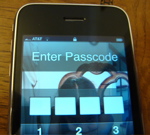
The feature, which lets users set a four-digit pincode to limit access to the device, can be easily bypassed with a few finger taps on the iPhone to give an intruder access to sensitive information.
Here are a few steps to reproduce this vulnerability (requires physical access to a passcode-protected device) to access the phone, e-mail and SMS messages, Google Maps and the full Safari browser:
- Set up a passcode lock (Settings > General > Passcode Lock and enter a 4-digit passcode. iPhone then requires you to enter the passcode to unlock it).
- Set up contacts in address book with e-mail address, phone numbers and Web sites.
- Turn off/on iPhone and move slider to get to "Enter Passcode" screen.
- Tap "Emergency Call" button (buttom left).
- Double tap home button.
- This pulls up all contacts in the Favorites list.
- Tap on the blue arrow next to contact's name to get full access to e-mail, SMS, Safari, etc.
Here's the most troubling thing about this vulnerability: It was fixed by Apple (see advisory) for iPhone v1.1.3 and iPod touch v1.1.3 back in January this year.
- Passcode Lock CVE-ID: CVE-2008-0034 Available for: iPhone v1.0 through v1.1.2 Impact: An unauthorized user may bypass the Passcode Lock and launch iPhone applications Description: The Passcode Lock feature is designed to prevent applications from being launched unless the correct passcode is entered. An implementation issue in the handling of emergency calls allows users with physical access to an iPhone to launch an application without the passcode. This update addresses the issue through an improved check on the state of the Passcode Lock.
I have confirmed this issue affects iPhone and iPod Touch 2.0, which means the January fix never made it into the newer versions of the software.
The obvious workaround: Remove all Favorites until Apple ships a proper fix.
UPDATE: In the TalkBack section, reader zrds comes up with a better workaround:
- I'd like to point out that a good workaround is setting your home button "Settings->General->Home Button" to "Home" will effectively negate the issue.
This does work much better as a mitigation.
* Hat tip to "greenmymac" on the MacRumors forum. The Register has additional coverage with a great headline.