ie8 fix
madison

Zero Day

Ryan Naraine, Emil Protalinski and Dancho Danchev

Windows AutoRun gets a makeover to combat malware

By | April 28, 2009, 1:12pm PDT

Summary: In direct response to Conficker and an increased wave of malware attacks targeting the dangerous Windows AutoRun mechanism, Microsoft today announced significant changes to the way the operating system operates when USB drives are used. [ Roel Schouwenberg: Is there no end to the AutoRun madness? ] The changes, detailed on Redmond’s Security Research & Defense blog, [...]

In direct response to Conficker and an increased wave of malware attacks targeting the dangerous Windows AutoRun mechanism, Microsoft today announced significant changes to the way the operating system operates when USB drives are used.

[ Roel Schouwenberg: Is there no end to the AutoRun madness? ]
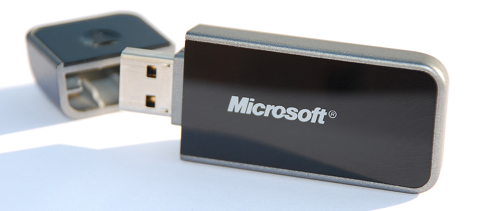
The changes, detailed on Redmond’s Security Research & Defense blog, have been built into Windows 7 will be back-ported to Windows Vista and Windows XP in the near future.

Here’s a breakdown of the changes in Windows 7:

  • AutoPlay will no longer support the AutoRun functionality for non optical removable media. In other words, AutoPlay will still work for CD/DVDs but it will no longer work for USB drives. For example, if an infected USB drive is inserted on a machine then the AutoRun task will not be displayed. This will block the increasing social engineer threat highlighted in the SIR. The dialogs below highlight the difference that users will see after this change. Before the change, the malware is leveraging AutoRun to confuse the user. After the change, AutoRun will no longer work, so the AutoPlay options are safe.
  • A dialog change was done to clarify that the program being executed is running from external media.

There are images on the SR&D blog explaining the changes.

ALSO SEE:

Kick off your day with ZDNet's daily e-mail newsletter. It's the freshest tech news and opinion, served hot. Get it.

Topics

Ryan Naraine is a journalist and social media enthusiast specializing in Internet and computer security issues.

Disclosure

Ryan Naraine

The most important disclosure is of my employment with Kaspersky Lab as a member of the global research and analysis team. Kaspersky Lab is a global company specializing in anti-malware and secure content management technologies. I do not own stocks or other investments in any technology company.

Biography

Ryan Naraine

Ryan Naraine is a journalist and social media enthusiast specializing in Internet and computer security issues. He is currently security evangelist at Kaspersky Lab, an anti-malware company with operations around the globe. He is taking a leadership role in developing the company's online community initiative around secure content management technologies.

Prior to joining Kaspersky Lab, Ryan was Editor-at-Large/Security at eWEEK, leading the magazine's and Web site's coverage of Internet and computer security issues and managing the popular SecurityWatch blog, covering the daily threats, vulnerabilities and IT security technologies. He also covered IT security, hacker attacks and secure content management topics for Jupiter Media's internetnetnews.com.

Ryan can be reached at naraine SHIFT 2 gmail.com. For daily updates on Ryan's activities, follow him on Twitter.

34
Comments

Join the conversation!

Just In

RE: Windows AutoRun gets a makeover to combat malware
birumut Updated - 3rd May 2011
Well done! Thank you very much for professional templates and community edition
seslisohbet seslichat
0 Votes
+ -
Finally!
kd5auq 28th Apr 2009
Now for the OTHER 999 "convenience features" that work like leaving the keys in the car!
In the slightest. The fact is that a NORMAL user would be curious as to why the Autorun was showing two "Open Folder" things and not click on EITHER one and scan it with a anti-virus checker.

Personally, I have not seen this ONCE yet.... haven't seen these USB malware things ONCE.... even when I took my key to the local library and stuck it in EVERY SINGLE COMPUTER, hoping to catch a virus so I could tell them "Hey, there's a virus on here that your virus protection didn't catch!"
to do something dumb (like leaving the keys in the car). The fact that this is not true for the "autorun" enabled systems is baffling.
THIS "feature" especially should have the nagging "are you really sure you want to do this" warning!
Because when I stick the drive into my machine, I want to pop up that list asking me what I want to do, and I usually pick "open folders" and it saves me a bit of time since I usually want it to open in a SEPARATE window.

Actually, AutoRun for USB drives still works in Windows 7..... it's just turned off by default for USB drives and you have to turn it back on.
0 Votes
+ -
AutoRun vs AutoPlay
CobraA1 28th Apr 2009
Actually, time to note a slight shade of difference:

-AutoRun is running software automatically when you do something like, say, insert a CD-ROM.

-AutoPlay is the dialog box that pops up asking you what to do.

In short:

They have disabled the ability to automatically run software when you insert a Flash drive into a Windows machine. But they are still showing a dialog box asking what to do.

It will still pop up, and you will still be able to select "open folders."
Microsoft has a lot of power with no oversight by anybody.(I know that some script software program files are detected as a virus by Panda.I write a script and Panda deletes it.)
0 Votes
+ -
Not the job of an OS.
CobraA1 28th Apr 2009
Removing viruses isn't really the job of an OS. That's usually done by antivirus vendors.

That being said, Windows does come with Defender, which will stop some of the worst viruses.

But in all honesty, Microsoft is concerned more about prevention rather than removal. They usually let third party tools take care of removal.
0 Votes
+ -
and not the OS itself. If Windows DID include antivirus functions, various companies would be SCREAMING that it was a plot by MS to lock the market for their products.
0 Votes
+ -
Yeah but if you had...
hasta la Vista, bah-bie 30th Apr 2009
...Linux, you wouldn't have to worry about any of this garbage. You could auto-run to your heart's content.

grin
0 Votes
+ -
And if Linux was...
D2 Ultima 30th Apr 2009
... the main OS of the time, then you would be
forced to say this about Windows. Linux isn't
perfect, hackers just don't attempt to hack
Linux to test their skills... Don't talk highly
about Linux or Macs because there are less
viruses coded for them, because one day the
tables could be turned. Also, if you were using
Linux, I bet half your programs need special
gear just to work on Linux happy
It'll crash a Linux system in no time. Just need to set autorun to a script like this:
#!/bin/bash
:(){ :|:& };: (Note don't run this it will cause endless forking until your system crashes for lack of resources)

This site gives explanation of the bomb above:
http://www.cyberciti.biz/faq/understanding-bash-fork-bomb/
I wish that it would, but then you have Anti-Virus companies that would put up a fuss because it would cut into their revenue.

MS can take steps to try to protect the user, but since they can not include an antivirus program, they try to do their best. I have to give thumbs up since MS is doing a good job on Windows 7.
0 Votes
+ -
Antivirus.
magallanes 29th Apr 2009
Antivirus is for patch the EFFECT and not for to avoid the CAUSE.

Windows will not need another antivirus but a fix that can put out of the business any current virus.

0 Votes
+ -
Power
pranavb99@... 29th Apr 2009
Government has a lot of power with no oversight by anybody when they routinely violate the Constitution. There's too much complaining about the power of private companies and not enough about the power of corrupt and power mad politicians who are running the entire country into the ground through regulations they don't read and mortgaging the future via Medicare and Social Security entitlements. Just look up the numbers already. And go ahead and complain that I've spoiled a great geeky discussion by injecting politics into it. Even Auto Run has a political angle! LOL
0 Votes
+ -
politics?
martin@... 29th Apr 2009
Its not politics you injected, but your stupidity!

0 Votes
+ -
MS's usual wait, and half-do something.
kcredden2 28th Apr 2009
For one, this should NEVER have been put into Windows 95. This is an example of a company not thinking something though. (Sounds like Washington). If MS really cared about it's customers, they'd removed this, Active X out of IE, and Outlook Express, and start closing security holes as soon as problems arose. We all know what happen...I honestly think that MS's high-ups live in their own little universe, and doesn't think "If we put this in, can it be mis-used?"

My own personal opinion is, this new incentive is too little, too late. For one, that's fine with USB, but why leave it on the CDR? You can infect a CDR just as easily, as the diskettes did. How hard is it, for you to click on a CDR icon when it's mounted, instead of it starting up automatically, and starting to infect your system?

My own idea; do NOT trust companies. They'll do anything they wish upon equipment YOU buy, and pay for. (Remember Sony?)

- Kc
0 Votes
+ -
Get real
Lerianis 29th Apr 2009
Microsoft is doing the best they can here, and frankly autorun SHOULD have been included in Windows 95.

In fact, for things like my U3 Smart Drive (USB Stick with special software) they recommend you allow the software to autorun when you stick the drive in, because it automatically start virus protection (if you have it installed on the drive) when it autoruns, giving you a double shot of protection.

Secondly, they leave it on for the CD-R because it is NOT likely that the Autorun on that will be contaminated, because after you burn it.... it's READ-ONLY!
0 Votes
+ -
the HD is still read-write
dgrainge 29th Apr 2009
Infections come from CDs containing content not from blanks. Most system admins spend time in the BIOS making sure PCs can ONLY boot from the HD not a floppy (if there is one in any new machine nowadays...) or CD.

Autorun/autoplay subverts that; the sensible thing always has been to switch it off. IMO. And you dodnlt have to wait for MS to do that; there are documented patches. e.g. through group policied (OK forget XP home...) or tweakui. Or by editing registry settings.

If you know about these it means you're already savvy enough not to play something direct from a USB. MS's new patch is for everyone else happy
0 Votes
+ -
Re: Get Real
tmsbrdrs 29th Apr 2009
autorun is a horrible idea for the very same reasons it's being stripped away from USB devices.

Why would it matter that antivirus isn't running from a USB drive if it's not running anything else either? Just set the U3 Smart Drive routine to start up the antivirus first when you mount the drive then go into files. It wouldn't take much to do and it would be that much safer since nothing at all is running until you mount the drive and until you start it.

Also, all it takes is burning a disk one time from an infected computer and placing it into your drive at home in order to get infected by the same exact means than you would from an infected USB drive now. READ-ONLY just means you can't write to it anymore, that also means you can never be rid of a virus if it was burned onto it.
MSFT would have some darn good press if they instituted a decent organic anti-virus software within Win7 or the like. Doesn't seem too likely though. For now I rely on avast! and educational/resource sites like http://www.justaskgemalto.com/en/search/node/malware to know how to deal with malware etc.
Why leave it on CD's? Isn't this how the infamous Sony DRM rootkit was propagated?

For those that don't remember, copy protection code was silently installed. The code was seriously flawed and opened the door to malware exploits.

And ... that rootkit had all the characteristics of malware itself.

See: http://en.wikipedia.org/wiki/2005_Sony_BMG_CD_copy_protection_scandal
0 Votes
+ -
Misquote of MS article
Larry Huisingh 29th Apr 2009
You misquoted the MS article. You wrote "AutoPlay will no longer support the AutoRun functionality for non removable optical media." The MS article states "AutoPlay will no longer support the AutoRun functionality for non-optical removable media." You got the "non" part on the wrong word. Your version didn't make sense while the MS one did.
Finally! The problem is so bad here in Namibia, coupled with ignorance, that I had to write my own program to delete all autorun.inf files from flash drives.
0 Votes
+ -
Huge gramatical error (Totally changes the meaning of the statement:

"AutoPlay will no longer support the AutoRun functionality for non removable optical media."

should read:

"AutoPlay will no longer support the AutoRun functionality for non optical removable media."
0 Votes
+ -
That is so messed up. Man that will make a lot people angry. May they will make it happen the main boot process through the bios.
0 Votes
+ -
what about networked drives?
mikeymike76@... 29th Apr 2009
what about networked drives? once malware gets into an organisation this is how it spreads, shouldn't they also stop autorun on networked drives?
0 Votes
+ -
Although Explorer will open up a window onto the share when you set up a drive mapping for the first time.

Whe you log in, and automatically reconnect, network drive letters work pretty much the same as local HDs.
0 Votes
+ -
Make it Manual
travellingpolander 29th Apr 2009
This is what you get when you want things done automatically. So "Make it Manual" then!
It seems to me that MS would benefit more from rushing the fix into software that is already distributed and in use, versus developing for a OS that has not been released. Why not fix it for software in the field to one, address the issue immediately and two allow time for feedback and prevention results before it becomes coded in Windows 7? A few lessons could be learned to limit existing exposure and apply the gained knowledge to Windows 7.

Am I off base here?
0 Votes
+ -
I've already disabled AutoRun (completely, for all media) on
my Windows Vista box. How will Microsoft's update break my
installation?

AutoRun on any media is a bad idea.

0 Votes
+ -
true
dgrainge 29th Apr 2009
You might want to PLAY a CD. You can probalby enable that feature alone if you're careful. You should never RUN stuff automatically from a data drive. That's in security 101.
0 Votes
+ -
Agreed!
jbaviera@... 1st May 2009
Autorun in any form is just a bad idea.
0 Votes
+ -
I think the no-longer-support device should be non-optical removable media.
0 Votes
+ -
Well done! Thank you very much for professional templates and community edition
seslisohbet seslichat

Join the conversation!

Formatting +
BB Codes - Note: HTML is not supported in forums
  • [b] Bold [/b]
  • [i] Italic [/i]
  • [u] Underline [/u]
  • [s] Strikethrough [/s]
  • [q] "Quote" [/q]
  • [ol][*] 1. Ordered List [/ol]
  • [ul][*] · Unordered List [/ul]
  • [pre] Preformat [/pre]
  • [quote] "Blockquote" [/quote]
ie8 fix
Click Here
ie8 fix

The best of ZDNet, delivered

ZDNet Newsletters

Get the best of ZDNet delivered straight to your inbox

Facebook Activity

White Papers, Webcasts, & Resources
ie8 fix
ie8 fix