How to connect Hotmail and Gmail accounts to Outlook 2013 preview

If you’ve installed the Office 2013 preview, you might notice one welcome addition in the mail setup routine for Outlook 2013. It now supports Exchange ActiveSync as an explicit option.
That means you no longer have to install the kludgey Outlook Connector to set up a Hotmail account with Outlook.
Unfortunately, as I discovered in my testing, the account setup wizard doesn’t always detect Hotmail accounts correctly. If you enter a Hotmail address and it can't set up Exchange ActiveSync, it will try to set up your account using POP and SMTP support. Bad idea.
The good news is there’s a simple workaround.
In Outlook, click File. On the Info tab (shown below), click Add Account.
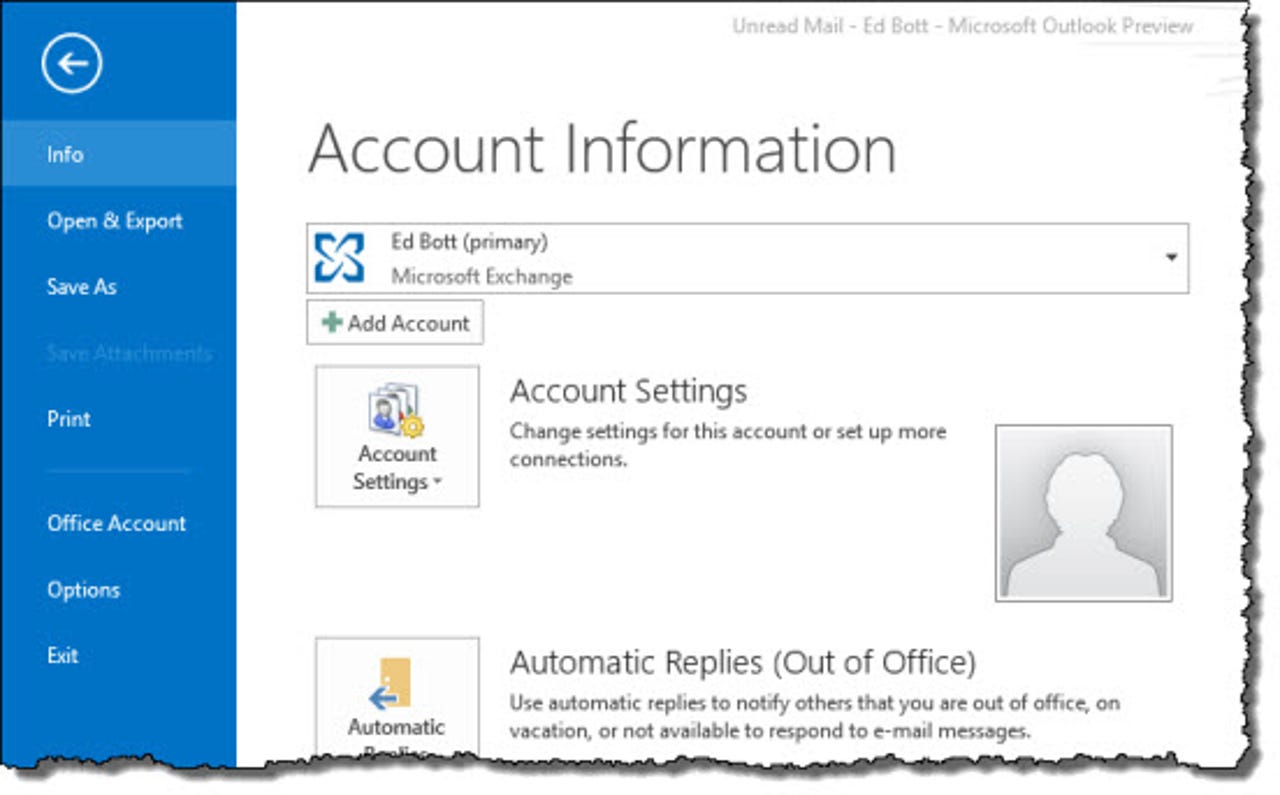
That opens the Add Account dialog box, with Auto Account Setup selected. Don’t enter your email address and password here. Instead, click Manual setup or additional server types and then click Next.
In the Choose Service dialog box (shown below), select Exchange ActiveSync and click Next.
Fill in the Server Settings dialog box using your name, email address (Hotmail.com, Live.com, or MSN.com), and password. In the Mail server box, enter m.hotmail.com. Your settings should look similar to these.
Click Next to continue. Outlook will test your connectivity, and if you’ve configured things properly you’ll see a new message store in the navigation pane on the left, with your Hotmail messages arriving.
As for Gmail, the news isn’t as good. Although Gmail supports Exchange ActiveSync on mobile devices, it offers only POP and IMAP options with Outlook. If you try to set up a Gmail account manually using Exchange ActiveSync, you’ll be unsuccessful.
Historically, IMAP performance in Outlook using Gmail accounts has been dreadful. I’ll be testing it in this preview release to see if things have improved, but I’m not holding my breath.
If I find a workaround for the latter limitation, I’ll update this post.
See also: