Microsoft's Surface Pro: How much usable storage will it really have?

Summary: Surface Pro users will have substantially less free storage on their devices, out-of-the-box than many may have expected. Big deal or business as usual?
Microsoft's Surface Pro launches on February 9. We've known many of the specs for the coming hybrid/ PC/tablets for months.
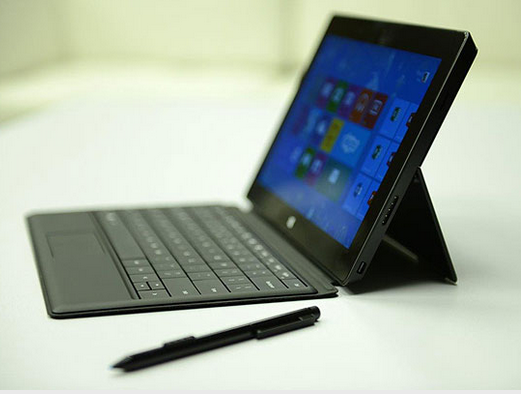
But one stat about which we hadn't received any kind of definitive information (until now) was available storage for user content on Surface Pro devices.
The Verge (citing a Microsoft spokesperson) reported on January 29 that the amount of usable storage on both the 64 GB and 128 GB models will be substantially smaller than many may expect. The 64 GB Surface Pro will have 23 GB of free storage out of the box, and the 128 model, 83 GB of free storage. The remaining storage is consumed by the Windows 8 Pro operating system, built-in apps (like People/Mail/Calendar) and the recovery partition.
I asked Microsoft to confirm the Verge's numbers, and a spokesperson said the 23 GB and 83 GB figures were correct.
Update (February 9): It turns out Microsoft misstated how much storage is available to users on both the 64 GB and 128 GB models of the Surface Pro. My colleague Ed Bott noted the real numbers are 32 GB (instead of 23 GB) for the 64 GB model and 96 GB (rather than 83 GB) for the 128 GB (and somewhat more for both models if users relocate the recovery partition.)
Now back to the original post:
In some ways, this shouldn't be all that surprising. On the Surface RT, the OS, built-in apps and partition take up a sizeable chunk of storage on Microsoft's ARM-based devices.
Bott noted a while back that after launching the Surface RT in October, Microsoft subsequently added a disclaimer to the Surface site, noting that the amount of available storage for user content on those devices would be smaller than some expected. (The disclaimer was intended, one would assume, to head off more lawsuits like this one.)
Microsoft's Surface/Storage site revealed that the 32 GB Surface RT has approximately 16 GB of user-available storage and the 64 GB Surface RT has roughly 45 GB. (There's currently no comparable disclaimer yet for Surface Pro, as these devices don't launch until February 9.)
Here's Microsoft's breakout of how much storage is consumed by integrated components of the Surface RT:

Note that the Surface Pro will not include the Office RT bundle, as Microsoft is not making a locally-installed version of Office part of the Surface Pro package.
How does the Surface Pro storage situation stack up against roughly comparable non-Windows devices, say, like the MacBook Air? The MacBook Air makes available 92 GB of user-available storage on a 128 GB device. The difference between the Surface Pro and the MacBook Air is the recovery partition, as MacBooks have a recover-over-Internet feature instead.
Microsoft officials have suggested that tech-savvy users could opt to delete the built-in recovery partitions on their Surface RTs and use USB recovery media in order to save more storage space.
Update: Here are a couple more links on creating recovery media: One from the Windows SuperSite and one from computer book author Andy Rathbone.
The Microsoft spokesperson I contacted about the Surface Pro storage figures added the following:
"Surface Pro has a USB 3.0 port for connectivity with almost limitless storage options, including external hard drives and USB flash drives. Surface also comes pre-loaded with SkyDrive, allowing you to store up to 7GB of content in the cloud for free. The device also includes a microSDXC card slot that lets you store up to 64GB of additional content to your device. Customers can also free up additional storage space by creating a backup bootable USB and deleting the recovery partition."
Anybody contemplating purchasing a Surface Pro put off by the amount of out-of-the-box storage you will get?
Kick off your day with ZDNet's daily email newsletter. It's the freshest tech news and opinion, served hot. Get it.
Talkback
We already know
Let's do the math.
Unformatted space: 64 GB (base 10).
Formated space: 58 GB (base 2).
After OS install: 38GB (20 GB Windows install)
38GB. The rest is free for apps, page files, recovey partitions, and whatever files you prefer. The device may ship with some of these options prefigured for you. Personally I will blast half of them away and reclaim memory. If you choose not to, then you have no reason to bitch about them taking up room. Personally the freedom to is why I'm buying
a Surface pro to begin with.
Don't really agree
I do not think MS is being very customer need/service focused in using an archaic recovery partition on relatively expensive SSD real estate. MS's attention to detail is often very poor. I experience that using Windows 7 on a daily basis. I find myself asking: Why on earth is it like that?
If they want to make the "Surfaces" a success, I think they need to be a lot sharper in their execution and solutions.
Not correct
Next up, the page file. The minimum size page file you can set is 16MB. On my particular machine this would free up 3.4GB. Now of course this will have adverse effects on performance, but depending on how you use your machine this is nonetheless a possibility.
Finally the recovery partition. I have no idea how large this is on the Surface RT. Usually it's around 10GB. There is no reason that this cannot be formatted and reclaimed. You can create your own recovery partition on another drive if you prefer, and there are built in tools to do this. I've done this on other Windows 8 systems, and there are no reasons this should not be possible on Windows 8.
As far as Microsoft being customer oriented with a recovery partition, perhaps it would be a nice idea to put this in inexpensive flash memory. But I find it very hard to accept your argument that an easy to use and accessible system recovery feature is not a customer focused option. With a few clicks you can restore your entire system to a workable state. This seems like a valuable feature to me.
So in the end, none of what you said changes the above math in my post.
By "Surface RT" I of course meant "Surface Pro"
True enough, but think about what you're saying.
So yeah, you can do all the things you mentioned, but you're taking a lot of chances in the name of making a device more usable.
Personally...
Disabling hibernate has no effect on the ability of the computer to actually sleep. This is the low power state my laptop is in most, as opposted to hibernate. It gets around 2 hours battery life these days, and I don't witness any appreciable drain while in sleep. I would expect the same for the Surface Pro.
As for a recovery partition, having it always available does not offer a benefit for me personally. If I have a failure in the field, I'll need further backups to get me up and running. If I've forgotten the recovery key while traveling, I've forgotten everything else as well. Honestly I don't know why Microsoft didn't put it on a key in the first place, but maybe they were exercising logic similar to yours.
hibernation.
Hibernate must be enabled
hibernation isn't on the menu by default
This is how Win8 works now
Really?
Do you have any clue why paging and hibernation files are not optional? Surface Pro is no different from a Windows 8 laptop and potential buyers already know that.
Let's Give a Big Hello to the Cheerleaders
Second paragraph: Those quite less expensive laptops? Hunh. I thought they differ in portability. But, I may be misinterpreting your point. Perhaps you are saying that Microsoft eschewed the assumed tablet advantage - less geek required - in favor of the seamless administrative experience. Not exactly preaching to the choir, in terms of expanding the market. More like asking the choir to turn from Hymn 15 to Hymn 75.
I have to be honest, I'm not seeing the through line of Microsoft's story here. A few years back, they were the os underpinning the economical computers. Now the economical computers are too heavy and, voila, the Surface Pro. I may be wrong, but I don't think Microsoft is giving OEMs any break on license fees, so maybe that's where Microsoft bakes in its price protection.
As I say, they have more MBAs than me.
Were you trying to make a point?
they know what they're doing
As for all of the time, one word: Kin.
Womp, womp,..
another word:
Re: Do you have any clue why paging and hibernation files are not optional?
And paging/swapping on flash storage is a BAD idea. Which is why Android doesn't do it.
They'd be better off getting a MacBook Air 64
You know, because the MBA's 64 is really 127, 128 when you do the math.
Actually the MBA has a clear advantage over the Surface Pro in that respect
Anyone purchasing a 64 GB Surface Pro is in for a very rude awakening.
NO!! Mary Jo is wrong!!