Images: How to run Internet Explorer securely

(This guidance was prepared and distributed by Will Dorman, vulnerability analyst at Carnegie Mellon Software Engineering Institute CERT Cordination Center).
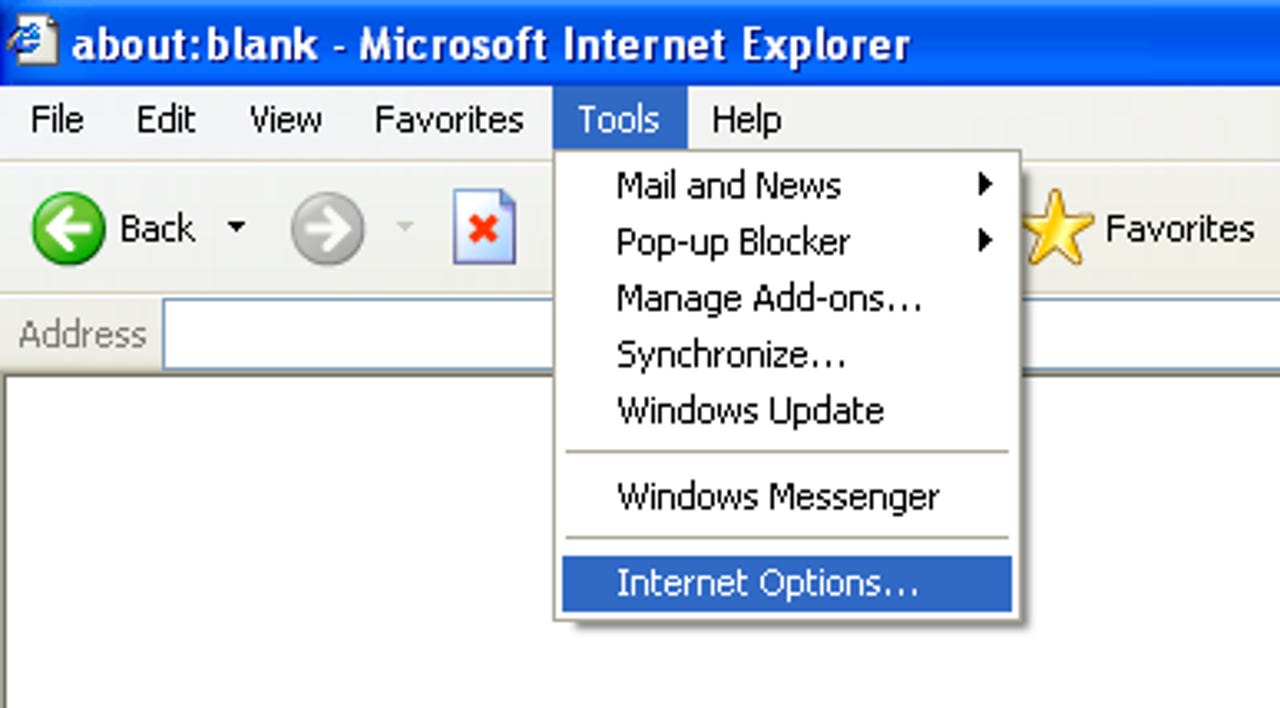
To get started, to Tools > Internet Options. Please note that these options may vary slightly depending on your browser version.
For each of these zones, you can select a Custom Level of protection. By clicking the Custom Level button, you will see a second window open that permits you to select various security settings for that zone.
The Internet zone is where all sites initially start out. The security settings for this zone apply to all the web sites that are not listed in the other security zones. We recommend the High security setting be applied for this zone.
By selecting the High security setting, several features including ActiveX, Active scripting, and Java will be disabled. With these features disabled, the browser will be more secure.
Click the Default Level button and then drag the slider control up to High.
Here you can control the specific security options that apply to the current zone.
Default values for the High security setting can be selected by choosing High and clicking the Reset button to apply the changes.
CERT/CC recommends that you set the security level for the Trusted sites zone to Medium. When the Internet Zone is set to High, you may encounter web sites that do not function properly due to one or more of the associated security settings.
This is where the Trusted sites zone can help. If you trust that the site will not contain malicious code, you can add it to the list of sites in the Trusted sites zone (see next slide).
Once a site is added to this zone, features such as ActiveX and active scripting will be enabled. The benefit of this type of configuration is that IE will be more secure by default, and sites can be “whitelisted” in the Trusted sites zone to gain extra functionality.
You may also require that only sites with Secure Sockets Layer (SSL) implemented can be active in this zone.
This permits you to verify that the site you are visiting is the site that it claims to be.
CERT/CC recommends that you select the Advanced button and select Override automatic cookie handling.
See next slide for instructions on how to configure this setting.
You can then evaluate the originating site, whether you wish to accept or deny the cookie, and what action to take in the future (always accept, always block, or continue to ask).
You can add or remove sites, and you can change the current settings for existing sites.
The bottom section of this window will specify the domain of the site and the action to take when that site wants to place a cookie on your computer.
You can use the upper section of this window to change these settings.
The settings contained in the Multimedia section have features that you can adjust to protect against some potential vulnerabilities. For instance, attackers may be able to track your usage or exploit the software you use to play multimedia data.
CERT/CC recommends disabling the options to play sounds and videos by unchecking these boxes.
You can also prevent Internet Explorer from showing you a message asking to be your default Web browser.