Internet Explorer 9 Tracking Protection: how it works

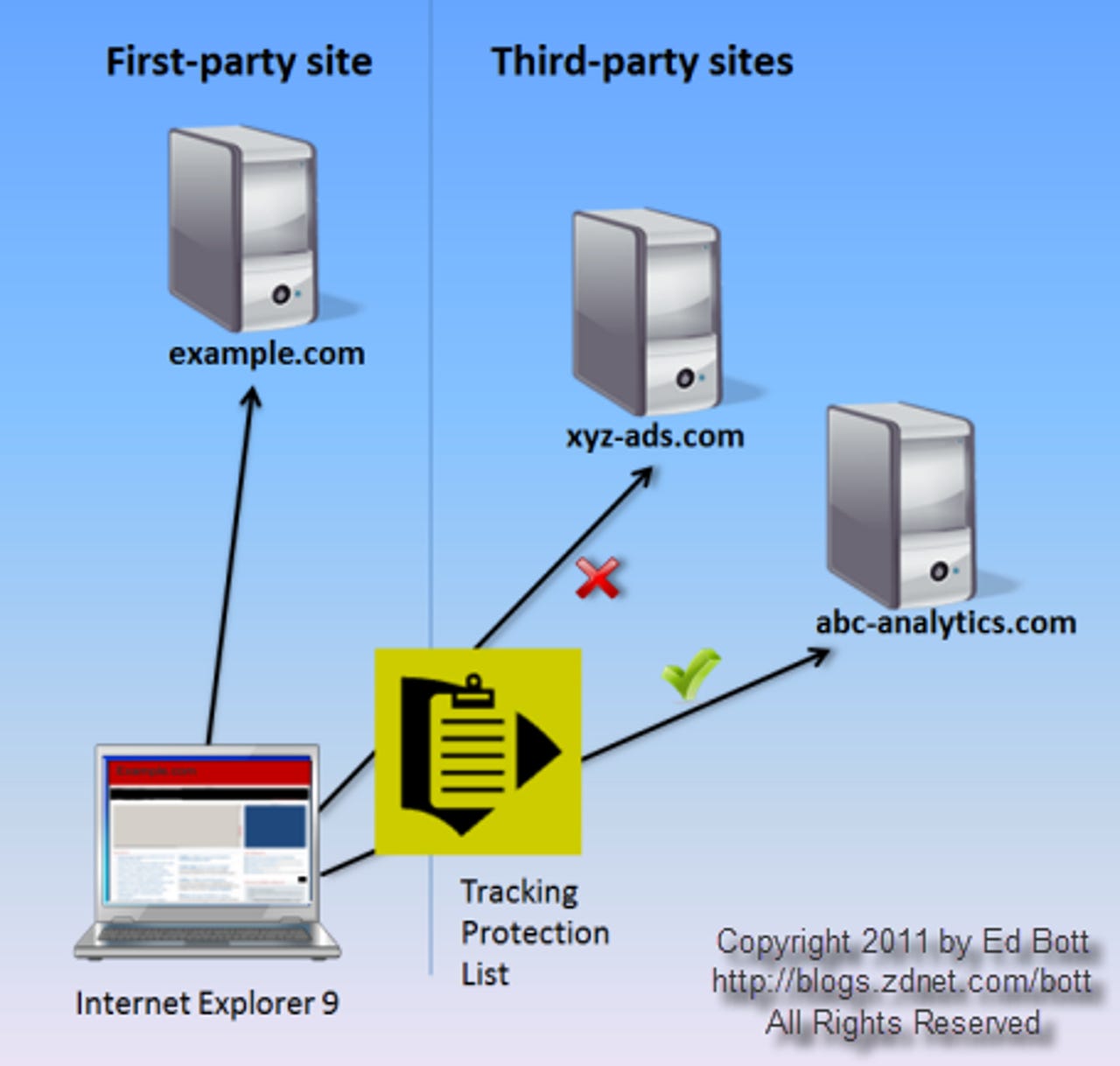
Here’s a simplified example of Tracking Protection at work, with a page that includes an advertisement and a tracking pixel from two third-party sites.
Because xyz-ads.com is on the Block list, no request is sent to its server and the space where the ad should go remains blank. But abc-analytics is on an Allow list, so that request goes through.
For more details on how Tracking Protection works, see IE9 and Tracking Protection: Microsoft disrupts the online ad business.
When you click a link to install a Tracking Protection List, a snippet of JavaScript displays this dialog box. If you click Add List, the list is installed for immediate use by IE9.
For more details on how Tracking Protection works, see IE9 and Tracking Protection: Microsoft disrupts the online ad business.
You can install multiple Tracking Protection lists. From the Manage Add-ons dialog box, you can enable or disable any installed list at any time. You can also inspect the contents of any Tracking Protection List, copy it to the Clipboard, or remove the list completely.
For more details on how Tracking Protection works, see IE9 and Tracking Protection: Microsoft disrupts the online ad business.
When you select a TPL and click the More Information link, you see the contents of the installed list in this dialog box. Click Copy if you want to paste the contents of the list into a text editor for a more detailed examination or to modify for your own use.
For more details on how Tracking Protection works, see IE9 and Tracking Protection: Microsoft disrupts the online ad business.
You'll find TPLs stored in this subfolder. Note that lists are stored in the user's profile. If you want to enable Tracking Protection for multiple user accounts, you must customize each one individually.
For more details on how Tracking Protection works, see IE9 and Tracking Protection: Microsoft disrupts the online ad business.
In some cases, Tracking Protection can cause problems for a site. If that is the case, click the blue Content Filtering icon in the address bar. The dialog box that appears will vary according to your current settings, but should allow you to disable Tracking Protection for that site.
For more details on how Tracking Protection works, see IE9 and Tracking Protection: Microsoft disrupts the online ad business.