Screenshots: Internet Explorer 9 beta

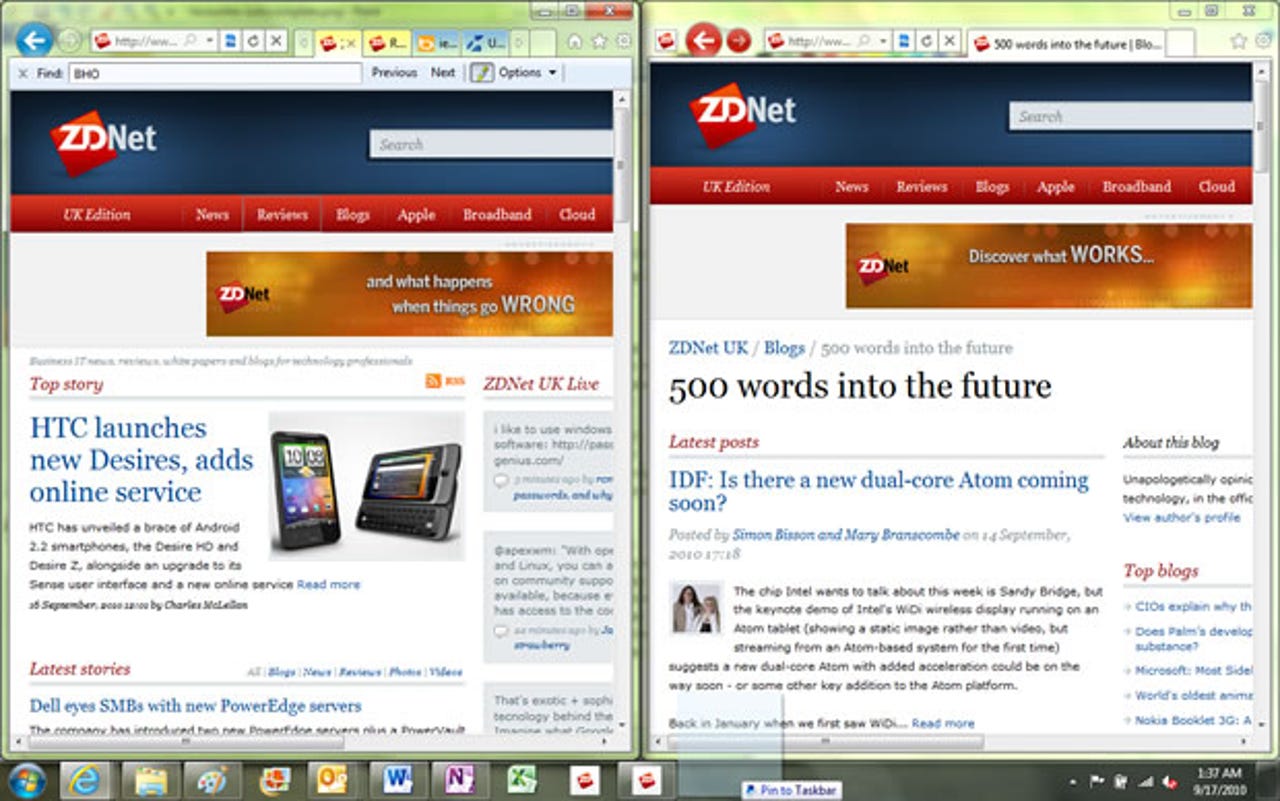
Drag a tab out to make a new window and it's easy to snap two pages side by side. Drag it to the taskbar to pin it and you get the slightly different interface on the right.
With a fast JavaScript engine and renderer under the hood, IE 9 tells you when an add-on is slowing it down.
Start typing and IE 9 gives you matches from your history and favourites — and search suggestions if you turn them on. Matching URLs are autocompleted.
Dialogues, infobars and alerts all move down into the notification bar, where they're not as irritating — and maybe not as noticeable.
Pin sites to the taskbar and they act like apps with jump lists of tasks that are actually web pages, making a site feel like an app and a web app feel like a Windows app.
Pin this streaming site to the Windows 7 taskbar and you get a thumbnail with controls; you can pause or rate songs in the thumbnail.
You have to click in just the right spot to turn old interface components back on.
There are some useful tools in the new IE 9 download manager.
The colourful and (mostly) useful New Tab page displays common and recently visited pages.
Microsoft has plenty of tools that let you play around and compare browser speeds; the Beauty of the Web site also highlights real sites and web apps that make the most of HTML 5.