'ZDNET Recommends': What exactly does it mean?
ZDNET's recommendations are based on many hours of testing, research, and comparison shopping. We gather data from the best available sources, including vendor and retailer listings as well as other relevant and independent reviews sites. And we pore over customer reviews to find out what matters to real people who already own and use the products and services we’re assessing.
When you click through from our site to a retailer and buy a product or service, we may earn affiliate commissions. This helps support our work, but does not affect what we cover or how, and it does not affect the price you pay. Neither ZDNET nor the author are compensated for these independent reviews. Indeed, we follow strict guidelines that ensure our editorial content is never influenced by advertisers.
ZDNET's editorial team writes on behalf of you, our reader. Our goal is to deliver the most accurate information and the most knowledgeable advice possible in order to help you make smarter buying decisions on tech gear and a wide array of products and services. Our editors thoroughly review and fact-check every article to ensure that our content meets the highest standards. If we have made an error or published misleading information, we will correct or clarify the article. If you see inaccuracies in our content, please report the mistake via this form.
Sony Ericsson P900

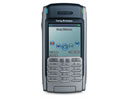
Sony Ericsson P900
pros and cons
- Compact Bluetooth built-in tri-band phone video capture
- Proprietary Memory Stick Duo expansion smaller screen than many handhelds
- Editors' review
- Specs
Sony Ericsson has released the P900 smartphone, an update to the well-regarded P800. The size has been reduced slightly, the screen improved, the appearance tidied up and some more software added. If you're looking for a big leap forward from the P800, the P900 isn't it. However, as with the P800, it's a well-featured and capable smartphone that should be high on your list of options.
Design
Much of the specification of the P900 is the same as the P800: a tri-band GSM phone with GPRS and MMS, Bluetooth, Memory Stick Duo slot, digital camera. You get the idea. The biggest changes aren't with the internals of the unit, but with its appearance and ergonomics. The LCD screen now displays 16-bit colour, but is unchanged in size.
The P900 is a slightly squarer design, fractionally smaller and lighter than the P800, measuring 5.7cm by 2.0cm by 11.4cm and weighing 156g. This makes its form factor closer to that of a larger mobile phone than a handheld. We found the P900 comfortable to carry in a pocket and hold to the ear, although the supplied hands-free kit means even this isn't necessary. A vibrating ring alert means that you shouldn't miss incoming calls even if the phone is tucked away where you can't hear it.
The old transparent plastic stylus has been replaced by a more robust metal-shafted version. The flip keypad has been changed from a passive unit that pressed the touch-screen to one with electrical switches. This eliminates the problems sometimes reported with the P800 of the buttons not working all the time. The flip can still be removed from the P900 if you'd prefer not to use it. You can set an option in the control panel to have a 'virtual flip' on-screen if you do remove the physical one. This gives you an icon that pops up and an on-screen keypad to dial or send text messages. However, the virtual flip is somewhat smaller than its physical counterpart, which makes typing on the screen with the fingers more difficult -- you need to use the stylus to prevent problems. The P900 includes T9 predictive text (an improvement on the P800), but this isn't enabled by default.
The five-way jog dial makes single-handed navigation of the P900's interface relatively easy, after a little practice. The five-way part means that in addition to rolling the wheel up and down and pressing it, you can rock it forwards and backwards. In general, rocking the wheel forwards brings up a context menu, and rocking backwards takes you back a level in the interface -- the equivalent of an escape key. You'll still have to resort to pen-based operation for any text input you need to do, using Jot character recognition, the on-screen keyboard or T9.
There are also two shortcut buttons on the right-hand side of the phone. The top of these is the shutter button for the built-in camera. The lower button triggers the Internet application -- a simple browser. Note that this isn't the version of Opera for Symbian that's supplied with the P900, but a separate application. It's not possible to reprogram what this Internet button launches, which is a shame.
Features
You can capture MPEG4 video clips as well as still images using the built-in VGA-resolution digital camera. There's a small mirror -- 7mm diagonal -- next to the lens, on the back of the phone, which is used for framing shots of yourself (since you can't see the screen when pointing the camera at yourself). There's an option to limit video clips and stills to the maximum size permitted by most Multimedia Messaging Services (MMS), or you can take full-size images and save them onto the Memory Stick Duo slot, or use the cradle connection to your PC. This last option is also a good way of putting music files on the P900 to listen to with the stereo hands-free kit. You're supplied with a 32MB Memory Stick Duo, but this isn't really enough for most applications, and you'll probably want to buy a larger stick if you're going to listen to much music or take many photos. Memory Stick Duos need the supplied adapter to fit into a full-size Memory Stick slot such as those on Sony notebooks and desktop PCs.
The phone is charged either by plugging the charger in directly, as with a normal phone; it can also be connected to the USB cradle for the P900, which charges the phone when you connect to synchronise. This can be quite a good solution if you're using the P900 in conjunction with your office PC. We found that a full charge lasted around two days with moderate phone and handheld usage, and with Bluetooth generally disabled.
The phone link software supplied with the P900 provides synchronisation between your desktop PC and the phone, plus access to the files stored on the phone's internal memory and any Memory Stick in the unit. Installing the software places a 'My P900' icon on your desktop. Unfortunately, clicking this icon just opens a window with another phone icon inside it which, when clicked, opens another Explorer window showing the files on the phone. This may have been done to allow several P900s to be used with a single PC, but for most people this is simply an annoyance.
Once you have your P900 window open, you can drag and drop files between your PC, the P900's internal memory and any Memory Stick Duo that's in the phone's slot. Separate folders are used on the phone for different media types -- audio, pictures, videos and so on -- and files placed in the wrong folders won't be accessible to the relevant applications. You can also manage files on the P900 using the built-in file manager application.
You can synchronise the P900's calendar, contacts, tasks, jotter and mail applications with Microsoft Outlook, Lotus Notes or Lotus Organiser. We tried the P900 with Outlook 2002, and encountered no problems. Note that the security feature built into this and some other versions of Outlook means that you'll be asked to give the phone link application permission to access your Contacts list, adding an extra stage to the synchronisation process.
You can set an option to have the P900 synchronise automatically whenever you connect it to the cradle. Althoough this means you won't forget to trigger a sync, it can get annoying if you take calls on the phone during the day, and take it out of the cradle and replace it. Note that you can also synchronise the P900 wirelessly over Bluetooth if your PC is suitably equipped. This method is slower than using the cable connection, but if your phone is reasonably up-to-date, the process shouldn't take too long over Bluetooth -- under a minute was typical in our test setup.
The built-in messaging application handles email, SMS and MMS messages. You can add Internet email accounts to the P900, in addition to syncing mail with your desktop PC. This needs a dial-up or GPRS Internet account -- you can't access Internet mail through your desktop PC other than the single account that you synchronise with.
Other software pre-installed on the P900 includes CommuniCorder, the still and video capture application, a video player, a music player, Solitaire, chess and a document viewer capable of showing MS Office and PDF documents. Although the Symbian OS doesn't have the widest range of software available for a handheld platform -- that title probably goes to Palm OS -- there is still decent developer support for the platform. Symbian's support for Java widens further the range of software you can run on the P900.
One significant addition to the P900 is a secure network client, allowing encrypted access to company networks. However, this isn't a standard VPN client, but requires you to use either RSA's SecureID or SafeWord from Secure Computing. These both require licences to use, making this facility less useful than if a standards-based VPN client such as IPSec was included. However, you can add other secure clients provided by third parties if necessary.
Conclusion
The P900's updated design is a genuine improvement over the P800, but if you already own the latter, you won't get much more functionality by upgrading. Compared with other smartphones, the P900 has a smaller screen area, but makes up for it by being that bit more portable. Its one true drawback is the use of the proprietary Memory Stick Duo media format for expansion, but the internal memory and supplied card is enough for basic productivity applications. There's nothing about this smartphone that gives it must-have status, but equally it competes easily with other units based on other operating systems. It's more phone-like than competitors such as Handspring's Treo 600, but has just as much handheld functionality.