Working on a mobile device: It's all about focus

Summary: Tablets and other mobile gadgets are commonly said to be consumption devices, not good for doing real work. Those of us who prove that wrong know it's in large part due to focus.

Since they first appeared tablets, such as the iPad and Galaxy Tab, are only good for consuming media and other content according to the pundits. More and more people are finding that's not exactly true as they can be solid work tools for creating content, too.
I've been doing just that for over a year with one tablet or another. I've corresponded with dozens of folks such as Harry McCracken (@harrymccracken) of time.com who is also doing it. Many of these folks have discovered like I that the mobile platforms running these tablets force the user to concentrate on the actual task at hand. It's all about the focus.
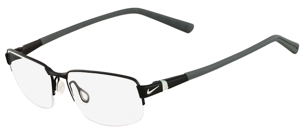
I just picked up new eyeglasses with a greatly revised vision prescription so focus is front and center on my mind. My eyes are adjusting to the new glasses and I'm paying a lot of attention to focusing on specific things.
"This then is the entire Chromebook proposition. It's just a web browser. " — Matt Baxter-Reynolds
This concentration on focusing makes me realize that the primary reason I am more productive working on mobile devices is due to the single focus this enforces. The mobile platforms I use: iOS, Android, and Chrome OS, present me with one window on the work screen at a time.
The forced focus on one thing at a time grabs all of my attention and focuses it on the task at hand. No longer do I have windows open all over a giant screen, all fighting for my attention whether I should be giving it or not.
It's not a lack of discipline that diverts our attention when we have lots of windows open with information all over the screen. It's only natural that flashing lights and multiple points of interest cause our eyes to constantly flick all over the screen to see what's happening. This is a natural distraction that we can't help for the most part.
The best way to eliminate the distraction is to get rid of all the windows with different information displaying. That's exactly what the mobile devices do: present one window at a time that grabs all of our attention. This naturally results in a more concentrated effort no matter what the task at hand may be. You focus entirely on what you should be doing rather than a bunch of things you shouldn't.
This single window method is not appropriate for all tasks or workers. There are some folks who need things displayed side-by-side for reference. But I am willing to bet that many who think they need this really don't if they analyze the real task at hand.
I suspect that working on a mobile device like an Android tablet or an iPad would be a step up for many workers. Undivided attention is usually a good thing and will help get the work done faster and with less headache.
My colleague Matthew Baxter-Reynolds recently shared a brilliant concept that the Chromebook he bought is very similar in function to the iPad. I believe he's discovered what I find to be true that both of those mobile devices focus his attention on the task at hand. That's why they are similar in function.
Even Microsoft gets this with Windows 8 and its single window operation. Put the job front and center and remove all distractions. Except for that snap view thing, which may be best left alone. Focus is the key. Try it, you may be surprised.
See also:
- Best keyboard/ case combos for the iPad
- iPad as a serious writing tool (how-to)
- 10 Nexus 7 apps for the writer
- 10 iPad apps for the writer
- The stealth smart cover technology in the Nexus 7
- It's not a race to the bottom for tablets, it's strictly an iPad market
- Nexus 7: Tale of two cases
- Nexus 7 tablet: One week in
- Fun things to do with Google Now on the Nexus 7
- Top widgets for the Nexus 7
Kick off your day with ZDNet's daily email newsletter. It's the freshest tech news and opinion, served hot. Get it.
Talkback
Sad world
- One blind man trying to guide another blind man... guess where will they land?
That small screen alone turns real work off
In a better place than you will be......
Adapt or "die". Guess what will happen to you?
My choice
I think there's a context problem with this article...
What YOU'RE saying is "if you add enough things to a tablet and choose exactly the right software and really focus on how you do things in order to avoid running into the traps the design of tablets bring, you can be productive." I don't think anyone would disagree with this either.
However, to suggest that the latter invalidates the former is kind of surreal. I can use a moped to move a house - that doesn't suggest that a moped makes a good moving truck. Typing directly on tablets at any speed is painful and error prone. You will want to add a keyboard - which means another bit to carry and find space to use - or a docking keyboard and guess what - a tablet in a dock is what we used to call a 'laptop'. If you need to use unusual software (ie: specialty business software) or peripherals, you're mostly out of luck.
Tablets have become a hit because they finally hit a sweet spot: small, light, powerful enough to handle video, long enough battery life to make it always available, connected but still workable when offline... they're *almost* a full computer - but just enough to do the lightweight chores we all do - and do it anywhere. And for many people, that's ALL the computer they need. That's why tablets captured a huge market of people *who have never owned a computer*.
I think we're past the point where trying to rationalise why tablets are good is really necessary anymore.
Thank you for a well written and thoughful talkback
The fact that you were flagged, speaks volumes about one of (a few of) the posters here.
To the flagger: You must be a pathetic individual with the intellect of a gnat. Shame on you.
I agree with this, which is why MS gets it and apple doesn't
This is one of the guiding principles behind the Modern UI: content over chrome.
While apple is busy trying to make their apps look like faux leather, MS gives you the content with no distractions.
Thanks James, you might finally be understanding why MS gets it, and apple doesn't.
Wow! You really had to reach for that one, toddy!
Now that Microsoft is doing the same thing, it's innovative and demonstrates how they "get it". Yeah, they got it alright. About three years later than Apple.
Sounds a lot like rationalization.
I'm not really buying all of these claims, such as "This is a natural distraction that we can't help for the most part." There is no evidence of this. It's just armchair psychology, made up on the spot to support your rationalization.
Well said
The above article should have been titled "If I totally alter the way I work and what I accept as productive, I can use a tablet".
I don't get this
For example, just today I was comparing two presentations in two different windows to see which had the best representation of the data we wanted to show. I also frequently use different applications to edit photos, and sometimes look up info on the web, or maybe upload a photo right after editing it, and it's just faster to have those apps up at the same time to jump back and forth.
How being limited to one window at a time is necessary to be productive escapes me.
Essentially you are telling people they are using the tablet wrong.
#1 Can you use the iPad or Android to create the programs that it runs?
No... How can something be a content creation device if the only source of programming apps relies on real computers?
That alone pretty much shows the nature of tablets. Then consider all the simple little tasks that mobile operating systems suffer from. Printing a document, access the file system, attach multiple files to email, compress files, interact with web pages that use industry standard plugins, log in as another user, etc.
Tablets are really good at entertainment. I think we can all agree on that.
However, your premise still hinges on a users ability to accept all the inherent weaknesses of tablets, then and only then are they "good". Which seems to revolve around typing text into an email, blog or document. Hardly applause worthy.
Ignorant or shilling??
Um, https://play.google.com/store/apps/details?id=com.aide.ui&feature=nav_result#?t=W251bGwsMSwyLDNd
This has been out for a long time. Update your FUD, bucko.
Try using a 50x50 desk to enhance your productivity
You mistake "focus on the task" for "focus on a window/program". For tasks that require a single window, mobile devices are fine, given proficiency with the input methods. For the rest, they are unsuited by the nature of the task. Switching programs remains a huge pain on all mobile devices I've met (save the recent galaxy tablets with split screen ability).
Hiding information is bad
Despite the fanboy nonsense you are constantly plagued with
Having been in the business since the mid 70s, I can attest that it is certainly possible to be productive on far less capable machines than the current crop of tablets.
What bugs me is when, in the middle of a task, I need to open another app, say as a reference, and the app I leave doesn't reopen where I left it.
Some apps, like browsers, will preserve their state, but this kind of task switching should be an OS feature, not dependent on app developers.
I'm admittedly shy on iOS and Win8 experience (iOS seems simplistic whenever I try it, and I think trying to apply a single UI across every use-case is a mistake), but so far the Playbook seems the best in this regard, both with multi-tasking and with ease of app switching. A 10+ incher would make it more useful for creation.
We'll see if they survive past the end of the month.
I hate the movement toward full-screen applications on laptop and desktops, though.
Despite the fanboy nonsense you are constantly plagued with
Having been in the business since the mid 70s, I can attest that it is certainly possible to be productive on far less capable machines than the current crop of tablets.
What bugs me is when, in the middle of a task, I need to open another app, say as a reference, and the app I leave doesn't reopen where I left it.
Some apps, like browsers, will preserve their state, but this kind of task switching should be an OS feature, not dependent on app developers.
I'm admittedly shy on iOS and Win8 experience (iOS seems simplistic whenever I try it, and I think trying to apply a single UI across every use-case is a mistake), but so far the Playbook seems the best in this regard, both with multi-tasking and with ease of app switching. A 10+ incher would make it more useful for creation.
We'll see if they survive past the end of the month.
I hate the movement toward full-screen applications on laptop and desktops, though.
Despite the fanboy nonsense you are constantly plagued with
Having been in the business since the mid 70s, I can attest that it is certainly possible to be productive on far less capable machines than the current crop of tablets.
What bugs me is when, in the middle of a task, I need to open another app, say as a reference, and the app I leave doesn't reopen where I left it.
Some apps, like browsers, will preserve their state, but this kind of task switching should be an OS feature, not dependent on app developers.
I'm admittedly shy on iOS and Win8 experience (iOS seems simplistic whenever I try it, and I think trying to apply a single UI across every use-case is a mistake), but so far the Playbook seems the best in this regard, both with multi-tasking and with ease of app switching. A 10+ incher would make it more useful for creation.
We'll see if they survive past the end of the month.
I hate the movement toward full-screen applications on laptop and desktops, though.
Despite the fanboy nonsense you are constantly plagued with
Having been in the business since the mid 70s, I can attest that it is certainly possible to be productive on far less capable machines than the current crop of tablets.
What bugs me is when, in the middle of a task, I need to open another app, say as a reference, and the app I leave doesn't reopen where I left it.
Some apps, like browsers, will preserve their state, but this kind of task switching should be an OS feature, not dependent on app developers.
I'm admittedly shy on iOS and Win8 experience (iOS seems simplistic whenever I try it, and I think trying to apply a single UI across every use-case is a mistake), but so far the Playbook seems the best in this regard, both with multi-tasking and with ease of app switching. A 10+ incher would make it more useful for creation.
We'll see if they survive past the end of the month.
I hate the movement toward full-screen applications on laptop and desktops, though.
Despite the fanboy nonsense you are constantly plagued with
Having been in the business since the mid 70s, I can attest that it is certainly possible to be productive on far less capable machines than the current crop of tablets.
What bugs me is when, in the middle of a task, I need to open another app, say as a reference, and the app I leave doesn't reopen where I left it.
Some apps, like browsers, will preserve their state, but this kind of task switching should be an OS feature, not dependent on app developers.
I'm admittedly shy on iOS and Win8 experience (iOS seems simplistic whenever I try it, and I think trying to apply a single UI across every use-case is a mistake), but so far the Playbook seems the best in this regard, both with multi-tasking and with ease of app switching. A 10+ incher would make it more useful for creation.
We'll see if they survive past the end of the month.
I hate the movement toward full-screen applications on laptop and desktops, though.